
If you take the time to explore comments left by users in the App Store, you will notice that some of the negative remarks posted are based on groundless criticism, often triggered by lack of proper understanding of how the App Store works. Thankfully, this type of negativity is only occasional; yet, the kind of misinformation accompanying it can affect negatively a developer’s sales. For most developers with one or more apps in the top ten, it’s not a big deal: unfair negative ratings are just a drop in the ocean. For smaller scale developers or relatively less popular apps though, even a couple of negative ratings can make a huge difference, thus it would be better if people learned to use the power they are given properly.
One reason people leave negative feedback in the App Store: if they delete an app from their iDevice, when they download it again, they see all their in-app purchases are gone. Instead of asking for support, they cast their one-star rating, thinking this will serve developers right. It’s true — and not very clever — that many developers don’t take the time to write accurate guides, telling users what to do in cases like the one I mentioned. Still, even if many developers are very eager to offer support, a lot of users prefer resorting the aggressive low rating method to let them know about their discontent, rather than asking for help.
More than a few apps these days offer in-app purchases: meaning that, even in the case the app comes for free, you buy some additional feature not included with the regular version of the app. In the case of photography apps, for example, through in-app purchase you often unlock new effects, higher resolution saving, ads removal, etc. When you delete the app from your iDevice, you obviously remove all its content as well, in-app purchases included. Upon downloading the app again, you are given the app without any extra in-app content, whether you have previously bought it or not. This is when the average user gets lost and, often, rushes to cast a one-star rating.
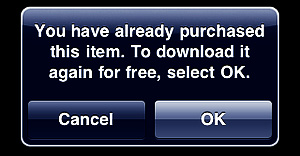
Some apps simply let you re-download your content again, charging nothing for the new downloading process: the developer has record you have already purchased that content before. At first, everything will look as it was the first time: you will not necessarily be warned that you are trying to purchase again something that you have already paid for. This might indeed be scary, but go ahead, because just before the download starts, a pop-up message will remind you that you are entitled to download the content for free, since you have already paid for it.
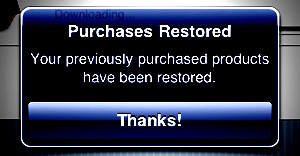
 Other apps have a feature called “Restore Purchases”. This may look confusing when you read it, but restoring simply re-downloads or unlocks all the content you have paid for, without having to go through the process of manually selecting several items and downloading them individually. Restore is especially useful in apps where there are multiple in-app items that can be purchased. Not all apps featuring in-app purchases include a Restore Purchases action, but some do.
Anyhow, only non-consumable purchases – virtual items that you cannot use up – can be restored. Photography apps usually feature only this type of purchase, but other genres of apps, like freemium games, rely on consumable purchases like virtual credits, which cannot be restored.
Closing comments
It’s in your right to offer your feedback in the App Store and developers definitely appreciate it. However, always try to be fair before you give your rating and make sure you are not missing some important detail; if you have doubts or if you find yourself stuck, take some time to look for adequate information or, when possible, contact developers for support.


There is a problem with Hipstamatic’s limited edition packs, films, lenses. Once they are discontinued, they cannot be restored. Users have been complaining about this, and Hipstamatic offered all their discontinued packs etc, just a few weeks ago. So be sure that your favorite lens is still on offer before restoring purchases.
Or, re-select Hipstamatic in iTunes to sync it back into the device. This should work, I haven’t tried it.
Thanks for pointing that out. However, I am quite sure that’s not 100% correct: I am not sure about issues with other users, but myself I have tried doing this in Hipstamatic and I could restore limited editions I had previously purchased before.
I tried restoring also before the RetroPak release and after the limited edition purchases were virtually discontinued, anyway, and it worked at the time. I had the whole Dali Museum GoodPak restored, in fact.
Yeah, the problem affects a small amount of users. Some have said it helps if you restore when you are on Wifi with strong signal, others have said this doesn’t help either.
I lost my old ipad a week ago, and now I brought a new ipad2, Can I restore all of my applications purchased from App store before for my old ipad? When I installed my new ipad2, I found the applications I purchased before are nolonger on my iturns’s purchased list, can I get them back? Thank you for help!
If you have a previous backup of your iPad, you can do it easily using “restore from backup”.
Anyway, iOS 4.3.3 (or later versions) keeps track of your past purchases, so even with no backup, you should be able to download all your purchases again through the “Purchased” tab in your device’s App Store. Just be sure to sign in with the same account you previously used. A complete guide can be found here.
Good advice.
As a developer it does frustrate me when people don’t read the app description, support page, or ask for help and then leave a negative review, as there is no way for us to respond. Most of the time their problem is some particular wrinkle in how their device is configured, and if they ask us we are always happy to help.
MailShot has an in-app upgrade to create up to 50 groups of 50 or more contacts, and quite a few of our customers don’t realise they can simply download a non-consumable in-app purchase again without a second charge. occasionally we have even been unfairly accused of “ripping them off” because they went and downloaded our free-standing pre-upgraded version from the App Store instead.
It is a shame we can’t respond to reviews.
Peter
Soluble Apps
Developer of “MailShot” and “MailShot Pro”- group emailing built into your favourite apps.
Thanks for the advice. I searched for hours for this solution. You convinced me to go ahead with the repeat purchase of the full game unlock option and I did indeed get the message about having already purchased and do I want to reload it.
Need one clarification,
In one of the iPhone app i followed the in-app purchase procedure and it was successful, but i deleted the app.Again i re-installed the same app and tried to follow the in-app procedure, got message saying that “you have already purchased this. Tap OK to download it again for free.” I tapped on OK button,but result i got a popup saying “Invalid token”. can anyone help me how to solve this problem.
Hi Deepak,
this has never happened to me. But I have read of other people getting the same message while on 3G before. Have you tried connecting to Wi-fi to complete the download? Sometimes this fixes the problem.
The “invalid token” message could be related to a number of causes, including programming issues of the app itself. In that case, the best solution is to contact the developer and request support.
Thanks for your suggestion PU, let me check …
I have an app that I want to delete because it takes up a lot of space but I paid like $7 US for it.
If I delete it will I be able to get it back?
Hi Chel,
your iTunes account keeps a record of all your purchases in the App Store, so yes, you will be able to download the app again if you will need it after deleting it.
i’ve purchased some in-app features on my iphone with icloud enabled and the auto-download on(settings>store), but the things i’ve purchased/unlocked arent showing up on my ipod touch(4g), is this supposed to happen?
i’ve purchased some in-app features on my iphone with icloud enabled and the auto-download on(settings>store), but the things i’ve purchased/unlocked arent showing up on my ipod touch(4g), is this supposed to happen?
Yes Stuart. You have to manually download your in-app purchases again or use a restore purchases feature, if the app has one.
Hi,
All the info above is great, i now know what i need to do…… But me being stupid and leaving the kids with my iPad for 5 mins, they have managed to set a 4 digit restriction code in the settings and guess what they cant remember what it is!! Im guessing I will have to wipe the whole iPad and restore factory settings as I have not had the iPad long so have not sync’ed it with my computer.
Is there anyway around this or am I to learn that
1 Dont let the kids on it
2 Back up always
Thank you in advance.
Angie
i have changed my apple id to a new one with a different debit card on it. i then went to purchase something in the ap and it said that i must re-purchase the app, i am happy to do so but will i loose everything in the app if i delete it and re-install on a different apple id?
I may be wrong, but I would expect that entitlement to an in-app purchase idepends whether the apple ID you are signed in with matches the one you were signed in with when you purchased the upgrade, rather than the ID you purchased the app itself with.
Purchases are attached to your Apple ID, you should not be changing that ID just to change the credit card registered to it or you will lose access to your purchases on the first ID.
I bought the Yogify IPad app last month and I’ve been working out almost everyday and everything was perfect as I really loved the app, but today ( last time i used the app was on June 8th) I wanted to do a class with the app and???? Where is it??? It’s not downloaded anymore??? How come?? Once I bought the pack of beginners classes I must have them forever!!! But them i tried to check on a way to have my classes back and it says ” restore your app with apple store” I clicked on that and they say I have to put my apple password again and I’m afraid to do so and be charged again!!! So I canceled and it says ” the restoration of your unlocked items has not been completed” but what I can’t understand is…..who locked the item?????
So, could you please help me understand how these “app” works and why do I have to restore it and How NOT to be charged???
If you are restoring something you have already bought, you will not be charged again, just as the article says. (The only real exceptions are “consumable” items, such as ’50 gold coins” in a game)
If you make a mistake, Apple will almost always refund you, so you should go ahead and restore that purchase.
If my app is discontinued but i backed it up, will my in app purchases also show up?
Hi Peter, unfortunately there is no set rule here. It all depends on the way the developer implemented in-app purchases in the app. To get an answer regarding your specific case, you should try getting in touch with the developer directly.
I bought an app called Carnivores: Dinosaur Hunter on my Iphone, but then my Iphone got erased or restarted. And my apple was not deleted, it was still there but I needed to pay for Carnivores: Dinosaur Hunter although I bought it before with my account.
Please, how can I get it back, the credit card is disabled now.
Omar, have you actually tried downloading the game again? You are prompted to pay at first, but if you confirm you’ll get a message stating you have already bought the app and you can dowload it for free.
I HAD GREATEST LOST EVER .FEW YEARS AGO I DOWNLOAD AN APP FROM APP STORE I THEN UPGRADE MY PHONE AND RESTORE FROM BACKUP AND FOUND ONE OF MY PRECIOUS MISSING.
TRIED FIND IN PURCHASED ON IPHONE NONE FOUND
TRIED FIND IN PURCHASED ON PC-ITINES NONE FOUND.
THE APP WAS REMOVED I DON’T REMEMBER THE NAME.THE APP WAS A MANGA STORY LINE WHEN YOU PRESS THE SCREEN IT CAN TALKS IN ENGLISH .ABOUT A BOY IS A PHOTOGRAPHER WHO IS VERY NEGATIVE ONLY TAKE PHOTO WITHOUT PEOPLE THEN HE MEETS A CHEERFUL GIRL FEEDING A CAT EVERY DAY SAYING I WANT TO MAKE EVERY ONE HAPPY.
IF ANY ONE HAVE THIS APP PLEASE TELL ME BY REPLY .THE DEVELOPER IS KOREAN.
IF ANYONE HAD A PRODUCT SOFTWARE THAT RESTORE APPS BEFORE PLEASE RECOMMEND.
Comments on this entry are closed.