
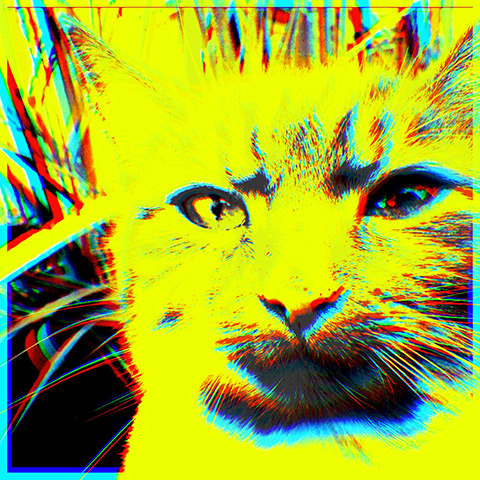
Popkick users and fans of colorful warholesque pop effects, keep an eye on the App Store: a revamped version of the app Popkick is being released on the 5th of November. We were given the chance to try the new Popkick shortly before the official release. Here is our experience with it.
Category: iPad App Reviews
Reviews of iPad photography apps.
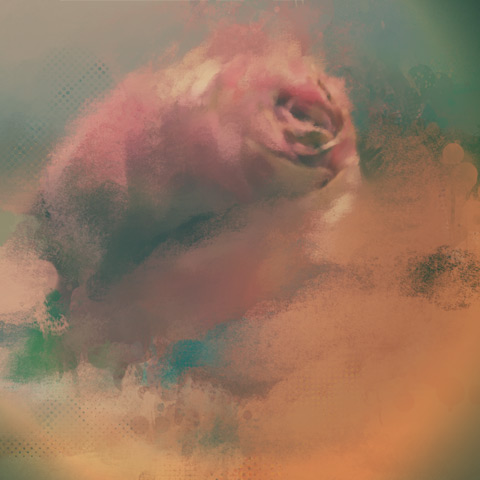
Repix Review
Sometimes it does take a little more than a one-tap effect to give your photo the look you are looking for; you have to work a harder for it. There are a thousand iOS apps available that let you apply artistic filters by just tapping on a single button, but there are also apps that will offer you instruments to process photos more creatively by overlaying them with organic effects and brush strokes. Yes, a bit like in painting, but not quite. Repix is one of these latter apps.
Main Features
- Full resolution saving available;
- 20 effects (8 free + 12 via in-app purchase);
- 6 crop ratios;
- 8 photo filters;
- Random feature;
- Adjust brightness, contrast, saturation vibrance, temperature, vignette;
- Undo/redo;
- In-app guide;
- Send via email;
- Share via Twitter, Facebook, Tumblr, Instagram.
Distressed FX Review
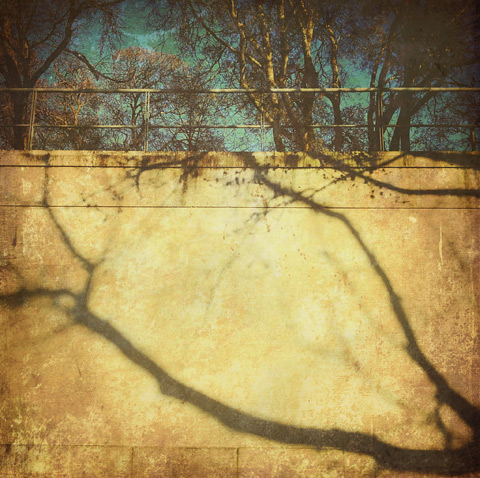
Distressed FX is a sweet little app for iPhone and iPad that uses textures to turn photos into aged and battered images with an artistic flair. The app has just enough features for this purpose, which is perfectly fine, as so many do-all apps include at least a few textures among their effects but they are not especially designed for this; as a result their textures do not always blend nicely with photos. As I said other times, texturing takes more than just sticking a random layer over a picture; first of all, it starts with versatile textures.
Main Features
- Full resolution saving available;
- Square format;
- 16 textures;
- 21 overlays;
- Adjust texture and overlay brightness, contrast and saturation;
- Adjust texture and overlay opacity;
- Oval and linear blur;
- In-app guide;
- Send via email and to Dropbox;
- Share on Twitter, Facebook, Instagram.
XnRetro Review
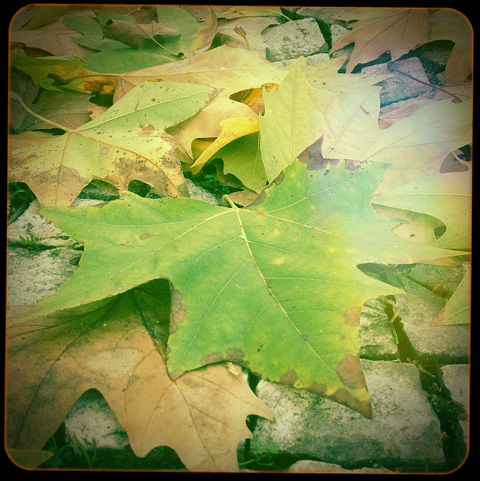
XnRetro is the little sibling of the more comprehensive XnView. The app is pretty much hassle-free and user-friendly, but it offers limited tools. XnRetro is an okay photo companion for users who need all the essential features that make a photography app usable, from processing to sharing, without sophistications and convoluted controls.
Main Features
- 19 filters;
- 26 frames;
- 15 light textures;
- 6 vignette styles;
- Add grain;
- Adjust brightness, contrast, saturation;
- Send via email;
- Share on Facebook and Twitter;
- Open photos in other apps.
The Photography and iPhotography Assignment Generator
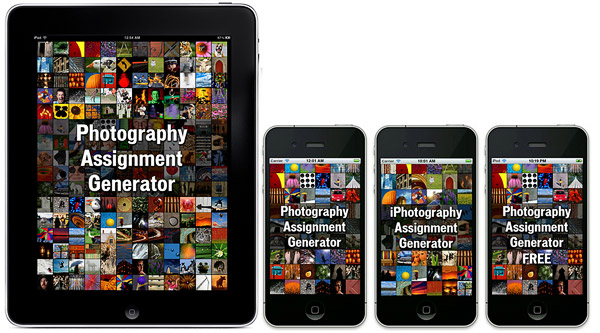
If you have camera, any camera — if you are reading this site you probably do — you know how hard finding inspiration to take pictures can get. This is especially true if you are a little more dedicated to photo taking than the casual shooter. If you have a few bucks to spend and are looking for new ways to get your motivation going, you can give the iPhotography and Photography Assignment Generator a go. These apps are intended as databases of photo assignments, ranging from exploring photography genres as portraiture, landscape, and macro, to trying various camera settings and creative techniques. The apps are directed not only at iPhone shooters but also at anybody else with an interest in photography.
Noel Chenier, the author of this project, is a photographer with experience as an instructor and is currently giving online courses in photography via his website, learnphoto.ca.
Continue reading “The Photography and iPhotography Assignment Generator”
Snapseed Review
I’ve been knowing Nik Software mainly because of their Silver Efex, an excellent Photoshop plugin for achieving professional black and white effects and conversion. Snapseed is Nik’s contribution to the world of mobile photography.
Main Features
- Full resolution available;
- Auto correction;
- Selective adjustment;
- Straighten and rotate;
- Crop;
- Brightness, contrast, saturation and white balance adjustment;
- Grain adjustment;
- 20+ creative effects;
- Blur;
- Revert to original;
- Undo;
- 8 borders;
- In-app guide;
- AirPrint support;
- Send photos via email or share on Facebook and Flickr.
Appotography Opinion
Snapseed works great both on iPhone — and iPod Touch — and iPad and it allows editing of photos taken in-app or loaded from the device. The app’s interface is minimal and uncluttered and it relies mainly on menus that can be brought on by onscreen tapping and holding; you can then scroll vertically to select the desired settings. To increase and decrease the setting values, swiping or pinching with fingers over the image is all you need to do and it’s also all you require to master the app. At the bottom of the work area, you will find additional controls to choose specific commands, undo, apply effects and compare with the original image.
Automatic is the quickest way to apply basic enhancement to your photo. This mode allows to apply color and contrast correction in seconds, without having to go through more intensive processing. On the other hand, Selective Adjust serves the purpose of applying correction over specific areas of the chosen photo. Selective Adjust is a sort of simplified masking feature, allowing to make adjustments only where you really need it.
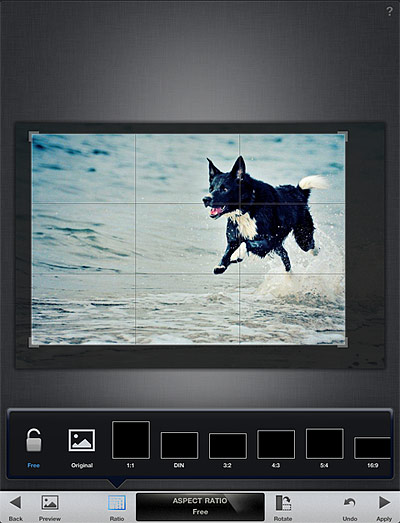
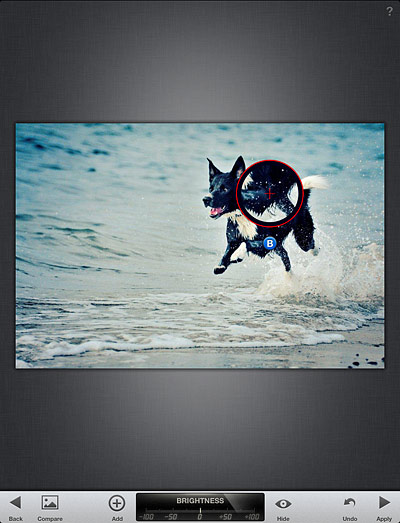 Tune Effect, Straighten and Crop are designed for more thorough editing, as they come with a set of more comprehensive tools for fine-tuning photos. Tune Effect includes brightness, contrast, ambiance and white balance controls; straighten and crop will help in improving framing by fixing crooked images and by removing unnecessary elements.
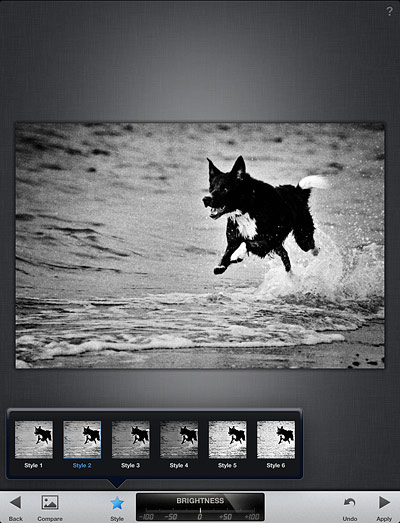
 Snapseed comes also with a focus editor and four sets of different filters and effects, divided into four themed categories: Black and White, Vintage Films, Grunge and Drama. For final touches, a small collection of photographic borders is also included. All filters are top quality and highly customizable.
 After editing, it’s possible not only to save the image, but also to print it and share it via email or on Facebook and Flickr. You can always revert to the starting shot and a button in the work area allows you to compare the processed result with the original.
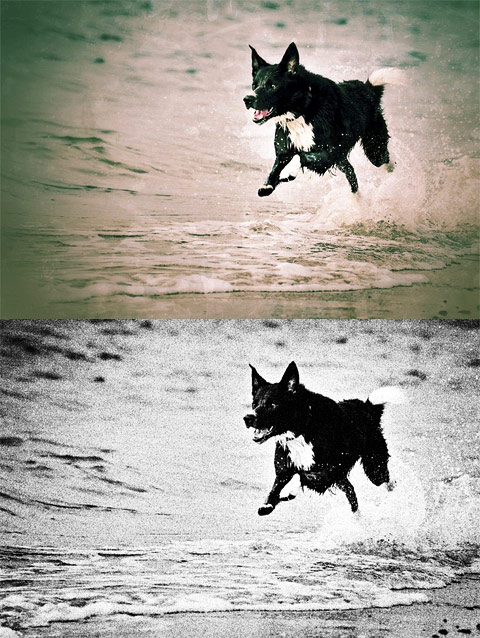 Nik’s Snapseed provides the user with quick and to-the-point instruments for easy enhancement. One of the most notable features of the app is the swiping motion, which allows for quick and accurate visualization of edits. If you imagined from previous experiences that image editing must necessarily be a painful process, then you should try Snapseed to change your mind. Snapseed doesn’t come cheap, but if you are looking for all-around quality editing, you definitely won’t regret getting it.
Overall
Name: Photo Effect Studio
Developer: Everimaging Ltd
Compatibility: iPhone, iPod Touch, iPad. iOS 4.0 or later.
Price: £2.99||$4.99||€3.99
Vote: 5/5

PhotoViva Review
PhotoViva is an advanced photo application compatible both with iPhone and iPad that serves the purpose of enhancing photos and turning them into complex artworks.
Main Features
- Up to 1600×1200 pixels;
- 20 brushes;
- Paint or clone;
- HDR correction;
- Crop;
- Adjust saturation and sharpening;
- Undo/redo;
- Add noise;
- Adjust hue, saturation and tint;
- Channel mixer;
- Color picker;
- Adjust brightness, midtones and shadows;
- Autopainting.
Appotography Opinion
To enhance your photo of choice, PhotoViva gives you several editing instruments, like a basic channel mixer, hue, saturation, brightness, sharpen tools and more. For a quick fix, you can use the freehand crop and rely on the HDR correction to bring out details lost in the dark or light areas of your original photo.

To turn photos into paintings and sketches, you have a collection of 20 different brushes, ranging from pastels to watercolor. To make the brush strokes blend organically with the subject of the photo or to obtain special effects, you can change angle and size of each brush and either pick colors of your choice or use the original as the source image. A clone feature is also included.
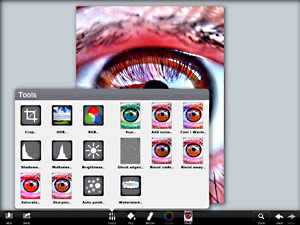
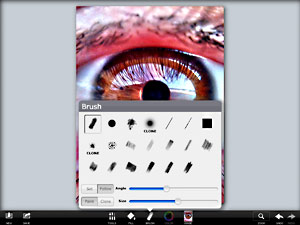
PhotoViva offers a variety of tools in a well-balanced format, succeeding where most photo-to-painting apps for iDevices failed. Results benefit significantly from the app’s great flexibility and from its wide range of available choices. Although the app comes with an autopainting feature, the best results are achievable by manually fingerpainting and adjusting settings where and when necessary. PhotoViva represents a good compromise between fully automated artistic filters and drawing applications. The app works great both on iPhone and iPad, but for obvious reasons painting on iPad’s larger screen feels more comfortable.
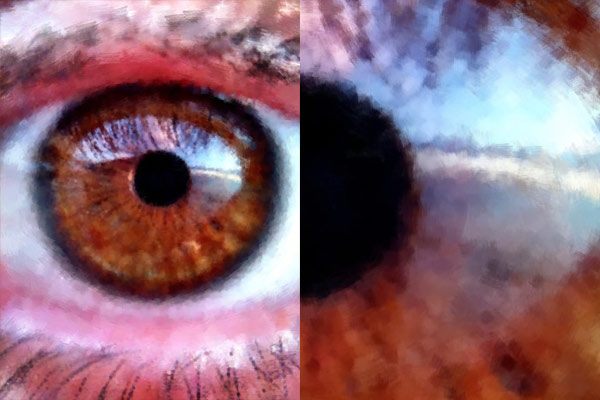
The only notable problem with this app is the final saving resolution of 1600×1200 pixels, which could definitely be improved.
Overall
Name: PhotoViva
Developer: Lamina Design
Compatibility: iPhone, iPod Touch, iPad. iOS 3.0 or later.
Price: £1.49||$1.99||€1.59
Vote: 4/5
Luminance Review
What’s the meaning of luminance? Luminance, also referred to as photometric brightness, is a term from the photometry glossary indicating the amount of light radiated or reflected by a particular surface.
Subsplash’s Luminace is a universal photo app that takes advantage of adjustment layers to perform quick and effective photo enhancement without affecting your original photos.
Main Features
- Full resolution available;
- 19 presets;
- Hue, saturation and white balance filters;
- Brightness, contrast and exposure filters;
- Tone curve and color filters;
- Vignette;
- Split toning and sepia effects;
- History/undo;
- Retina support;
- Send photos via email or share on Facebook and Twitter.
Appotography Opinion
Luminance offers a good selection of filters and effects which can be applied to photos either loaded from Camera Roll or taken in-app. What Luminance does is adding a series of adjustment layers, which affect the image’s final look, while the original always remains intact.
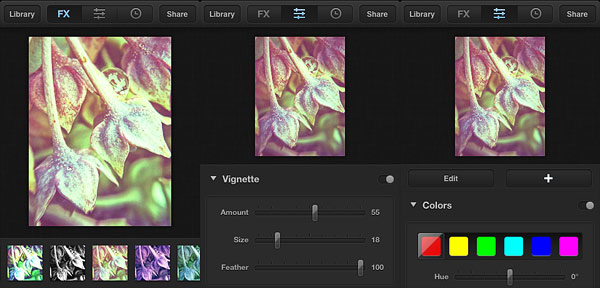
By scrolling the menu located at the bottom of the FX panel, with one tap you can add one among the ready-to-use styles to your photos. When necessary, you can modify the given presets by switching from the FX panel to the filter editor, where you can tweak settings to go with the mood or the look you want. If you prefer, you can build your style from scratch. By tapping on the plus sign, you can add as many adjustment layers as you see fit and you can keep on editing the layers you have until you are satisfied.
When you are done, you can save to Camera Roll or share the photo via email, Facebook and Twitter. Photos processed in Luminance are stored in the Library, where you can access them in any moment and make changes using the History feature.
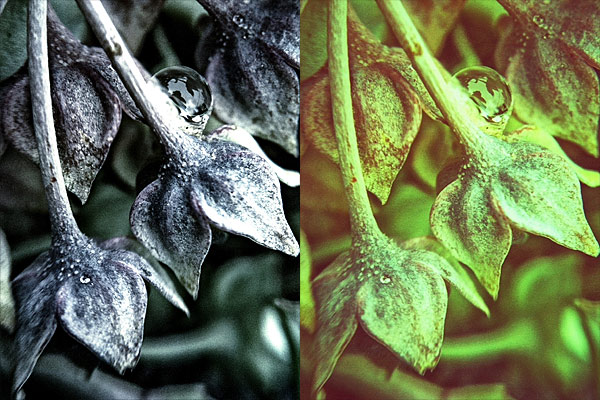
As many users noted, Subsplash’s app definitely lacks a few useful features. However, effects in Luminance are beautifully done and the app works as a charm both on iPhone and iPad. Creating filters by modifying the original presets or building them from scrach is also quite easy once you get the hang of it, although for a beginner the control panel can be a little confusing. It would be nice to have a little more flexibility in the handling of the presets: for instance, it would be easier to have the possibility to save your custom presets and have them displayed along those coming with the app, instead of having to copy edits from a photo to another to use your personal styles.
Users looking for a way to add attractive and polished looking effects to photos easily while maintaining a certain degree of customization will definitely love Luminance.
Overall
Name: Luminance
Developer: Subsplash Inc.
Compatibility: iPhone, iPod Touch, iPad. iOS 4.0 or later.
Price: £0.69||$0.99||€0.79
Vote: 4/5
Movie Looks HD Review
Red Giant’s Movie Looks HD is a universal video editing app that offers a collection of polished looking effects and other basic editing tools to spice up your video clips in just a few minutes.
Movie Looks HD is the mobile — and simplified — edition of Red Giant’s renown Magic Bullet Looks, a professional desktop color grading editor.
Main Features
- Full resolution available;
- 40 looks;
- Adjust look intensity and brightness;
- In-app guide;
- Send via email and MMS or share to Youtube, MobileMe, Facebook, Flickr and Twitter.
Appotography Opinion
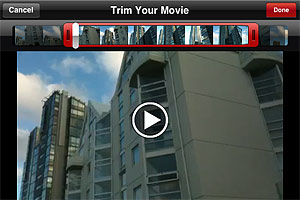
Movie Looks HD doesn’t let you shoot videos from within the app, you can only import previously taken clips to edit them. Before applying the effects, you can trim your videos. Red Giant’s editor, like most iPhone and iPad apps, doesn’t come with very accurate or specialized editing tools, but in any case the trimming feature is still worth having.
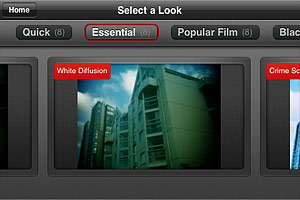
 Movie Looks HD contains several presets (looks) whose intensity and overall brightness you can adjust with the help of two sliders before confirming the processing. There are forty presets in all, which are arranged in five packs each counting eight effects: Quick, Essential, Black and White, Popular Film and Blockbusters.
 The looks in the Quick pack are basic color adjustments that, as the name suggests, take less to be processed. The Essential looks simulate well-known and hugely popular processes, like bleach bypass and cross process. The remaining packs, Black and White, Popular Film and Blockbusters, are available as premium material
 only through in-app purchase. They cover a variery of styles, from vintage monochrome to night vision style.
 After developing is finished, you can review your edited clip and either decide to move on by choosing another video or you can keep on editing the same clip, picking different looks.
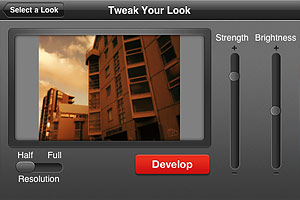 I have tried Movie Looks HD both on the iPhone and on the iPad: even in full resolution developing times seemed fair, especially with very short clips. Just to be on the safe side, Red Giant warns users that an iPhone is not a supercomputer and processing may take some time. At any rate, it doesn’t take Movie Looks HD longer than average to edit video clips. Effects are well done, but perhaps not varied enough to justify forty different presets. Not to mention that some of the most interesting effects come with the premium packs. On the iPad, for some reason the app stays on “saving” forever after developing is complete, so I couldn’t manage to get past this stage and look at the result. Moreover, on the iPad the app has some glitch and thumbnails aren’t displayed correctly in previews.
A few users complained that Movie Looks HD won’t read their Camera Roll even when there are videos in it. If this happened to you, it may be a problem with your location services being disabled, so check the device’s settings and make sure the option is enabled.
Movie Looks HD is free until September 1.
Overall
Name: Movie Looks HD
Developer: Red Giant
Compatibility: iPhone, iPod Touch, iPad. iOS 4.1 or later.
Price: £1.99||$2.99||€2.39
Vote: 3/5
iObsessed iPad Companion
There isn’t such thing as the foolproof formula to perfect creation: don’t let anybody tell you any different. Visual arts, photography included, aren’t really about getting the best equipment; what matters in visual arts is whether the creation is capable to speak to the viewer, either by conveying a strong message or simply by tickling senses and imagination. iPhone photography is not an exception.
Of course, many professionals will affirm that it’s impossible to productively use an iPhone to take valuable photographs; to support their reasoning, these professionals will go through long and tedious lists of specs and technicalities. The creatives though will always think differently, as they know every tool has more than what specifications suggest. By exploring and experimenting, creative artists accept disadvantages and flaws in the medium and turn them into unique features.
 iObsessed is the brainchild of Dan Marcolina, designer and photographer with a passion for iPhone image processing. The iPad Companion counts sixteen chapters. In every chapter, Marcolina analyzes techniques and recipes he has devised to produce peculiar effects to process photos on the iPhone. Commentary and links offer in-depth overview on how the given results can be accomplished; original shots are presented for comparison and all processed photos come with their app formula. By rotating the iPad from horizontal to vertical position, it’s possible to access the app compendium, which contains information on the apps used in each chapter. Extensive video materials (around 90 minutes in all) complete the book, guiding the reader to understanding the workflow from original shot to processed image. An appendix includes several extras, like links to iPhone camera add-ons, photo gallery, and a brief note on the author.
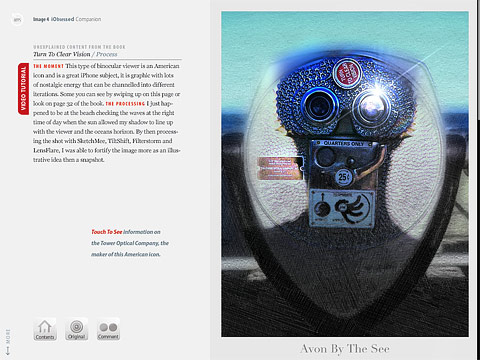 The iPad companion is actually an extension to the iPhone Obsessed book by the same author, published by Peachpit Press, which contains more examples and information on how to use the iPhone creatively. Dan Marcolina’s interactive book doesn’t claim to be the ultimate “how-to” manual to iPhone photography. iObsessed rather presents tips and ideas that uncover the hidden potential of images and go beyond limits inherent to the medium. As such, it can be a great source of inspiration and a reference guide to rewardingly learn to combine possibilities offered by different applications and also, occasionally, by external resources.
iObsessed is available from the App Store for $4.99/€3.99/£2.99.