Phoster 1.2.0 is now available in the App Store. Here are all the details about the latest release:
Added 6 new templates;
Added background color options;
Added new user manual;
Added Flickr upload available;
Added export to Instagram;
Added export to other photo apps;
Added bluetooth keyboard support;
Added high-definition device support;
Added iPad2 camera support;
Fixed font size adjustment error;
Fixed keyboard rotation problems.
As you can see, version 1.2.0 of Bucket Labs’ poster creator improves the app’s overall usability thanks to the newly added exporting (directly send to Instagram and to other photo apps) options and enhancements to many other features.
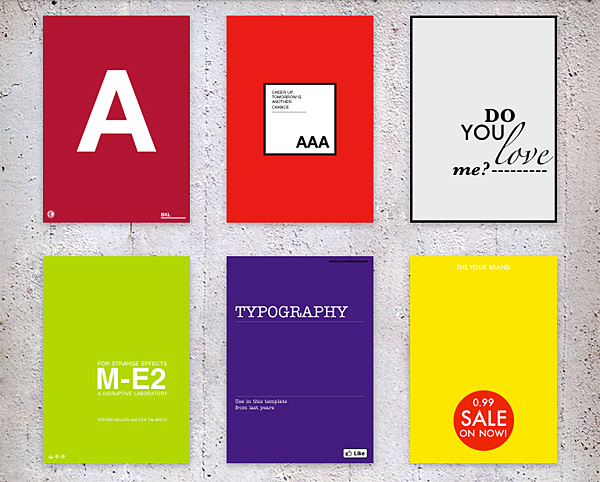
Phoster's new templates.
The new Phoster adds six more multi-purpose template designs to its already rich collection — now counting 72 templates in total. Thanks to the newly introduced change background color feature, which allows more accurate matching in photo/background combination, more customization is possible for the creation of your posters and invitations.
Phoster was updated to 1.1.0. The new release adds more customizability and extras. Here is what’s new:
New design;
New icon;
Bookmark favorite template;
Movable text;
Adjustable text font;
More text color options available;
Five new templates.
Phoster is more fun than ever: now you can move around your text and place it anywhere, pick one of the several available font faces and choose among a wider color palette to make your posters and invitation cards unique.
Five templates were also added to the already rich app’s collection. You can also bookmark your favorite template styles for browsing quickly through them.
Is there truly anybody who hasn’t tried to act as a graphic designer these days? From creating a custom avatar for social networks to setting up your own blog, almost anybody with a working Internet connection at some point felt the urge to create slick graphics to use them in the most diverse ways.
Bucket Labs delivers to the App Store their excellent Phoster, a tool with a lot of potential that will let any user believe he can become a graphic designer in just a couple of clicks.
Main Features
Full resolution available;
50+ adjustable templates;
AirPrint support;
iOS retina-display support;
Share via email, Facebook, Twitter, Flickr.
Appotography Opinion
Let me get this straight from the beginning: Phoster is fun. Even if you don’t actually need to make posters, fliers or invitations and print them, still this app is a joy to use. Phoster works really well both on iPad and on iPhone and it is quick and intuitive and printer friendly. Creating a clean-cut poster and integrating your photos into it require just a few minutes, all thanks to a neat assortment of pre-made templates and very easy to follow customizing steps. Forget about all those apps with cheesy and awfully awkward layouts: Phoster is what you need.
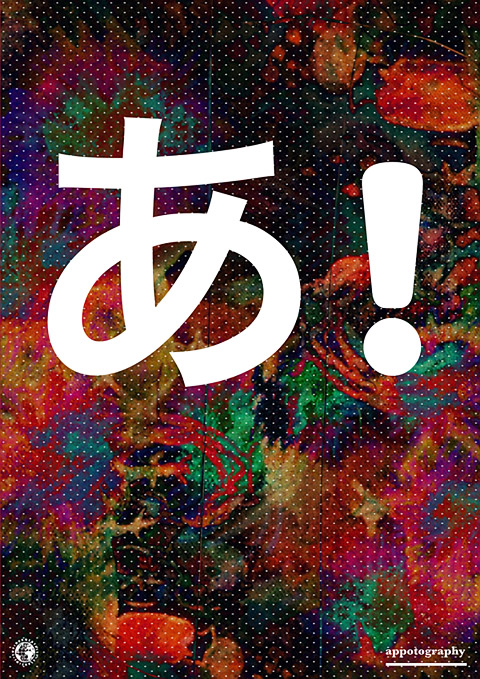
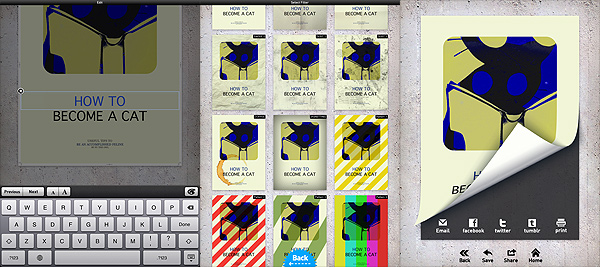
The various stages of your poster's creation.I adjusted colors with external help and... voilà!
All the user has to do is choosing among the templates; an image from the camera roll can be added to the chosen template; by zooming in and out or rotating, it can be adjusted to the layout. To customize your work further, you can change font size and color and, obviously, you can input your own text. After you’re done, you can add one of the effects and save — or print or share — your creation.
Of course, you cannot expect to use Phoster for everything. Phoster is mainly aimed at the creation of posters/fliers/invitations. Bucket Labs’ app is excellent for people that want to create slick graphics without having any particular training or skill, but it is also a nice pastime and a good shortcut for those who are already into design. A little more customization — moving the text around, possibility to change colors of templates’ without resorting to other apps, etc. — would truly make this app perfect.