
 Bleach Bypass 1.2 is out. The new version of fotosyn’s skip bleach app gives users more control over the final look of processed photos and a more efficient workflow.
Each effect has now a more functional control panel, featuring an intensity slider which can be adjusted for subtler final effects. Likewise, users can now add borders and vignette from within the effect screen, without having to go back to the in-app settings menu to enable, change or disable these elements every time.
 The newly added frame icon is positioned on the left side of the intensity slider. By tapping on it, one among Bleach Bypass frames is applied to the image. To scroll among frames, all the user needs to do is tapping on the icon: one tap enables the light, two the black and three the retro frame; by tapping once again frames are disabled. Enabling vignette works in the same way: by tapping on the vignette icon positioned on the right side of the slider, it’s possible to enable and disable vignetting instantly.
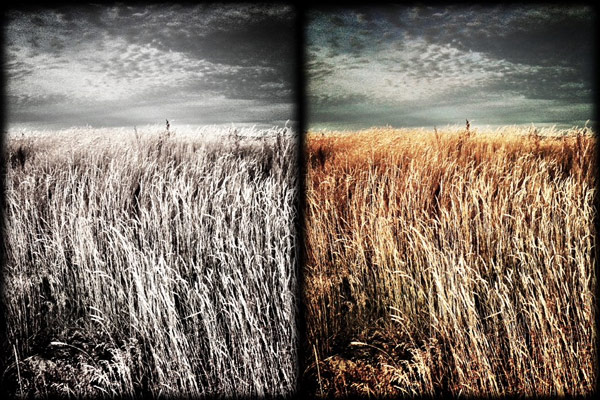
Bleach Bypass 1.2 also brings enhanced previews to non-retina devices.

You always use FANTASTIC images in your articles. Thanks for the post 🙂
=)
That’s great, I was hoping these features would be added in BB ! 🙂
Thanks Sandra quite a few people had asked for the FX to be adjustable
Does changing fx intensity affect vignette too?
Nope. 😀
Anyway, the update does not exactly make it easier to apply effects, view them, and compare to the original because you still need to switch page for effect setting instead of having an overlay or bottom panel.
Miege
In terms of more efficiency this was solely aimed at non retina devices. The preview was larger than dimensions of the screen; geared towards retina devices… this was redeveloped to detect non-Retina devices and make that preview smaller; and hence quicker to render. More of a performance thing.
Looking at FX options we may dispense with the modal popup list and go for an all in one approach. Also exploring gesture based stuff but that’s maybe a bit off yet. Developments are always exciting but we had to walk before running with this. We’ve staggered and tripped too but we’re keen to keep the momentum going.
All right, you’re the man! 😀 thanks for the clarificacion.
Hi Ben the slider has a combo effect on both amount of FX as well as opacity of the vignette. In some cases this is more subtle than others and depends on conditions within the image as is the case with some vignettes; like those found in say Aperture
And just reslised my sentence construction is really crap when replying on iPhone!