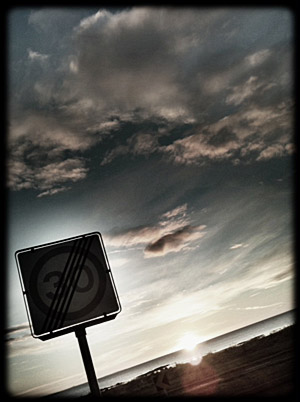
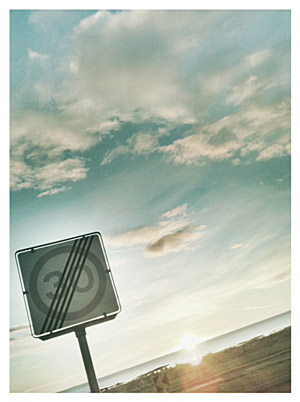
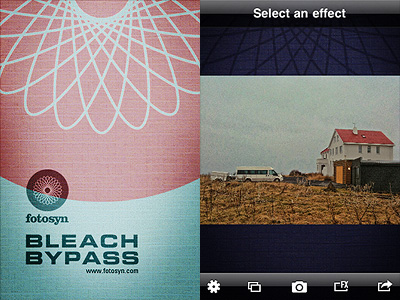
Here is a nice way to start the weekend: Fotosyn is offering Geló for free. The app’s regular full App Store price is $.99.
Geló brings the flexibility and creative possibilities of photographic gels to serve mobile photographers, adapting them to iPhone’s capabilities Continue reading “Fotosyn’s Geló Now Free”
Geló is the most recent addition to Fotosyn’s photography apps. It is designed as a portable lab for instant photo enhancements.
Geló’s inspiration comes from gels, sheets of transparent material, usually acetate, to be applied to the flash either to color balance the final image or to add colored effects to photographs. These modifiers come in a variety of shades for matching different lighting situations and to fulfill several creative purposes. Geló will help you achieve similar effects to those attainable with regular gels on your device, with just a few taps.
Bleach Bypass 1.2.6 was released today in the App Store. The latest version of the app introduces a new effect to the FX collection of Fotosyn’s skip bleach camera for iPhone. The new effect is called Rustic and is characterized by a soft sepia tone.
Rustic stylistically merges with the app’s previous effects. With the addition of Rustic, Fotosyn’s skip bleach camera currently counts nine effects in all, divided into two separate categories, Standard Effects and Tint Effects. The quality of Rustic fits in the latter group, offering a complement to tints already included in the app’s collection. Bleach Bypass 1.2.6 also presents a vignetting revision.
The new effect, Rustic.
Bleach Bypass recently got a significant update, allowing users to have a better control over the app’s workflow and to manually adjust their effects of choice to better suit photos during processing.
We have a number of free promo codes for Bleach Bypass which we want to share with our readers. Please, read the following to apply. Bleach Bypass by fotosyn recreates skip bleach processing on the iPhone. The recently revamped Bleach Bypass features 8 different effects plus borders and vignetting for easy and dramatic enhancement of images. Bleach Bypass 1.2.5 was released in the App Store earlier this week and this latest version comes with PhotoAppLink integration, to seamlessly edit photos between photo apps. If you have not tried the app yet, this could be the perfect occasion to get acquainted with it.
We will be choosing at random among people posting a comment in this entry in the course of the next 48 hours. Codes will be mailed to winners after commenting is closed, so please add your comment using a valid email address.
Many thanks to Jim Moore, developer of Bleach Bypass, who kindly provided us with the promo codes!
Bleach Bypass 1.2 is out. The new version of fotosyn’s skip bleach app gives users more control over the final look of processed photos and a more efficient workflow.
Each effect has now a more functional control panel, featuring an intensity slider which can be adjusted for subtler final effects. Likewise, users can now add borders and vignette from within the effect screen, without having to go back to the in-app settings menu to enable, change or disable these elements every time. The newly added frame icon is positioned on the left side of the intensity slider. By tapping on it, one among Bleach Bypass frames is applied to the image. To scroll among frames, all the user needs to do is tapping on the icon: one tap enables the light, two the black and three the retro frame; by tapping once again frames are disabled. Enabling vignette works in the same way: by tapping on the vignette icon positioned on the right side of the slider, it’s possible to enable and disable vignetting instantly.
Monohint (left) and Cinematic (right) with retro border.
Bleach Bypass 1.2 also brings enhanced previews to non-retina devices.
Bleach Bypass, the skip bleach filter suite by Fotosyn for iPhone is currently free for dowload in the App Store!
Bleach Bypass contains a collection of 8 filters, ranging from basic high contrast and desaturated skip bleach process look to gentler tinted effects. The app also allows vignetting and adding three types of border for a final touch. If you have not tried Fotosyn’s photo application yet, you can do it now for free. The offer is valid for a limited time only.
Bleach Bypass, Fotosyn’s app to recreate skip bleach process on the iPhone, is now version 1.1. Here are all the enhancements coming with the new release:
Thumbnail preview in FX Menu added;
Pre-rendered image for quick effect preview added;
New Muted effect added;
Verve effect revised;
Vignetting quality improved;
Retro border quality improved;
Exposure for Blush, Breeze and Nostalgia effects with no vignetting applied adjusted;
Manual saving of original unedited image enabled;
Memory use for EXIF data improved.
As mentioned, the update adds to Bleach Bypass a new effect called Muted, characterized by intense desaturation. The effect Verve, already included in version 1.0 of the app, underwent a revision and it is now available in a renovated version.
Muted effect with retro border (no vignetting).The revised Verve effect.
Fotosyn recently released their Bleach Bypass for iPhone, an app exclusively focused on simulating skip bleach processed photography.
Bleach bypass is an incorrect color processing that consists in skipping the bleaching function in the developing of a color film. The skipping can be total or only partial. The result is an image characterized by desaturated tones, stronger dark areas, increased contrast and extreme grain. Bleach bypass is also known as skip bleach or silver retention, because the silver is retained in the emulsion along with color. Although renown and appreciated for artistic purposes — very famous is the case of Spielberg’s Saving Private Ryan, which makes use of this processing extensively — this technique is particularly costly due to equipment requirements needed to achieve it. It is however very easy to imitate digitally, so its popularity has greatly increased in the last years.
Main Features
Full resolution available;
7 effects;
3 border styles;
Vignette on/off;
Auto-save on/off;
Share via email.
Appotography Opinion
In Bleach Bypass, you can either load one of the photos in your Camera Roll or take shots with the built-in camera. After you have your picture to process, you can apply one of the seven filters available in combination with one of the three borders included. There are three standard effects — Cinematic, Extreme, Monohint — and four tint effects — Blush, Breeze, Verve, Nostalgia. You can pick your desired filter from the FX screen which you can access by tapping on the FX button, but you have to enable vignetting or choose a border from the settings panel, which is kind of nonsense in my opinion — since there are not many variables, I think it would be easier and less time-consuming to have all of them accessible from the FX screen. Once you have the right combination, you can save or send via email.
The processing takes place right away after you choose your effect, unlike other apps that first let you have a preview of the result and then actually process the image when you save it. This means it takes some time to switch to one effect to the other, but it also means saving the image is immediate.
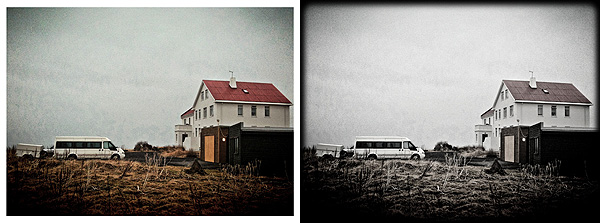
Two different combinations effect/border in Bleach Bypass app for iPhone.
The effects are very nicely done, but definitely not outstanding: on the iPhone, I’ve seen many times convincing bleach bypass-like processing; there are several apps with similar filters that aren’t labeled as bleach bypass, for instance. A few of this app’s effects look almost identical, with just very slight differences in hues and contrast. Which is kind of disappointing, since there are very few choices to begin with. All in all, it feels like the effects in Bleach Bypass could have been a single filter with adjustable parameters instead of seven individual filters which you cannot adjust at all.



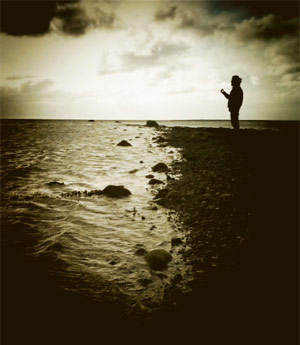

 Bleach Bypass by fotosyn recreates skip bleach processing on the iPhone. The recently revamped Bleach Bypass features 8 different effects plus borders and vignetting for easy and dramatic enhancement of images. Bleach Bypass 1.2.5 was released in the App Store earlier this week and this latest version comes with PhotoAppLink integration, to seamlessly edit photos between photo apps. If you have not tried the app yet, this could be the perfect occasion to get acquainted with it.
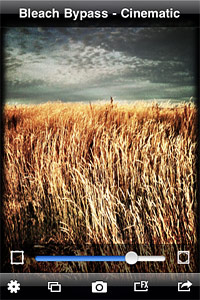 The newly added frame icon is positioned on the left side of the intensity slider. By tapping on it, one among Bleach Bypass frames is applied to the image. To scroll among frames, all the user needs to do is tapping on the icon: one tap enables the light, two the black and three the retro frame; by tapping once again frames are disabled. Enabling vignette works in the same way: by tapping on the vignette icon positioned on the right side of the slider, it’s possible to enable and disable vignetting instantly.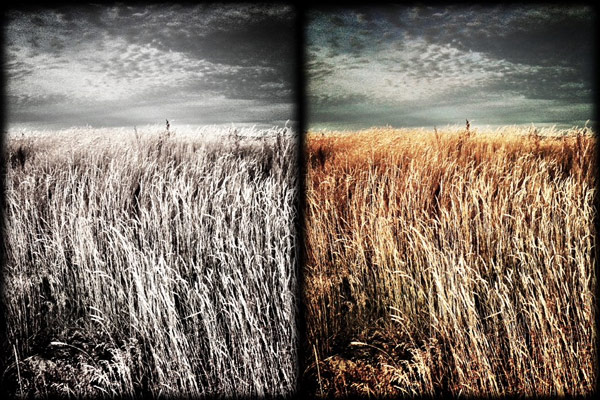

 If you have not tried Fotosyn’s photo application yet, you can do it now for free. The offer is valid for a limited time only.
 Bleach Bypass