iPhoneographers In Front Of The Lens #5 – Janine Graf

Janine Graf is a photographer based in the United States. She has won over the attention of her admirers with her extravagant iPhone images, an amalgam of ordinary and surreal elements, sprinkled with a good dose of impertinent facetiousness.
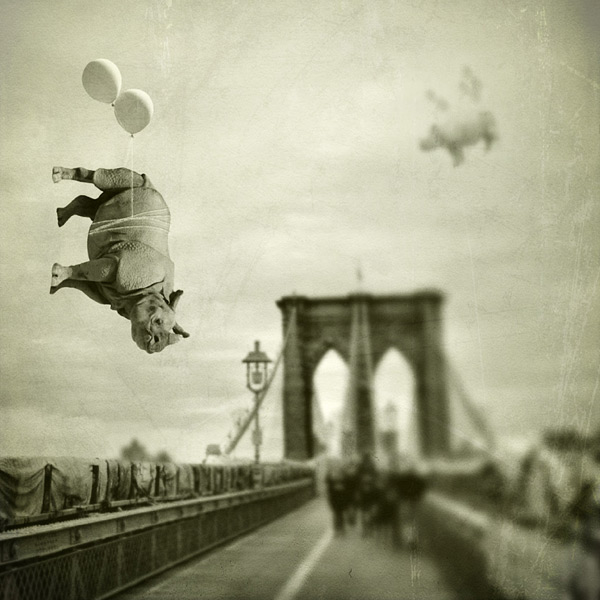
Meet me on the Brooklyn Bridge © Janine Graf

Like many other converts to mobile photography, Janine’s interest in iPhone photography was triggered by practical reasons. “I started shooting and editing with my iPhone in 2010. I was tired of lugging my monster DSLR around and eventually I started to consistently leave it at home; what’s the point in that?” She recalls an episode in particular, which she sees as a sort of turning point, “One day my family and I were at a koi store and I wanted to take a picture of the baby koi fish we had just purchased. Not having my ‘real’ camera, I took a picture of it with the Hipstamatic. I couldn’t believe how beautiful that picture actually was. It was shortly thereafter that I made the conscious decision to solely use the iPhone for image taking. Serious processing came a bit later.” Continue reading “iPhoneographers In Front Of The Lens #5 – Janine Graf”
Hipstamatic’s Silver Lake HipstaPak Tried & Tested

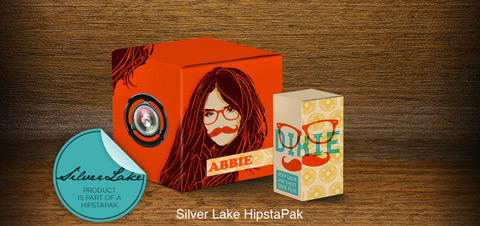
Hipstamatic welcomed the bright season and its warmth by releasing today its latest HipstaPak, Silver Lake. The newest pack contains one lens and one film.

Hispamatic Silver Lake - Abbie Lens+Dixie Film

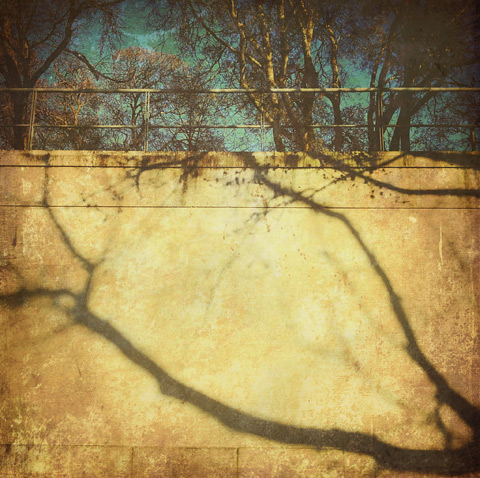
Silver Lake most likely owes its denomination to the well-known Los Angeles neighborhood bearing the same name, an area where hip artists like to hang out. The lens included in the pack, Abbie, is named after actress Abigail Spencer (it’s not the first time Hipstamatic’s developers use Spencer-related references either); Abbie features altered curves to bring out yellows and greens in your shots. The film, Dixie, is noteworthy for its subtle white border and pronounced unpredictable leaks. The new Silver Lake pack will work nicely if you are after a vibrant lo-fi look. Continue reading “Hipstamatic’s Silver Lake HipstaPak Tried & Tested”

Distressed FX Review

Distressed FX is a sweet little app for iPhone and iPad that uses textures to turn photos into aged and battered images with an artistic flair. The app has just enough features for this purpose, which is perfectly fine, as so many do-all apps include at least a few textures among their effects but they are not especially designed for this; as a result their textures do not always blend nicely with photos. As I said other times, texturing takes more than just sticking a random layer over a picture; first of all, it starts with versatile textures.

Distressed FX

Main Features

  • Full resolution saving available;
  • Square format;
  • 16 textures;
  • 21 overlays;
  • Adjust texture and overlay brightness, contrast and saturation;
  • Adjust texture and overlay opacity;
  • Oval and linear blur;
  • In-app guide;
  • Send via email and to Dropbox;
  • Share on Twitter, Facebook, Instagram.

Continue reading “Distressed FX Review”

iPhoneographers In Front Of The Lens #4 – Gianluca Ricoveri

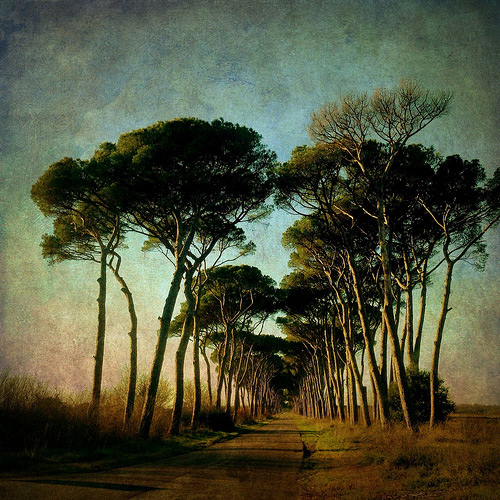
Gianluca Ricoveri is a photographer from Tuscany, the beloved region in central Italy that many painters and poets have celebrated in their art for centuries. Gianluca is currently a dedicated iPhone shooter; he became acquainted with his iDevice’s camera after years of refining his skills with totally different equipment and formats and after learning photography’s ins and outs. Even with his artistic background, Ricoveri had no problem embracing the new mobile technology for his creative purposes. “I have always used many camera formats since I started taking pictures,” he tells us, “From 24×36, to 6×6 and the 13×18 optical bench.”

Gianluca describes his encounter with mobile photography as accidental. “I discovered iPhone photography by chance, after finding a catalogue of pictures taken with Hipstamatic. This showed a brand new world to me and the countless possibilities given by such a great app, so I started to experiment with various films, lenses and flashes by taking massive amounts of pictures. Since then, it was all about discovering new apps both for taking and editing pictures.”

© Gianluca Ricoveri
© Gianluca Ricoveri
Continue reading “iPhoneographers In Front Of The Lens #4 – Gianluca Ricoveri”

Photolettering Review

House Industries is a well-known type foundry with an exuberant and assorted catalog of fonts brought to life thanks to the effort of many skilled font designers. The foundry recently released its Photolettering, a photo app to create images that combine images and typography. Photolettering takes its inspiration from the works of Photo-Lettering Inc., a type house that made use of avanced typographic and photographic technologies for producing high profile commercial work and that for its achievements and influencial production is still considered by most a pioneering enterprise. PLINC, as it was known among adepts, employed many talented hand-letterers and graphic designers and built over the years one of the most impressive type libraries ever.

There are many iPhone apps to add text to images out there, but Photolettering’s most interesting feature is in what we could call its “editorial uniqueness”: you don’t have a generic selection of font faces to choose from, but a fine collection of excellent typefaces.

Photolettering iPhone

Main Features

  • 20+ fonts (3 free + others via in-app purchase);
  • Three photographic filters;
  • Set text alignment;
  • Change font color;
  • Set background color.

Continue reading “Photolettering Review”

SketchMee & SketchMee HD On Sale

SketchMee for iPhone and SketchMee HD for iPad are free for a very limited time. The regular price for the iPhone version of the app is $1.99, while the HD edition for iPad is $3.99.

SketchMee
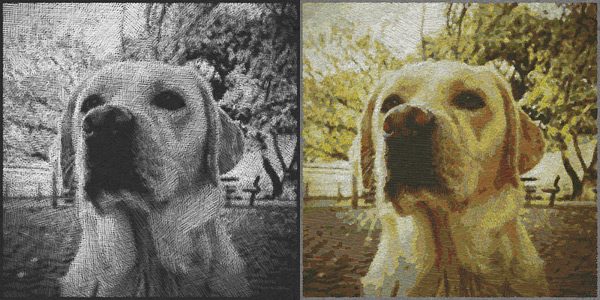
Both SketchMee and SketchMee HD apply artistic filters to photos and turn them into pencil and chalk style drawings. The user has number of settings to adjust stroke color, style, width, paper texture and render quality. Images can be saved as JPG or PDF files (the PDF export option however is an upgrade not included in the current free offer). Continue reading “SketchMee & SketchMee HD On Sale”

iPhoneographers In Front Of The Lens #3 – Sarah Jarrett

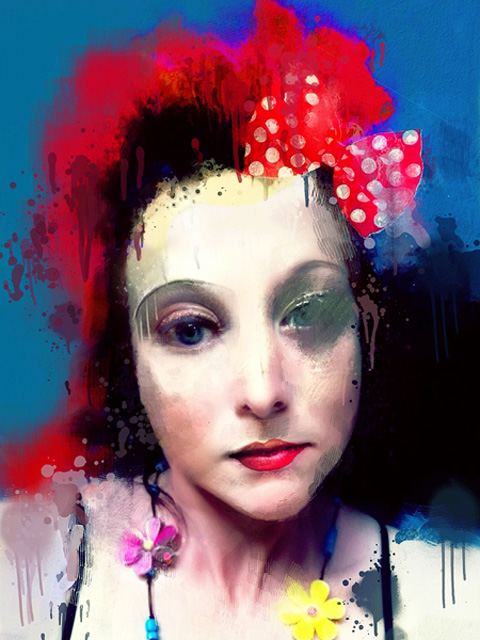
Sarah Jarrett is a visual artist based in the United Kingdom. She won the grand prize at the Mobile Photography Awards as Photographer and Artist of the year in 2012. Her pieces are otherworldly and enigmatic representations of reality and its deceptive qualities as seen through the lens of a visionary. Sarah’s images are capable of questioning commonly accepted notions of social roles and personal identity; her portraits are particularly memorable, mixing techniques and vivid color palettes in visual pastiches that are both lyrical and blatant.

The Polkadot Bow © Sarah Jarrett

We approached Sarah Jarrett with great eagerness to learn more about her personal ideas about art applied to mobile platforms. As many iPhone and iPad “converts”, Sarah started making art in the old analog days, when tools and materials were more demanding under many points of view. “I did my degree in Photography at Art College in London but it was entirely film and paper based. Digital didn’t exist,” she recalls. Continue reading “iPhoneographers In Front Of The Lens #3 – Sarah Jarrett”

Luminance Free For A Limited Time

Luminance is free for a limited time only in the App Store. The app’s regular price is just $0.99, but you can download it for free at the moment.

Luminance Free

Luminance is a refined mini editing studio both for iPhone and iPad photographers. The app includes crop and rotation tools, several presets for instant photo enhancements Continue reading “Luminance Free For A Limited Time”