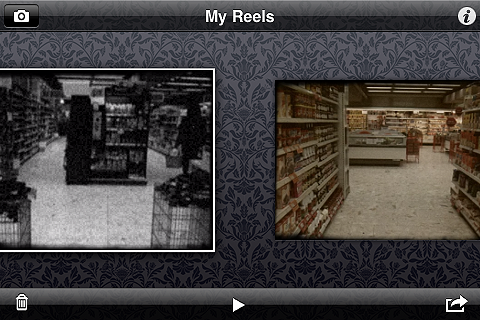
Distressed FX Review

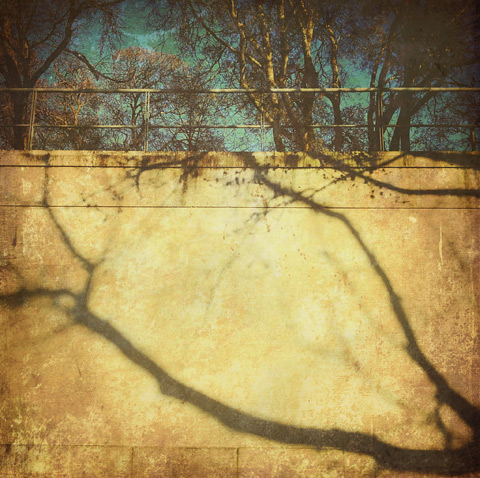
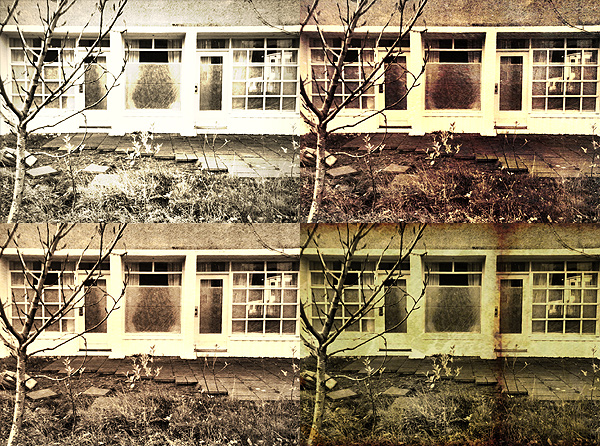
Distressed FX is a sweet little app for iPhone and iPad that uses textures to turn photos into aged and battered images with an artistic flair. The app has just enough features for this purpose, which is perfectly fine, as so many do-all apps include at least a few textures among their effects but they are not especially designed for this; as a result their textures do not always blend nicely with photos. As I said other times, texturing takes more than just sticking a random layer over a picture; first of all, it starts with versatile textures.

Distressed FX

Main Features

  • Full resolution saving available;
  • Square format;
  • 16 textures;
  • 21 overlays;
  • Adjust texture and overlay brightness, contrast and saturation;
  • Adjust texture and overlay opacity;
  • Oval and linear blur;
  • In-app guide;
  • Send via email and to Dropbox;
  • Share on Twitter, Facebook, Instagram.

Continue reading “Distressed FX Review”

ScratchCam on Sale!

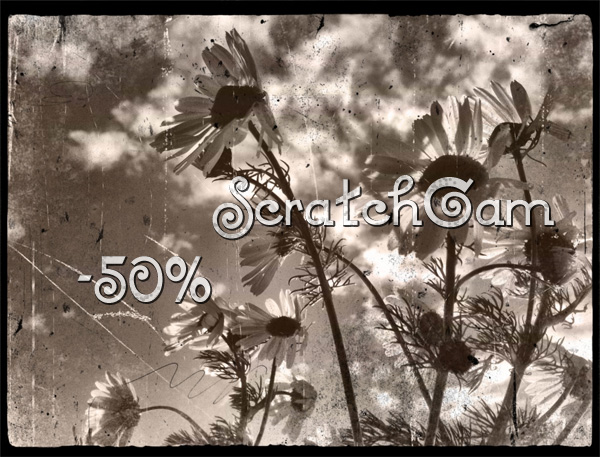
ScratchCam iPhoneScratchCam is currently on sale with a  discount of 50% off the original App Store price.

ScratchCam is easy to use: you can generate random effects to turn your photos into old and worn out images with one single tap. You can save your favorite effects to apply them over and over to all your photos.

ScratchCam -50%Right now, ScratchCam is available at the special price of $0.99/€0.79/£0.69 for a limited time. If you haven’t tried this app, this could be the right occasion.

Grungetastic Review

Grungetastic by JixiPix Software is an app that comes with many textures and enough space for customization, to transform photos into grungy images. We have tried Grungetastic on iPhone, but the app is also available in HD version on iPad.

Main Features

  • Full resolution available;
  • Randomize effects;
  • 43 presets;
  • 80+ textures;
  • 35+ borders;
  • Adjust strength/color;
  • Send to email or share on Facebook.

Appotography Opinion

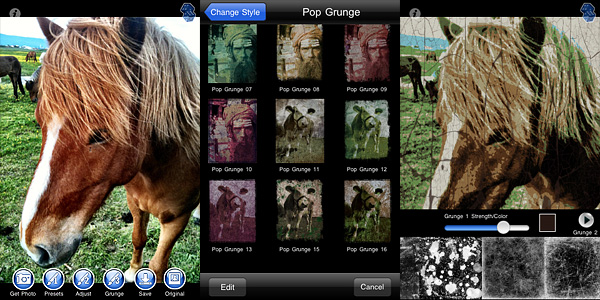
In Grungetastic, you can use both the built-in camera feature or load a photo from your device. For quick and easy editing, you can pick one of the many presets included in the app. Presets are arranged into different categories, each covering a style: Grunge, Pop Grunge, and Bleach Grunge. While Grunge is more about simply adding textural elements to photos, Bleach Grunge also adds fading, to convey more effectively the aged and distressed look. Pop Grunge mixes dirt and scratches with more or less intense posterization, for a peculiar and up-to-date graphic look.

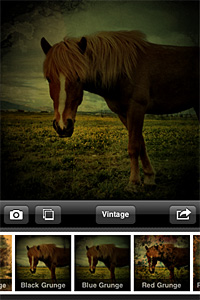
Grungetastic for iPhone by JixiPix SoftwareGrunge textures and borders are the same for all style categories. You can apply two separate levels of grunge (two different textures, that is) and a border on the same image and set individually their opacity and color.

For a more distinctive result, you can create custom presets by adjusting the value of various parameters, like tone, threshold and bleach degree. You can save custom presets for further use or edit them to adapt them to your images. For unexpected combinations, you can try the Randomize button.

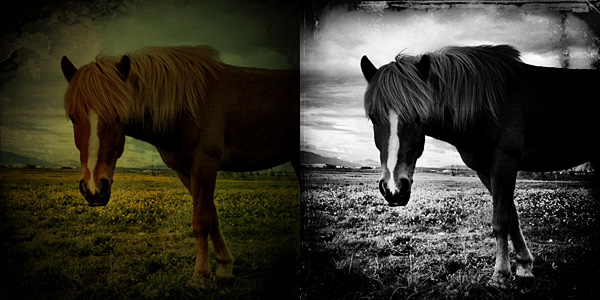
Grungetastic for iPhone by JixiPix
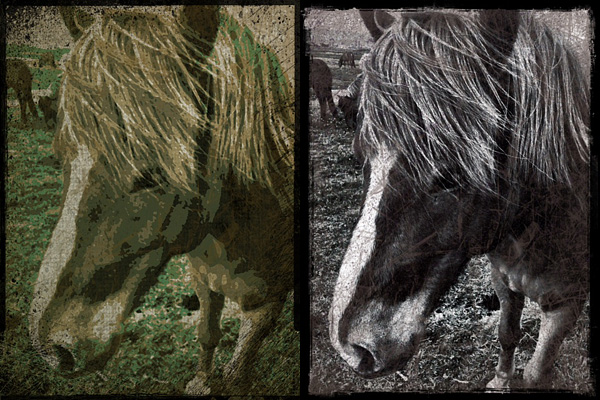
Pop Grunge (left) and Bleach Grunge effects applied in Grungetastic.

As with other JixiPix Software’s photo apps, rendering times in Grungetastic can be, on average, quite slow. Especially on very large images, adding effects and saving can be time-consuming. However, the interface works smoothly and the outcomes are fairly satisfactory. Given the amount of material you can work with, if you are into heavy processing and grungy, extreme effects, you will enjoy Grungetastic.

Overall

Name: Grungetastic
Developer: JixiPix Software
Compatibility: iPhone, iPod Touch, iPad. iOS 4.2 or later.
Price: £1.19||$1.99||€1.59
Vote: 4/5

Grungetastic - JixiPix Software

Picfx On Sale!

picfx for iphonePicfx is currently on sale. ActiveDevelopment’s app is 50% off its regular App Store price.

With Picfx, you can add several effects to your photos, choosing among a collection of textures, light leaks, borders and more. Picfx comes with 36 effects (including textures and borders) and 13 colored filters (from black and white to vintage) which you can apply over and over to your photos to create your own unique styles.

Picfx for iphone
Picfx, which exclusively relies on the square format, can particularly be a special treat to users willing to give their photos an old style look. In combination with other apps, some interesting results can be achieved.

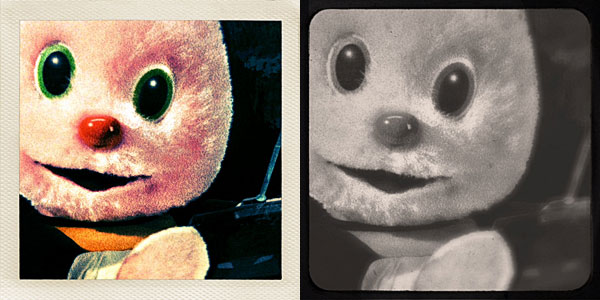
Picfx for iphone
Different styles in Picfx.

You can now purchase Picfx at the special price of $0.99 (€0.79/£0.59).

Get lo-mob for iPhone At 50% Off

Lo-mob for iPhone is on sale. You can get it now at $0.99 (€0.79/£0.59): 50% off the regular price!

Lo-mob is a photo app packed with many retro and lo-fi filters, from slides to instant emulsions and to 35 mm to TtV effects.

Lo-mob iPhone
Different effects in lo-mob for iPhone.

Lo-mob features some of the most unique effects available in the App Store. If you want to know more in detail about it, read our full review.

lo-mob - aestesis

Old Picture: Free Old Style Texture Collection For Your Photos

Personally, most of the times I like to choose carefully when I use photos and textures together. I prefer using something more highly customizable and make sure the final effect is as I want it to be. Even on the iPhone or iPad, I tend to rely on one or multiple textures I choose myself, rather than on presets that I  cannot modify. However, you probably know that for a reason or another sometimes you cannot go and look for the perfect texture: this is when apps loaded with ready to use textures especially come in handy.

Sometimes a texture, if chosen well, is enough to make a boring picture special. Old Picture gives its users this ability with just one simple click.

Main Features

  • Full resolution available;
  • 50 textures;
  • Share with email.

Appotography Opinion

Old Picture provides users with a collection of textures to turn their photos into old-looking images. All the app does is to stick a more or less grungy layer on the photo. You cannot adjust intensity of the effect or colors or anything else. Once you find a texture you like, you save the image. There are fifty different textures available, divided into five sets of ten textures each. Honestly, although the final outcome is fair enough — better than anything you could come up with  some other paid-for app that basically does the same, at any rate — the textures are not varied and I don’t really get according to what criteria they are arranged — if there is a criterion in their arrangement at all. It seems to me most are slightly different versions of the same texture. Chances are you’ll end picking a texture at random most of the times, because you won’t be bothered to browse through the whole gallery, since in any case there is not a significant difference in style and look among textures.

Old Picture by Orbit Sofware iPhone
A few nice effects but not enough variety.

Anyway, the final result is OK and the output quality too, and let’s not forget the app is free: isn’t that enough? Is there really anything to complain about, you’ll wonder? Well, yes, I do have a complaint: Old Picture has issue you cannot really ignore if you’re going to download it to actually use it. It concerns photo orientation: Old Picture, up to this moment, doesn’t support portrait, it only supports landscape orientation. In the case of portrait-oriented photos, you’ll have to rotate the images with the aid of some other app and save them again. You know, this can be a real bother, especially if you take mainly portrait oriented photos.

As I said, although not even remotely perfect, Old Picture is an all right photo app and on top of that it is free, so if you think you have some use for its grungy effects, you can download it right away. It might be a useful extension in your collection.

Overall

Name: Old Picture
Developer: Orbit Sofware
Compatibility: iPhone, iPod Touch, iPad. iOS 4.0 or later.
Price: free!
Vote: 3/5

Old Picture - Orbit Software

Cameramatic: One Of The Best Toy Cameras On The iPhone

When at first I tried Cameramatic by youthhr, I didn’t pay enough attention to it. Maybe because toy cameras on the iPhone were popping up like mushrooms and it was hard at first sight to distinguish the one from the other. Also, the first release of this app had some bugs that prevented me to fully enjoy it. Thus I had forgotten about Cameramatic till the release of the last update. After that, I started paying more attention to this app and I realized Cameramatic has a lot  interesting qualities about it.

Main Features

  • Up to 1530×1530 pixels (3GS) or 1930×1930 pixels (4) resolution;
  • 30+ filters (more available with in-app purchase);
  • 25+ frames;
  • Light leaks, vignetting and grain on/off;
  • Access EXIF and geotagging data;
  • Share via email, Facebook, Twitter and Flickr.

Appotography Opinion

Cameramatic lets you both access your photo library or take photos from within the app. Photos you take are directly saved in a square format, while with previously taken photos you can adjust the cropping before the photo is processed. Saved images are stored into the app’s light box. From Cameramatic’s light box you can access each image’s data, change settings and share using email, Facebook, Twitter or Flickr. You can enable automatic saving to export directly to the camera roll as soon as your photo is processed, if you prefer.
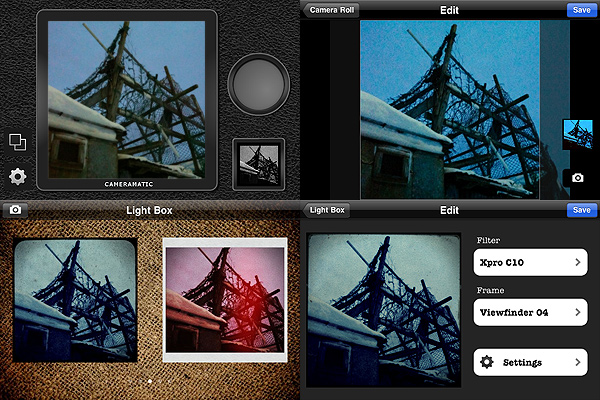
Cameramatic by youthhr for iPhone

The filters you get with Cameramatic are all reminiscent of vintage lo-fi cameras and among them you will find cross processing and monochrome films, TTV frames, grungy textures, and so on. Each effect is carefully designed to convey the feel of original toy cameras.

Here is a preview of some combinations obtained with Cameramatic for iPhone:
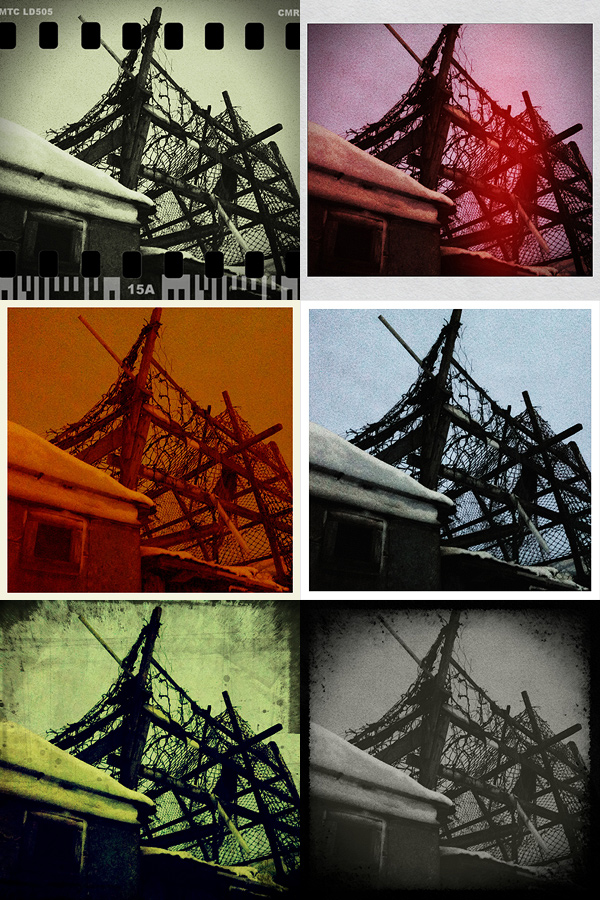
Cameramatic by youthhr for iPhone

The filters are really good and the combinations you can obtain are many. To vary your results each time, you can enable vignetting, film grain (only for black and white filters) and light leaks — an element that, in my opinion, still needs some improvement to look more authentic. Purchasing the additional packs (each for $0.99/€0.79) will widen even more your possibilities. It’s true you cannot make too many adjustments to the photos or adapt single parameters, like each filter’s intensity, but the results are anyway believable and varied enough not only to justify the purchase, but also to be satisfied with it.

Another thing I like about this app is the fact it gives you access to EXIF data and geographical tagging information. It would be very convenient if all developers included this feature into their apps, so people would be able to avoid the hassle of relying on external services just to make sure their images are the right size or to know other useful information.

The only serious issue I have with Cameramatic is the lack of preview or some other reference for individual filters: my memory perhaps isn’t excellent, so I cannot remember every time which filter is which just from the name. For frames you have a preview and some filters are easy to guess, but with others it is more complicated. The problem is partly solved by the fact until your photo is stored in your light box, you can edit it and make changes to any of its parameters. Still, choosing among filters without visual reference can sometimes be annoying, especially if you decide to save directly to camera roll.

Among the number of toycam simulation apps, Cameramatic is one of the best and one I definitely feel like recommending, especially if you’re into the lo-fi analog look.

Overall

Name: Cameramatic
Developer: youthhr
Compatibility: iPhone, iPod Touch. iOS 4.0 or later.
Price: £1.19||$1.99||€1.59
Vote: 5/5


Cameramatic - youthhr

Percolator: Retro-style Effects That Will Surprise You

There are apps that can make a difference in your personal collection. Apps that will make you reconsider the way you look at your photo library. Apps that, although their sphere of activity may seem limited to the exceptional and to the peculiar at first, can be surprisingly adaptable to a multiplicity of uses. Percolator is one of them.

Main Features

  • Up to 2048×1536 pixels resolution;
  • 4 levels of accuracy;
  • 5 different effects;
  • Dark and light backgrounds;
  • Zoom and pan.

Appotography Opinion

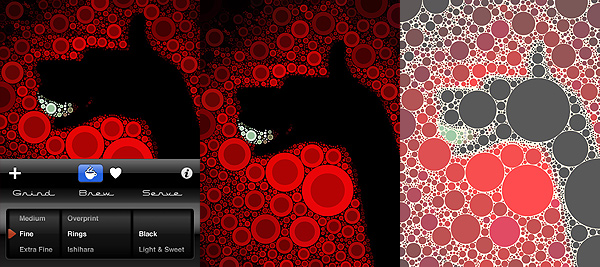
The strength of Percolator by Tinrocket resides in its extreme capability of stylization. Any photo — it doesn’t matter its original look, its subject, and so on — will be turned with extreme ease into a colorful retro-looking mosaic. Edited photos will thus gain a new life and a surprising verve.

“The main algorithm used in Percolator was developed in 2004, as a small piece of a larger project. This algorithm places circles in the empty areas of images, from the largest possible circle down to the smallest. The software computes a fast solution to a problem area known as circle packing.”

This is, in nuce, how percolator was conceived and the way it works. There is a chance knowing it won’t be very useful to your actual purposes. All you really need to know is Percolator is an app capable of delivering effects to add astonishing stylization to your photos very quickly and with minimum effort.

Percolator by Tinrocket for iPhone

Both if you choose to take a shot or if you load one from your camera roll, you will be able to radically change the look of your photos in a really quick way, without having to to do anything more than scrolling among the available settings, which are not many, but are anyway definitely enough for your purposes. You can pick one of the different styles ready for use, you can refine the accuracy of the effect in relation to your images, you can choose to apply a dark or light background depending on your specific needs. It doesn’t take more than a few seconds; excellent quality results are granted.

Percolator works particularly well with highly contrasted, colorful photos. However, experimenting with the various setting might surprise you and give you interesting outcomes even with other photos. In general, even in photos whose colors are washed out, colors are improved and revamped. Of course, better exposed photos will give you better results.

The only aspect that perhaps could be improved in future updates is offering the user a more comprehensive experience by adding a few sharing options, which for now are totally absent.

Percolator is an entertaining app that not only will let the average user play with photos is a surprising and refreshing way, but, if used in a clever way, will also provide the creative type new and interesting ideas.

Overall

Name: Percolator
Developer: Tinrocket
Compatibility: iPhone. iOS 3.1.3 or later.
Price: £0.59||$0.99||€0.79
Vote: 5/5

Percolator - Tinrocket, LLC

Lo-Mob: Awesome Retro Lo-fi For All Tastes

Photography as we know it dates back to the first decades of XIX century. Low fidelity, although maybe with slightly different connotations from more up-to-date ones, has always been an intrinsic factor to visual representation.

Lo-Mob by Aestetis brings dated lo-fi to the App Store, with an interesting collection of filters imitating techniques from several different ages in photography history. The results are quite interesting. Lo-Mob was one of the first apps I got many months ago when I first decided to make the most of my iPhone photography. So far, I am not disappointed.

Main Features

  • Full resolution available;
  • 40+ different filters;
  • Switch on/off individual filter parameters;
  • Integrated manual;
  • Share via email, Facebook, Twitter, Picasa, Flickr.

Appotography Opinion

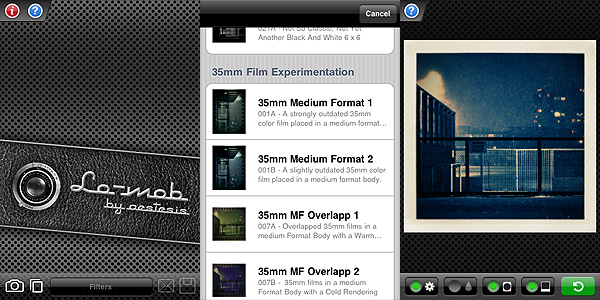
Lo-Mob combines a nifty look with actual handiness. The interface is quite clean and simple; accurate description comes with each filter, which you can choose from a scrollable menu once you either take a photo or upload it from your camera roll; a user’s manual is also available in-app for beginners. The effects are enough to work with and all of them have adjustable parameters. Frame, vignetting, color and blur: you can switch either of these on and off to customize your photos or just choose the presets as they come with the app. Some filters only have a few of these selectable elements, not all of them. You can anyway choose from the settings to disable permanently each parameter individually, without having to do it every time. To adjust your photo to the frames more effectively, you can zoom and pan with your fingers. When the result pleases you, you can either save or share via email or through some of the most widely known social networks.

Lo-Mob by Aestetis iPhone

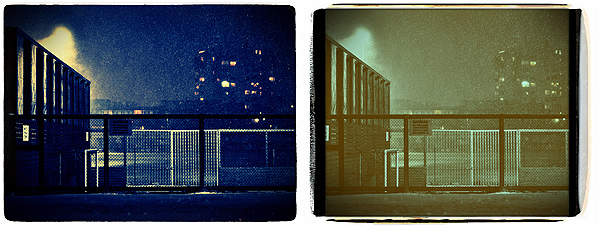
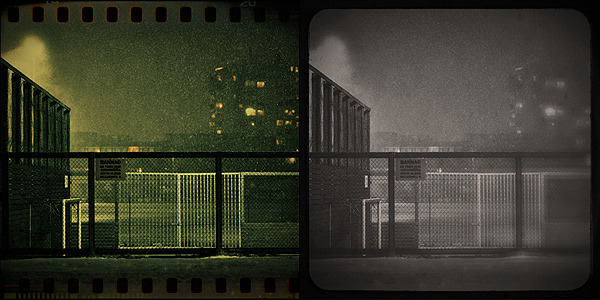
The filters range from simulation of instant squared formats to 35mm slides and much more, with an assortment of color virages and outdated black and white. As you can see, the imitation is quite accurate, making edited pictures look believable in their retro look.

Lo-Mob by Aestetis iPhone

Some aspects could definitely be improved. Processing times can be irritatingly long for a photo app. Also, the app sometimes crashes when you switch from an image to the other or from a filter to the other. It must be said, it doesn’t happen all that frequently. Although not absolutely necessary, some more features beside basic zooming in and out could be added to better adjust images to frames. The quality of some of these frames in itself isn’t excellent, especially at higher resolutions.

Despite these flaws, Lo-Mob remains one of the apps I enjoy using when I want to change dramatically the looks of my iPhone photos. Given the possibility to use any filter’s parameter as an independent element, Lo-Mob is also good to just add a frame or a little toning without using each filter as a whole.

If you’re into vintage and lo-fi, Lo-Mob is a great addition to your collection of photographic apps.

Overall

Name: Lo-Mob
Developer: Aestetis
Compatibility: iPhone, iPod Touch, iPad. iOS 3.1.2 or later.
Price: £1.19||$1.99||€1.59
Vote: 4/5

lo-mob - aestesis

8mm Vintage Camera: Old-fashioned Video Recorder on the iPhone

Old amateur films have that special flavor you cannot find on average in contemporary videos recorded with digital cameras. The polished look, the absence of grain and other imperfections, seem sometimes to be a defect rather than an added value. On the other hand, even the most technically rough family movie has that something… that something that truly make it look special, in spite of its actual merits; do you know what I mean?

From Nexvio, already known in the App Store for its many other video processing tools, we get now 8mm Vintage Camera, an app that will let you shoot videos in the vintage style on the iPhone. All in real-time.

Main Features

  • Up to 480×360 pixels;
  • Real-time processing;
  • Five filters (1920, 70s, Sakura, XPro, Siena);
  • Five lenses (clear, flickering frame, spotlight, light leak and Color Fringed);
  • Switch between front and back camera (on supported devices only);
  • Microphone on/off;
  • Flash on/off (on supported devices only);
  • Jitter button;
  • Share via email or Youtube.

Appotography Opinion

8mm Vintage Camera’s aesthetics lay on the same line of many other apps that try to recreate the feel of retro equipment. So far, it’s one of those I liked the most. Not only the 8mm Vintage Camera is very easy to use, without confusing features and weird knickknacks of no use whatsoever, but it’s also very good in delivering captivating results. The filters and additional lens effects — differing the one from the other enough to cover a variety of possibilities, from very old black and white to more up-to-date lo-fi — do convey the feel of authentic old cameras, unlike what happens with some other apps in the same category, that  more than anything will often make your video appear like you have applied a colored dirty layer on it. Not to forget, the real-time feature allows you to know right away how your final recording will be like.

There aren’t post-processing waiting times: what you see in your viewfinder is exactly how your video will look like. You just have to go through the filters and lenses, which you can also interchange while you are recording; for additional variety, you can press the jitter button to simulate frame displacement. After the video is recorded, you can go to your gallery and decide either to save it to the camera roll, to send it via email or to upload it to your Youtube account.

In general, the app works fairly well: especially replacing lenses is a cinch and all the effects are very well-done. The app works both on iPhone 3GS and 4, but on the 3GS especially there can be slowdowns due to real-time processing.

8mm Vintage Camera iPhone

Here you can watch a little video that shows how the 8mm Vintage Camera app works. As you can see, switching from a filter to the other is very easy.

The only serious flaw one could find in this app is the resolution of the videos: disappointingly small. Although this is totally excusable in consideration of the real-time processing factor — it wouldn’t be possible to obtain the same immediateness at higher resolutions, given the iPhone’s current capabilities — it is still quite unsatisfactory if you intend making the videos fully usable also outside the iPhone. If you think you can bear with the resolution issue though, I am confident  you will love 8mm Vintage Camera for its simplicity of use and visually pleasing results.

Overall

Name: 8mm Vintage Camera
Developer: Nexvio
Compatibility: iPhone (3GS/4), iPod Touch (4th). iOS 4.1 or later.
Price: £1.19||$1.99||€1.59
Vote: 3/5

8mm Vintage Camera - Nexvio Inc.