Grungetastic Review

Grungetastic by JixiPix Software is an app that comes with many textures and enough space for customization, to transform photos into grungy images. We have tried Grungetastic on iPhone, but the app is also available in HD version on iPad.

Main Features

  • Full resolution available;
  • Randomize effects;
  • 43 presets;
  • 80+ textures;
  • 35+ borders;
  • Adjust strength/color;
  • Send to email or share on Facebook.

Appotography Opinion

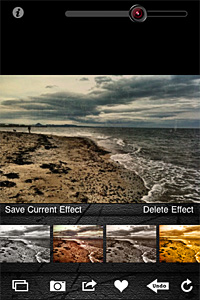
In Grungetastic, you can use both the built-in camera feature or load a photo from your device. For quick and easy editing, you can pick one of the many presets included in the app. Presets are arranged into different categories, each covering a style: Grunge, Pop Grunge, and Bleach Grunge. While Grunge is more about simply adding textural elements to photos, Bleach Grunge also adds fading, to convey more effectively the aged and distressed look. Pop Grunge mixes dirt and scratches with more or less intense posterization, for a peculiar and up-to-date graphic look.
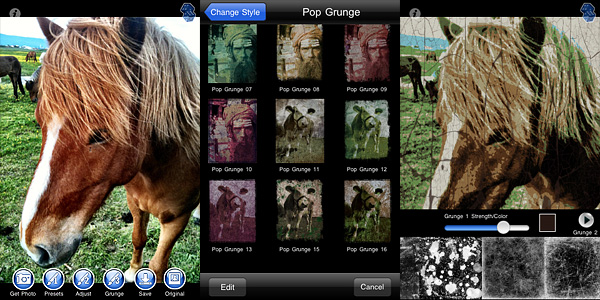
Grungetastic for iPhone by JixiPix SoftwareGrunge textures and borders are the same for all style categories. You can apply two separate levels of grunge (two different textures, that is) and a border on the same image and set individually their opacity and color.

For a more distinctive result, you can create custom presets by adjusting the value of various parameters, like tone, threshold and bleach degree. You can save custom presets for further use or edit them to adapt them to your images. For unexpected combinations, you can try the Randomize button.
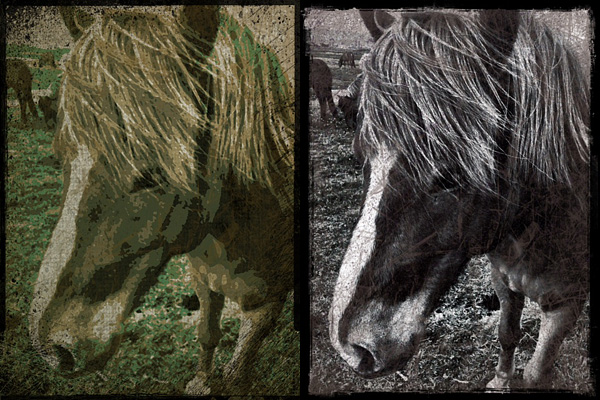
Grungetastic for iPhone by JixiPix
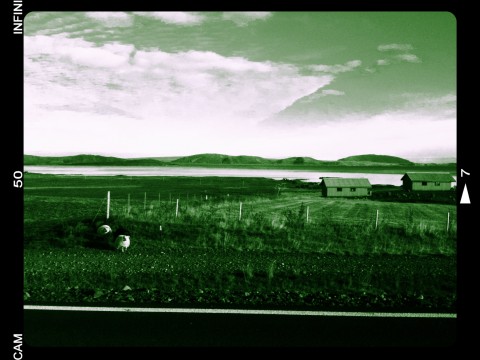
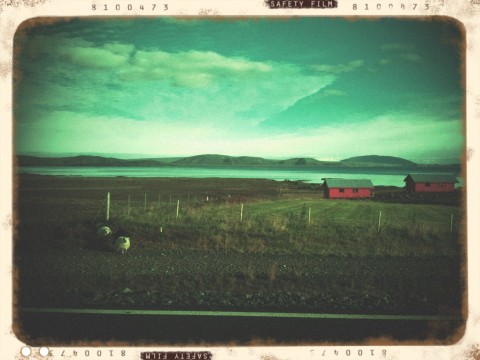
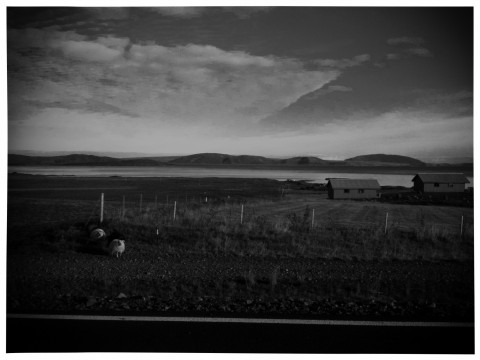
Pop Grunge (left) and Bleach Grunge effects applied in Grungetastic.

As with other JixiPix Software’s photo apps, rendering times in Grungetastic can be, on average, quite slow. Especially on very large images, adding effects and saving can be time-consuming. However, the interface works smoothly and the outcomes are fairly satisfactory. Given the amount of material you can work with, if you are into heavy processing and grungy, extreme effects, you will enjoy Grungetastic.

Overall

Name: Grungetastic
Developer: JixiPix Software
Compatibility: iPhone, iPod Touch, iPad. iOS 4.2 or later.
Price: £1.19||$1.99||€1.59
Vote: 4/5

Grungetastic - JixiPix Software

ScratchCam 1.3 Update

ScratchCam for iPhoneThe new release of ScratchCam for iPhone will shortly be available in the App Store. ScratchCam adds a grungy, aged and distressed look to any photo. If you want to know more, you will find an in-depth review of the app by clicking here.

Although version 1.3 will not change the way ScratchCam works overall, it will add an essential feature to the app. In fact, with the new release, it will be possible to save favorite styles. Up to version 1.2, ScratchCam relied exclusively on effect randomization. The new feature will make it easier to make a list of preferred styles, to allow quicker selection of the right look at the right moment. Frequent users in special way will appreciate this addition, for it will definitely give them more control over their final results. Favorited styles will be accessible and manageable from the main work area.

ScratchCam for iPhoneIn version 1.3, sharing via email was also added and enhancements to the included effects were made.
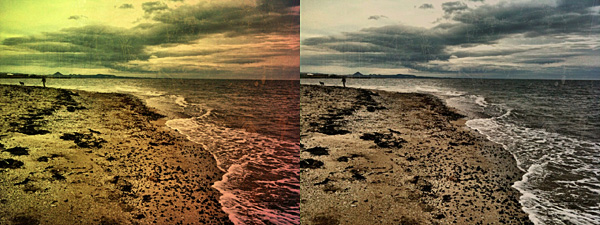
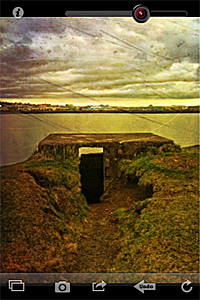
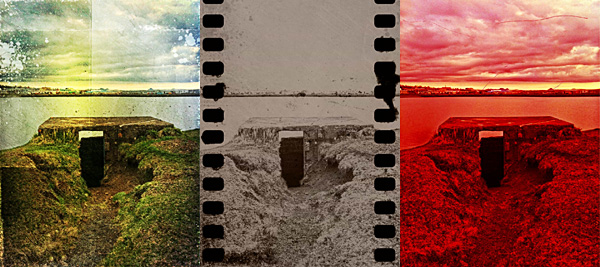
ScratchCam for iPhone
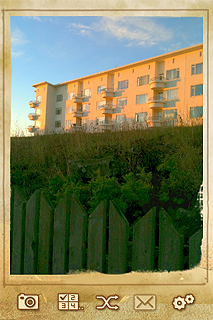
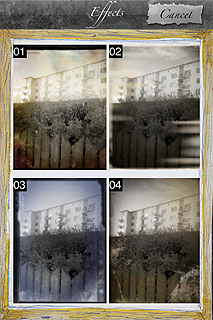
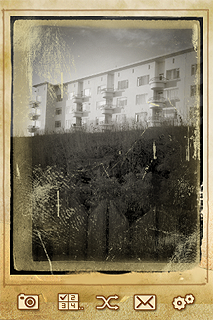
Different styles in ScratchCam for iPhone.

The new release clearly shows that ScratchCam’s developer is very responsive to sensible feedback: he actually listened to what his users deemed important to make adjustments and improve the overall usability of ScratchCam.

Last but not least, the Lite version of ScratchCam is also coming to the App Store. ScratchCam Lite will be a fully functional release, including all the features of the paid version, with the only exception of high resolution saving and a limit to the number of styles users can add to their favorites. If you want to try before purchasing, go ahead and get the Lite version.

NOTE: The developer of ScratchCam kindly provided us with preview code for this ScratchCam update.

ScratchCam Review

ScratchCam is a little iPhone app programmed to turn your average photos into worn-out, damaged looking images in no time. Differently from many apps in the same genre and with the same purpose — look very promising at first, but failing horribly in terms of mere photographic value and quality –, ScratchCam looks kind of unassuming to the distracted eye, but it does its job well.

Main Features

  • Full resolution available;
  • Adjust filter opacity;
  • Share on Facebook and Flickr.

Appotography Opinion

It’s very easy to get the hang of ScratchCam in just a few seconds. The interface is as simple as it can get and the app’s features are also very basic and focused on getting the job done with as little effort as it is possible. Both if you load photos from your device and if you use the built-in camera, all you’re supposed to do is tapping on the refresh icon till you obtain a combination you deem appealing. You can adjust the opacity of the effect applied with a slider placed on top of the working area. If you inadvertently tap on the refresh button, you can undo your last change. You can then share to Flickr and Facebook or save to your album.

ScratchCam for iPhone

Like with other photography apps heavily relying on randomly generated effects, the good of ScratchCam resides in the surprise factor, which is something that in part retains the charm of toy cameras; the trade-off, however, is that you cannot freely choose individual filters to apply to your photos. Although the random generation works in other apps whose effects are actually not so different the one from the other (like Plastic Bullet), in the case of apps like ScratchCam it may displease users looking for the right look at the right moment.

ScratchCam for iPhone
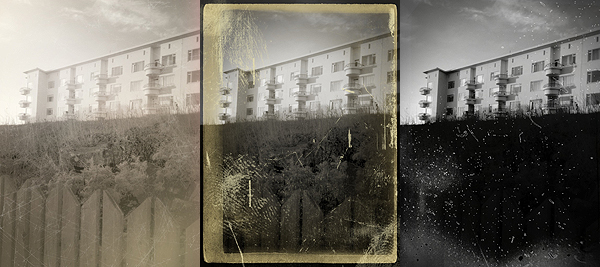
Various effects applied to the same photo in ScratchCam.

The filters, though not that many, do their work properly: unlike many other grunge/vintage cameras available in the App Store, ScratchCam’s effects blend convincingly with photos to give them an aged and distressed look. The quality of the textures holds extremely well also at full resolution. The black and white and sepia effects, reminiscent of old daguerreotypes, are especially impressive. ScratchCam, not only as a standalone tool but also if used in combination with other apps, may become a valid accessory in your iPhone photography collection.

Overall

Name: ScratchCam
Developer: Luna’s Edge
Compatibility: iPhone, iPod Touch , iPad. iOS 4.0 or later.
Price: £1.19||$1.99||€1.59
Vote: 4/5

ScratchCam - Luna's Edge

PhotoToolbox Review

Are you tired of using the same effects all the time on your iPhone? Do you want to make your own filters? Do you want something different but you do not have any ideas? Do you think you could use some help from random effect generation?

If any of the above is true, perhaps developers at Sun Inlet Labo have something for you: their PhotoToolbox allows you to fully customize your filters or to have them randomly generated by the app. PhotoToolbox is a good option when you don’t want to rely exclusively on pre-made filters for your iPhone photography.

Main Features

  • Full resolution available;
  • Angle lock on/off;
  • Full-screen shutter button on/off;
  • Geotagging on/off;
  • Undo/redo;
  • Random filter;
  • Save and import/export custom filters.

Appotography Opinion

PhotoToolbox can be used either with the built-in camera or with photos stored in your device. While shooting, a square indicator will help you in taking straight photos by turning yellow when the device is being held vertically. Tapping on the Angle Lock Button, you will be able to enable automatic shooting when the device is held at a given angle. This feature is especially useful if you are taking self-portraits. Another feature you can enable for easier shooting is the Full-screen shutter button that, as the name suggests, will turn the whole iPhone screen into a shutter button.

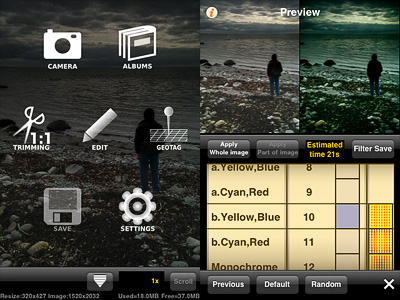
PhotoToolbox app for iPhone by Sun Inlet Labo.

Once you have your photo, you can apply post-processing. By tapping on the Filters icon, you have access to several parameters that you can adjust by scrolling different wheels individually. The first wheel sets the parameter (Brightness, Contrast, Saturation, Hue, Vignette, Blur, etc.), while the others influence intensity and affected area. From the Preference screen, you can choose to enable or disable any of the app’s variables or you can set their overall strength. By combining variables together, you can create highly personalized presets, which you can save and reuse later. Thanks to the preview, you can know how your changes are going to affect your pictures at all times. PhotoToolbox also allows importing and exporting presets.

PhotoToolbox app for iPhone by Sun Inlet Labo.
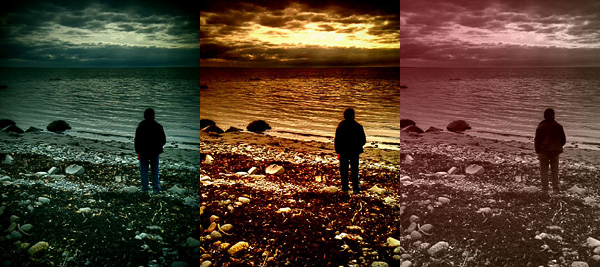
Examples of custom filters in PhotoToolbox.

With the exception of borders — an extra not included in Sun Inlet Labo’s app — PhotoToolbox is a bit like Infinicam, both in the way you can generate almost endless effects and in the way you can save them for further use. The difference with Infinicam, which only allows random generation, resides in the fact you can actually create your filters from scratch in PhotoToolbox. This in my opinion truly makes a difference, but it is also the greatest obstacle to full enjoyment of this app. PhotoToolbox is not a perfect app: first of all, it requires time to be used at its full potential. The effects you can achieve are many, but getting to know and mastering all the features is definitely not a cinch. The initial difficulties might drive more than a few users away.

I can definitely see myself using PhotoToolbox as often — if not more — as I am using Infinicam. It would be nice though to make the Import/Export filter more user-friendly and straightforward: as it is now, it’s somewhat clumsy.

PhotoToolbox is one of the most interesting things I have seen in the Photography category of the App Store in some time. If you have patience and you like to tweak, you should try it. I am confident it will be rewarding.

Overall

Name: PhotoToolbox
Developer: Sun Inlet Labo.
Compatibility: iPhone, iPod Touch, iPad. iOS 4.1 or later.
Price: £1.19||$1.99||€1.59
Vote: 4/5

PhotoToolbox - Sun Inlet Labo.

Cross Process: Some More Cross Processing to Embellish Your Photos Without Overdoing It

We gave you a brief overview on cross processing in another occasion, explaining how digitally cross processed photos have acquired in recent times great popularity especially among a certain type of photographers. Cross processing on the iPhone — and iPod Touch and iPad, too — is just another way, like appying retro filters, to spice up your photos.

Main Features

  • Full resolution available;
  • Five effects (red, blue, green, basic, extreme);
  • Border on/off;
  • Share via email and Facebook.

Appotography Opinion

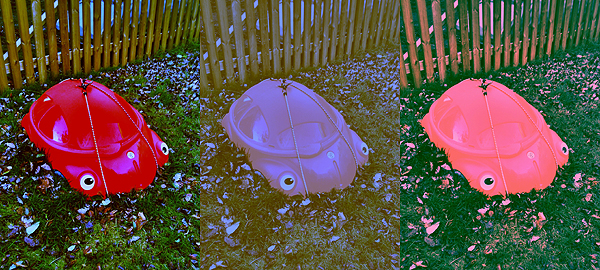
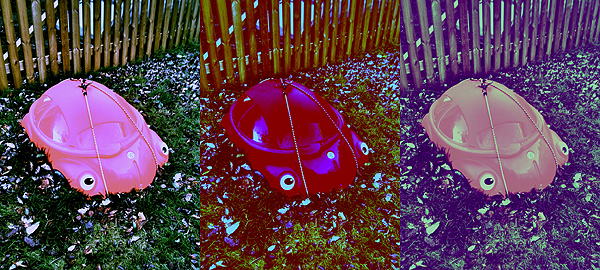
Cross Process is an app whose results are subtler than those obtained with other apps. Subtler, meaning non-invasive but also, sometimes, not that noticeable. The filters can be applied both on photos coming from your camera roll and on photos taken on the spot with the built-in camera. You can choose in the application’s settings which effects you want to enable among the green, blue, red and extreme. You can also add a border, if you like. All these parameters must be adjusted before, as you are not given any chances to modify them once you are actually using the app on your photos. The effect is chosen at random among those you enable, but you can save an original of your photo so you can try again if you are not satisfied with the final outcome.

Cross Process iPhone

Cross Process iPhone

Cross Process mixes the feel of instant camera with some of the unpredictability of cross processing without overdoing it. Developers affirm they studied real cross processing to make the effects look as believable as possible. However, as I said before, sometimes the effects are not that evident compared to the original image.

Cross Process, similarly to ShakeItPhoto from the same developer, is an app that with great ease of use will quickly allow users to enhance their snapshots.

Overall

Name: Cross Process
Developer: Banana Camera Co.
Compatibility: iPhone, iPod Touch, iPad. iOS 3.1.3 or later.
Price: £0.59||$0.99||€0.79
Vote: 3/5

Cross Process - Banana Camera Co.

Bad Camera: When the Name Says It All

“Photography is painting with light! The blurs, the spots, those are errors! But the errors are part of it; they give it poetry and turn it into painting. And for that you need a bad camera.” – Miroslav Tichý (from the Bad Camera App Store page)

Many painters and photographers would disagree with Tichý’s assertion and affirm that photography and painting are very different forms of expression, requiring different skills and, most of all, different ways of envisioning what the artist wants to express. When the painter tries to imitate the language of photography in painting, he’s going to fail; the same happens when a photographer tries to force rules that are proper of painting into his work. As far as the valuableness of Tichý’s take on the subject goes, photographers have indeed in many cases decided of their own accord to use lo-fi equipment – bad cameras from a purely technical point of view – either to test their skills or to make a statement; they also did it simply because with modest or faulty equipment they could obtain photos that are sometimes more original and interesting, or at any rate unlike the norm.

Bad Camera‘s intent would be to provide the iPhone photographers with a tool able to compete with actual lo-fi or damaged equipment in order to accomplish unpredictable and astonishing effects. But as a matter of fact, Bad Camera’s results are far from being strange or surprisingly unique.

Main Features

  • Up to a resolution of 1024 x 768;
  • Random effects;
  • Share via email and Facebook.

Appotography Opinion

Bad Camera works a bit like Plastic Bullet: you take or load a photo and then you are presented with random outcomes. You can choose from one of them or keep on tapping on the randomize button to get more, until you find something that pleases your eye. You can then save to camera roll or share via email or Facebook.

Bad Camera iPhone

Bad Camera iPhone

Bad Camera iPhone

The difference with Plastic Bullet though is that Bad Camera’s flexibility of use is very limited. Bad Camera achieves its effects mostly by applying textures on the photos. Mixing some textures and photos doesn’t always work and the final effects are sometimes quite lame. Also, there isn’t a great variety of textures – some of them aren’t that great either, especially seen in higher resolution – and you cannot really adjust any parameter, so all the photos processed with Bad Camera after some time look almost identical and the excitement that you might experience at first is definitely short-lived. It would’ve been better to add the random button as an extra, letting the user choose adjustable tones – sepia and black and white – and textures independently. This wasn’t supposed to be the point of the app, but then the developer should have granted more variety, adding more unexpected variables.

Bad Camera iPhone

As a stand-alone app, Bad Camera’s possibilities are very poor. We hope in some future upgrade.

Overall

Name: Bad Camera
Developer: Fungear Studio
Compatibility: iPhone, iPod Touch, iPad. iOS 3.0 or later.
Price: £0.59||$0.99||€0.79
Vote: 2/5

Bad-Camera - FunGear Studio

XProcess: Simulate Cross Processing with Your iPhone

Cross processing is a practice that consists in developing a photographic film using a chemical solution intended for another type of film. The procedure, which legend says was discovered by mistake, has become a deliberate method to obtain peculiar effects and it’s very popular especially among lo-fi or amateur photographers.

Cross processing is very often simulated with image editing software in digital photos. Although digital simulation lacks the captivating unpredictability of the analog technique, many choose to apply this kind of effects to digital photos simply because the recognizable cross processing unnaturally saturated hues and the intensely bright tones immediately grant any photo a little of the analog feel.

Main Features

  • Full resolution available;
  • Adjustable colors;
  • Adjustable vignette and saturation;
  • Shake for random effect;
  • Move and scale;
  • Share via email, Twitter and Facebook.

Appotography Opinion

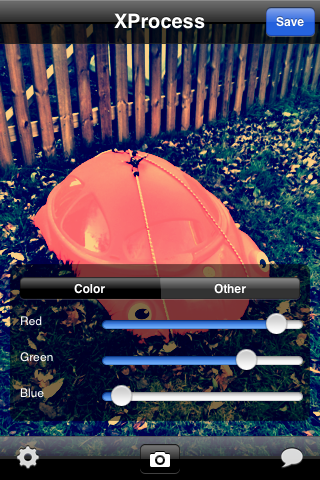
XProcess is a very basic app which simply allows the user to alter any image’s colors very easily and, most of all, quickly. It’s possible to adjust color through red, green and blue channel sliders, add vignetting and crop the image. For a taste of unpredictability, you can shake the iPhone to get random parameters and outcomes.

XProcess iPhone

The results are not outstandingly varied, but they are at any rate good enough to enjoy the app. The problem is that many other apps are more or less capable of the same, but they also have a lot of additional features or extras that are not included in XProcess. Moreover, a little more flexibility regarding the cropping and resizing feature would be helpful: as it is now, there isn’t much you can do with it.

Here’s a few samples of what you can do with XProcess:

XProcess iPhone

XProcess iPhone

XProcess works with built-in camera and camera roll.

Overall

Name: XProcess
Developer: youthhr
Compatibility: iPhone, iPod Touch. iOS 4.0 or later.
Price: £0.59||$0.99||€0.79
Vote: 3/5

XProcess - youthhr

Plastic Bullet: Turn Your Photos Into Dreamy Images

What a lot of users love about toy cameras resides in the unforseen quality of the results one can accomplish with them. Some people love the unexpected, what is impossible to reproduce just with mastery of the technique. All the fancy leaks and crazy color shifts, the blurry and somewhat cheap looks: those are some of the effects toy cameras are so good at achieving and iPhone users love to be able to reproduce these days with the various applications the App Store has to offer.

Plastic Bullet by Red Giant Software promises to bring the unexpected variety of toy cameras to your Apple device. Does it live up to the promise?

Main Features

  • Full resolution available;
  • Great assortment of final effects;
  • Possibility to share the photos on Facebook and Flickr.

Appotography Opinion

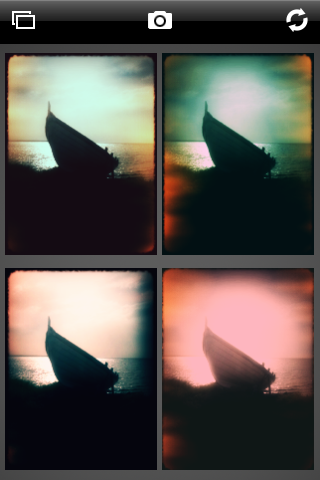
With Plastic Bullet you can either take a photo with the built-in camera or load a previously taken photo from the camera roll. Making it work is very simple and doesn’t require any effort to get used to. You are presented with four thumbnails representing four random final results: if you like any of them you choose and save it; if you don’t you press the refresh button until you have something that pleases you. The easiness and immediacy of use are two of the strongest points of this app and something that has to be taken into account. The results, although actually not greatly different the one from the other in most cases, grant enough choice to the user .

Plastic Bullet iPhone

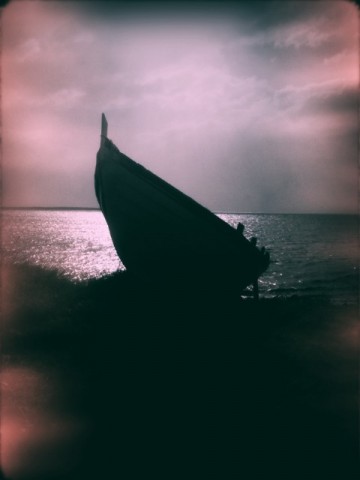
These are examples of what you can achieve using Plastic Bullet to edit your photos:

Plastic Bullet iPhone

Plastic Bullet iPhone

Plastic Bullet iPhone

Plastic Bullet iPhone

Plastic Bullet is a very nice addition to the family of toy cameras available in the App Store. With just a couple of taps you can truly turn your photos into something different and pleasing to the eye.

Overall

Name: Plastic Bullet
Developer: Red Giant
Compatibility: iPhone, iPod Touch, iPad. iOS 3.0 or later.
Price: £1.19||$1.99||€1.59
Vote: 4/5

Plastic Bullet Camera - Red Giant Software

Infinicam: Time To Randomize Your Camera!

We know about Nevercenter thanks to their CameraBag app. We are now presented with a new photo app whose potential goes far beyond that of CameraBag. However, Infinicam is not an enhanced version of CameraBag. Like its predecessor, it features filters imitating analog cameras and films, but the way the filters are generated is totally different.

Main Features

  • Full resolution available;
  • 18 film-style borders;
  • Wide range of photographic filters;
  • Possibility to save preferred the automatically generated styles;
  • Cropping tool;
  • Camera history;
  • iOS retina-display support;
  • Possibility to share styles with friends.

Appotography Opinion

As the name implies, Infinicam offers the user an endless series of combinations to edit photos, previously taken or on the spot. Tapping on the “Press for new camera” button, a new style is instantly generated through  complex algorithms. Each style is identified with a seven digits code which can be saved for further use or manually entered when needed. The filters are neat and some of them truly deliver the feel of shots by analog cameras. Endless effects, I said: is it really true? Well, the variety of automatically generated effects is impressive, but most of the styles look very similar. Also, we are not great fans of  borders with credits and apps names stamped all over them, as they make the edited photos more like something obtained using a free app. From a paid app, this is not very “stylish”.

Here are some examples of what you can achieve:

Infinicam iPhone

Infinicam iPhone

Infinicam iPhone

Infinicam iPhone

Infinicam iPhone

Unless you create a huge library of previously used and faved filters – or acquire them in exchanges with other users or through download – you won’t have great freedom of choice and customization. For those who are more focused in obtaining extremely predictable results, Infinicam is definitely not the right choice. Infinicam will mainly please perhaps those who have already tried many other apps and are looking for something different, or those who are fans of the unexpected results that can be obtained through apps allowing a great degree of randomization.

Overall

Name: Infinicam
Developer: Nevercenter Ltd. Co.
Compatibility: iPhone, iPod Touch, iPad. iOS 2.0 or later.
Price: £1.19||$1.99||€1.59
Vote: 4/5

Infinicam - Nevercenter Ltd. Co.

PictureShow: Lotsa Fun For iPhone Photograpers!

There are so many toy camera apps around that it has become a really tough job for developers to come up with anything still able to draw iPhone users’ attention. Some toy cameras in the App Store are nothing more than mere replicas of more popular apps, just with an interface slightly different.

PictureShow has features that despite obvious similarities with other apps still make a difference in the crowded panorama of toy cameras apps. Let’s take a closer look to see why.

Main Features

  • Full resolution available;
  • 28 photo styles (HolgaGraphy, LomoGraphy, Noir, Retro, Instant, PopArt, etc.);
  • Rich collection of frames, noise textures and light effects;
  • Vignetting on/off;
  • Color correction;
  • Brightness and contrast adjustment;
  • Built-in editor to add text to the photos;
  • Autosaving on/off;
  • Possibility to share the photos via Flickr, Twitter, Facebook, Blogger and email.

Appotography Opinion

We had, and are having, so much fun with PictureShow. Graf’s app made us feel the refreshing novelty of our first period of iPhone photographing, when exploration of various techniques offered constantly new amusement. Despite its reproduction of filters that are abundantly used in other apps, Picture Show grants originally designed results, successfully combining a clean interface with a variety of possibilities. In fact, you have quite a few choices in the filters department, and mixing the effects to obtain unexpected outcomes sometimes is really endearing. It’s possible to scroll among effects and examine the various results and in case of mistakes it’s possible to reset and start over. The only thing I don’t like in PictureShow – and in other apps as well – is having borders with the app’s name stamped over them, which gives a bit the feeling of using a free app.

Here are versions of the same photos obtained with the randomizer button, which offers a nice additional touch and might really come in handy in moments of shortage of ideas.

Picture Show iPhone

Picture Show iPhone

Picture Show iPhone

Picture Show iPhone

Picture Show iPhone

Picture Show iPhone

PictureShow works both with photos taken on the spot and and with those stored in the camera roll.

Overall

Name: PictureShow
Developer: Graf
Compatibility: iPhone, iPod Touch, iPad. iOS 3.1 or later.
Price: £0.59||$0.99||€0.79
Vote: 5/5

PictureShow - graf