Cross processing is a practice that consists in developing a photographic film using a chemical solution intended for another type of film. The procedure, which legend says was discovered by mistake, has become a deliberate method to obtain peculiar effects and it’s very popular especially among lo-fi or amateur photographers.
Cross processing is very often simulated with image editing software in digital photos. Although digital simulation lacks the captivating unpredictability of the analog technique, many choose to apply this kind of effects to digital photos simply because the recognizable cross processing unnaturally saturated hues and the intensely bright tones immediately grant any photo a little of the analog feel.
Main Features
- Full resolution available;
- Adjustable colors;
- Adjustable vignette and saturation;
- Shake for random effect;
- Move and scale;
- Share via email, Twitter and Facebook.
Appotography Opinion
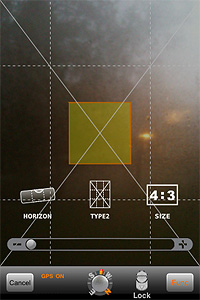
XProcess is a very basic app which simply allows the user to alter any image’s colors very easily and, most of all, quickly. It’s possible to adjust color through red, green and blue channel sliders, add vignetting and crop the image. For a taste of unpredictability, you can shake the iPhone to get random parameters and outcomes.
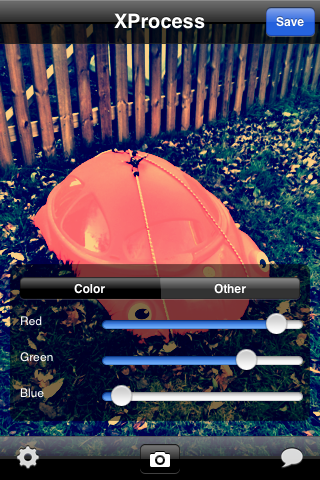
The results are not outstandingly varied, but they are at any rate good enough to enjoy the app. The problem is that many other apps are more or less capable of the same, but they also have a lot of additional features or extras that are not included in XProcess. Moreover, a little more flexibility regarding the cropping and resizing feature would be helpful: as it is now, there isn’t much you can do with it.
Here’s a few samples of what you can do with XProcess:


XProcess works with built-in camera and camera roll.
Overall
Name: XProcess
Developer: youthhr
Compatibility: iPhone, iPod Touch. iOS 4.0 or later.
Price: £0.59||$0.99||€0.79
Vote: 3/5