Some interesting news for ToonPAINT fans: version 2.0 of the popular photo-to-cartoon app introduces new features and enhancements.
We reviewedToonPAINT in the past and, although we liked it, there were more than a few issues that prevented us from fully enjoying this app. The new release solves most of the known issues we pointed out at the time of our first evaluation, especially the problem concerning full resolution saving.
What’s new:
New UI and workflow;
Full resolution output;
Improved painting system;
Infinite undo on paint;
Speed optimizations on Inklines for iPhone 3GS and iPhone 4;
Upload your photos to Hall of Fame and vote for others’ creations;
New Auto Color, Alpha Brush (available with in-app purchase) and Volbeat Me coloring modes;
Fixes to all known crash issues.
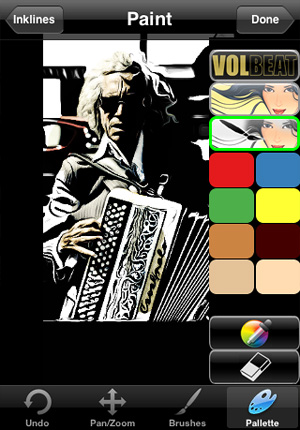
A big change in the ToonPAINT 2.0 concerns the new UI, much cleaner and better organized. The tracing features are the same, but the way each step in the processing is now improved makes using ToonPAINT easier. In ToonPAINT 2.0 you can still paint with default brush and colors, but you can also use the new painting modes, available via in-app purchase for $0.99 — £0.59 or €0.79 — each. The new painting features especially give cool results in the bat of an eye even to those that are not experienced with digital painting or to those who simply do not want to spend too much time playing with brushes and colors.
Auto Color, as the name suggests, automatically fills your picture with color; Alpha Brush uses alpha opacity to let you paint over your cartoon using your original image as source. Both features heavily rely on your original images, but while Auto Color retains more of a stylized cartoony look, Alpha Brush adds realistic tints to your creations. A third painting mode was added as an extra: Volbeat. Inspired by the visual style of the Danish rock band going by the same name, this feature basically adds a monochrome golden layer over your outline.
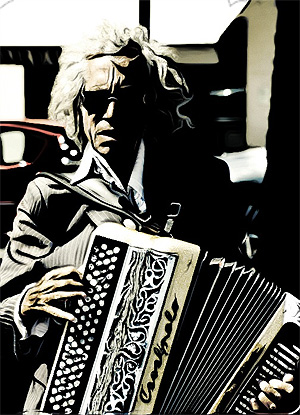
With Alpha Brush applied.
I have mixed feelings towards this update. The full resolution is a great improvement and the new interface is also a point in favor, but paying for each add-on separately may not be that appealing and taking away the function for smoothing lines — which was very useful but also very likely one of the main reasons that prevented an upgrade to full resolution — is another irritating change in version 2.0. The thing that I don’t really like though is that Volbeat extra. Not for the effect per se, but for its implications. When I use a photo app, I don’t like the notion of being involved in a promotional campaign, even when it’s about something I like. And I assume I’m not the only one.
ToonPAINT by Toon-Fx was conceived as a tool to allow even people who don’t have a knack for drawing to come up with nice looking stylized pictures. Using image processing algorithms, ToonPAINT creates for you an easy to customize sketch.
As with all apps in the same league though, you have to make sure from the start you understand the difference between actual drawing and processing an image to make it look as if it was drawn. Usually, results are much better if you know how this kind of apps work and how and when they can come in handy.
Main Features
Up to 850×565 pixels resolution (3GS);
Zoom and pan;
Restore from previous session;
Undo/redo;
Basic and advanced settings;
Integrated guide;
Share via email, Facebook, Twitter.
Appotography Opinion
ToonPAINT is very simple to use and straightforward; yet, you have some reasonable control over your image. The effect is similar to what you would be able to achieve with a tracing tool in a vector editing software. ToonPAINT doesn’t actually turn images into vectors though; it only imitates the vector tracing style.
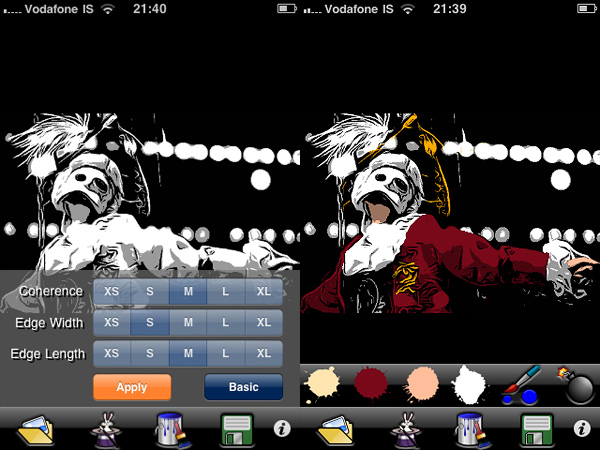
You start either with a picture you have previously taken or you take a snapshot with the built-in camera. With sliders you can adjust parameters — edges accuracy, amount of black/grey, etc. — but if you want even more control, you can switch to advanced settings and have at your disposal some more flexibility. After you apply the toon filter and your picture of choice is turned into a sketch-like image, you can proceed to apply color, if you wish. With a brush and a no-frills color-picking method, you can enrich your monochrome images. Getting the hang of the coloring process won’t be a problem, if you are already quite gifted in finger painting; it will be a bit harder if you are a total beginner, but the undo feature, with the possibility to zoom in and out and pan, will definitely help you. After you are done, you can save of share on Facebook and Twitter.
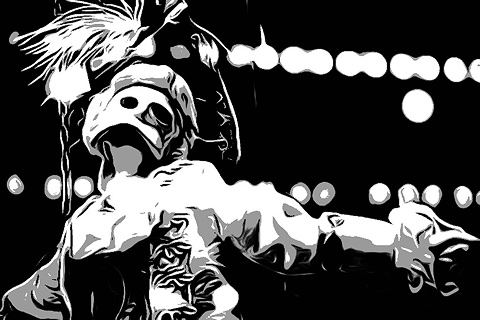
Turn photos into sketches and apply color.
At this stage, ToonPAINT is a cool little app you can use, for example, in combination with a strip creator app for developing your own instant comics. Many users in fact say they use this app especially for this purpose. However, there are a few things that could be improved even more to make ToonPAINT more functional. For example, it would be useful to have a preview in advanced settings to know exactly how your choices are actually affecting the image before applying them; a full-fledged undo command, to be used not only in the painting stage; full resolution, to make use of the images also outside your portable devices.
ToonPAINT allows the user to obtain very neat results, probably among the best on iPhone/iPod Touch/iPad. If you want a photo-to-sketch app, Toon-Fx’s app is what you need.