ScratchCam is currently on sale with a discount of 50% off the original App Store price.
ScratchCam is easy to use: you can generate random effects to turn your photos into old and worn out images with one single tap. You can save your favorite effects to apply them over and over to all your photos.
Right now, ScratchCam is available at the special price of $0.99/€0.79/£0.69 for a limited time. If you haven’t tried this app, this could be the right occasion.
The new release of ScratchCam for iPhone will shortly be available in the App Store. ScratchCam adds a grungy, aged and distressed look to any photo. If you want to know more, you will find an in-depth review of the app by clicking here.
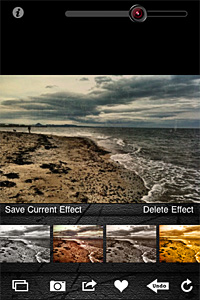
Although version 1.3 will not change the way ScratchCam works overall, it will add an essential feature to the app. In fact, with the new release, it will be possible to save favorite styles. Up to version 1.2, ScratchCam relied exclusively on effect randomization. The new feature will make it easier to make a list of preferred styles, to allow quicker selection of the right look at the right moment. Frequent users in special way will appreciate this addition, for it will definitely give them more control over their final results. Favorited styles will be accessible and manageable from the main work area.
In version 1.3, sharing via email was also added and enhancements to the included effects were made.
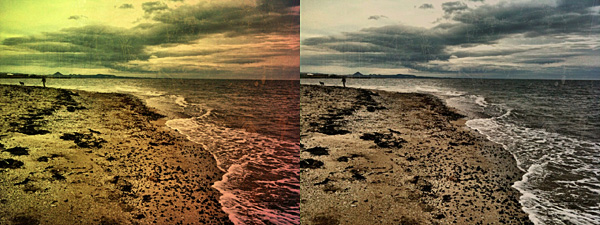
Different styles in ScratchCam for iPhone.
The new release clearly shows that ScratchCam’s developer is very responsive to sensible feedback: he actually listened to what his users deemed important to make adjustments and improve the overall usability of ScratchCam.
Last but not least, the Lite version of ScratchCam is also coming to the App Store. ScratchCam Lite will be a fully functional release, including all the features of the paid version, with the only exception of high resolution saving and a limit to the number of styles users can add to their favorites. If you want to try before purchasing, go ahead and get the Lite version.
NOTE: The developer of ScratchCam kindly provided us with preview code for this ScratchCam update.
ScratchCam is a little iPhone app programmed to turn your average photos into worn-out, damaged looking images in no time. Differently from many apps in the same genre and with the same purpose — look very promising at first, but failing horribly in terms of mere photographic value and quality –, ScratchCam looks kind of unassuming to the distracted eye, but it does its job well.
Main Features
Full resolution available;
Adjust filter opacity;
Share on Facebook and Flickr.
Appotography Opinion
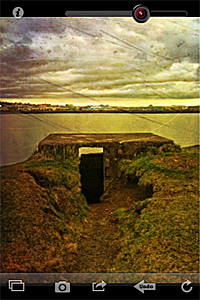
It’s very easy to get the hang of ScratchCam in just a few seconds. The interface is as simple as it can get and the app’s features are also very basic and focused on getting the job done with as little effort as it is possible. Both if you load photos from your device and if you use the built-in camera, all you’re supposed to do is tapping on the refresh icon till you obtain a combination you deem appealing. You can adjust the opacity of the effect applied with a slider placed on top of the working area. If you inadvertently tap on the refresh button, you can undo your last change. You can then share to Flickr and Facebook or save to your album.
Like with other photography apps heavily relying on randomly generated effects, the good of ScratchCam resides in the surprise factor, which is something that in part retains the charm of toy cameras; the trade-off, however, is that you cannot freely choose individual filters to apply to your photos. Although the random generation works in other apps whose effects are actually not so different the one from the other (like Plastic Bullet), in the case of apps like ScratchCam it may displease users looking for the right look at the right moment.
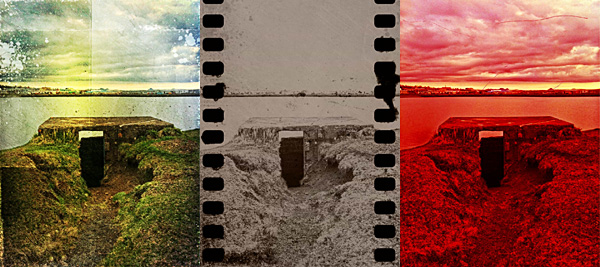
Various effects applied to the same photo in ScratchCam.
The filters, though not that many, do their work properly: unlike many other grunge/vintage cameras available in the App Store, ScratchCam’s effects blend convincingly with photos to give them an aged and distressed look. The quality of the textures holds extremely well also at full resolution. The black and white and sepia effects, reminiscent of old daguerreotypes, are especially impressive. ScratchCam, not only as a standalone tool but also if used in combination with other apps, may become a valid accessory in your iPhone photography collection.

 ScratchCam is currently on sale with a discount of 50% off the original App Store price.
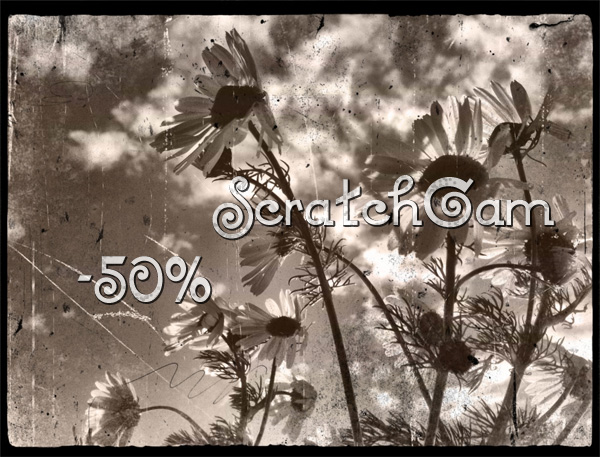 Right now, ScratchCam is available at the special price of $0.99/€0.79/£0.69 for a limited time. If you haven’t tried this app, this could be the right occasion.
 The new release of
  In version 1.3, sharing via email was also added and enhancements to the included effects were made.