The new release of PhotoToolbox improves performance of image processing on iPhone 4. This is not the only change in version 2.8.0: other than the new app icon, the most important addition is the introduction of a layer blend feature.
Blending can be enabled by scrolling the first menu wheel in Filter mode. There are 6 presets for quick blending; however, by tapping on the Blend button, you can access the blend editor and import any image in JPG and PNG format from your own device. This lets you use custom textures and allows to merge more photos together.
There are 16 classic blending modes available in all: Normal, Multiply, Screen, Darken, Lighten, Overlay, Soft Light, Hard Light, Color Burn, Color Dodge, Difference, Exclusion, Hue, Saturation, Color, Luminosity. For each mode, it’s possible to set overall intensity.
Imported textures or images can be resized according to different aspect ratios and they can also be rotated independently from the base photo you want to apply them to. Using the Front/Back switch, the order of the layers can be inverted.
Custom blends you create can be saved among the app’s presets.
PhotoToolbox 2.7 is out now. The new version of Sun Inlet Labo’s app introduces Simple Mode.
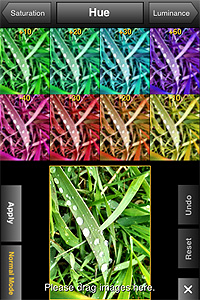
Simple Mode is a new editing feature that you can access from PhotoToolbox’s Filters menu. Differently from Normal Mode, the only mode previously available to edit photos, Simple Mode gives easy and effective visualization of changes in each editing parameter.
Simple Mode in action.
In Normal Mode you could already have a preview of how each setting affected your photos, but Simple Mode brings the preliminary factor a step further, allowing to choose setting values by dragging and dropping thumbnails in your working area. It’s possible to exit Simple Mode and revert to Normal Mode at any time.
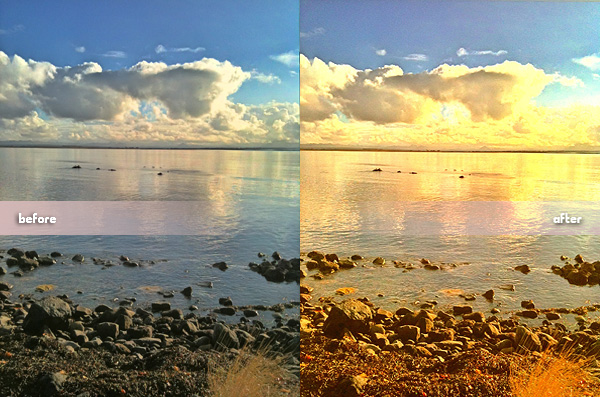
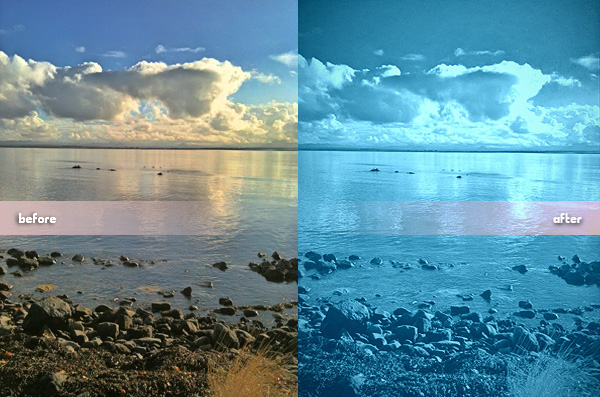
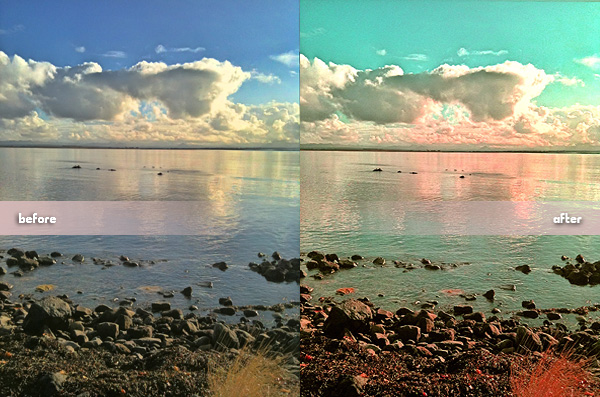
Here is part two of our PhotoToolbox filter codes special. To use the codes, open Settings -> Filters setting -> Combination Filters Import&Export -> copy or input the whole line as published here under each image into the text area -> Import.
If you have your own favorite codes to share, send us an email or comment under this entry.
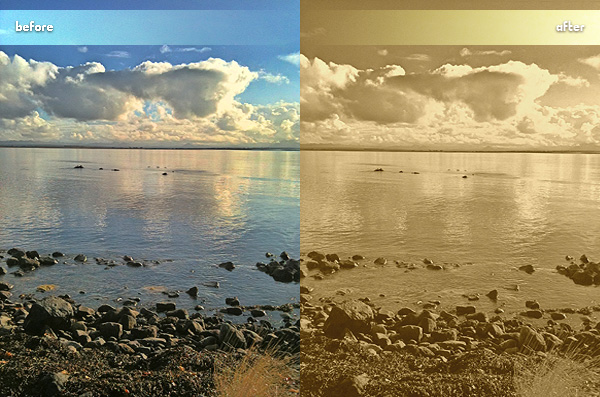
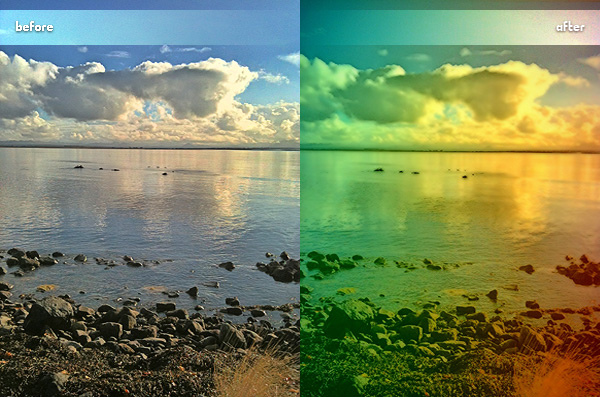
Golden Afternoon,20,35,0,0,0,-15,30,0,0,0,0,-10,-10All Cyan,5,0,0,15,20,30,-20,1,0,1030,0,5,-30Two Strips,0,30,-5,-10,16,0,25,0,0,0,0,-10,-22
PS: Looking for part one to get more codes? You will find it here.
PhotoToolbox users, we have a few filter codes to for you to use. We are going to post them little by little, so check out for more in the upcoming days. We are starting this brief series of posts with three codes corresponding to very different filters.
A little variety doesn’t hurt, does it?
To import the codes into your PhotoToolbox in order to use them, simply open Settings -> Filters setting -> Combination Filters Import&Export -> copy or input the whole line as published here under each image into the text area -> Import.
Are you tired of using the same effects all the time on your iPhone? Do you want to make your own filters? Do you want something different but you do not have any ideas? Do you think you could use some help from random effect generation?
If any of the above is true, perhaps developers at Sun Inlet Labo have something for you: their PhotoToolbox allows you to fully customize your filters or to have them randomly generated by the app. PhotoToolbox is a good option when you don’t want to rely exclusively on pre-made filters for your iPhone photography.
Main Features
Full resolution available;
Angle lock on/off;
Full-screen shutter button on/off;
Geotagging on/off;
Undo/redo;
Random filter;
Save and import/export custom filters.
Appotography Opinion
PhotoToolbox can be used either with the built-in camera or with photos stored in your device. While shooting, a square indicator will help you in taking straight photos by turning yellow when the device is being held vertically. Tapping on the Angle Lock Button, you will be able to enable automatic shooting when the device is held at a given angle. This feature is especially useful if you are taking self-portraits. Another feature you can enable for easier shooting is the Full-screen shutter button that, as the name suggests, will turn the whole iPhone screen into a shutter button.
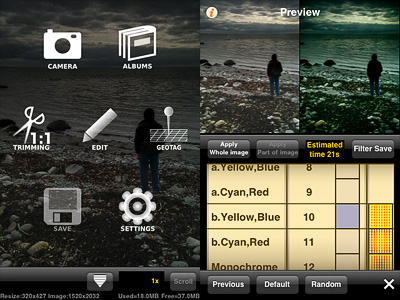
Once you have your photo, you can apply post-processing. By tapping on the Filters icon, you have access to several parameters that you can adjust by scrolling different wheels individually. The first wheel sets the parameter (Brightness, Contrast, Saturation, Hue, Vignette, Blur, etc.), while the others influence intensity and affected area. From the Preference screen, you can choose to enable or disable any of the app’s variables or you can set their overall strength. By combining variables together, you can create highly personalized presets, which you can save and reuse later. Thanks to the preview, you can know how your changes are going to affect your pictures at all times. PhotoToolbox also allows importing and exporting presets.
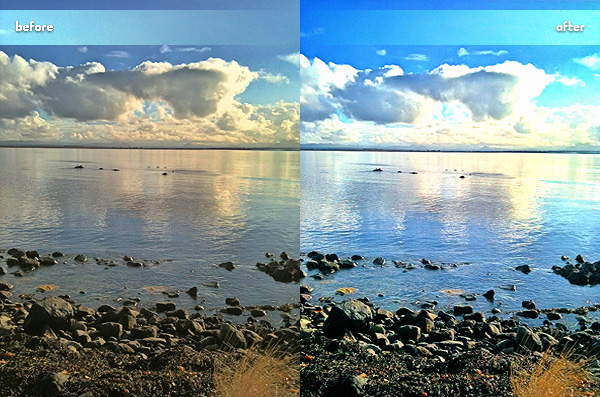
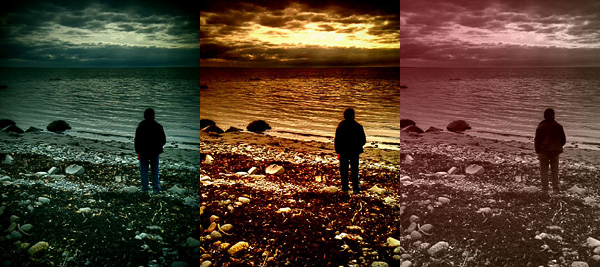
Examples of custom filters in PhotoToolbox.
With the exception of borders — an extra not included in Sun Inlet Labo’s app — PhotoToolbox is a bit like Infinicam, both in the way you can generate almost endless effects and in the way you can save them for further use. The difference with Infinicam, which only allows random generation, resides in the fact you can actually create your filters from scratch in PhotoToolbox. This in my opinion truly makes a difference, but it is also the greatest obstacle to full enjoyment of this app. PhotoToolbox is not a perfect app: first of all, it requires time to be used at its full potential. The effects you can achieve are many, but getting to know and mastering all the features is definitely not a cinch. The initial difficulties might drive more than a few users away.
I can definitely see myself using PhotoToolbox as often — if not more — as I am using Infinicam. It would be nice though to make the Import/Export filter more user-friendly and straightforward: as it is now, it’s somewhat clumsy.
PhotoToolbox is one of the most interesting things I have seen in the Photography category of the App Store in some time. If you have patience and you like to tweak, you should try it. I am confident it will be rewarding.
Overall
Name: PhotoToolbox
Developer: Sun Inlet Labo.
Compatibility: iPhone, iPod Touch, iPad. iOS 4.1 or later.
Price: £1.19||$1.99||€1.59
Vote: 4/5

 The new release of PhotoToolbox improves performance of image processing on iPhone 4. This is not the only change in version 2.8.0: other than the new app icon, the most important addition is the introduction of a layer blend feature.
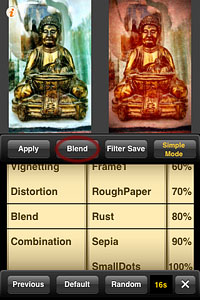 There are 16 classic blending modes available in all: Normal, Multiply, Screen, Darken, Lighten, Overlay, Soft Light, Hard Light, Color Burn, Color Dodge, Difference, Exclusion, Hue, Saturation, Color, Luminosity. For each mode, it’s possible to set overall intensity.
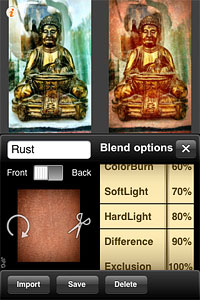 Imported textures or images can be resized according to different aspect ratios and they can also be rotated independently from the base photo you want to apply them to. Using the Front/Back switch, the order of the layers can be inverted.
 Here is part two of our