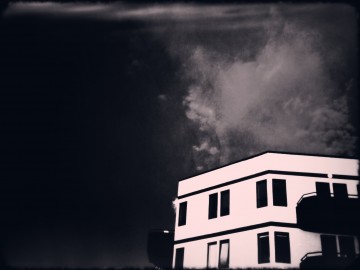
Film noir is a denomination associated with crime films from the 40’s and 50’s. Although the term is commonly identified with Hollywood’s production, examples of film noir can be found before and after the aforementioned two decades and outside Hollywood. As a matter of fact, many of the most renown film noir directors were émigrés, especially from Austria, Germany and Eastern Europe, who arrived in America in the late 20’s and 30’s as a consequence of the political turmoil preceding World War II. You have probably heard of Josef von Sternberg, Fritz Lang, Michael Curtiz, Otto Preminger, Billy Wilder and, of course, Alfred Hitchcock. These are just a few of the most representative names that come to mind speaking of film noir.
Categorization of film noir is nothing but a vague notion and in some cases, cinema critics and historians have contrasting opinions. Even if we accept the point of view of those that consider film noir a genre on its own, there is no such thing as common ground when it comes to style and motifs. However, most examples of film noir are characterized by well-defined stylistic traits, first of all the extreme use of low-key lighting and the highly eloquent use of black and white.
Red Giant‘s Noir Photo takes inspiration both for its name and for its idea from film noir’s highly stylized looks. There are those taking snapshots just for fun and those wanting their photos to convey a feeling or tell a story. Noir Photo will delight the latter group.
Main Features
- Full resolution available;
- Six presets;
- Adjustable contrast and exposure;
- Adjustable vignetting;
- Save custom presets;
- In-app guide.
Appotography Opinion
Given the expertise of Red Giant, it’s not a surprise the UI of Noir Photo works so smoothly and everything is so simple and user-friendly. The app presents a very straightforward approach to photo editing: in a single screen, you have access to all the necessary features. A concise in-app guide is included for reference.
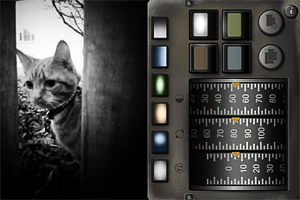
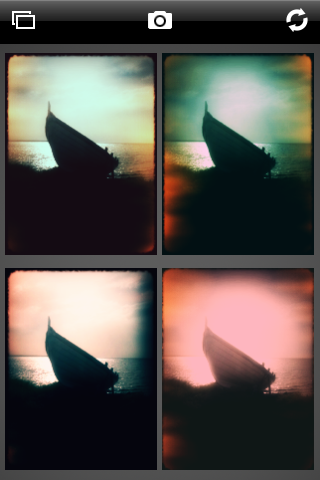
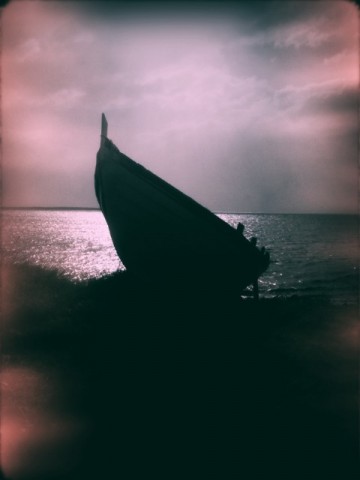
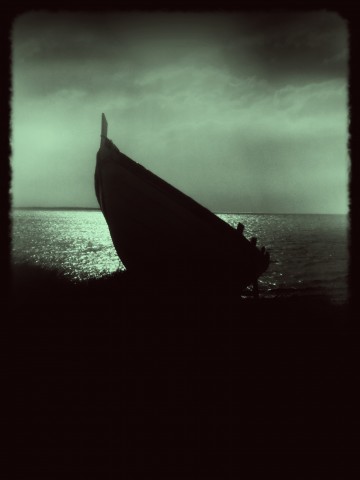
You upload a photo from your device. As a starting point, you have six presets ready for use. If you prefer, you can make your own presets by setting each parameter according to your personal need. The app not only allows quick conversion of pictures into rich black and white monochrome, but also easy relighting, which is particularly important for granting photos a highly stylized, expressive effect.
The three dials representing three different parameters, with values ranging from 0 to 100, are at the core of Noir magic: Contrast, Inner and Outer Exposure. Each of these settings will influence your picture’s lighting. By playing with their values, you can have your photo look like average black and white or extremely contrasted and highly dramatic.
Vignetting is another crucial element in Noir Photo. Vignetting changes when you adjust Inner and Outer Exposure values, but it’s by pinching to enlarge and contract it or by moving it around that you actually affect the photo. The four available color tints are the final touch to widen the possible combinations and the effects you can achieve. The preview lets you know in every moment how your photo will look like.
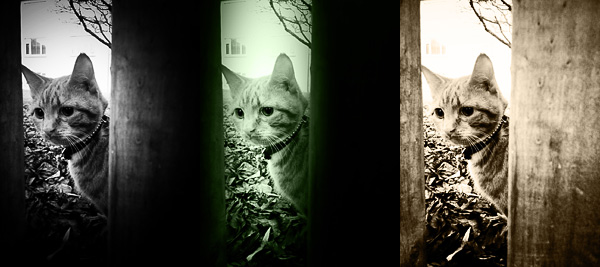
It’s undeniable that Noir Photo’s developer’s expertise shows in the app’s incredible sleekness and in its well-balanced consistency. The interface not only is conceived to allow immediate use, but, as I said before, it actually works very smoothly. What one could object is the fact options are not many, especially for the app’s price tag. Some more freedom in choosing tints or in arranging more light sources, for instance, would increase the app’s value.
Overall
Name: Noir Photo
Developer: Red Giant
Compatibility: iPhone, iPod Touch, iPad. iOS 4.0 or later.
Price: £1.79||$2.99||€2.39
Vote: 4/5


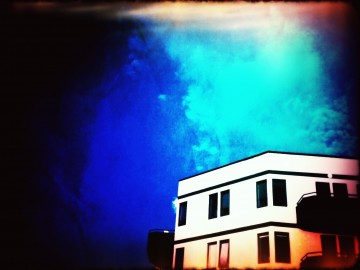
 Movie Looks HD contains several presets (looks) whose intensity and overall brightness you can adjust with the help of two sliders before confirming the processing. There are forty presets in all, which are arranged in five packs each counting eight effects: Quick, Essential, Black and White, Popular Film and Blockbusters.
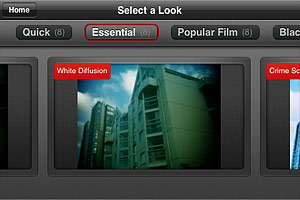
 The looks in the Quick pack are basic color adjustments that, as the name suggests, take less to be processed. The Essential looks simulate well-known and hugely popular processes, like bleach bypass and cross process. The remaining packs, Black and White, Popular Film and Blockbusters, are available as premium material
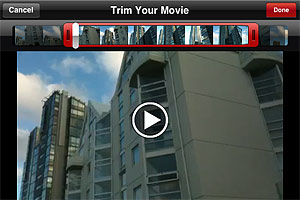
  After developing is finished, you can review your edited clip and either decide to move on by choosing another video or you can keep on editing the same clip, picking different looks.
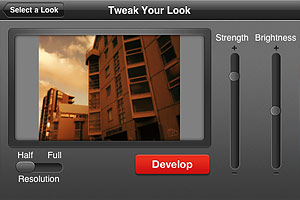 I have tried Movie Looks HD both on the iPhone and on the iPad: even in full resolution developing times seemed fair, especially with very short clips. Just to be on the safe side, Red Giant warns users that an iPhone is not a supercomputer and processing may take some time. At any rate, it doesn’t take Movie Looks HD longer than average to edit video clips. Effects are well done, but perhaps not varied enough to justify forty different presets. Not to mention that some of the most interesting effects come with the premium packs. On the iPad, for some reason the app stays on “saving” forever after developing is complete, so I couldn’t manage to get past this stage and look at the result. Moreover, on the iPad the app has some glitch and thumbnails aren’t displayed correctly in previews.
 The most notable feature added in version 1.1 is the fullscreen editing. By tapping on the uppermost right corner of the tool panel (on the dotted corner), it’s now possible to enlarge the work area. This is especially useful when better control on finer detail is required, as it allows more accurate placement of the ellipse affecting the vignette’s adjustment.
 Other enhancements in Noir Photo 1.1 include: higher editing resolution and preservation of photo metadata, so that original information is not lost upon saving.