
Red Giant’s Movie Looks HD is a universal video editing app that offers a collection of polished looking effects and other basic editing tools to spice up your video clips in just a few minutes.
Movie Looks HD is the mobile — and simplified — edition of Red Giant’s renown Magic Bullet Looks, a professional desktop color grading editor.
Main Features
- Full resolution available;
- 40 looks;
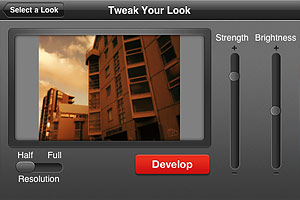
- Adjust look intensity and brightness;
- In-app guide;
- Send via email and MMS or share to Youtube, MobileMe, Facebook, Flickr and Twitter.
Appotography Opinion
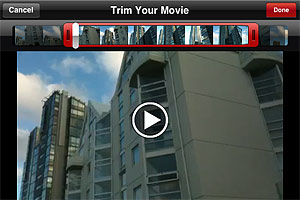
Movie Looks HD doesn’t let you shoot videos from within the app, you can only import previously taken clips to edit them. Before applying the effects, you can trim your videos. Red Giant’s editor, like most iPhone and iPad apps, doesn’t come with very accurate or specialized editing tools, but in any case the trimming feature is still worth having.
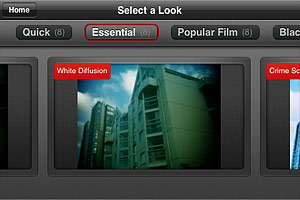
 Movie Looks HD contains several presets (looks) whose intensity and overall brightness you can adjust with the help of two sliders before confirming the processing. There are forty presets in all, which are arranged in five packs each counting eight effects: Quick, Essential, Black and White, Popular Film and Blockbusters.
 The looks in the Quick pack are basic color adjustments that, as the name suggests, take less to be processed. The Essential looks simulate well-known and hugely popular processes, like bleach bypass and cross process. The remaining packs, Black and White, Popular Film and Blockbusters, are available as premium material
 only through in-app purchase. They cover a variery of styles, from vintage monochrome to night vision style.
 After developing is finished, you can review your edited clip and either decide to move on by choosing another video or you can keep on editing the same clip, picking different looks.
 I have tried Movie Looks HD both on the iPhone and on the iPad: even in full resolution developing times seemed fair, especially with very short clips. Just to be on the safe side, Red Giant warns users that an iPhone is not a supercomputer and processing may take some time. At any rate, it doesn’t take Movie Looks HD longer than average to edit video clips. Effects are well done, but perhaps not varied enough to justify forty different presets. Not to mention that some of the most interesting effects come with the premium packs. On the iPad, for some reason the app stays on “saving” forever after developing is complete, so I couldn’t manage to get past this stage and look at the result. Moreover, on the iPad the app has some glitch and thumbnails aren’t displayed correctly in previews.
A few users complained that Movie Looks HD won’t read their Camera Roll even when there are videos in it. If this happened to you, it may be a problem with your location services being disabled, so check the device’s settings and make sure the option is enabled.
Movie Looks HD is free until September 1.
Overall
Name: Movie Looks HD
Developer: Red Giant
Compatibility: iPhone, iPod Touch, iPad. iOS 4.1 or later.
Price: £1.99||$2.99||€2.39
Vote: 3/5
