
Popkick users and fans of colorful warholesque pop effects, keep an eye on the App Store: a revamped version of the app Popkick is being released on the 5th of November. We were given the chance to try the new Popkick shortly before the official release. Here is our experience with it.
Tag: artistic filter
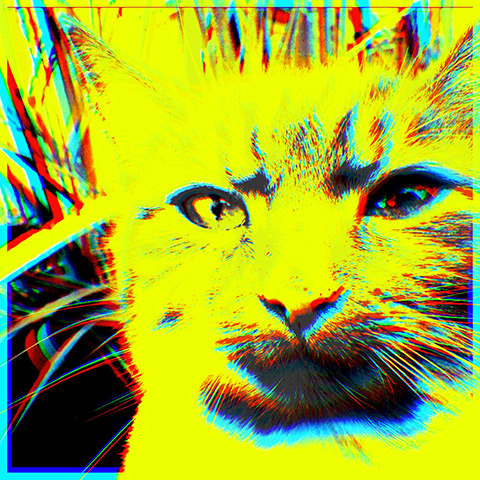
The New Goodies In Repix 1.4.1
Repix 1.4.1 introduces three new brushes as free and paid extras. Here is a preview of what you are getting with this update.
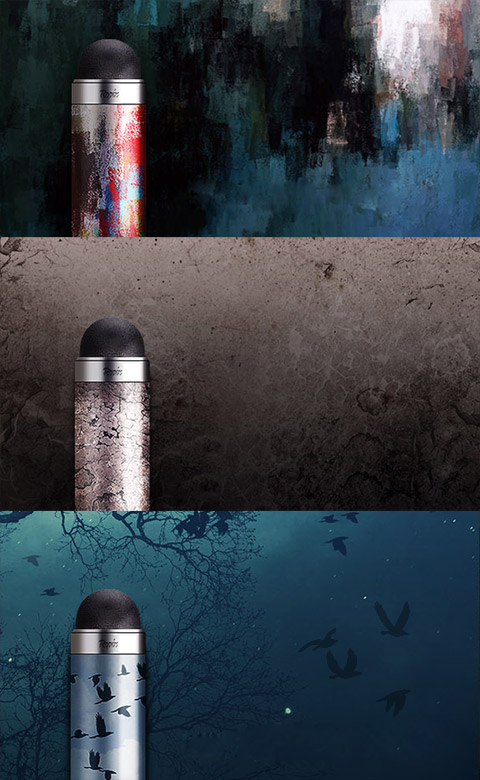
Of the three new brushes, one is a classic artistic medium, one is a grunge effect and one a fancy Live brush. Continue reading “The New Goodies In Repix 1.4.1”
Repix Review
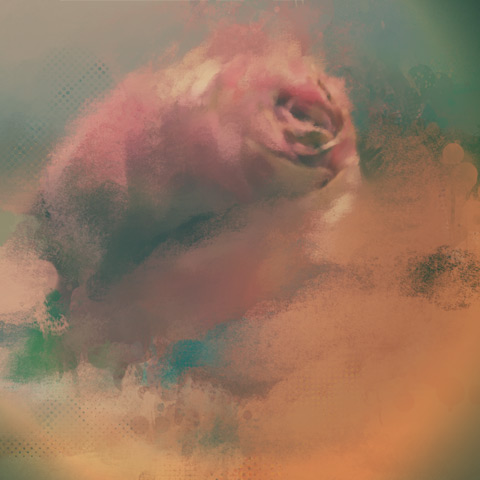
Sometimes it does take a little more than a one-tap effect to give your photo the look you are looking for; you have to work a harder for it. There are a thousand iOS apps available that let you apply artistic filters by just tapping on a single button, but there are also apps that will offer you instruments to process photos more creatively by overlaying them with organic effects and brush strokes. Yes, a bit like in painting, but not quite. Repix is one of these latter apps.
Main Features
- Full resolution saving available;
- 20 effects (8 free + 12 via in-app purchase);
- 6 crop ratios;
- 8 photo filters;
- Random feature;
- Adjust brightness, contrast, saturation vibrance, temperature, vignette;
- Undo/redo;
- In-app guide;
- Send via email;
- Share via Twitter, Facebook, Tumblr, Instagram.
PhotoViva Review
PhotoViva is an advanced photo application compatible both with iPhone and iPad that serves the purpose of enhancing photos and turning them into complex artworks.
Main Features
- Up to 1600×1200 pixels;
- 20 brushes;
- Paint or clone;
- HDR correction;
- Crop;
- Adjust saturation and sharpening;
- Undo/redo;
- Add noise;
- Adjust hue, saturation and tint;
- Channel mixer;
- Color picker;
- Adjust brightness, midtones and shadows;
- Autopainting.
Appotography Opinion
To enhance your photo of choice, PhotoViva gives you several editing instruments, like a basic channel mixer, hue, saturation, brightness, sharpen tools and more. For a quick fix, you can use the freehand crop and rely on the HDR correction to bring out details lost in the dark or light areas of your original photo.

To turn photos into paintings and sketches, you have a collection of 20 different brushes, ranging from pastels to watercolor. To make the brush strokes blend organically with the subject of the photo or to obtain special effects, you can change angle and size of each brush and either pick colors of your choice or use the original as the source image. A clone feature is also included.
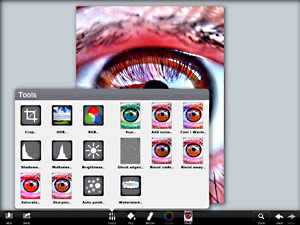
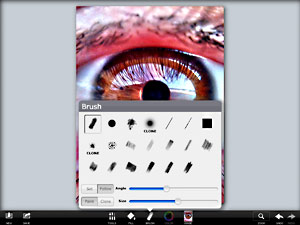
PhotoViva offers a variety of tools in a well-balanced format, succeeding where most photo-to-painting apps for iDevices failed. Results benefit significantly from the app’s great flexibility and from its wide range of available choices. Although the app comes with an autopainting feature, the best results are achievable by manually fingerpainting and adjusting settings where and when necessary. PhotoViva represents a good compromise between fully automated artistic filters and drawing applications. The app works great both on iPhone and iPad, but for obvious reasons painting on iPad’s larger screen feels more comfortable.
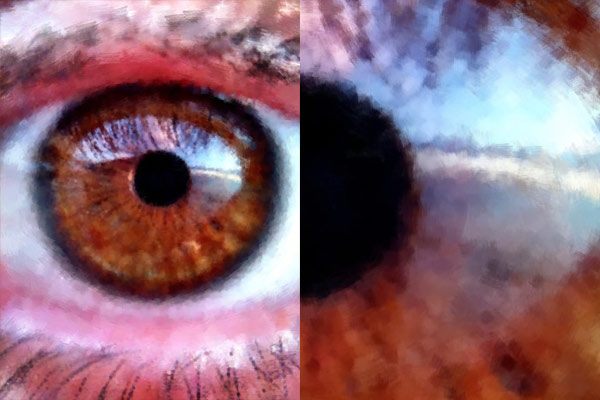
The only notable problem with this app is the final saving resolution of 1600×1200 pixels, which could definitely be improved.
Overall
Name: PhotoViva
Developer: Lamina Design
Compatibility: iPhone, iPod Touch, iPad. iOS 3.0 or later.
Price: £1.49||$1.99||€1.59
Vote: 4/5

Artist’s Touch for iPhone Review
Artist’s Touch for iPhone by Artamata is an application to turn your photos into paintings that also works as a drawing utility. However, the app is neither an artistic photo filter or a drawing app: both for the achievable results and for the workflow, Artist’s Touch is more like a mix between these two. As it often happens with most hybrids, Artamata’s app isn’t particularly successful in either task.
Main Features
- Up to 1024×768 pixels resolution;
- 11 paint tools;
- 6 textures;
- Adjustable brush settings;
- In-app tutorial;
- Send via email or share on Twitter.
Appotography Opinion
In Artist’s Touch, you can start with a photo from your iPhone, you can use the built-in camera to take a shot to process, or you can simply choose a blank canvas to paint on. The app gives you a series of tools (oil, watercolor, charcoal, pastel, chalk, ink, pencil, airbrush and scratchboard) which you can use to apply different effects to your photos or to paint on blank canvas. You can also choose a background color and a texture to add depth to your painting surface. Note that background and brush colors cannot be picked freely: you can choose among a list of a little more than 45 tints.
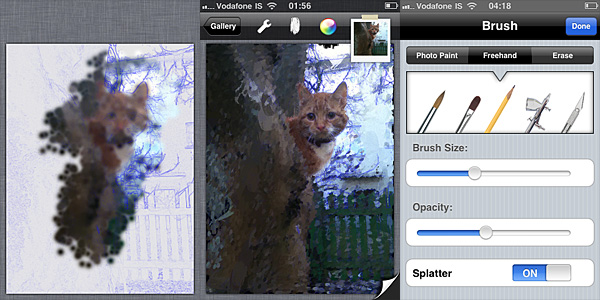 As soon as you load your photo in Artist’s Touch, you are given a blank canvas with your photo’s contours highlighted as a guideline, like in a sort of blueprint. You can enable and disable the blueprint feature in any moment. To accurately apply a painterly effect to suit your taste and need, you can set brush opacity and size. By brushing with your finger over the image, you define the areas where the given effect must be applied. For better results, you start with a larger brush and gradually diminish size to bring out the details. In case of mistakes, you can activate the eraser, but there is no undo. When you are finished, you can save to your device, send with email or share on Twitter.
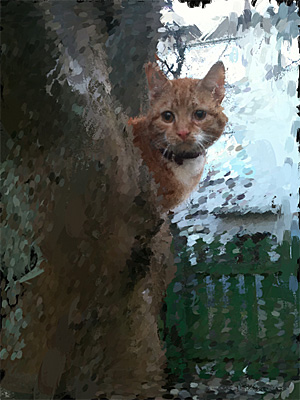 As an artistic filter, Artist’s Touch remains on a rather average level: the effects are not bad, but they’re not particularly good either. The best aspect of this Artist’s Touch, which is something more than a few other apps in the same genre lack, is that you can accurately define areas of your image with higher detail. An app like AutoPainter — better filters overall, but not very accurate results — currently is not able to achieve the same. As a drawing utility, Artist’s Touch’s possibilities are very limited as well, mainly for the lack of essential features to give artists the required freedom while painting. If you want to pretend you can paint but you cannot, then perhaps this app will let you have a few moments of fleeting satisfaction — if you have enough patience to find a photo that will look reasonably good after processing it in Artist’s Touch, that is. In any case, the main obstacle to enjoyment is the app’s overall feel of awkwardness. Both among drawing apps and among photographic filters, there are other choices to obtain similar results in a much smoother and easier way. Nevertheless, even with all its flaws, a few users may find some peculiar use for Artist’s Touch.
An iPad version of Artist’s Touch is also available in the App Store.
Overall
Name: Artist’s Touch
Developer: Artamata
Compatibility: iPhone, iPod Touch, iPad. iOS 4.0 or later.
Price: £1.79||$2.99||€2.39
Vote: 3/5
AutoPainter II Review
AutoPainter II “The Illustrators” is the second instalment in the AutoPainter app series. The effects included in Autopainter II are themed after classic illustration techniques, differently from AutoPainter that was more focused on painting styles inspired by famous artists – Cezanne, Van Gogh, etc.
Main Features
- 1280 x 960 pixels resolution (3GS);
- Portrait masking for enhanced detail;
- 4 artistic filters.
Appotography Opinion
AutoPainter II “The Illustrators” features four more artistic filters for processing your photos. Although they are sold as a separate app, the new filters (Chalk, Book, Felt Tip, Water Ink) basically represent an expansion to the first AutoPainter. Reason why I feel it would have been more convenient for the user to be able to access them from within a single app. For example, it would have made more sense to sell the new filters as an additional pack, available through in-app purchase.
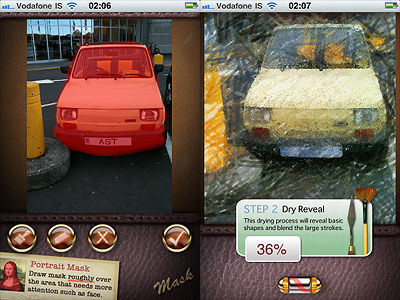
The UI of AutoPainter II is exactly the same as AutoPainter, the only difference with the first instalment being, as I mentioned, the available styles you can choose from. Applying filters is a cinch. Rendering times are fair and you can watch the engine as it processes your photo for fun. You can pick the photo to process from your camera roll or take one with the built-in camera; then all you have to do is selecting a filter among those available and tap on the start button. For better results, especially on portraits, developers added the portrait mask feature, allowing to finger-paint a mask over areas of your image where you’d expect details to be better defined.
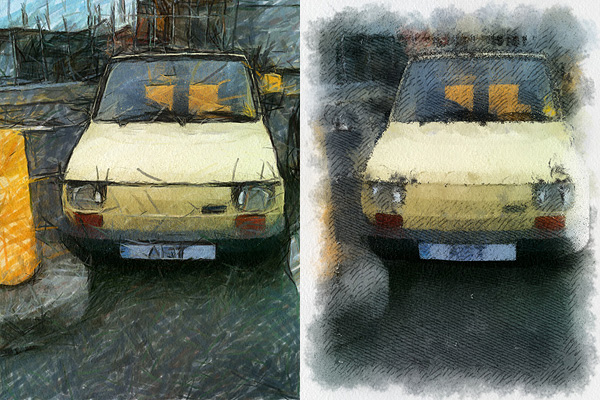
As with the previous AutoPainter app, one cannot deny the quality of the filters. Too bad for the final resolution. Too bad that the filters, however pretty, don’t work that well on most photos, too. It took me some time to find a photo that wouldn’t lose significant detail after processing. The masking feature doesn’t dramatically enhance the final result: the render engine is still unable to catch relevant elements in most photos. That’s why I think overall AutoPainter works better on landscape photography, which most of the times looks all right even when only its essential elements are caught, or on extreme close-ups.
Overall
Name: AutoPainter II
Developer: Mediachance
Compatibility: iPhone, iPod Touch, iPad. iOS 4.0 or later.
Price: £0.59||$0.99||€0.79
Vote: 3/5
AutoPainter Review
What would have Van Gogh, Cezanne and Benson thought if somebody told them that several decades later they would be lending their artistic skills to just anybody with an iPhone?
Nobody knows. And honestly… Whatever. The genius of these artists is so immense that it wouldn’t make a great difference to them, even if they were alive today.
Mediachance give all iPhone, iPod Touch and iPad users the illusion of becoming a nouveau Vincent in a couple of minutes, with their AutoPainter, a portable version of their desktop application Dynamic Auto Painter.
Main Features
- 1280 x 960 pixels resolution (3GS);
- 4 artistic filters.
Appotography Opinion
AutoPainter includes four artistic filters (Aquarell, Benson, Cezanne, Van Gogh) which you can easily use to process your photos to turn them into strikingly beautiful little works of art. All you have to do is choosing a photo from your camera roll or take one with the built-in camera, select your favorite filter and tap on the start button. It’s easy as that. You don’t have to adjust settings, move sliders, and so on.
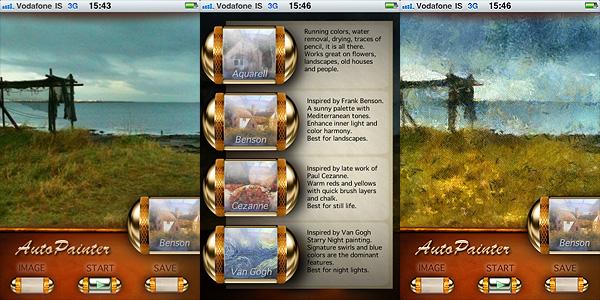
The artistic effects applied, simulating paint strokes and canvases, according to the style of choice, are very nicely rendered. Actually, they are among the best you will be able to find on iPhone in their genre, I think. The processing takes some time, but the fact you can watch how your picture is affected step by step is kind of entertaining, at first at least. This app, at least in its current version, will be a little disappointing for those wishing for a full resolution. On 3GS, which is what I used to test it, I was able to obtain a 1280 x 960 resolution. If this is it, it can be improved, definitely.
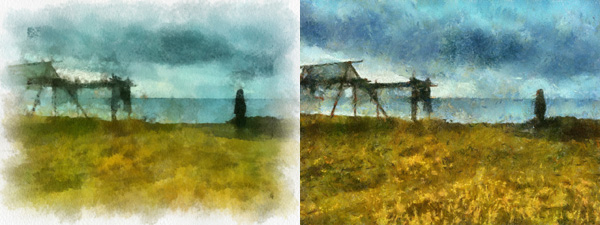
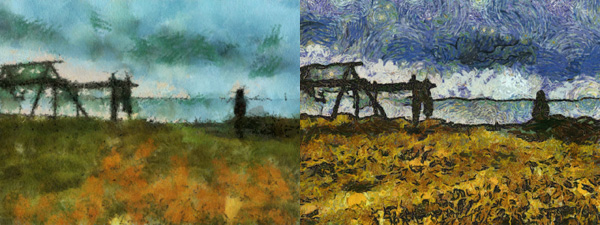
I said the filters are well done, but they do not work great on all photos. Sometimes the engine will be unable to make out some important details, so don’t be offended if after editing that portrait of your fiancée you love so much, she ends up with a huge yellow swirl on her forehead. Overall, better exposed and clearer photos are those that are able to give you better results.
Overall
Name: AutoPainter
Developer: Mediachance
Compatibility: iPhone, iPod Touch, iPad. iOS 4.0 or later.
Price: £1.19||$1.99||€1.59
Vote: 3/5
Percolator: Retro-style Effects That Will Surprise You
There are apps that can make a difference in your personal collection. Apps that will make you reconsider the way you look at your photo library. Apps that, although their sphere of activity may seem limited to the exceptional and to the peculiar at first, can be surprisingly adaptable to a multiplicity of uses. Percolator is one of them.
Main Features
- Up to 2048×1536 pixels resolution;
- 4 levels of accuracy;
- 5 different effects;
- Dark and light backgrounds;
- Zoom and pan.
Appotography Opinion
The strength of Percolator by Tinrocket resides in its extreme capability of stylization. Any photo — it doesn’t matter its original look, its subject, and so on — will be turned with extreme ease into a colorful retro-looking mosaic. Edited photos will thus gain a new life and a surprising verve.
“The main algorithm used in Percolator was developed in 2004, as a small piece of a larger project. This algorithm places circles in the empty areas of images, from the largest possible circle down to the smallest. The software computes a fast solution to a problem area known as circle packing.”
This is, in nuce, how percolator was conceived and the way it works. There is a chance knowing it won’t be very useful to your actual purposes. All you really need to know is Percolator is an app capable of delivering effects to add astonishing stylization to your photos very quickly and with minimum effort.
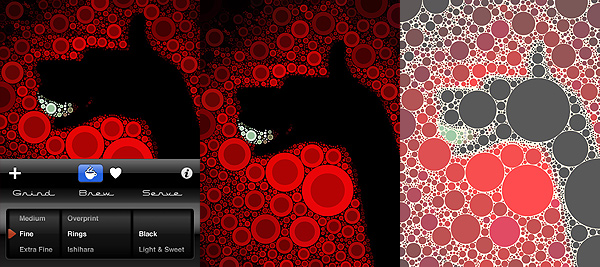
Both if you choose to take a shot or if you load one from your camera roll, you will be able to radically change the look of your photos in a really quick way, without having to to do anything more than scrolling among the available settings, which are not many, but are anyway definitely enough for your purposes. You can pick one of the different styles ready for use, you can refine the accuracy of the effect in relation to your images, you can choose to apply a dark or light background depending on your specific needs. It doesn’t take more than a few seconds; excellent quality results are granted.
Percolator works particularly well with highly contrasted, colorful photos. However, experimenting with the various setting might surprise you and give you interesting outcomes even with other photos. In general, even in photos whose colors are washed out, colors are improved and revamped. Of course, better exposed photos will give you better results.
The only aspect that perhaps could be improved in future updates is offering the user a more comprehensive experience by adding a few sharing options, which for now are totally absent.
Percolator is an entertaining app that not only will let the average user play with photos is a surprising and refreshing way, but, if used in a clever way, will also provide the creative type new and interesting ideas.
Overall
Name: Percolator
Developer: Tinrocket
Compatibility: iPhone. iOS 3.1.3 or later.
Price: £0.59||$0.99||€0.79
Vote: 5/5
PhotoArtista Oil: Let’s Pretend We Can Paint!
Whoever spread the notion that photos can successfully be digitally turned into paintings with a couple of clicks should be spanked very badly. This is how I see it; everybody is free to disagree. But so far I haven’t found a single successful way to make a photo look like a real painting with digital filters, not even from the most renown developers. Be careful: I haven’t said a “realistic” painting.
Even the best results obtained with ready-made filters are nothing like actual paintings, photos of paintings or even like photographs of actual paintings taken from photos. Or… whatever. They retain that certain lousy artificial quality that is terribly unattractive. To obtain an effective painterly effect, first of all you need to work a lot on your photo, concentrating not on reproducing useless trivialities like the embossing or the direction of the strokes or similar, but on trying to recreate a general feeling, an atmosphere, that is usually very subtle; you have to work on bringing out that certain something, if you know what I mean. So far, even the best filters are more focused on the trivialities I was talking about than in defining and trying to reproduce this something, that is what truly differentiates painting and photo. Let’s be honest though: we cannot ask too much of mere filters. When technology will reach a higher degree of sophistication and artificial intelligence will be improved, maybe the visible results will be more convincing.
I’d like to add that painting and photography can be considered sisters in the realm of visual arts, but they are definitely not interchangeable, especially after the achievements they both have conquered over the years. To fulfill their role, they should take different paths and give different interpretations, even of the same subjects.
Main Features
- Full resolution available;
- Different painting styles ready to use;
- Adjustable brush, brightness, color and canvas;
- Add borders;
- Possibility to create and save custom presets;
- Share via email.
Appotography Opinion
With PhotoArtista Oil, JixiPix tries to give anybody the ability to become an accomplished oil painter with very little effort. I’ve read comments of some people using this app boasting about the fact with PhotoArtista Oil they could fix even the most outrageously horrible photos they had taken. I’m not sure how the developers should feel reading comments like these; I hope they’re not particularly proud of such publicity.
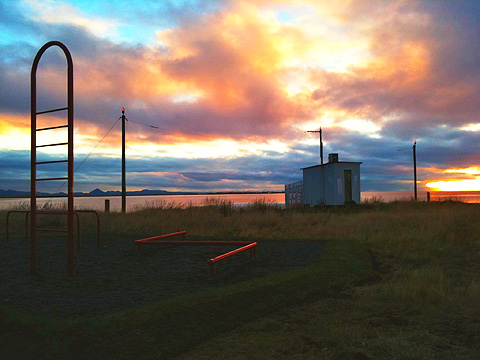
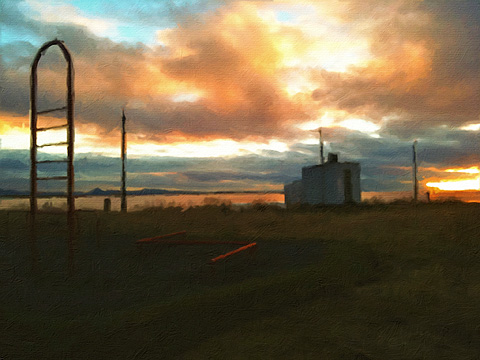
PhotoArtista Oil works both with camera roll and with shots you take with the built-in camera. As with other apps in the same range (PhotoArtista Haiku, PhotoArtista Sketch and Vintage Scene), you have an array of presets ready for using from which you can start working. You can simply choose one of those presets and save your photo or you can adjust several variables to make your picture suit your personal taste. You can modify intensity and type of strokes, canvas texture and color, color tones, apply edges, and so on. If you want to use again the preset you have created yourself, you can save it.
Processing times are extremely long and unnerving; deciding to choose a style and then changing your mind can make you waste 5+ minutes of your life. Each time, not in a lifetime. This can be OK for you, I don’t want to imply you are in a hurry… I’m just saying.
Overall, the results are good, but not astonishing — but this depends of course on your personal idea of astonishing. The canvas in particular doesn’t look very realistic, especially if you choose to look at your picture at full resolution. If you are not very careful with your parameters, the strokes will not look natural at all. Not to mention that you shouldn’t expect the app to make a good job equally with any single photo you throw at it. Anyway, if you want to turn your photos into paintings at all costs on your Apple device, this is perhaps as good as it can get.
Overall
Name: PhotoArtista Oil
Developer: JixiPix Software
Compatibility: iPhone, iPod Touch, iPad. iOS 4.0 or later.
Price: £1.79||$2.99||€2.39
Vote: 3/5