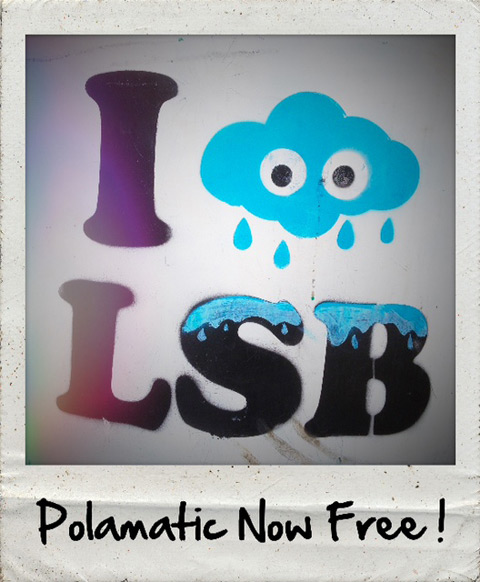
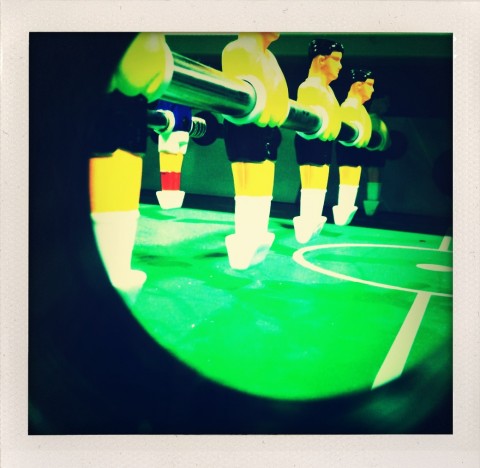
The iPhone Polaroid app Polamatic is currently avalailable as a free download from the App Store. Its regular price before the offer was $1.99.
Polamatic includes of collection of 12 filters (including sepia and black and white) and 12 instant photo frames. Continue reading “Polamatic Now Free”
There are no official quality standards and guidelines when it comes to Polaroid — and more in general instant — photography: some photographers apply to it the same rules that they are comfortable with and use in other genre of photography; some others completely change their style according to the medium they are using and prefer to consider instant photography as a world of its own, where general rules are not applicable. This is one of the reasons in Polaroids anything seems to be acceptable, even things that often wouldn’t be well-received in full-fledged photography. Many instant photographers for example are very much in love with the cheap look of Polaroids, and even those who converted to more up-to-date formats try to replicate it digitally. A cheap digital photograph isn’t like a cheap analog one, and if it’s true that in the case of Polaroids anything is acceptable, it’s also true that in the case of digitally imitations perhaps it is not.
Main Features
Full resolution available;
Zoom, pan and rotate;
Nine instant film types (+nine more with in-app purchase);
Four instant frames (+four more with in-app purchase);
Undo button;
Share via email and Facebook.
Appotography Opinion
FotoRoidis another of these apps that try to simulate the Polaroid effect on the iPhone. Differently from a few other apps in the same group, you don’t have any simulation of the developing process, so if this means for some people part of the magic will be lost, for others it will conveniently mean quicker results. You can use pictures from your camera roll or use the built-in camera. Using the camera, the app crashes easily. Saving can also cause the app to crash.
FotoRoid combos: please note the annoying black border
Several films and frames are available, ranging from expired to black and white to overly saturated, etc. Some filters are OK, but the quality on average is quite poor. More than a few filters in FotoRoid just look ugly on almost any photo you will come up with, and just in very rare cases they will give you decent results. Some may argue this is what makes Polaroids what they are, but considering we are talking about digital photos instead of genuine Polaroids, on this point I beg to differ. When you have to adapt your photography to the app, it means the app has serious issues. To adjust the photo to the frame, you can use your fingers to pan, zoom and rotate. These features, although very useful, don’t work very smoothly in FotoRoid and getting exactly what you want can at times become frustrating. A feature to save the original photo is also not available for the present moment, but in the case of this app it would be useful to have it. Not to forget, an annoying black border is added around the frame to each saved picture.
FotoRoid is free, but to better enjoy the app you have to purchase film and frame upgrades in order to broaden your possibilities — in-app purchases unlock either frames or films, or they disable ads. The problem is: are these upgrades worth it, in terms of quality and also of what they allow the user to achieve? To be totally honest, I don’t think they are.
Overall
Name: FotoRoid
Developer: Gen Kiyooka
Compatibility: iPhone, iPod Touch, iPad. iOS 4.0 or later.
Price: free!
Vote: 2/5
Everybody likes instant photography, especially on the iPhone. Most apps that promise to the user the same experience of an actual instant camera are as a matter of fact big letdowns.
ShakeItPhoto, a very basic replacement to the default iPhone camera, differently from other similar apps, gets very close to what it promises.
Main Features
Up to a resolution of 1016 x 1040 pixels;
Shake to speed up development.
Appotography Opinion
ShakeItPhoto is a very nice and simple app that will make die-hard fans of the original Polaroid camera happy. In fact, much more than the official app, ShakeItPhoto gets close to delivering the feel of Polaroid instant photography, from the truthfulness of the filters to the shaking motion required to develop the photos faster to the effects reproducing real instant cameras’ sounds. The success of this app depends mainly on the fact ShakeItPhoto stays true to what it promises. First of all, it is very easy to use as it doesn’t offer any additional gadget or special feature to its basic function which is to take a photo – or change an existing one – adding to it a Polaroid-like filter and border. This means it will be excellent for iPhone camera users that usually prefer straightforward tools rather than gimmicky ones with gazillions of confusing variables, but it will also be a decent expansion for those who often like to use more than one app to edit their photos.
ShakeItPhoto conveniently works both with photos taken on the spot and and with the camera roll. There’s space for improvements on higher resolution.
Overall
Name: ShakeItPhoto
Developer: Banana Camera Co.
Compatibility: iPhone, iPod Touch, iPad. iOS 2.2.1 or later.
Price: £0.59||$0.99||€0.79
Vote: 4/5
Polaroid-imitating applications are not a novelty. There are quite a few in the App Store, some with only very basic functionalities, some with many gimmicks and features to keep everybody busy for a while. The renown instant look in all its variations is an everlasting favorite of the public and thus an inexhaustible money-making source. Even those who have never used an actual instant camera in the Polaroid brand to take a photo, know them by name and by their looks.
The Polaroid Corporation recently woke up from their torpor, ages after the App Store had reached the saturation level with instant photography apps. The original Polaroid® appeared in the app store with its own application developed by Montreal-based Penté Group. But is it really worth it? Let’s look at the app in detail.
Features
Multiple cameras: InstantCam™ offers four different camera modes, B&W, Vintage, Colorize and Digital, to recreate the looks of old and recent Polaroids
Camera and library mode: to take a picture on the spot or edit previously taken photos
Shake or blow: like with the original Polaroids, shake or blow to develop the photo
Add text: annotate photos in handwriting-looking text on the bottom border with the built-in editor
Compatibility with Polaroid Studio: create custom albums to organize the photos and share them online. Requires a Polaroid Studio account
Appotography Opinion
In theory it’s all very good, but actually the InstantCam™ app is a big letdown. And letdown is a compliment. It’s been proved more than once than big brands and companies are not necessarily equivalent to great quality. It’s usually the opposite, as big brands tend to take advantage of their name instead of worrying about substantial matters. Using the original “Polaroid Instant Camera application for iPhone” reinforced this thought even more.
Not only the quality of the photos isn’t particularly good, the effects aren’t particularly striking – hardly mediocre I’d say – , but also the final picture resolution is a mere 302 x 307 pixels. I mean, really… what were they thinking?! Yes, those we posted are not resized images; they are the actual images. Absolutely ridiculous. Also, the final image has an added white border around the Polaroid-style frame (around 8 pixels) to grant the drop shadow effect on the Polaroid frame the that is very annoying to look at and very troublesome if you have to, for example, use the photo against a background that isn’t white. Of course, you could get rid of those additional pixels importing the image in Photoshop or some equivalent photo editing program, but what would be the point?
Even paying a small amount of money for such a useless app is quite outrageous, especially with all non-original Polaroid apps out there that deliver the same and more, in a much better and effective way.
Overall
Name: InstantCam™
Developer: Penté Mobile
Compatibility: iPhone, iPod Touch, iPad. iOS 3.1.3 or later.
Price: £0.59||$0.99||€0.79