
ComicBook! is a universal comics creator for iDevices that allows mixing your photos and turning them into comics, by choosing templates, applying effects and adding captions and stickers.
Main Features
- Up to a resolution of 1024×768 pixels (iPad), 960×640 pixels (retina display devices), 480×320 (other);
- 30+ page templates;
- 3 halftone sizes;
- 4 borders;
- 13 caption/bubble styles;
- 55 stickers;
- 9 filters;
- 7 fonts;
- AirPrint support;
- In-app guide;
- Send via email or share on Facebook, Twitter.
Appotography Opinion
To create your comic, you choose one among the available template pages and either import images stored in your device or use the built-in camera. Templates can be found in the Create menu, at the bottom of the screen. You can move, rotate, enlarge and shrink the images to adjust them to the template’s panels. On top of each panel, you will find the FX menu, containing the various effects you can apply to the imported images. There are nine different styles, some slightly customizable, ranging from sketch to black and white and Warhol-ish pop art. Halftone (small, medium, large size) can also be added.
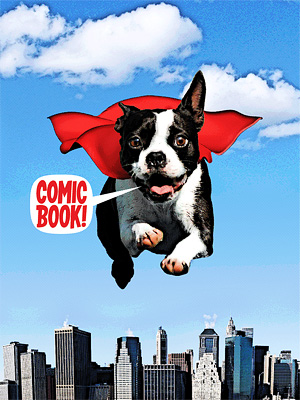
From the same Create menu where you go to pick the template, you can also select Captions and Stickers. Captions include both speech bubbles and proper captions. Stickers represent sound effects and various other graphics to spice up your comics. By tapping on the item of your choice, you will have it appear on your comic’s page. Tapping once on the chosen item to make it active, you can move it around and affect other features: for captions and speech, you can input a text and set a font face, color and size, while you can only rotate and resize Stickers. By double-tapping, you can delete the item.
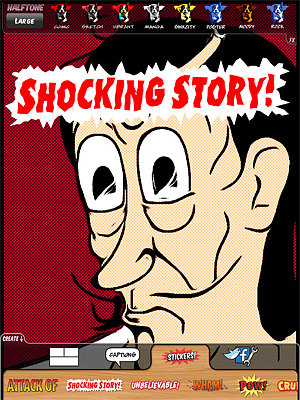
In the Create menu, you will also find the Utilities section, from which you will be able to save, upload, email or print your comics, other than read the in-app guide and access ComicBook!’s settings.
The UI of ComicBook! feels somewhat cluttered and not highly manageable; for this reason, getting things right in your creation is not as easy as it should be. Manoeuvring elements is not enough intuitive and trying to fit them in your panels can be really frustrating. The customization for text is very limited and size and colors available for fonts are few. In some instances, after you have performed an action, it’s not easy to make changes promptly.
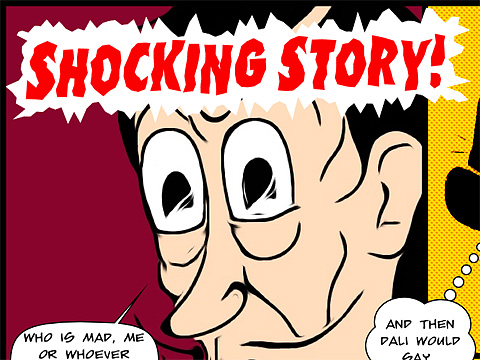
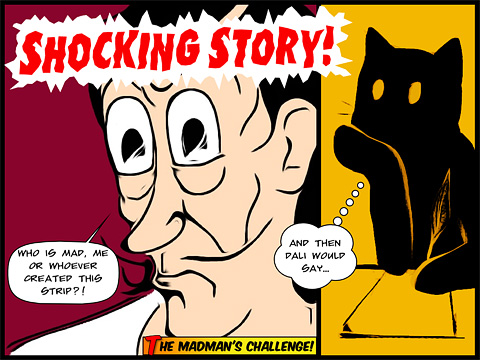
Another serious problem concerns the very disappointing saving resolution allowed in ComicBook!. Resolution is not the only limitation, anyway. I found it impossible to send, upload or save properly comics from templates in landscape orientation, as the only thing the app seems to be able to save in this case is the leftmost portion of the page. The issue can be solved by choosing portrait oriented templates or changing your device’s orientation — crazy, I know. Colors in saved comics appear to be somewhat different compared with the ones of your original photos, so beware.
Although the idea is OK, some elements in this app are definitely too similar to Halftone‘s. Hopefully, the developers submitted to the App Store just a rushed version of their ComicBook! and they will fix bugs in the coming versions and allow higher resolution saving.
EDIT – After ComicBook!’s update to 1.0.1, the issue with saving orientation is fixed. Thus we also update our overall score.
Overall
Name: ComicBook!
Developer: 3DTOPO inc.
Compatibility: iPhone, iPod Touch, iPad. iOS 4.0.2 or later.
Price: £1.49||$1.99||€1.59
Vote: 3/5
