PhotoVivais currently free in the App Store Lamina Design’s photo editor was previously $2.99.
Differently from the majority of other apps that use art filters to turn photos into paintings, PhotoViva comes with a set of photographic tools for a more comprehensive editing experience. It’s possible to use the app not only to paint over photos and give them a painterly look, but also to adjust contrast and brightness, saturation and hue, to apply watermarks, HDR correction, and more. The app is compatible both with iPhone and iPad.
PhotoViva is an advanced photo application compatible both with iPhone and iPad that serves the purpose of enhancing photos and turning them into complex artworks.
Main Features
Up to 1600×1200 pixels;
20 brushes;
Paint or clone;
HDR correction;
Crop;
Adjust saturation and sharpening;
Undo/redo;
Add noise;
Adjust hue, saturation and tint;
Channel mixer;
Color picker;
Adjust brightness, midtones and shadows;
Autopainting.
Appotography Opinion
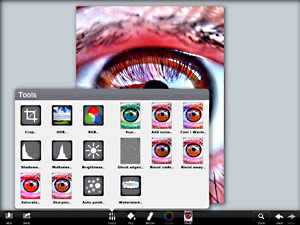
To enhance your photo of choice, PhotoViva gives you several editing instruments, like a basic channel mixer, hue, saturation, brightness, sharpen tools and more. For a quick fix, you can use the freehand crop and rely on the HDR correction to bring out details lost in the dark or light areas of your original photo.
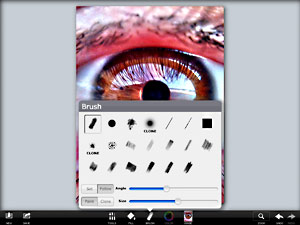
To turn photos into paintings and sketches, you have a collection of 20 different brushes, ranging from pastels to watercolor. To make the brush strokes blend organically with the subject of the photo or to obtain special effects, you can change angle and size of each brush and either pick colors of your choice or use the original as the source image. A clone feature is also included.
PhotoViva offers a variety of tools in a well-balanced format, succeeding where most photo-to-painting apps for iDevices failed. Results benefit significantly from the app’s great flexibility and from its wide range of available choices. Although the app comes with an autopainting feature, the best results are achievable by manually fingerpainting and adjusting settings where and when necessary. PhotoViva represents a good compromise between fully automated artistic filters and drawing applications. The app works great both on iPhone and iPad, but for obvious reasons painting on iPad’s larger screen feels more comfortable.
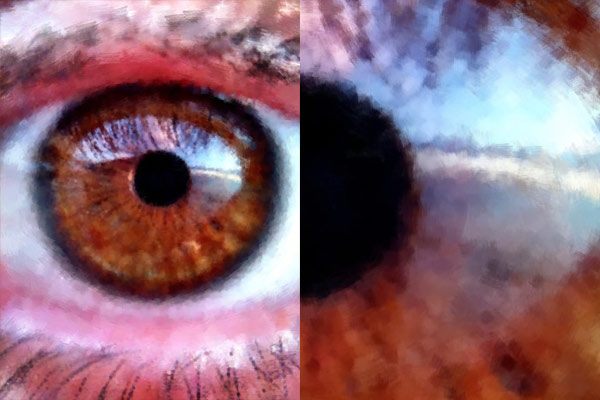
The processed image (left) and a detail in actual resolution (right).
The only notable problem with this app is the final saving resolution of 1600×1200 pixels, which could definitely be improved.