With Lumière, a newly released photography app whose aim is to recreate the magic of the most diverse toycams on Apple portable devices, nebulus design pay a tribute to two of the initiators of cinematography.
You have probably heard at some point of Auguste and Louis Lumière, French brothers celebrated by most as pioneers and fathers of cinema. There still is a lot of debate concerning the status of Lumière brothers as actual fathers of cinematography.
In 1895 the Lumière Bros, who had inherited a photographic business from their father Antoine, patented the cinématographe, a film camera and a projector all rolled into one, cleverly making use of a series of inventions which included Edison’s Kinetoscope and Reynaud’s film perforations. The name of their creation itself was a reprise from Bouly’s cinèmatographe.
Whoever rightly deserves to be considered the actual inventor of cinematography, it is certain though that the public screening of footage shot with Lumière’s cinematograph on December 28, 1895 at the Grand Café in Paris represents one of the single greatest and most memorable moments in the history of this art form.
However, the question of fatherhood of cinema is much more complex than this and it would at least take a whole post on its own to discuss it in more detail.
Main Features
- Up to 1440 x 960 pixels;
- Real-time processing;
- 9 filters;
- 9 borders;
- In-app instructions;
- Share via email, Facebook, Twitter, Tumblr.
Appotography Opinion
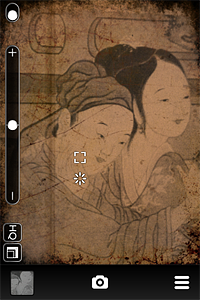
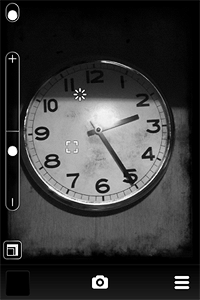
Don’t get fooled by the name of this app: Lumière takes photos, not videos. Since it works in real time, you cannot use it with photos previously taken and stored in the camera roll. You point the camera to your subject, you slide your finger on the screen to scroll among color filters (horizontally) and borders (vertically) and, in case you have no preference or you want to go for an unexpected effect, by shaking the device you trigger the randomizing feature. When you find a combination that suits your taste, you press the shutter button. From the gallery, you can save the photo or share it.
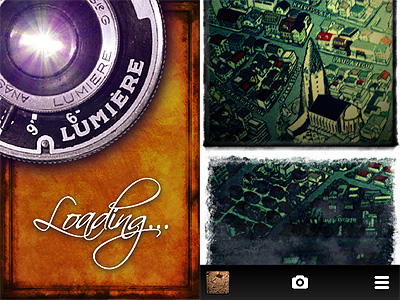
The real-time feature for handling the photo processing is more gimmicky than actually useful. If this were a video recording app — as I thought at the beginning, given the evocative name “Lumière” — real-time processing would make sense, but since the app only takes photos, it’s nothing more than a choice motivated by style. Scrolling among the effects can be cute at first, but it’s definitely not the best option if you want quickness and handiness. Retrieving the right filter/border combination for instance can be a pain in certain circumstances. The choices are kind of limited though, so it’s still possible to manage.
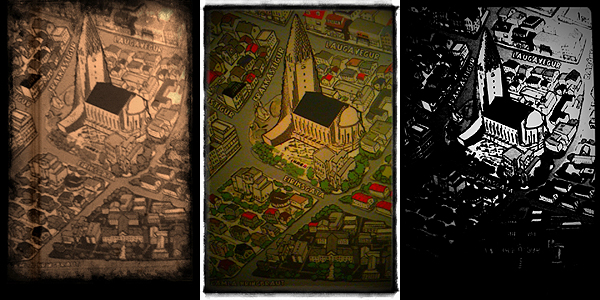
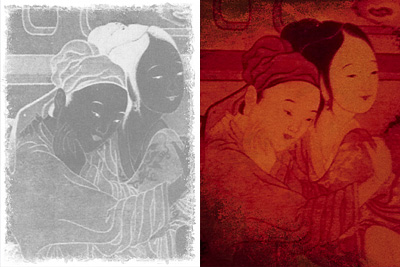
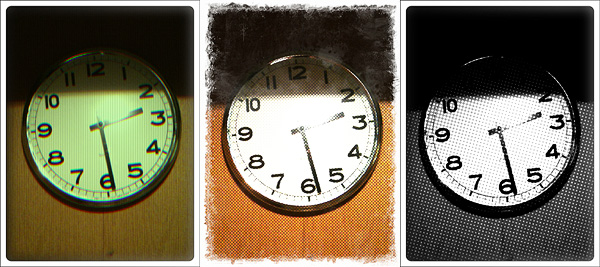
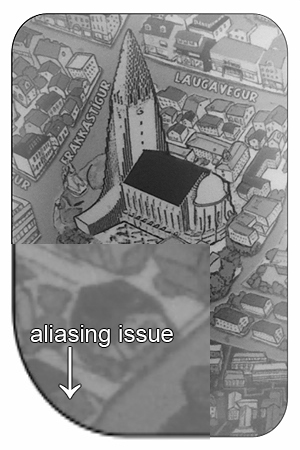
The filters, including Chromatic Distortion, 70’s, Super Saturated, Black and White, etc., are able to deliver a believable retro feel typical of lo-fi toy cameras. However, the final resolution of the saved images, with its 1440 x 960 pixels, is nothing great, especially if you value your photos enough to want to make use of them a little more productively than as mere disposable images. Also, some borders at the highest available resolution look shabby and present aliasing issues — on 3GS at least.
Overall, I’d say Lumière needs to be improved. Updates on maximum resolution and quality of some elements will definitely help bringing the app on another level thus making it fully usable also outside iPhone/iPod Touch/iPad limitations. Still, Lumière is a curious little app that, most of all thanks to its fancy real-time feature, will especially please those who enjoy something slightly out of the ordinary in photographic processing.
Overall
Name: Lumière
Developer: nebulus design
Compatibility: iPhone 3GS & 4, iPod Touch 4th, iPad 2. iOS 4.2 or later.
Price: £1.19||$1.99||€1.59
Vote: 3/5