Hipstamatic 226 was released just a few hours ago. The main changes in the new version of the app are the upgrade for final resolution on iPhone 4s (with High Quality brought to 2448×2448 and Medium Quality to 1936×1936) and more accurate EXIF data saving.
Hipstamatic 226 was released just a few hours ago. The main changes in the new version of the app are the upgrade for final resolution on iPhone 4s (with High Quality brought to 2448×2448 and Medium Quality to 1936×1936) and more accurate EXIF data saving.
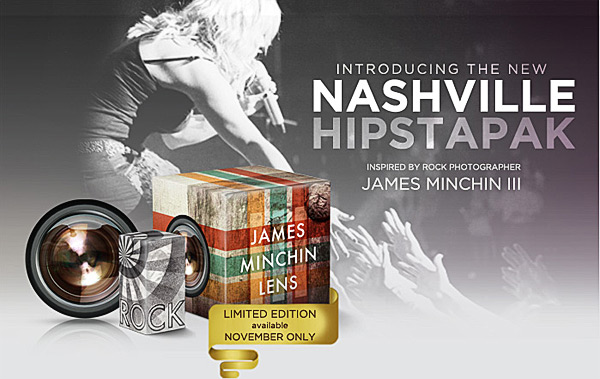
Now Hipstamatic offers a new extra, releasing the Limited Edition Nashville Hipstapak, inspired by the work of famed rock photographer James Minchin III.
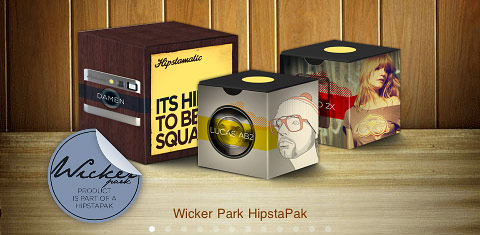
Hipstamatic 225 was released earlier this week. The latest version of the app comes with the MultiSlide Flash charger, a feature which allows to select between hardware and software flash (only working with iPhone 4) and with a brand new hipstapak. The Wicker Park hipstapak owes its name to the renown namesake park located in Chicago’s West Town area. The pak includes three items: a lens, a flash and a camera case. The Damen camera case blends together metallic finish with wood paneling for giving your Hipstamatic a distinctive urban look. The Jolly Rainbo 2x Flash is, in Hipstamatic’s team words, a “jovial strobe” suited for the darkest and less photo-taking friendly lighting situations. Lucas AB2 is a lens delivering beautiful golden tones, ideal for bringing out the warm colors of the upcoming fall season.
The Wicker Park hipstapak is available as in-app purchase with the updated Hipstamatic 225 for $0.99/€0.79/£0.69.
Hipstamatic 220 presents: Family Album – Share Your Adventures in Hipstaland.
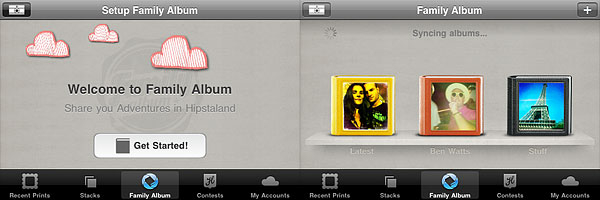
Now you can create your own personalized albums and share them with friends and other Hipstamatic users. As soon as your prints are developed, you can select the “Send to Family Album” option to share them via this new feature.
There are three types of available albums that you can choose from:
Shared Album‘s purpose is making it easier to share and have instant access to Hipstaprints of your friends and contacts. For example, you can create more shared albums to share content with different people.
In Photo Album you can collect Hipstaprints you like: they can be your own, your friends’ and other Hipstamatic users’ as well.
Magic Album can contain all sort of content, relating to people, things and places.
For each album type, you can set a name, add tags and specify other details, like a defined period of time and shooting location, so that you can keep track of everything and have your shared prints or prints you like neatly organized.
Through the main Family Album screen, you can browse all your shared prints, together with featured albums and latest uploads. Albums you create can be deleted at any time, while prints you have shared are not deleted with albums.
Set up your Family Album in Hipstamatic.
Lastly, you can now upload your prints to Twitter, Facebook and Tumblr at the same time.
A new Hipstamatic FreePak is available in the HipstaMart.
The new pack, Cowboys & Aliens, which has a strong Space Western inspiration to it and clearly plays with commonplace motifs of the genre (if you wish, you can have some fun guessing the source behind each item’s name), comes with two lenses and a camera case.
The Steambox camera case mixes a hybrid design of high-tech brass details with organic elements.
Libatique 73 and Matty ALN + Ina's 69
The lenses are very different the one from the other. Matty ALN conveys a retro sci-fi feel with its neon green-yellowish overlay and intense hot pink flare around the borders, as mimicking an iris; Libatique 73 features a very subdued selective sepia toning and vignetting for a vintage look vaguely imitating, according to the lens’ description, old calotypes. Libatique 73 is definitely the better rounded and more versatile addition in the Cowboys & Alien pack, whereas Matty ALN is more of a less usual effect with a relatively limited scope.
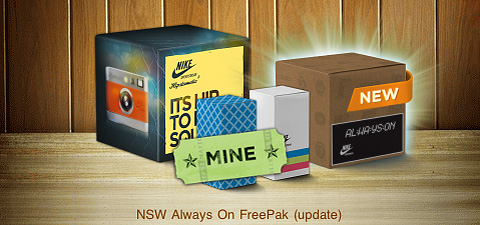
The new HipstamaticHornbecker lens was released today as a part of NSW Always On FreePak. The other items in the FreePak were previously released in the Hipstamart.
The new addition to Hipstamatic’s lens collection was done in collaboration with photographer Chris Hornbecker, most notably renown for his work for Nike sportswear brand.
Honestly, I don’t know what to think of the latest Hipstamatic FreePak. Since the new pack is free — I assume also and especially thanks to Nike sponsorship — one could object there are no grounds for any criticism towards developers, feeding shameless promotional messages to their own loyal audience. However, I am sure I am not the only one annoyed at the notion of using a photo app so tightly connected with some huge brand I do not care about, to say the least; even if I cared about the brand, it would not change the way I feel towards this kind of promotional stratagem. Moreover, I don’t like the notion of using a filter bearing a not-so-subtle Nike logo on it. This is just one among the reasons I find myself using Hipstamatic less and less after every release. Before anybody points out that even iPhone/iPod has a Nike + iPod feature that comes with it by default, let me clarify that’s exactly the kind of corporate shit I don’t really like about Apple iPhone.
Detail of AO DLX Film in NSW Always On Freepak
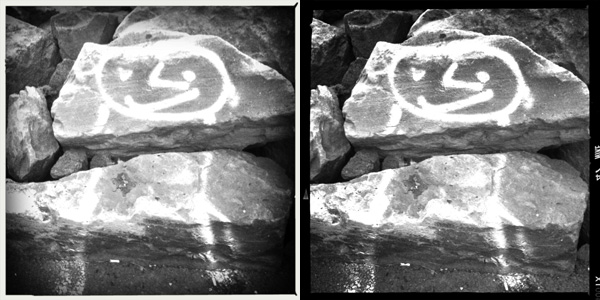
The filters and lens in the NSW Always On FreePak in themselves are nothing to fuss about: pretty good, but also pretty average effects, but yeah, all that counts is if and how you can market them. Both AO BW and AO DLX are black and white films, the former featuring a white border with intense whites, attenuated nuances and noticeable vignetting, the latter featuring a black border and high contrast.
Hornbecker lens with AO BW and AO DLX films. Dude's tired of always working out.
The people behind Hipstamatic proved once more they are definitely very smart when it comes to devise effective marketing strategies.
For those who have missed the opportunity, Hipstamatic has a cool ongoing offer not to be missed:
all limited edition HipstaPaks released so far are available for download from the HipstaMart as a special bundle!
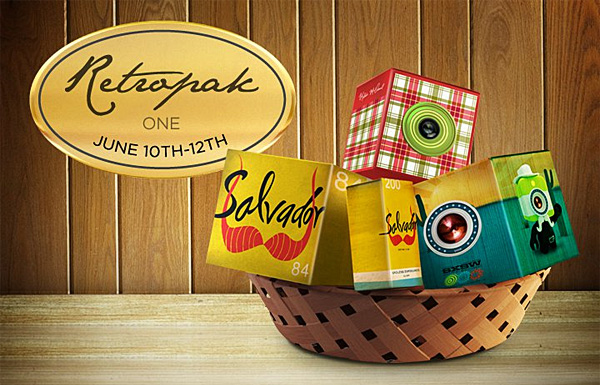
RetroPak one includes the following items:
Dreamcanvas film;
Melodie lens;
Salvador 84 lens;
Tejas lens.
You can get the RetroPak with three lenses and a film for $1.99 (£1.19/€1.59). The offer will be valid through the week-end and it will end on Sunday at midnight (Pacific Time)!
Just a few instants ago, Hipstamatic 210 was released in the App Store. The new version includes new features and extras.
New free lens: Buckhorst H1;
New Bondi HipstaPak;
Pinch-to-enlarge viewfinder and full-screen shutter button while zoomed;
Redesigned Recent Prints section;
Unlimited stacks printing;
View contest leader-boards and details in-app (Flickr account no more required for entry);
Twitter sharing;
Order prints and analog products from the Hipstamart in-app.
We got a small taste of the items contained in the newly added Bondi HipstaPak and of the free Buckhorst H1 lens.
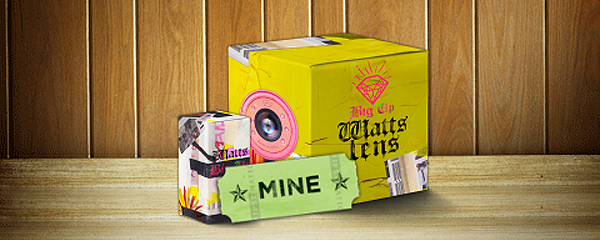
The Bondi HipstaPak, inspired by the work of New York-based photographer Ben Watts, contains two items: the overly trendy Watts lens, a color burn feast, and the unpredictable Big Up Film, with its extreme DIY look.
With its radiant quality, the Buckhorst H1 lens, the free extra coming with Hipstamatic 210, will light up even the gloomiest photos.
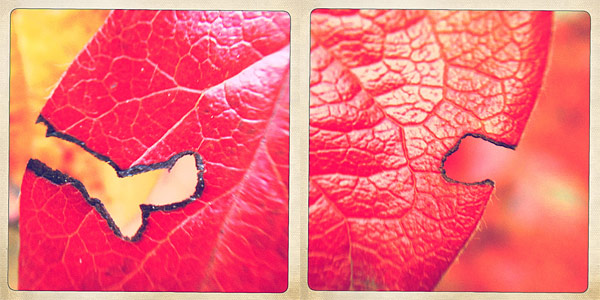
Big up Film with Buckhorst H1 (left) and Watts (right) lenses.
The Bondi Pak will be available until September, so get it now before it’s gone.
Swankolab has a different approach to image editing on Apple devices: you cannot take photos within the app, you can only alter images stored in the camera roll. As with its famous sibling Hipstamatic — but differently from it, as Hipstamatic does exactly the opposite by not letting the user alter previously taken photos — Synthetic Corp created an app that is very focused and specialized. Although many may object it’s not convenient in terms of creativity and also of money, Swankolab and its strategic limitations represent a very interesting take on photo editing, especially considering most apps in App Store’s Photography category are hybrids, letting the user both take and edit their images at the same time.
Main Features
Full resolution available;
Eight photo-altering chemicals (+ nine available to subscribers);
New chemicals added with updates (for subscribers only);
Create and save custom formulas;
Retina display support;
Share via email and Facebook.
Appotography Opinion
From the very first instants, one cannot help noticing how Swankolab is very stylish. Every detail is incredibly refined and also the sound effects and the animations are definitely above most apps’ standards. To process your image, you can choose among previously used formulas, which you can always save as a reference, or mix the different available chemicals. As with actual darkroom processing, sometimes you’ll get appealing results and some others you’ll have to start over because the outcome is so-so.
Swankolab: the darkroom
Here are a few examples. The same photo was edited using different chemical combos in Swankolab.
You are given a basic kit of chemicals with the initial purchase, but you can subscribe (for other $1.99) and access Uncle Stu’s Photo Emporium, which will grant you a variety of new chemicals and lifetime upgrades and extras with future updates.
There are many valuable aspects about Swankolab. Most of all, the quality of post processing you can achieve. The filters obtained by mixing the chemicals are very neat and being a little creative you can indeed enhance the looks of your photos. The fact the app is focused only on post processing will hardly make you feel uncomfortable with its relative complexity. You cannot expect to edit a photo in a cinch, but since you’re supposed to use the app only on photos you have previously taken, it’s not very likely you’ll end up using Swankolab when you intend to edit a photo in just one click.
The app has its cons. As I have explained, you are not allowed to take photos within the app, so basically you have to rely either on the native camera of your device or on other apps to take your photos before you can edit them with Swankolab. The massive use of animations, especially on older iPhone models, can cause the app to slow down significantly, making the experience more unnerving than it should be. The price may also be an issue for some people, as Swankolab is on the expensive side for the category, especially considering you don’t have many options coming with the app before upgrading (although the quality of effects achieved is well worth both the price of the app and the in-app subscription).
If you want a more complete darkroom, one that allows you to obtain quick results and not only to filter the photos, but also for instance to do some more, like cropping and adding fancy frames, Swankolab is not what you should be looking for.

 The Wicker Park hipstapak owes its name to the renown namesake park located in
  The Wicker Park hipstapak is available as in-app purchase with the updated Hipstamatic 225 for $0.99/€0.79/£0.69.



 The new addition to Hipstamatic’s lens collection was done in collaboration with photographer