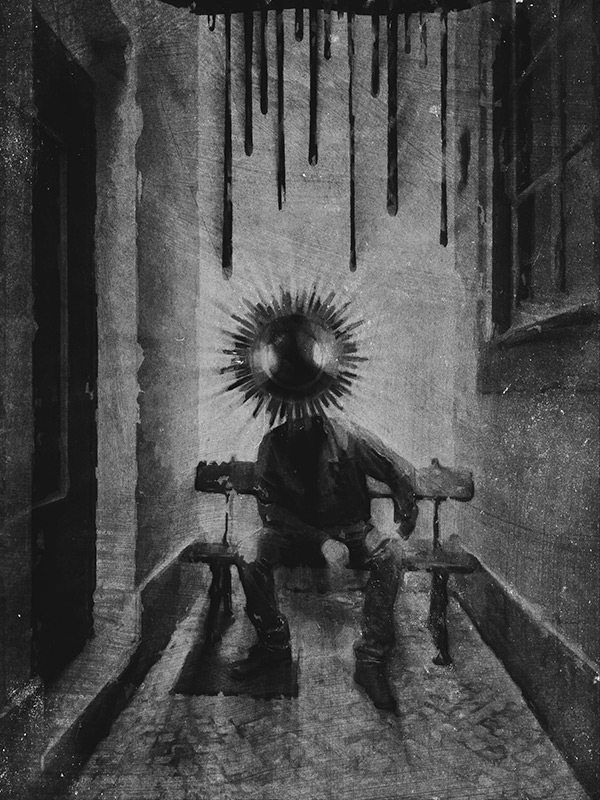
I called the following iPhone image “The Message”. It’s a montage of several separate elements, processed multiple times and assembled together. Some simple sketching was done for it as well. I realized only after completing it, that in this piece I expressed some of my admiration for Odilon Redon‘s works. However, the surreal photo montage has a cheeky modern twist to it and Redon would probably find it too mundane… Even though Redon’s illustrations are certainly some of the finest examples of symbolist art so I am not really suggesting we can compare the two, I think I managed to infuse some “mystery” and personal idiosyncrasy into it. I won’t go into subject matter explanations, so I hope you get a “feeling” for it without useless dissertations.
Even though the partner in crime is not happy with having cameras pointed at him, he kindly let me take a photo of him in a totally tiny, narrow, deserted dead-end alley, where a bench was curiously placed on the dead end’s side (you gotta love Lisbon’s absurd urban configuration). Even though nobody was in sight and as far as I know the place could have been abandoned for years, going in to take a photo felt very much like intruding. I wanted to use the image badly, but I promised the model not to make it an environmental portrait of some sort… I had to change the original image more than just a little for achieving this.
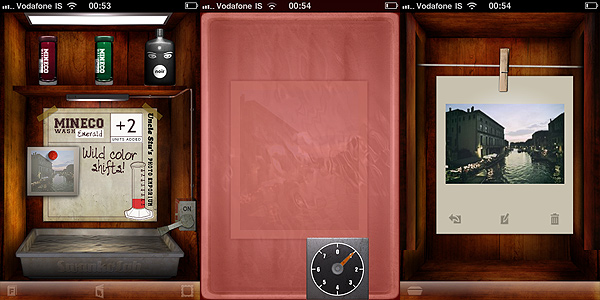
Swankolab has a different approach to image editing on Apple devices: you cannot take photos within the app, you can only alter images stored in the camera roll. As with its famous sibling Hipstamatic — but differently from it, as Hipstamatic does exactly the opposite by not letting the user alter previously taken photos — Synthetic Corp created an app that is very focused and specialized. Although many may object it’s not convenient in terms of creativity and also of money, Swankolab and its strategic limitations represent a very interesting take on photo editing, especially considering most apps in App Store’s Photography category are hybrids, letting the user both take and edit their images at the same time.
Main Features
Full resolution available;
Eight photo-altering chemicals (+ nine available to subscribers);
New chemicals added with updates (for subscribers only);
Create and save custom formulas;
Retina display support;
Share via email and Facebook.
Appotography Opinion
From the very first instants, one cannot help noticing how Swankolab is very stylish. Every detail is incredibly refined and also the sound effects and the animations are definitely above most apps’ standards. To process your image, you can choose among previously used formulas, which you can always save as a reference, or mix the different available chemicals. As with actual darkroom processing, sometimes you’ll get appealing results and some others you’ll have to start over because the outcome is so-so.
Swankolab: the darkroom
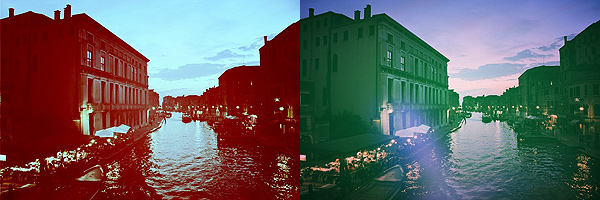
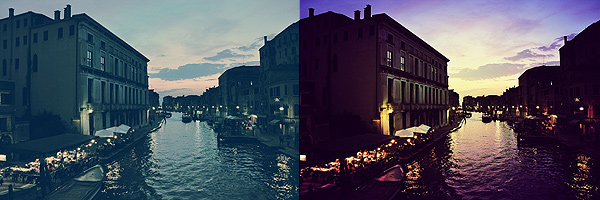
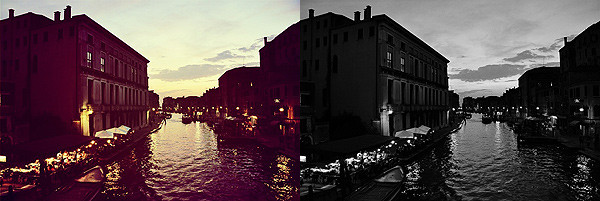
Here are a few examples. The same photo was edited using different chemical combos in Swankolab.
You are given a basic kit of chemicals with the initial purchase, but you can subscribe (for other $1.99) and access Uncle Stu’s Photo Emporium, which will grant you a variety of new chemicals and lifetime upgrades and extras with future updates.
There are many valuable aspects about Swankolab. Most of all, the quality of post processing you can achieve. The filters obtained by mixing the chemicals are very neat and being a little creative you can indeed enhance the looks of your photos. The fact the app is focused only on post processing will hardly make you feel uncomfortable with its relative complexity. You cannot expect to edit a photo in a cinch, but since you’re supposed to use the app only on photos you have previously taken, it’s not very likely you’ll end up using Swankolab when you intend to edit a photo in just one click.
The app has its cons. As I have explained, you are not allowed to take photos within the app, so basically you have to rely either on the native camera of your device or on other apps to take your photos before you can edit them with Swankolab. The massive use of animations, especially on older iPhone models, can cause the app to slow down significantly, making the experience more unnerving than it should be. The price may also be an issue for some people, as Swankolab is on the expensive side for the category, especially considering you don’t have many options coming with the app before upgrading (although the quality of effects achieved is well worth both the price of the app and the in-app subscription).
If you want a more complete darkroom, one that allows you to obtain quick results and not only to filter the photos, but also for instance to do some more, like cropping and adding fancy frames, Swankolab is not what you should be looking for.