How I Did It – iPhoneography Process Study #2 – Ego Death

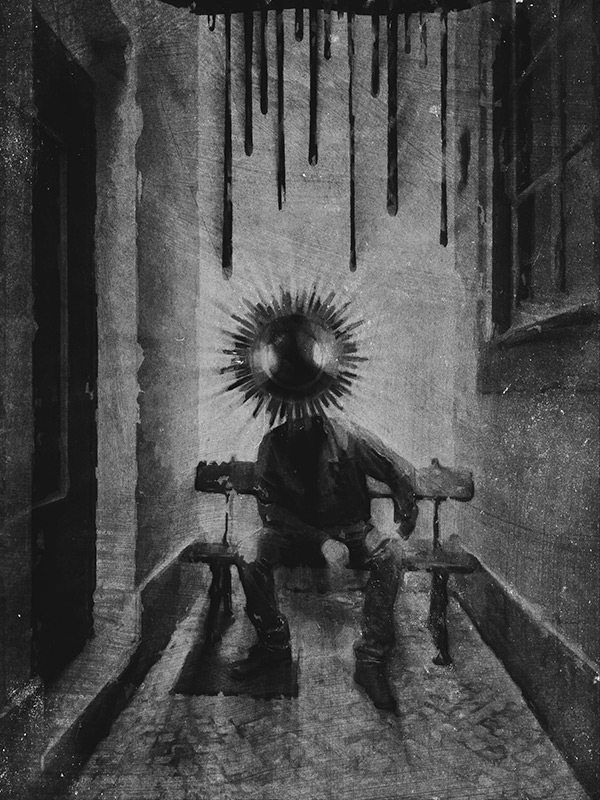
The following is the fourth image in a series titled “Altered States”, which is something I am working on right now. The series is a cheeky challenge to the absurd perception we have of the dualism that sees altered consciousness and mental disorder opposed to the reassuring accepted set of notions we identify with normality. This image in the specific started as an easy project, but for a while it made me go bonkers.

You can’t win them all, as the saying goes. I had a rough sketch in mind for the image, but I didn’t have the time to complete it for a whole week. I only had the time to snap a couple of rushed shots at first, but on closer inspection they were unusable. The light was all wrong, with blown highlights and boring illumination overall. I spent hours on a forgettable combo of pictures attempting to save it in post without much success.
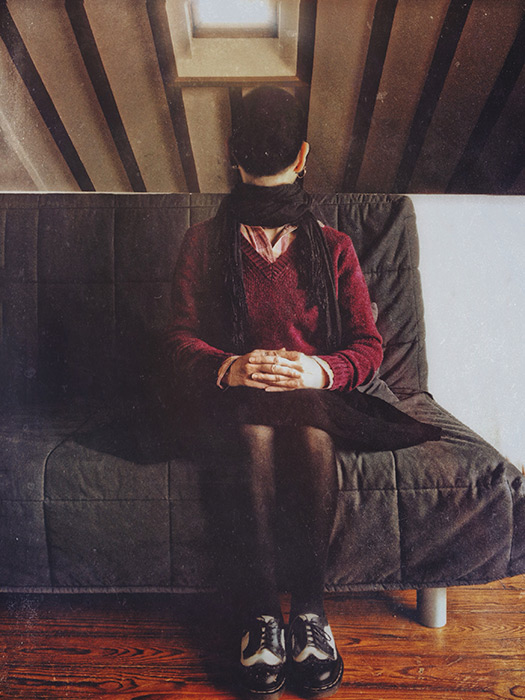
Ego Death
After struggling for a few days with the first version of the image, I finally recognized there wasn’t much I could do to make it look “right”. The amount of processing I had applied ruined in part the feel I wanted for the image on the whole. In spite of the ridiculous amount of processing applied, the quality of the light was still noticeably horrible. Even with the most sophisticated software you can’t fix boring lighting. The first version was simply a poor rendition of my original idea and I had to discard it. Continue reading “How I Did It – iPhoneography Process Study #2 – Ego Death”
How I Did It – iPhoneography Process Study #1 – The Message

I called the following iPhone image “The Message”. It’s a montage of several separate elements, processed multiple times and assembled together. Some simple sketching was done for it as well. I realized only after completing it, that in this piece I expressed some of my admiration for Odilon Redon‘s works. However, the surreal photo montage has a cheeky modern twist to it and Redon would probably find it too mundane… Even though Redon’s illustrations are certainly some of the finest examples of symbolist art so I am not really suggesting we can compare the two, I think I managed to infuse some “mystery” and personal idiosyncrasy into it. I won’t go into subject matter explanations, so I hope you get a “feeling” for it without useless dissertations.

The Message
Apps used: Camera+, Sketch Club, Handy Photo, Photoshop Touch, Moku Hanga, Portrait Painter, Glaze, Image Blender, Mextures, Rays, Film Lab, Vsco Cam.

Even though the partner in crime is not happy with having cameras pointed at him, he kindly let me take a photo of him in a totally tiny, narrow, deserted dead-end alley, where a bench was curiously placed on the dead end’s side (you gotta love Lisbon’s absurd urban configuration). Even though nobody was in sight and as far as I know the place could have been abandoned for years, going in to take a photo felt very much like intruding. I wanted to use the image badly, but I promised the model not to make it an environmental portrait of some sort… I had to change the original image more than just a little for achieving this.

Now, for how got I there… Continue reading “How I Did It – iPhoneography Process Study #1 – The Message”

Camera+ 4.2 Presents The Standard Effects Pack

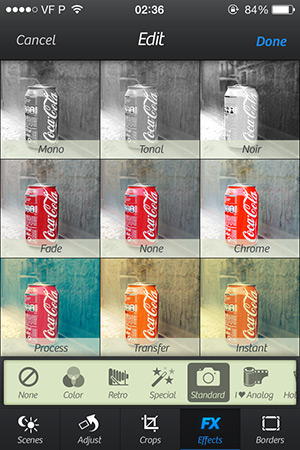
Camera+ 4.2 comes with a pack of new photographic effects. The app now counts a total of 54 different photo effects; most of them are free with the initial download of Camera+, the only exceptions being the I ♥ Analog and the Hollywood packs, each available through in-app purchase for $.99.

Standard Effects Camera+ 4.2 Continue reading “Camera+ 4.2 Presents The Standard Effects Pack”

iPhone Photography Tutorials #6 – How To Create Sci-Fi Art In A Few Steps

I don’t know why I’m being so sci-fi oriented lately. We had another article with space influences just a few weeks ago. This time I intend to be pragmatic, so I am turning my space idyll into a tutorial. Perhaps you were going to have ice-cream and you don’t want to waste your time on it. After all, who cares about Stanislaw Lem? He’s dead. And if he weren’t, he wouldn’t be happy about his involvement in this at all. But even if you have never read anything by Lem, you could still find this tutorial useful, so read on.

8654
8654

Apps needed:
Camera+, Handy Photo, Superimpose, Snapseed, Alien Sky, Path On, Mextures Continue reading “iPhone Photography Tutorials #6 – How To Create Sci-Fi Art In A Few Steps”

Camera+ 2.3 On Sale!

Camera+ iPhoneCamera+ 2.3 introduces a new feature: captions. Captions are a simple and fun way to add text to your photos.
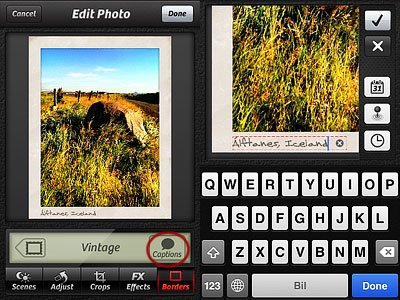
Captions allow to add text to photos only when a border is enabled. From the edit panel, select the border tab; once the desired border is selected, you will see that after the update the Captions button appears on the bottom right: by tapping on it, you can access the caption editor. You can enter your own caption, add current date and time in various formats or your current location. It’s also possible to enter recently added captions: a useful option when you want to quickly add the same caption to more photos.
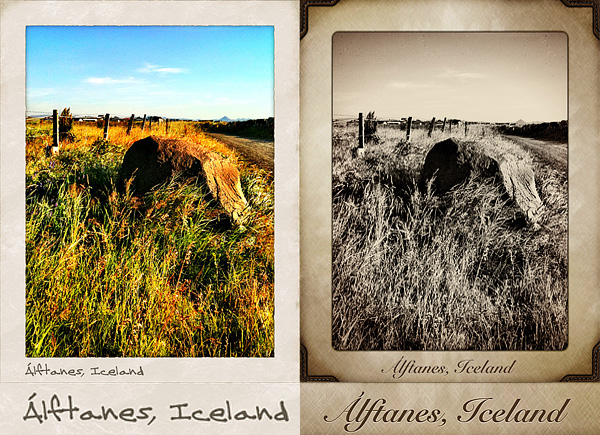
Camera+ iPhoneAs you can see from the images below, each border style comes with matching styled captions, varying in fonts and colors. Alignment, font, size and color of captions are not editable.

Camera+ iPhone
Different borders with matching caption styles.

Camera+ is currently on sale: tap tap tap’s multi-purpose camera for iPhone is available in the App Store at the special price $0.99/€0.79/£0.69.

Camera+​ - tap tap tap

iOS 5 Adds New Camera and Photos Features

During the WWDC 2011 keynote, among the new features of iOS 5, Apple unveiled some important improvements to the Camera and Photos apps, some of which should hopefully extend to iOS developers.

Camera App Improvements

First of all, in the Camera app included in iOS devices, the volume button will now double as a shutter button; many of you will remember that Camera+ was temporarily removed from the App Store because developers had included this feature as a great Easter egg, loved by all users of the app. Hopefully, the volume/shutter button will be accessible also to app developers – after all, they were the first to implement it.

Apple also addressed the concern many iPhone and iPod photographers have with the time it takes to access the camera from a device in locked status; for this reason, Camera will get a shortcut from the lock screen for quicker access. It would be great if this feature were accessible also to other photography apps, with users being able to map their favorites to the lock screen, but we have no information pointing to this. Other improvements to the Camera app will be support for pinch-to-zoom gestures, single-tap focus and exposure locks.

Photos App Improvements

Editing capabilities, as crop, rotate, enhance, and red-eye reduction, will be included in the Photos app. Users will be able to organize photos in albums, push photos to all iOS devices using Apple’s new iCloud service, and post them to Twitter’s new picture hosting service.

iOS 5 will be available this fall for iPhone 3GS and 4, the third and fourth-generation iPod touch, and all iPads. iOS developers are already able to download iOS 5 from the developer area, but an NDA agreement theoretically prohibits them from unveiling their experience with the new operating system.

PhotoForge2 & Camera+ on Sale!

A couple of price drops worth mentioning for all the iPhone/iPod Touch/iPad photographers out there.

PhotoForge2 iPhoneThe recently released PhotoForge2, the universal app by GhostBird Software, is now 66% off! You will be able to purchase it at the special price of $0.99.

PhotoForge2 is a very complete photo editing app, one of the most complete available in the App Store. PhotoForge2 includes rich collection of tools to properly control every aspect of post-processing: curves, layers, channel mixer, crop and resize, textures and borders, RAW support, and so much more.

PhotoForge2 iPhone
Processed in PhotoForge2 for iPhone.

Camera+ iPhoneTo celebrate the first anniversary of Camera+, the app is now on sale! You can buy it now for $0.99!
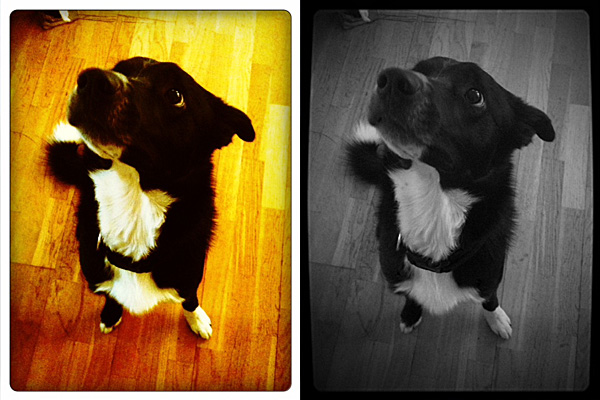
Camera+ is one of the most popular photo apps in the App Store. Numbers speak clearly: over 2.5 million copies downloaded and still counting! This app’s fame is very well deserved: Camera+ is one of the easiest and slickest photo utilities on iPhone ever and it comes with everything you need to take, process and share photos in the quickest way possible. If you’re not familiar with Camera+, this is the right occasion to get to know it.

Camera+ iPhone
Processed in Camera+ for iPhone.

Both offers are valid only for a very limited time, so enjoy them now!

Lumière 1.3 & Other Updates

A brief entry for a few iPhone updates now available in the App Store.

Lumière 1.3

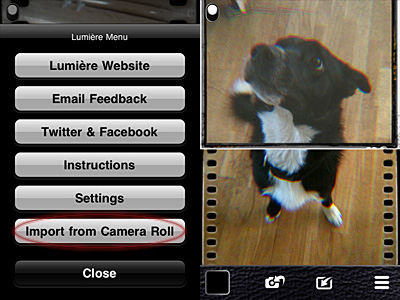
Importing photos from Camera Roll is allowed. You can now use Lumière and its vintage effects on photos you have previously taken with your iPhone.

Lumière 1.3
Lumière 1.3 - Import from Camera Roll
Lumière 1.3
Lumière 1.3 - Apply effects to imported photos.

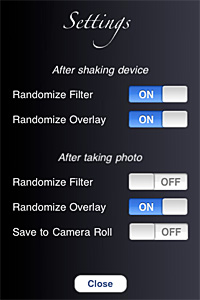
You can also enhance your experience with the new settings. From the Settings screen, you can now decide whether you want to make use of Lumière randomizing features or not. Not only this: you can actually decide which elements and in which instances you want random generation to occur.

Lumière 1.3
Lumière 1.3 - Settings

Last but not least, flash support on iPhone 4 is now enabled.

Camera+ 2.2.1

Some improvements for the new release of Camera+:

  • Enabled sharing via SMS;
  • Fixed Facebook login bug when sharing;
  • Improved launch time.

Camera+

Cameramatic 1.2.5

Minor update also for youthhr’s toy camera, now version 1.2.5:

  • Increased Light Box storage capacity from the previous 24 to 36;
  • Fixed bug that made the app crash after taking photos.

Camera+ 2.2 Is Here!

The announced update of Camera+ is finally here.

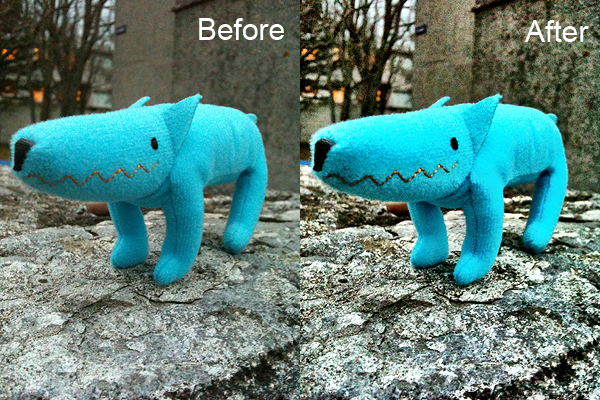
The 2.2 release introduces Clarity, a new feature which, the developers state, “can make your photos look truly stunning with just one tap”. The new feature is a processing tool whose purpose is bringing out details and enlivening dull shots in the easiest possible way.

Here you can see an example of how Clarity affects photos:

Clarity: before and after

Clarity is not the only thing worth noting in version 2.2. Other changes and improvements are the following:

  • Added ‘+’ button to the touch focus control to enable easy splitting into focus and exposure controls — and here is the explanation to the ‘+’ symbol in the app’s icon;
  • Multiple photos are now saved to Camera Roll according to the order they were selected
  • Better indication when camera is auto-focusing;
  • Improvements to Pinhole effect;
  • Improvements to Vintage border;
  • Shutter button bug fixed;
  • Incorrect date/time bug when saving to camera roll fixed;
  • Timer countdown time bug fixed;
  • Cancel buttons bug in sharing fixed;
  • Various minor bug fixes and enhancements.

What are your opinions on the new features? Do you want to share them with us? Feel free to do so!

Camera+​ - tap tap tap

Camera+ Updated to 2.1

Camera+ just got an update. Version 2.1 doesn’t add significant features, but improves features already included in version 2.0. Check out what’s new:

  • Optimization in effects processing. Improvements when trying out the different effects/borders and when saving/sharing photos that have effects applied;
  • More instances of the camera button so that you can instantly get to shooting from almost anywhere in the app.
  • Change of icon for multi-select;
  • Choose the order which your photos will be shared;
  • Save your photos automatically to Camera Roll as you shoot them;
  • Info panel’s improvements;
  • Access info on photos from the Lightbox without zooming;
  • Turn geotagging on and off;
  • Tap-and-hold buttons to display additional options;
  • Geotags and metadata are now retained when emailing photos;
  • Improvement in the quality of several effects and borders;
  • Location services are now only active when in camera view to save battery life;
  • Several bug fixes.