Back to school sale: PhotoForge2 is 70% off in the App Store. GhostBird Software’s photo editing app is now available at the special price of $0.99 (€0.79/£0.69).
PhotoForge2 is universal and fully compatible both with iPhone and iPad. Some of the features that make PhotoForge2 one of the most advanced applications on iDevices yet: import and edit RAW files, use masks and layers, fine-tune images with curves, channel mixer, shadows and highlights; make use of crop and rotate tools; add special effects, like blur, vignette, frames and textures, manage metadata and finally share your photos on Twitter, Flickr, Facebook, DropBox FTP and more.
The current offer is valid for a limited time only.
A slightly washed out look with vibrant colors is very easy to create using one or more of the many apps which are provided to iPhone and iPad users. There are tons of presets around to obtain similar results, but in some instances, the best option you have to make sure effects will go well with your photos is creating your own, fine-tuning every setting to make sure the result will be as you like.
For this brief tutorial I am using PhotoForge 2 on the iPhone, as it has everything I need for my purpose. You can follow exactly the same steps on the iPad.
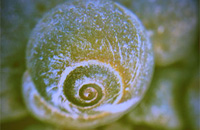
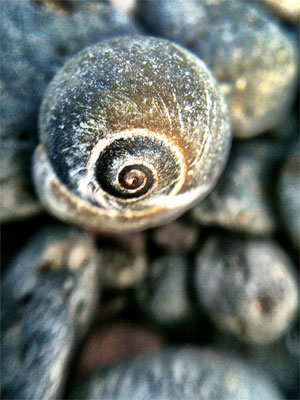
1. Open your photo of choice in PhotoForge 2. I am using a random photo I have taken a few days ago while testing the macro lens for iPhone.
Step 1 - Choosing the photo
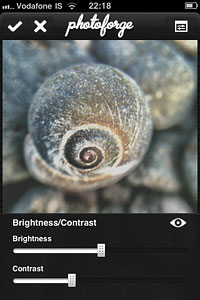
2. Go to Adjustments by tapping on the three-slider icon and select Brightness/Contrast. Move the brightness slider control up to around +5; do the opposite with contrast and move it down to about -50. Depending on the overall brightness and contrast of the original photo, you may want to adjust these values for obtaining the right degree of fading on the image of your choice.
Step 2 - Fading the photo
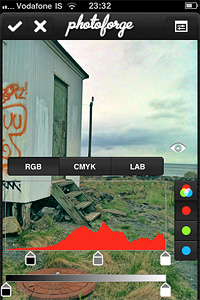
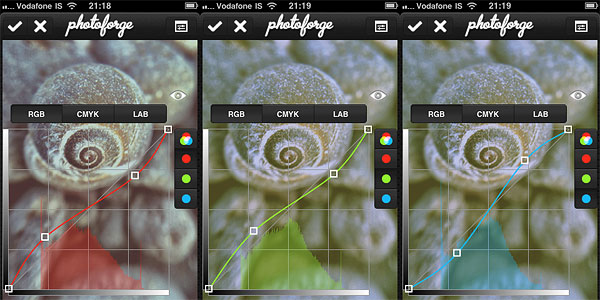
3. Now let’s produce some color shifting. Remaining in Adjustments, Select Curves. Set the curves in RGB mode for each of the three colors, Red, Green and Blue. Try to achieve something close to what is shown in the screenshots.
Step 2 - Adjusting colors
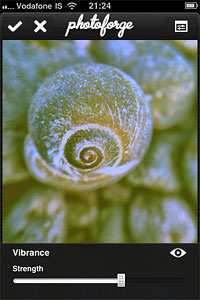
4. For this style, we want a faded overall look, but at the same time we are looking for vivid colors. Always in Adjustments, select Vibrance. Move the slider up to +25.
Step 3 - Toning up color
As a final touch, we are going to add some vignetting. In PhotoForge 2, you can add a vignette simply using the Vignette tool included in the app’s FX section. However, I prefer the vignette to blend a little more with the photo, so I am using Layers to achieve a slightly better result.
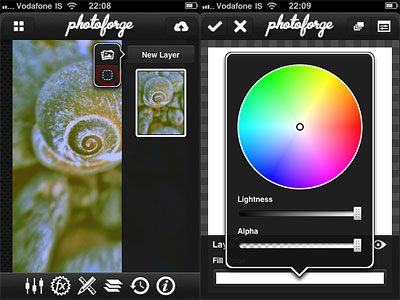
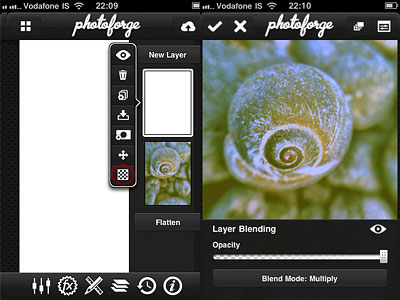
5. Go to Layers by tapping on the three-layer icon and create a new blank layer above the photo’s; select a white fill color for it. Change the layer’s blending mode to Multiply. Leave opacity to 1.
Step 5/1 - Creating a new white layerStep 5/2 - Changing the layer mode to multiply
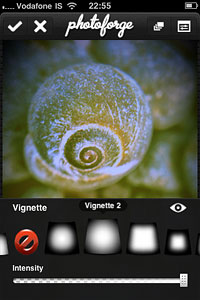
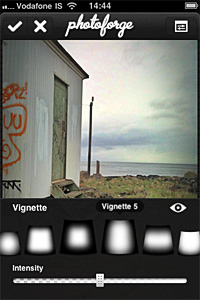
6. Go to FX and select Vignette. Pick a vignette style that goes well with your photo. In my case, I choose Vignette 2 and I move the intensity control up to around 0.60. For a more “enclosed” feeling, you can raise intensity even more.
Step 6 - Adding vignette
And that’s it! You can save the photo to your photo album or share it with whomever you like. PhotoForge2 saves the complete history of your post-processing, so you can go back in any moment and if you do not like the final look of your image you can make further adjustments to contrast, curves, vibrance, and so on. Step 7 - Final result
PhotoForge2 2.1.1 is out. Here are the details on the latest release of the universal photo editor by GhostBird Software.
Auto-resizing – When images that are too big are loaded into the app, auto-resizing is activated. This prevents memory issues that can lead to the app crashing when it’s not possible to handle images in their original size. While loading large images does not represent a huge problem for iPhone 4 and iPad 2 users, for 3G/3Gs and iPad users it can cause serious malfunctioning. Auto-resizing is only activated in the case images too big to handle are loaded into the app. It’s possible to edit maximum image loading size from in-app settings (PhotoForge logo -> Settings -> Load Settings).
Better performance – Reduction of memory usage with textures, vignette, frames and Pop! Cam operations. This should prevent crashes when large images are being processed.
RAW support improved – Fixed issue that caused images in RAW format to load only in a low resolution preview in some instances. Metadata for RAW is also improved.
Set default IPTC info to photos – This addresses the issue of entering the same information several times for the same photo.
View EXIF metadata from each photo info screen.
Mailing list signup – It’s now possible to sign up for receiving updates, tutorials, contests, and other news from in-app settings (Photoforge logo -> Sign up for newsletter).
Uploader now always displays default titles and descriptions.
Other fixes – Hangs with uploading to Dropbox and with Pop!Cam in-app purchase dialogue (with in-app purchases disabled) are now fixed.
PhotoForge2 is still available at the special price of $1.99/£1.49/€1.59 in the App Store.
Photoforge2 2.1 is finally in the App Store. GhostBird Software’s photo editing application is now universal, fully compatible with iPad and iPad 2. The iPad compatibility is not the only interesting aspect in the latest release of PhotoForge2. Several enhancements were made, especially to performance and interface. Tools like masking and rotate are now more user friendly than before and users are given more freedom when saving their photos.
Here is what’s new in PhotoForge2 2.1:
Improved mask painting: now faster even on larger images;
Added Composition mode: see layers below while mask painting to easily apply selective filters and effects to photos;
Redesigned ropping handles: for more control during cropping process;
Replaced rotation gesture with 1° rotation buttons;
Improved size of the handles in the Levels editor for easier control;
Save photos to documents directory: for easily sending images back to computer;
Save images in JPEG, PNG and TIFF (upload of PNG and TIFF only to supported locations);
Added compression control of JPEG quality;
Added more editable IPTC fields added;
Added address field for GPS location information;
Added ability to manually remove GPS info on the map screen from images;
Added selective control to remove meta data from images when uploading;
Adjustments, Effects, Tools and Uploader now save last location: the last used item will be the first in user’s list;
Added link to online tutorials in the main menu;
Fixed Facebook uploader crash;
Various bug fixes and improvements.
PhotoForge2 is currently on sale at $1.99 (€1.59/£1.19), which is 60% off the original App Store price.
PhotoForge2 will be available to purchase for a limited time at the special price of $0.99 (€0.79/£0.59), which is roughly 66% off the regular App Store price.
PhotoForge2 is one of the most comprehensive and advanced photo editing apps available in the App Store and definitely one worth having for iPhone/iPad photographers, thanks to the many tools for full control over post processing, like RAW import, curves, levels, white balance and exposure adjustment, layers support, masking features, a rich collection of effects and several, in addition to an extensive collection of sharing options.
The special offer will be valid until the release of iPad’s native support.
Version 2.0.2 of GhostBird Software’s PhotoForge2is now in the App Store for all iDevices. This long-awaited release contains some new tools and considerable improvements, including a fix for the infamous 2.0.1 bug that caused previous projects not to load properly after the update.
In detail, here is what comes with version 2.0.2 of PhotoForge2:
Added Rotate editor;
Added Vignette editor: 8 adjustable vignette styles available in FX menu;
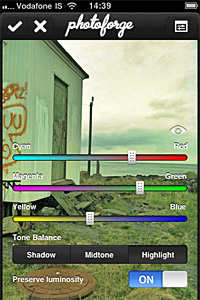
Added Color Balance editor: adjust color balance for midtones, highlights and shadows separately;
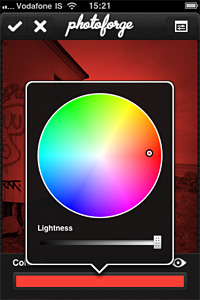
Added Colorize editor: apply tints to your photos;
Added Device to Device image transfer: transfer photos between devices easily;
Added invert layer mask feature, useful to quickly switch between masking and for more refined results;
Improved Shadows & Highlights adjustment for better results;
Improved performance of crop and layer transform tools;
Fixed bug that prevented projects to load properly in previous update;
Fixed but that caused graphical corruption when repeatedly cropping huge images;
Fixed bug in iOS 4.2.1 that made app not responsive when wifi is unavailable;
Graphics improvements and fixes;
Minor bug fixes.
PhotoForge2 - The Vignette EditorPhotoForge2 - Colorize EditorPhotoForge2 - The Color Balance Editor
A couple of price drops worth mentioning for all the iPhone/iPod Touch/iPad photographers out there.
The recently released PhotoForge2, the universal app by GhostBird Software, is now 66% off! You will be able to purchase it at the special price of $0.99.
PhotoForge2 is a very complete photo editing app, one of the most complete available in the App Store. PhotoForge2 includes rich collection of tools to properly control every aspect of post-processing: curves, layers, channel mixer, crop and resize, textures and borders, RAW support, and so much more.
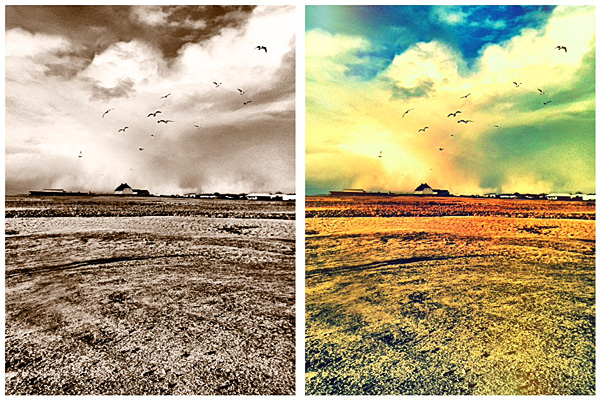
Processed in PhotoForge2 for iPhone.
To celebrate the first anniversary of Camera+, the app is now on sale! You can buy it now for $0.99!
Camera+ is one of the most popular photo apps in the App Store. Numbers speak clearly: over 2.5 million copies downloaded and still counting! This app’s fame is very well deserved: Camera+ is one of the easiest and slickest photo utilities on iPhone ever and it comes with everything you need to take, process and share photos in the quickest way possible. If you’re not familiar with Camera+, this is the right occasion to get to know it.
Processed in Camera+ for iPhone.
Both offers are valid only for a very limited time, so enjoy them now!
PhotoForge2 was released a few hours ago. Version 2.0.1 comes with many fixes and improvements, both to features and interface. Here ‘s what’s new in detail:
Enabling location services to load photos no longer required;
Remove metadata when sharing photos online;
Disable GPS tagging when using the built in camera;
Set editor background opacity when editing;
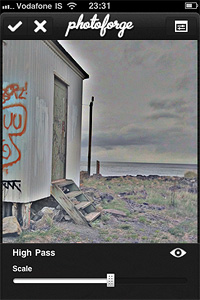
High Pass filter added;
Configurable polar filter edge blending and zoom added;
Camera connection kit RAW support added;
Auto-approve images uploaded to Facebook;
Disabled location service when cancelling the image picker;
Metadata disappearing when emailing photo fixed ( it can now be configured from settings);
Camera roll is now always at the top of the list in the image picker;
Facebook login problem on devices without multi tasking fixed;
Minor interface fixes;
Speed of gaussian blur filter increased;
Various optimizations and speed enhancements.
The High Pass filter.Transparent editor backgrounds.
There were reports of a bug preventing users to load their previous projects correctly after updating to PhotoForge2 2.0.1 (the bug doesn’t affect new projects). Developers stated they couldn’t test the app for this specific issue, but they are currently working on it and a new version will be available soon.
On May 19, 2011 — which means in just a few more days — PhotoForge2 will hit the App Store.
PhotoForge2 is described as an upgrade from the previous photography app PhotoForge. PhotoForge2 will be a universal app, available only to iDevices running iOS 4.2 or later. Developers affirm that the new PhotoForge2 is not a mere upgrade from PhotoForge. The app was thoroughly re-designed and renovated. Since, due to App Store regulations, no actual upgrade for previous PhotoForge users is possible, in the first 24 hours the app will be on sale at $0.99 (€0.79/£0.59). After that, it will still be possible to purchase it at the special price of $2.99 for the rest of the month of May.
GhostBird Software released a video preview: enjoy this sneak peek!



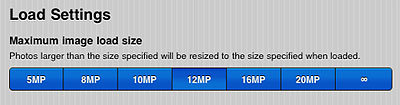 It’s possible to edit maximum image loading size from in-app settings (PhotoForge logo -> Settings -> Load Settings).

 The recently released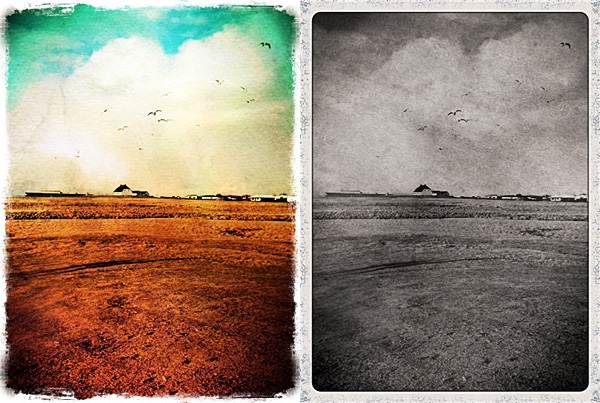
 To celebrate the first anniversary of