Version 2.0.2 of GhostBird Software’s PhotoForge2 is now in the App Store for all iDevices. This long-awaited release contains some new tools and considerable improvements, including a fix for the infamous 2.0.1 bug that caused previous projects not to load properly after the update.
In detail, here is what comes with version 2.0.2 of PhotoForge2:
- Added Rotate editor;
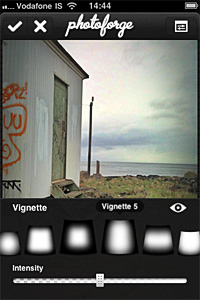
- Added Vignette editor: 8 adjustable vignette styles available in FX menu;
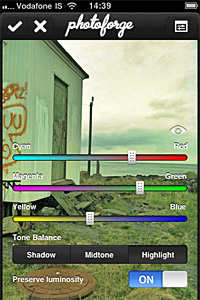
- Added Color Balance editor: adjust color balance for midtones, highlights and shadows separately;
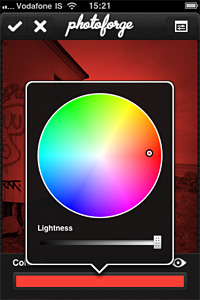
- Added Colorize editor: apply tints to your photos;
- Added Device to Device image transfer: transfer photos between devices easily;
- Added invert layer mask feature, useful to quickly switch between masking and for more refined results;
- Improved Shadows & Highlights adjustment for better results;
- Improved performance of crop and layer transform tools;
- Fixed bug that prevented projects to load properly in previous update;
- Fixed but that caused graphical corruption when repeatedly cropping huge images;
- Fixed bug in iOS 4.2.1 that made app not responsive when wifi is unavailable;
- Graphics improvements and fixes;
- Minor bug fixes.