TrueHDR Review

What does true in TrueHDR mean? That other HDR on iPhone is fake? Not really. In the case of Pictional’s app, true may stand for straightforward or even hassle-free. TrueHDR is an extremely basic tool conceived simply to do what it says: creating well exposed images by merging shots taken with different settings.

Main Features

  • Full resolution available;
  • 4 capturing modes;
  • In-app guide;
  • Send via email or share on Facebook and Twitter.

Appotography Opinion

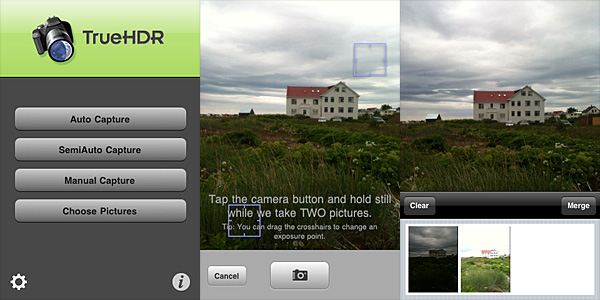
TrueHDR has four different capturing modes to create your HDR images. One mode allows to load the overexposed and underexposed shots from your iPhone, while the other three entirely rely on the built-in camera.

Auto Capture takes overexposed and underexposed photos and does all the necessary calculations on its own. All you have to do to use the Auto mode is tapping on the shutter button while keeping your iPhone steady.
TrueHDR for iPhone by Pictional.

SemiAuto Capture asks you to indicate bright and dark areas of the scene you are about to photograph by placing two individual crosshair cursors around the screen before pressing the shutter button once. TrueHDR’s engine does all the rest.

In Manual Capture, you have to press the shutter button twice: first after defining a bright area in your scene, then after doing the same for a dark area.

In all modes, after the camera takes the necessary shots in rapid succession, you are presented with a thumbnail view in the lower part of your screen. You can tap on the Merge button to start the post processing or Clear to start over. After the engine is done with alignment and merging, you can save or share your image.
TrueHDR for iPhone by Pictional.
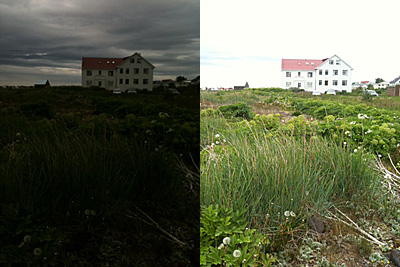
Underexposed and overexposed images taken in TrueHDR.

There are no actual differences in outcome using Auto, SemiAuto or Manual Capture: the quality of the final images remains the same. Auto Capture is the easiest to handle, especially without a tripod or other stable surfaces, while Manual Capture can be extremely hard to use if you are holding your device. TrueHDR is able to figure everything on its own, thus it’s unlikely you will need to resort to using SemiAuto and Manual in most instances.
TrueHDR for iPhone by Pictional.
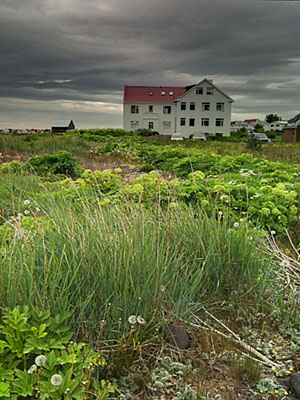
HDR composite in TrueHDR.

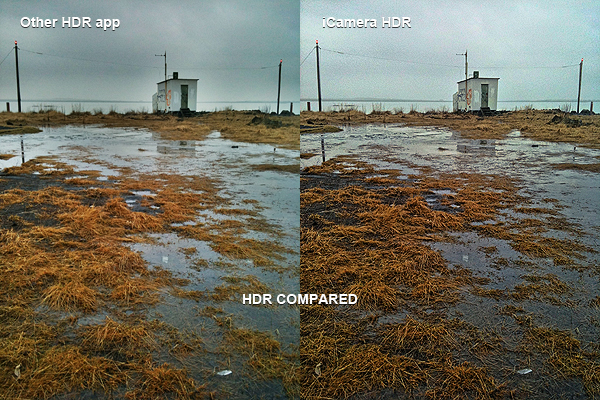
How does it all compare to other HDR on iPhone, like Pro HDR or iCamera HDR? The most noticeable disadvantage of TrueHDR versus the other two apps is the total lack of control over the final image. Whereas in both Pro HDR and iCamera HDR you can set values as saturation, brightness, white balance and contrast (in iCamera HDR you can also choose a tone mapping engine, add special effects, and adjust many other parameters), in TrueHDR you can only save  the HDR composite, without the possibility to retouch it in any way. This means you cannot disguise or minimize flaws, like presence of halo artifacts. Nevertheless, in my experience, TrueHDR proved to be much faster, both in shooting and in processing, than its rivals. Speed in itself perhaps cannot make up for the lack of options, but it shouldn’t be overlooked either, at least as far as precision and time consumption are concerned.

TrueHDR is currently available in the App Store at the special price of $0.99 (€0.79/£0.59).

Overall

Name: TrueHDR
Developer: Pictional LLC
Compatibility: iPhone, iPod Touch, iPad. iOS 4.1 or later.
Price: £1.19||$1.99||€1.59
Vote: 4/5

TrueHDR - Pictional LLC

iCamera HDR Review

The folks at Everimaging have brought to iOS devices their expertise in HDR photo editing. iCamera HDR may be a fairly recent addition to the App Store, but it’s definitely an app you shouldn’t overlook.

Following the great popularity of HDR photography, processing apps focused on this set of techniques are being frequently released on all iOS platforms. Not all of them are actual HDR processing software, and even when they are, some are not up to expectations.

For completeness, I must add the very first thing that made a strong impression on me before I had even tried iCamera HDR, was reading its App Store’s description. In the app’s page, developers state that other HDR apps “are all fake HDRs”. I’m not sure how they could come up with such a statement because, as far as I know, most HDR apps in the App Store use actual bracketing to process and produce their HDR composites, exactly just like iCamera HDR; this means that as a matter of fact they’re not fakes. On the other hand, apps like Dynamic Light, which we reviewed recently, produce fake HDR simply because they don’t process multiple shots with different exposure settings: they just alter one single shot to create HDR-like photographic effects. There is nothing wrong with it of course, but that is not HDR. However, as I said already, not all HDR apps work in this manner. iCamera HDR developers make it sound like they are the ultimate purists of HDR on the iPhone, which is sort of annoying and also not very accurate. Despite this attitude, which was a huge turnoff at the beginning, I tried iCamera HDR. And I was pleased by the results.

Main Features

  • Full resolution available;
  • Stabilizer;
  • Continuous LED flashlight (on supported devices only);
  • Save originals on/off;
  • Automatic, Manual and Single (fake HDR) modes;
  • Single photo HDR (fake HDR);
  • Three different tone mapping engines;
  • Adjustable brightness, contrast, saturation, shadows/highlights, b/w point, white balance, blur/sharpening;
  • Lens correction;
  • 27 photo effects;
  • Flip and rotate;
  • Share via email, Facebook and Flickr.

Appotography Opinion

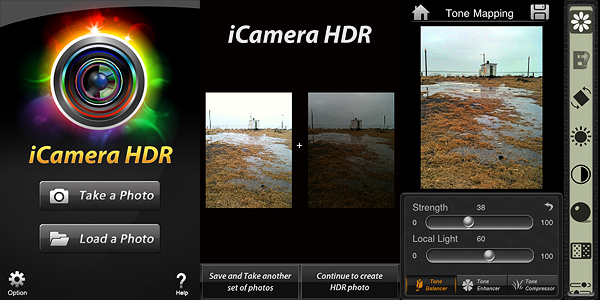
With iCamera HDR, you can either use previously taken shots or the built-in camera. In both cases, you have the possibility to go for a proper HDR or for a fake HDR (single image processing). If you take the photos with the built-in camera, you can select among Automatic mode, in which the software determines on its own the lighting conditions, or Manual, which allows you to move around the square cursors to indicate light and dark areas of your image. In absence of tripod or other stable surfaces, the Stabilizer feature, with its three levels of intensity, can help you in taking sharper photos, resulting in more accurate HDR composites. You can take more sets of photos which you can save before getting to the post-processing stage; if you want, you can edit them when it suits you instead of doing it right away. This is particularly useful if you are not sure about some of the shots you have taken and you choose to take more for better results.

After you pick the images you want to work with, you have an extensive assortment of adjustable settings and tools to make the final outcome as good as it is possible. From the three available tone mapping engines — allowing you to try different solutions to get the most out of your shots by enhancing details and tones — to an array of other instruments which include white balancing, contrast and brightness adjusting, lens correcting and many more, you have at your disposal an exhaustive post-processing lab, especially tailored for HDR photography. Before saving, you can also apply one of the many photo effects included  in the app  to your image — colored filters, mainly.

iCamera HDR by Everimaging for iPhone

iCamera HDR is a very sophisticated software that, unlike other more basic HDR apps, gives the user access to a very rich and advanced set of photographic tools for fully controlling the HDR process from the moment of shooting up to its finalization. The results obtained with iCamera HDR are excellent, also thanks to the fact the degree of flexibility and control you are given is impressive, especially for an iPhone application. The app by Everimaging is able to reduce issues that others, however good and effective, cannot correct. One of these issues is halation — that annoying bright spreading area on a photographic image, very frequently found in HDR images that make only use of two exposures instead of more, that is sometimes very hard to get rid of even for professional photographers. Comparing results obtained using the same bracketed photos — both if taken with the built-in camera and with a third party app like Bracket Mode — in some instances I noticed significant differences.

iCamera HDR by Everimaging for iPhone

Of course, on the other hand, using iCamera HDR is more time-consuming and it requires more effort than average iPhone HDR apps: the UI is clean and using the sliders to make adjustments is quite easy, but parameters are many, maybe too many for a newbie or for anybody just wanting to get the job done in a click or two. More settings mean more flexibility, but also more time to use them at their full potential. Let’s not forget speed and straightforwardness are still important aspects in iPhone photography, especially in the eyes of more casual users. On the long run, more control over your photography is definitely rewarding, but if you’re not so dedicated, then iCamera HDR is probably not the right choice.

The developers seem to be updating their product very frequently, which is always a point in favor, at least as I see it. The app is iPhone 3GS/4 and iPod Touch 4 only for now, but it was said iPad version is also in the making, so stay tuned for more to come.

Overall

Name: iCamera HDR
Developer: Everimaging
Compatibility: iPhone 3GS & 4, iPod Touch 4th. iOS 4.0 or later.
Price: £1.19||$1.99||€1.59
Vote: 5/5

iCamera HDR: All-in-One - Everimaging Ltd

Pro HDR Review

Once I read in a comment posted in some photography poll about HDR vs Black & White stylized photos, “I prefer B&W: why would anybody like a photo that looks like you’ve been rubbing vomit on it?”. Apart from considerations about the poll in itself, which was in my opinion kind of flawed at its core and sort of nonsensical, I kind of agree that most HDR photography is very much like the result of some sickening spewing. HDR photographers tend to overdo, to overload their photos, ultimately making them look very ugly. But HDR in itself is not the devil. In its original form HDR is a technique that permits to overtake some serious difficulties caused by limitations in the actual medium – the camera.

Sometimes you see postcards with amazing colors in shops, photos where every detail is very neat and clear and the colors are so vivid. You’ve probably wondered how much effort does it take to take shots like those. Well, sometimes what you see is not done in camera, but it is the result of a smart post-processing which, very often, involves HDR.

HDR, or high dynamic range imaging, is nowadays a technique that digital photographers know well and use very frequently. It basically consists in taking more shots of the same subject, each with altered parameters, and then merging them. Usually a couple of shots, one under-exposed and the other over-exposed, are enough. There are all sorts of tools and facilitation that have become very common over the years to help the photographers to obtain HDR images with no effort at all. Apple users also have their own available in the App Store.

Let’s see what Pro HDR for iPhone is capable of.

Main Features

  • Full resolution available;
  • Adjustable brightness, contrast, saturation, warmth and tint;
  • Vibration on/off;
  • Share via email.

Appotography Opinion

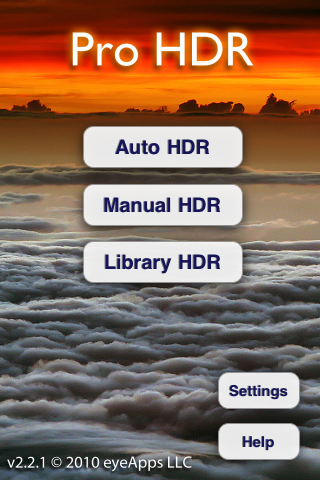
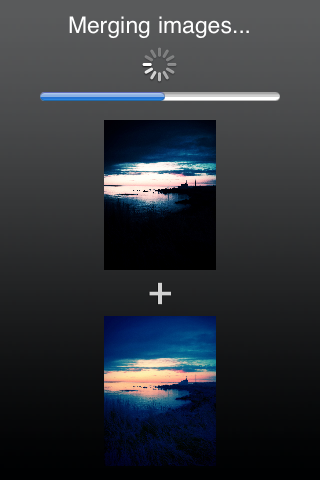
The app offers three different typologies of HDR processing. The manual and the automatic are similar: both work with the built-in camera and the effect is applied right after taking the photos. The automatic HDR is probably the easiest one, as it only requires the user to keep the camera in a still position – though some very slight movement doesn’t cause much bother – while the app analyzes the light conditions and automatically takes both over- and under-exposed shots. The manual mode is similar, but the user is required to tap on the screen for locating light and dark areas. This allows more control over the final results, but it doesn’t actually make much difference from automatic mode, most of the times. The library mode permits to use photos from the camera roll, but of course you have to have both the under-exposed and the over-exposed versions, and both photos must be of the same resolution to be recognized.

Pro HDR iPhone

Pro HDR iPhone

Pro HDR iPhone

Pro HDR iPhone

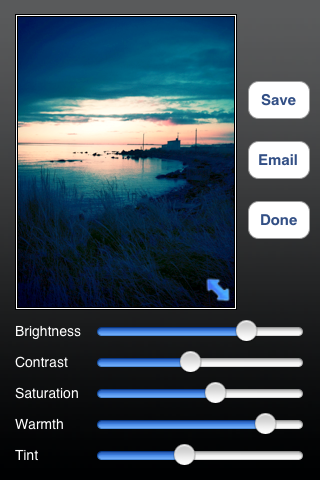
Adjusting the parameters after the shots are processed will let you come up with very nice-looking results, sometimes even better than what you’d expect from a mere iPhone shot. You can then save or send the photo via email.

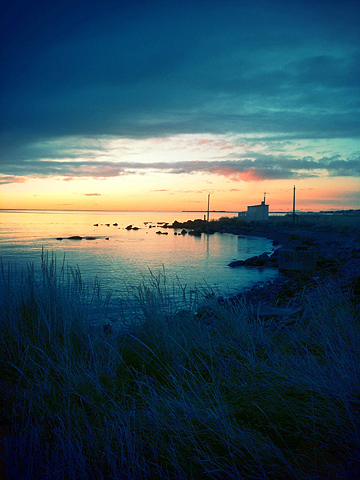
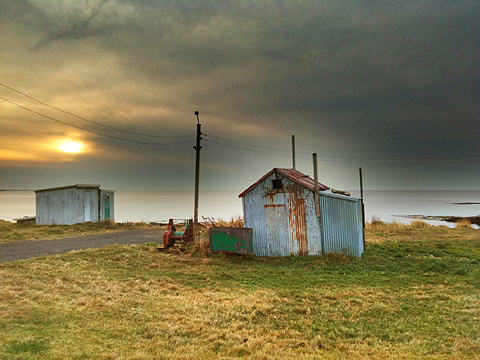
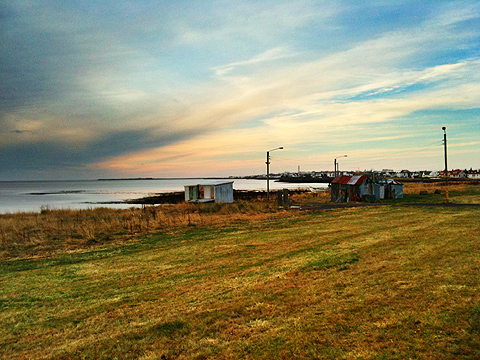
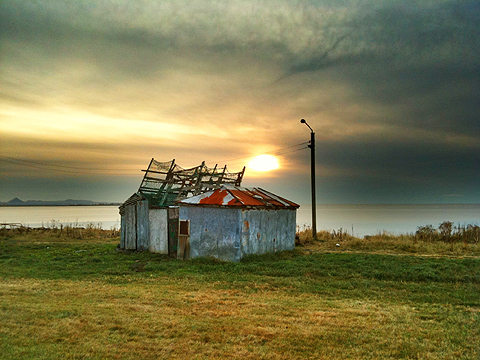
Here are a few exampls of shots taken with Pro HDR in somewhat overcast weather conditions:

Pro HDR iPhone

Pro HDR iPhone

Pro HDR iPhone

Normally, using the default camera, you’d end with very dark photographs where no detail is clearly visible and the colors are very dull. As you can see, Pro HDR really makes a difference here, as it lets you have perfectly exposed photos even in the less inviting weather conditions.

Pro HDR, if used wisely, is one of those apps that can actually help you improve your photos. This app is a must-have for any iPhone photographer!

Overall

Name: Pro HDR
Developer: eyes apps LLC
Compatibility: iPhone, iPod Touch. iOS 4.0 or later.
Price: £1.19||$1.99||€1.59
Vote: 5/5

Pro HDR - eyeApps LLC