
iPhoneography Tricks: Using Hipstamatic Frames with Album Photos

I’ve read many times complaints coming from iPhone users who wished they could disable Hipstamatic frames like they do with a number of other apps. There are also users complaining about the opposite, that is not being able to apply Hipstamatic’s effects to photos from albums and camera roll. Hipstamatic’s purists will argue that the point of the app is to reproduce the practices connected with analog photo taking, so it’s obvious you should accept a certain lack of control on the result as an added extra and use the app to shoot if you want to apply its effects to your photos. In the end, what really matters is your image; if using a certain border brings your photo closer to your way of envisioning it, you can just ignore purisms.
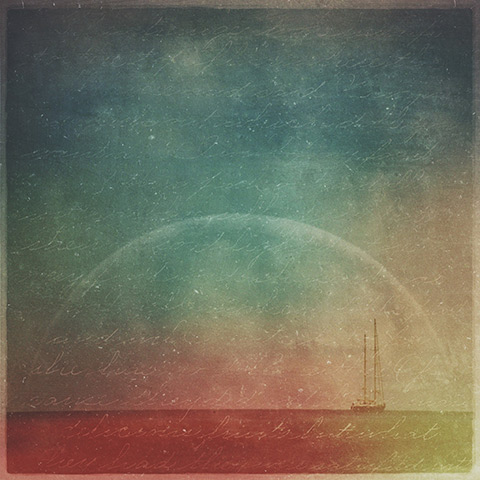
Eventide II
Robusta frame applied to photo taken with Vscocam and processed over with Laminar, Alien Sky, Mextures.

Today I will share a simple trick for using Hipstamatic’s frames outside the app. This is a cheap trick, really. The result relies on layer blending and it just requires five minutes to achieve, plus access to Hipstamatic (duh) and an image editing app such as Photoshop Touch or Laminar. Continue reading “iPhoneography Tricks: Using Hipstamatic Frames with Album Photos”
iPhone & iPad Layer Blending Modes Explained

Making use of layer blending can take your iPhone and iPad photography and your post-processing on a higher level, as it enormously widens creative possibilities. However, working with blending modes can be confusing at first and differences between one mode and the next can appear not completely evident.

As a matter of fact, no photo app comes with a truly informative guide to help the newbie in the task of getting started with layer blending. The best idea is to experiment how each mode affects your images, but it can be tough to get the hang of it. For this reason, I am writing a brief overview of the most used blending modes in iPhone photo apps. Most of them you can also find in photo editing programs as Photoshop, some others have slightly different names — but what you can achieve with them is exactly the same. Hopefully, this little guide will help you have a better understanding of what each of the commonest layer blending modes used in today’s photo applications can do.

First, let me explain a few crucial terms used in the layer blending modes descriptions: a Base Layer is the original image you start with; a Blend Layer is the layer placed above the base that needs to be blended with it. To make things easier to understand, I will be grouping modes according to the result they allow to achieve, rather than according to their strictly technical definitions.

iPhone layer blending sample images
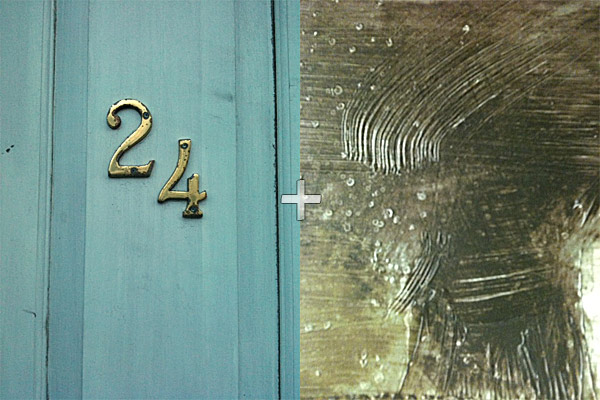
These are two random iPhone sample images I am going to use in the guide.

Continue reading “iPhone & iPad Layer Blending Modes Explained”