Trover is a new iPhone-based social network whose purpose is to become a personalized guide to the world. Trover is not strictly about photography; in fact Trover is rather a social networking app that uses photography as a means of exploration.
Main Features
- Full resolution available;
- Square format;
- Share on Facebook.
Appotography Opinion
Trover helps users to discover interesting locations in an easy and entertaining visual way. By letting Trover know about your location, you give the app’s search engine elements to explore your nearby area in search for places of interest. In the Nearby section, you are thus presented with results of special interest, arranged by distance from your default location. The number of results you can get varies a lot, depending on the popularity of your location. The greater the number of users that discovered things around your area, the more results you will get. Likewise, you can share with people your own discoveries, which you can enrich with snapshots and notes.You can tag your findings, making it easier for others to search for what you have discovered.
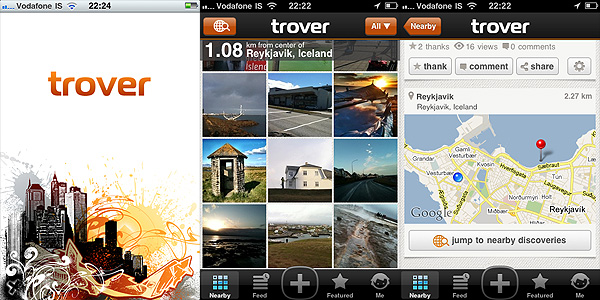
In the Feed section, you can browse through locations of interest arranged in chronological order, while in Featured, you can get to know what’s currently hot in the Trover community.
As in other social networks, you can interact with other members, by following them, commenting on their findings, giving them credit for their findings and so on. Taking advantage of the follow feature in Trover is really useful, because it basically allows the creation of a world map that only covers your particular interests.
Trover successfully merges the attributes of a social network with iPhone capabilities. Being able to easily take snapshots, besides writing descriptions and tagging, instantly gives a better idea of a location and its remarkable aspects. For the traveler in special way, Trover can become a really useful tool to get acquainted in reasonable times with surroundings in a quick and to the point manner. The risk is, as with all social networks, that Trover will be used by members in unforeseen ways, like as a simple means to socializing or to show off their photography, which could be good to an extent, but would definitely take away from the original app’s purpose.
Overall
Name: Trover
Developer: Trover LLC
Compatibility: iPhone, iPod Touch, iPad. iOS 4.0 or later.
Price: free!
Vote: 4/5


 Trover 1.1.2 is out now. In the new release of the photo sharing app for iPhone you will find, apart from general bug fixes and performance improvements, a few additional features for quick browsing through the community’s entries.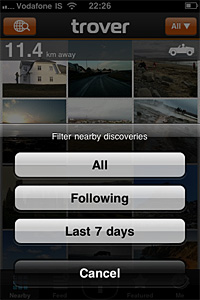
 TiltShift Generator also got an important update.