Magic Hour Updated to 1.3

Magic Hour 1.3 is now available in the App Store. The new version of Kiwiple’s photo editing and filter creator application for iPhone introduces new features for more fun and possibilities.

The biggest addition in this release is the brand new TiltShift effect, for turning photos into fake miniature images.

Magic Hour by Kiwiple for iPhone

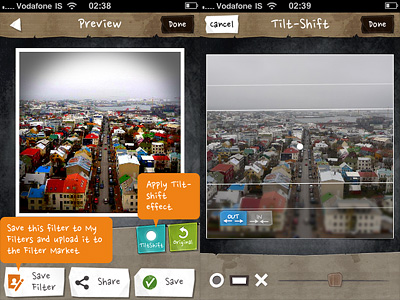
Tilt shift simulation can be applied to photos edited in Magic Hour after adjusting other settings, just before saving. This means, you will not find the tilt shift option among Magic Hour’s presets or in the Filter Market, but you will be able to add it after the rest of you editing is done. There are two blur modes that you can choose from: radial and linear. Other than that, you can decide if the blur must be applied inwards or outwards. A slider allows easy resizing of the effect. In combination with other filters and/or with vignetting added, Magic Hour’s tilt shift effect looks pretty neat.

Magic Hour for iPhone by Kiwiple - Tilt shift
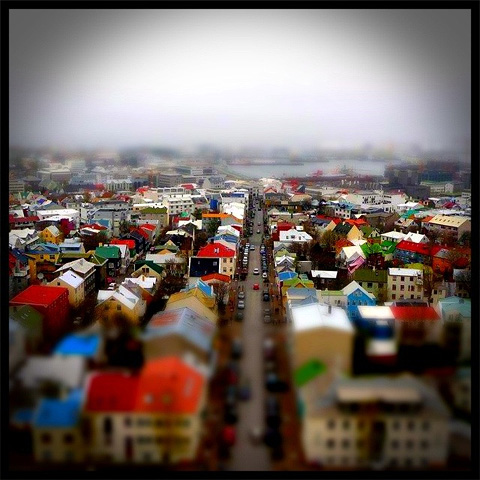
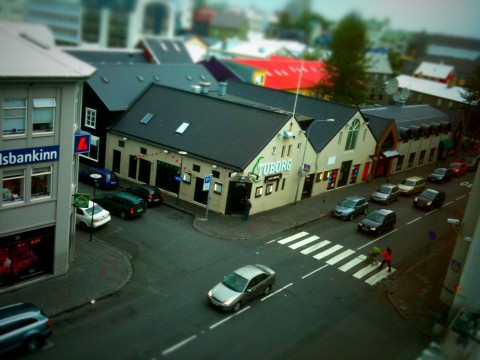
Colorful Reykjavik! Apply a fake miniature effect to your photos in Magic Hour.

Other changes in version 1.3 include a digital zoom feature for the camera mode and a fix for Facebook and Posterous sharing bug.

Trover and TiltShift Generator Updated

Trover photo sharing for iPhoneTrover 1.1.2 is out now. In the new release of the photo sharing app for iPhone you will find, apart from general bug fixes and performance improvements, a few additional features for quick browsing through the community’s entries.

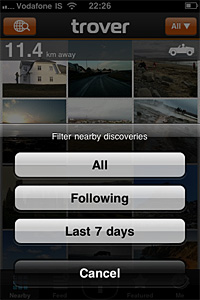
You can now search for specific users in Trover’s community. This way, you can more easily look for people you know or for users around your area. Moreover, you can now look for recent nearby discoveries applying the Last 7 Days filter.

Trover iphone
Filter nearby entries in Trover.

Finally, you can conveniently edit descriptions and locations of your own discoveries.

TiltShift GeneratorTiltShift Generator also got an important update.

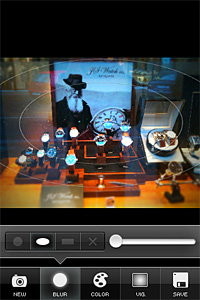
Apart from minor changes in the app’s interface (Camera and Save buttons are now of a blue color to make them stand out more), most noticeable changes in version 1.50 of the fake miniature creator include the newly added ellipse blur mode, which is now available together with linear and radial modes; also, the possibility to enable and disable Auto Adjustment for color sliders from the in-app settings. A Tell Friends button was also added in settings menu.

TiltShift Generator
The new ellipse blur in TiltShift Generator.

TiltShift Generator Free was also updated: if you have not tried it yet, you can get the free edition before purchasing the full version.

TiltShift: More Fake Miniature Photography for Apple Users

We talked about the tilt-shift technique in photography in occasion of our review of Tiltshift Generator. We explained how favorable the common opinion is right now towards fake miniature photos and how people are eagerly interested in creating them with every available digital means. We also know the Apple Store offers so much variety that sometimes it’s difficult to tell whether an app is better than another providing the same results. Better in terms of usability and – why not? –  value for the money you pay. We tried Fukatsu’s TiltShift Generator and, as you can see from our review, we loved it. We tried Krause’s TiltShift as well: what do we think about it?

Main Features

  • Full resolution available;
  • Two types of blur (Gaussian and Lens);
  • Different shapes of aperture to simulate different bokeh effects;
  • Threshold and strength adjustment;
  • Contrast, brightness and saturation adjustment;
  • Free images for practice and guide included.

Appotography Opinion

Despite its larger number of elements and options, which could make one lean towards choosing Krause’s app, TiltShift cannot compete in ease of use and quality of results with Fukatsu’s TiltShift Generator. Most of the variables are the same for both apps, with a few additional ones in Krause’s TiltShift, but Tiltshift Generator is by far smoother and more immediate, and the results are overall a lot nicer as well.

TiltShift’s blur tool, which is the basis for the diorama effect behind miniature faking, for instance is not very easy to handle: the pinching in and out and the rotation of the blur masks are not very user-friendly and sometimes even creating the simplest blur area can take more than it’s worth. The different apertures to simulate bokeh effects result very lame with most photos and are thus not much useful. TiltShift offers a lot in terms of features, but none of them is truly outstanding.
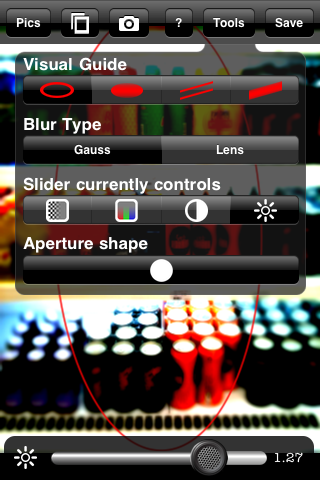
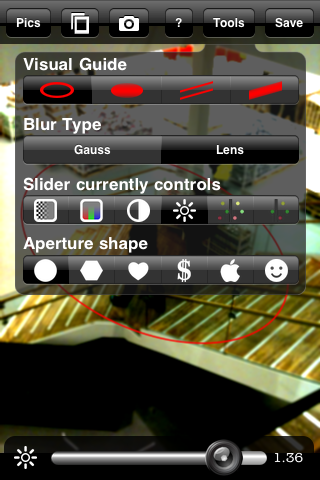
TiltShift iPhone - Interface

TiltShift iPhone

If you have to pick your first tilt-shift editor for your iPhone photography, I’d say TiltShift is not the best choice you have. If you already purchased another tilt-shift app, maybe you don’t need this one either.
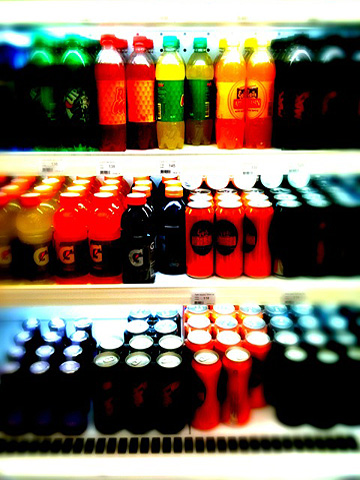
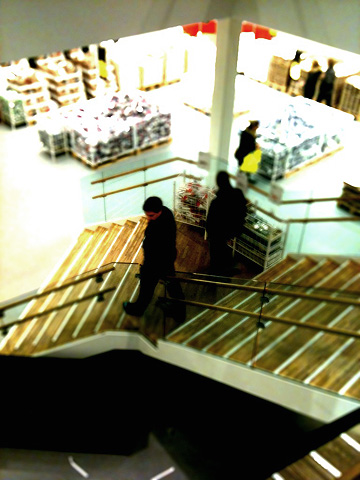
Fake Miniature Photo Made with TiltShift iPhone

Another Fake Miniature Photo Made with TiltShift iPhone

You can apply the fake miniature effect to photos taken on the spot or those stored in your camera roll, or you can have some fun with the ad hoc images included in the app. TiltShift contains a small guide as well, to learn about the app’s commands and features.

Overall

Name: TiltShift
Developer: Michael Krause
Compatibility: iPhone, iPod Touch, iPad. iOS 3.0 or later.
Price: £1.19||$1.99||€1.59
Vote: 2/5


TiltShift - Michael Krause

TiltShift Generator: Create Fake Miniature Scenes on your iPhone

Tilt-shift refers to the use in photography of  tilting for selective focus to recreate a miniature picture. Although the original term refers to in-camera technique, the same effect is often simulated with digital postprocessing. The tilt-shift style has lately enjoyed greater popularity with the large diffusion of digital photography that is frequently associated with digital postprocessing of the photos. Mobile photographers, Apple iPhone ones in particular, won’t have difficulties finding tools helping them to generate the fake miniature feel of actual tilt-shift photography directly on their phone with the best approximation possible for a simulation.

Main Features

  • Full resolution available;
  • Radial and linear blur;
  • Contrast and saturation adjustment;
  • Vignetting adjustment;
  • Possibility to share the photos via Twitter and email.

Appotography Opinion

Originally released as a free web service and AIR app, TiltShift Generator is one of the available applications that helps the user to accomplish the fake miniature look, and it’s probably the best so far. The user can take a photo or load a previously taken picture from the camera roll. Selecting the appropriate degree and type of blur and adjusting parameters as brightness, contrast and saturation is very easy. The vignetting adds the final touch to the effectiveness of the illusion. An in-app tutorial will also provide some useful tips to obtain better fake miniature photos. Art & Mobile once again delivers an app that lets the iPhone photographer achieve the desired result in the easiest and most practical way possible.

A Fake Miniature Photo Created with TiltShift Generator for iPhone

Overall

Name: TiltShift Generator
Developer: Art & Mobile
Compatibility: iPhone, iPod Touch, iPad. iOS 3.0 or later.
Price: £0.59||$0.99||€0.79
Vote: 5/5

TiltShift Generator - Fake Miniature - Art & Mobile