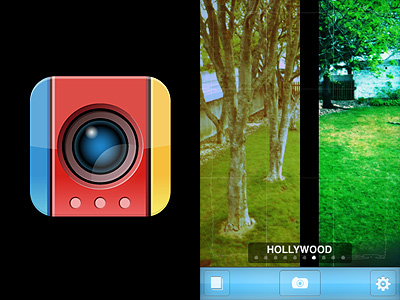
SuperPopCam Review

SuperPopCam by Art & Mobile — creators, among other things, of TiltShift Generatorcombines the charm of toy cams with real-time processing on the iPhone.

Main Features

  • Real-time effect up to 640 x 480 (3GS), 960 x 720 (4) pixels;
  • Full resolution on saved images available;
  • Grid on/off;
  • 9 filters;
  • Adjustable vignetting and border;
  • Send via email or share on Twitter and Facebook.

Appotography Opinion

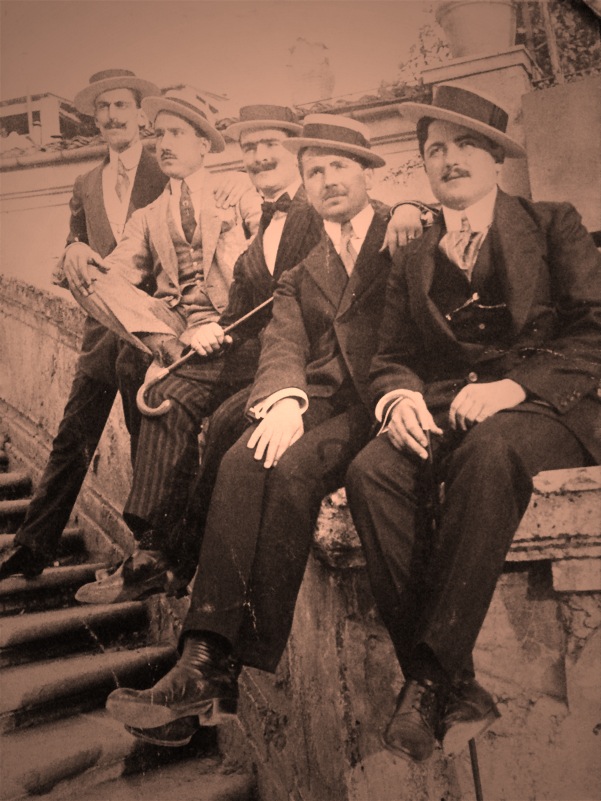
SuperPopCam is mainly about real-time processing, but not only. Differently from other apps making use of the real-time factor, SuperPopCam allows to alter also previously taken shots.

The real-time feature enables a preview of how each effect is going to affect the scene you are going to shoot. By finger-swiping, you switch from one filter to the other.  You don’t get a preview for vignetting and borders; however, if you enable the grid from the in-app settings, an outline will show where the border will be in the final image. This way you will be able to frame the picture correctly. In SuperPopCam there are five levels of intensity for vignetting, from none to heavy. The included white borders come in two versions: regular and gritty. Each border is available in thin and thick version. It’s also possible to enable the 1:1 format to take square photos.

SuperPopCam works very smoothly, I have not encountered any issue while using it. The UI is also very clear and functional, like other Art & Mobile’s photo apps.
SuperPopCam - Swipe to Effect by Art & Mobile for iPhone

Although features are not many, the effects in Super PopCam are quite remarkable. Especially for users who don’t like intense processing and would rather rely on a subtle analog toycamera lomo-ish feel, SuperPopCam offers a decent replacement to more complex apps. Like in Cross Process, the filters are just an embellishment and they do not conceal with overdone post-processing the final images. The difference with Banana Camera’s app is, of course, the real time preview, a feature that in any case doesn’t add anything to the overall photographic value of SuperPopCam. At least, that’s how I see it.
SuperPopCam - Swipe to Effect by Art & Mobile for iPhone
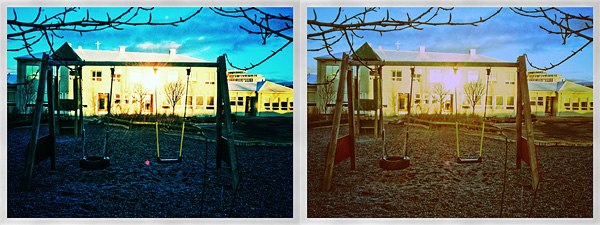
Hollywood and CrossProcess effects with thin border on.

The most annoying aspect in SuperpopCam is the huge difference between output resolution of photos taken from within the app and that of previously taken shots, both processed using the app’s filters. In the first case, the resolution is very small, even on iPhone 4, which definitely lowers the app’s value. On the other hand, processing photos previously taken with other apps, which includes those taken with iPhone’s native camera app, doesn’t affect their resolution at all. For example, loading a 2048 pixels image for post-processing into SuperPopCam will not result in a scaled down image after saving. This makes me wonder about the actual usefulness of the real-time feature, a handicap rather than an addition.

Overall

Name: SuperPopCam
Developer: Art & Mobile
Compatibility: iPhone, iPod Touch, iPad. iOS 4.0 or later.
Price: £1.19||$1.99||€1.59
Vote: 3/5


SuperPopCam - Swipe to Effect - Art & Mobile

TiltShift Generator, Lomora 2, Panoramatic 360 Bug Fixes

Just a very brief update to notify that three of the apps we reviewed were updated in the last hours: TiltShift Generator by Art & Mobile, Lomora 2 by Marvin Lee and Panoramatic 360 by floaty. None of these updates is a major one.
TiltShift Generator v. 1.36: fixed bug for Facebook sign-in .

Lomora 2 v. 2.2.1: fixed bug causing the app to crash on iPod Touch 4th generation.

Panoramatic 360 v. 4.3.1: fixed bugs and various improvements.

If you have experienced some problem with one of these apps, it’s recommended to update them now. Remember you can always contact the developer for further assistance and to report further issues.

TiltShift Generator: Create Fake Miniature Scenes on your iPhone

Tilt-shift refers to the use in photography of  tilting for selective focus to recreate a miniature picture. Although the original term refers to in-camera technique, the same effect is often simulated with digital postprocessing. The tilt-shift style has lately enjoyed greater popularity with the large diffusion of digital photography that is frequently associated with digital postprocessing of the photos. Mobile photographers, Apple iPhone ones in particular, won’t have difficulties finding tools helping them to generate the fake miniature feel of actual tilt-shift photography directly on their phone with the best approximation possible for a simulation.

Main Features

  • Full resolution available;
  • Radial and linear blur;
  • Contrast and saturation adjustment;
  • Vignetting adjustment;
  • Possibility to share the photos via Twitter and email.

Appotography Opinion

Originally released as a free web service and AIR app, TiltShift Generator is one of the available applications that helps the user to accomplish the fake miniature look, and it’s probably the best so far. The user can take a photo or load a previously taken picture from the camera roll. Selecting the appropriate degree and type of blur and adjusting parameters as brightness, contrast and saturation is very easy. The vignetting adds the final touch to the effectiveness of the illusion. An in-app tutorial will also provide some useful tips to obtain better fake miniature photos. Art & Mobile once again delivers an app that lets the iPhone photographer achieve the desired result in the easiest and most practical way possible.

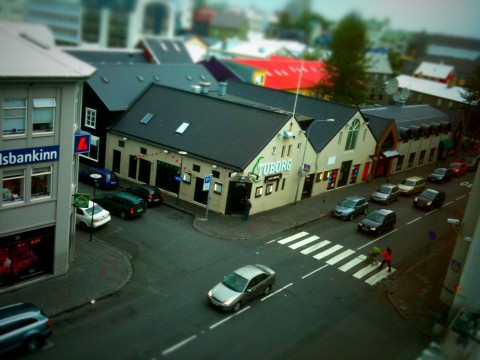
A Fake Miniature Photo Created with TiltShift Generator for iPhone

Overall

Name: TiltShift Generator
Developer: Art & Mobile
Compatibility: iPhone, iPod Touch, iPad. iOS 3.0 or later.
Price: £0.59||$0.99||€0.79
Vote: 5/5

TiltShift Generator - Fake Miniature - Art & Mobile

SepiaCamera: A Vintage Flavor To Your Photos

SepiaCamera is a very simple filter for iPhone. Sometimes you don’t need or want anything too complicated and you’re not willing to scroll through gazillion of other filters just to add that certain sepia styling to your shots.

Features

  • Full resolution available;
  • Zoom feature;
  • Vignetting on/off;
  • Square mode on/off;
  • Possibility to share the photos via email, Twitter and PhotoShare.

Appotography Opinion

There are tons of filters to add a sepia tone to your iPhone photos. SepiaCamera was one of the first apps for iPhone we got and we still think it’s one of those that delivers nicer results. SepiaCamera, like the other apps by the same developer, doesn’t do anything less than what it promises: adding a nice vintage flavor to your photos. Not to mention the app is free, so it’s definitely worth a try. Sepiacamera works only with the camera and won’t let you use photos stored in your camera roll.

SepiaCamera iPhone

Overall

Name: SepiaCamera
Developer: Art & Mobile
Compatibility: iPhone. iOS 3.0 or later.
Price: free!
Vote: 3/5

SepiaCamera - Art & Mobile