To promote the recent release of HDR Art, Mediachance is offering the original AutoPainter as a free download in the App Store: this iPhone-only app was previously $0.99.
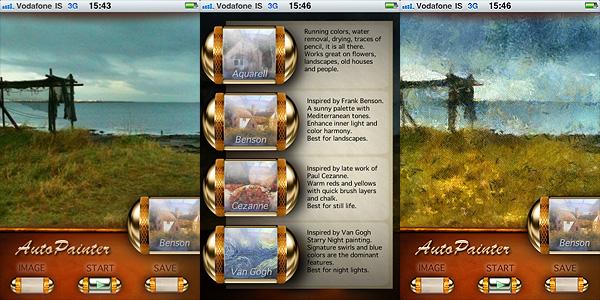
AutoPainter is a very straightforward photography app for turning any picture into an instant painting. It comes with four art presets, Cezanne, Benson, Van Gogh and Aquarell, inspired by the works of famous painters from the past. The app has not been updated in a while and final resolution may be somewhat disappointing on newer devices; the effects however are well-done and AutoPainter will be a nice addition in the app collection of users looking for quick and easy ways to apply classic looking painterly effects to photos.
The current sale is valid only on the first AutoPainter app — AutoPainter 2 and 3, each coming with four more art styles, are still $0.99.
You can download AutoPainter for iPhone for free from here:
AutoPainter II “The Illustrators” is the second instalment in the AutoPainter app series. The effects included in Autopainter II are themed after classic illustration techniques, differently from AutoPainter that was more focused on painting styles inspired by famous artists – Cezanne, Van Gogh, etc.
Main Features
1280 x 960 pixels resolution (3GS);
Portrait masking for enhanced detail;
4 artistic filters.
Appotography Opinion
AutoPainter II “The Illustrators” features four more artistic filters for processing your photos. Although they are sold as a separate app, the new filters (Chalk, Book, Felt Tip, Water Ink) basically represent an expansion to the first AutoPainter. Reason why I feel it would have been more convenient for the user to be able to access them from within a single app. For example, it would have made more sense to sell the new filters as an additional pack, available through in-app purchase.
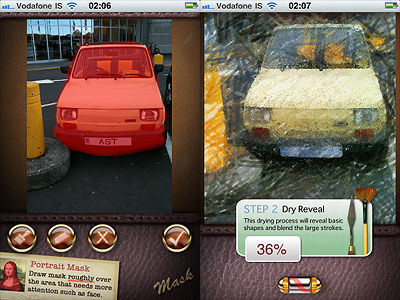
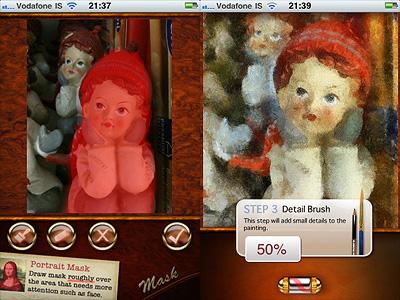
The UI of AutoPainter II is exactly the same as AutoPainter, the only difference with the first instalment being, as I mentioned, the available styles you can choose from. Applying filters is a cinch. Rendering times are fair and you can watch the engine as it processes your photo for fun. You can pick the photo to process from your camera roll or take one with the built-in camera; then all you have to do is selecting a filter among those available and tap on the start button. For better results, especially on portraits, developers added the portrait mask feature, allowing to finger-paint a mask over areas of your image where you’d expect details to be better defined.
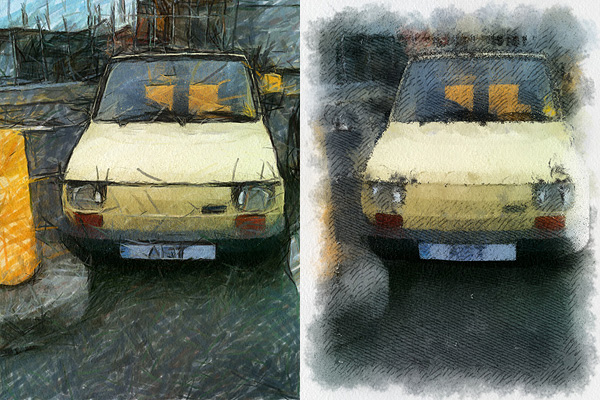
Felt Tip and Book filters.
As with the previous AutoPainter app, one cannot deny the quality of the filters. Too bad for the final resolution. Too bad that the filters, however pretty, don’t work that well on most photos, too. It took me some time to find a photo that wouldn’t lose significant detail after processing. The masking feature doesn’t dramatically enhance the final result: the render engine is still unable to catch relevant elements in most photos. That’s why I think overall AutoPainter works better on landscape photography, which most of the times looks all right even when only its essential elements are caught, or on extreme close-ups.
Overall
Name: AutoPainter II
Developer: Mediachance
Compatibility: iPhone, iPod Touch, iPad. iOS 4.0 or later.
Price: £0.59||$0.99||€0.79
Vote: 3/5
What would have Van Gogh, Cezanne and Benson thought if somebody told them that several decades later they would be lending their artistic skills to just anybody with an iPhone?
Nobody knows. And honestly… Whatever. The genius of these artists is so immense that it wouldn’t make a great difference to them, even if they were alive today.
Mediachance give all iPhone, iPod Touch and iPad users the illusion of becoming a nouveau Vincent in a couple of minutes, with their AutoPainter, a portable version of their desktop application Dynamic Auto Painter.
Main Features
1280 x 960 pixels resolution (3GS);
4 artistic filters.
Appotography Opinion
AutoPainter includes four artistic filters (Aquarell, Benson, Cezanne, Van Gogh) which you can easily use to process your photos to turn them into strikingly beautiful little works of art. All you have to do is choosing a photo from your camera roll or take one with the built-in camera, select your favorite filter and tap on the start button. It’s easy as that. You don’t have to adjust settings, move sliders, and so on.
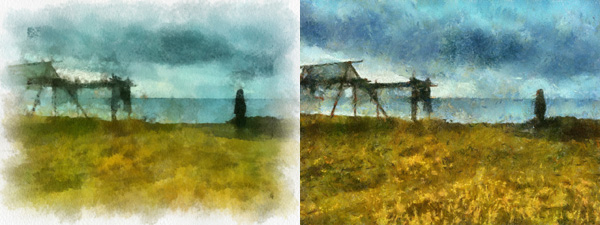
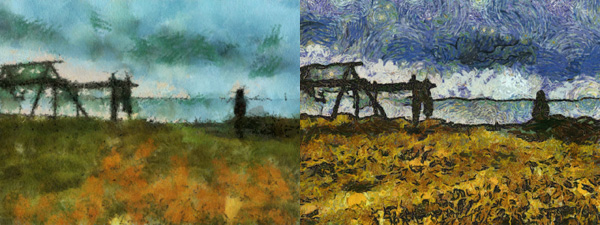
The artistic effects applied, simulating paint strokes and canvases, according to the style of choice, are very nicely rendered. Actually, they are among the best you will be able to find on iPhone in their genre, I think. The processing takes some time, but the fact you can watch how your picture is affected step by step is kind of entertaining, at first at least. This app, at least in its current version, will be a little disappointing for those wishing for a full resolution. On 3GS, which is what I used to test it, I was able to obtain a 1280 x 960 resolution. If this is it, it can be improved, definitely.
Aquarell and Benson filters.Cezanne and Van Gogh filters.
I said the filters are well done, but they do not work great on all photos. Sometimes the engine will be unable to make out some important details, so don’t be offended if after editing that portrait of your fiancée you love so much, she ends up with a huge yellow swirl on her forehead. Overall, better exposed and clearer photos are those that are able to give you better results.