Dynamic Light 2.0 Released

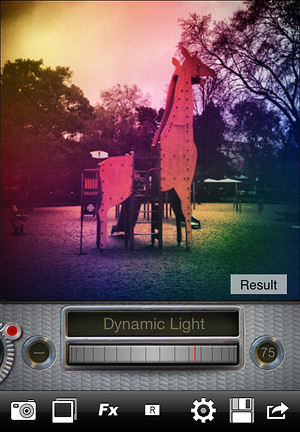
Dynamic Light 2.0 for iPhone is out. The app now fully supports 4″ retina devices and allows sharing via email, Twitter, and Facebook.

Dynamic Light 2.0
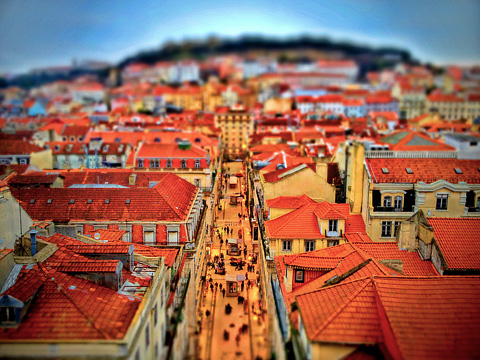
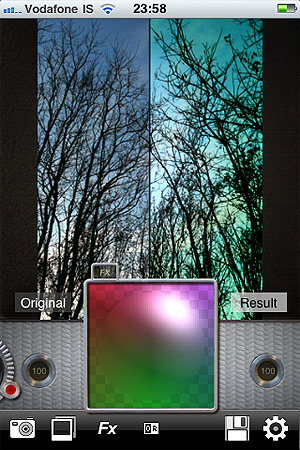
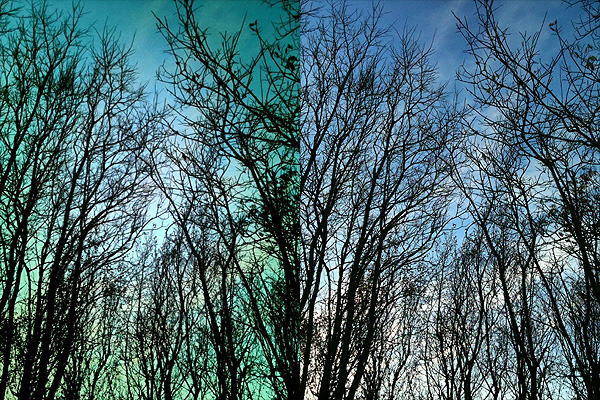
Version 2.0 also introduces a handful of new effects in the form of colored gradient filters. The gradients come in five vibrant styles, featuring diverse hues for different moods. In combination with the classic Dynamic Light processing and with the right amount of in-app tweaking through the various controls at your disposal, you can use the new gradients to produce highly detailed but at the same time dreamy images.

Dynamic Light is a powerful editor for HDR-like photo enhancements achievable with just a few taps and scrolling gestures. The app is available in the App Store for $0.99.

HDR Art Review

The label HDR has gone from its original meaning, intended to describe techniques used to broaden the dynamic range of images, to connoting the results these techniques are able produce. In the widest use of the term, what today is referred to as HDR is a visual style, distinguished by drastically enhanced detail and exaggerated color saturation, often leading to a loud and unrealistic look.

With HDR Art iPhone enthusiasts of this style are given options and tools to process their images by applying HDR effects through a variety of adjustable formulas and features.

HDR Art iPhone
Main Features

  • Full resolution saving;
  • 50 presets;
  • Customizable effects;
  • Save user presets;
  • Randomizing feature;
  • Send via email;
  • Share on Facebook and Twitter;
  • Print.

Continue reading “HDR Art Review”

AutoPainter Now Free

To promote the recent release of HDR Art, Mediachance is offering the original AutoPainter as a free download in the App Store: this iPhone-only app was previously $0.99.

AutoPainter Free

AutoPainter is a very straightforward photography app for turning any picture into an instant painting. It comes with four art presets, Cezanne, Benson, Van Gogh and Aquarell, inspired by the works of famous painters from the past. The app has not been updated in a while and final resolution may be somewhat disappointing on newer devices; the effects however are well-done and AutoPainter will be a nice addition in the app collection of users looking for quick and easy ways to apply classic looking painterly effects to photos.

The current sale is valid only on the first AutoPainter app — AutoPainter 2 and 3, each coming with four more art styles, are still $0.99.

You can download AutoPainter for iPhone for free from here:

Dynamic Light 1.7 Update

JQMRPFU7FGU9Dynamic Light version 1.7 is out now. With the latest release of the app by Mediachance you will get seven brand new effects for processing your photos.

The newly added effects are the following:

  • Solarize;
  • Re-Exposure;
  • Edgy;
  • Contrast Photo;
  • Old Timer;
  • Golden Age;
  • Calm Print.

And here is a preview:

Dynamic Light by Mediachance for iPhone
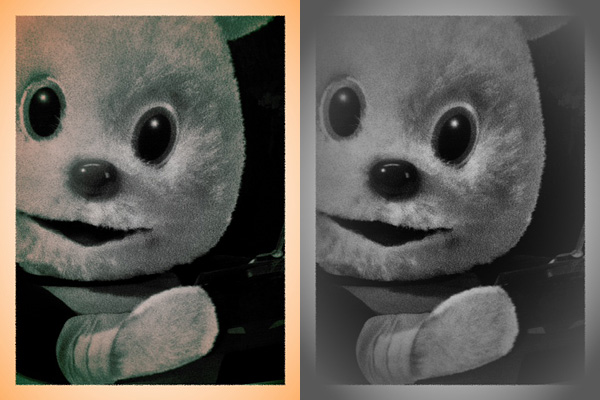
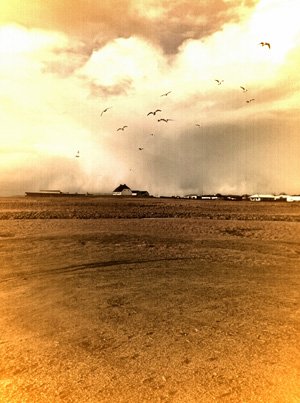
Golden Age and Old Timer effects.

The new effects will particularly please fans of monochrome photography with an old-style flavor.

AutoPainter II Review

AutoPainter II “The Illustrators” is the second instalment in the AutoPainter app series. The effects included in Autopainter II are themed after classic illustration techniques, differently from AutoPainter that was more focused on painting styles inspired by famous artists – Cezanne, Van Gogh, etc.

Main Features

  • 1280 x 960 pixels resolution (3GS);
  • Portrait masking for enhanced detail;
  • 4 artistic filters.

Appotography Opinion

AutoPainter II “The Illustrators” features four more artistic filters for processing your photos. Although they are sold as a separate app, the new filters (Chalk, Book, Felt Tip, Water Ink) basically represent an expansion to the first AutoPainter. Reason why I feel it would have been more convenient for the user to be able to access them from within a single app. For example, it would have made more sense to sell the new filters as an additional pack, available through in-app purchase.

AutoPainter II The Illustrators by Mediachance for iPhone

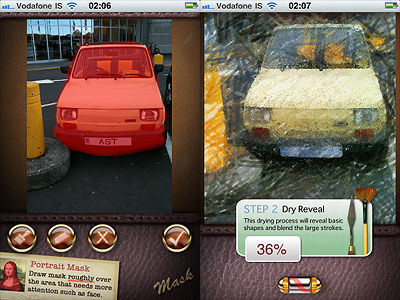
The UI of AutoPainter II is exactly the same as AutoPainter, the only difference with the first instalment being, as I mentioned, the available styles you can choose from. Applying filters is a cinch. Rendering times are fair and you can watch the engine as it processes your photo for fun. You can pick the photo to process from your camera roll or take one with the built-in camera; then all you have to do is selecting a filter among those available and tap on the start button. For better results, especially on portraits, developers added the portrait mask feature, allowing to finger-paint a mask over areas of your image where you’d expect details to be better defined.

AutoPainter II The Illustrators by Mediachance for iPhone
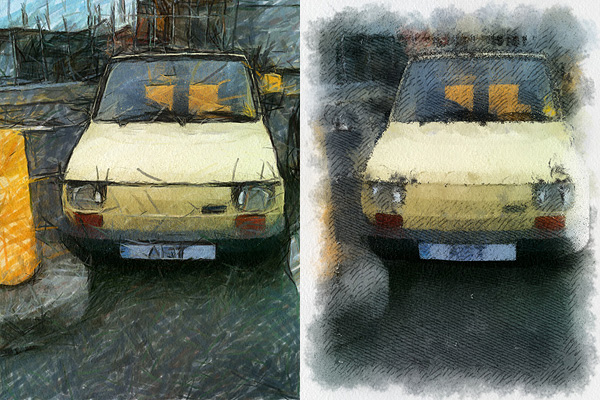
Felt Tip and Book filters.

As with the previous AutoPainter app, one cannot deny the quality of the filters. Too bad for the final resolution. Too bad that the filters, however pretty, don’t work that well on most photos, too.  It took me some time to find a photo that wouldn’t lose significant detail after processing. The masking feature doesn’t dramatically enhance the final result: the render engine is still unable to catch relevant elements in most photos. That’s why I think overall AutoPainter works better on landscape photography, which most of the times looks all right even when only its essential elements are caught, or on extreme close-ups.

Overall

Name: AutoPainter II
Developer: Mediachance
Compatibility: iPhone, iPod Touch, iPad. iOS 4.0 or later.
Price: £0.59||$0.99||€0.79
Vote: 3/5

AutoPainter II - Mediachance

Dynamic Light Updated to 1.6

Mediachance released Dynamic Light 1.6. Six new photographic filters were added with this new version, bringing the total to twenty-four effects to process your iPhone photos.

To help you improve the your pictures without losing in realism, Mediachance introduced Realistic Sky and Realistic Skin. They will selectively lower the effect on sky and skin respectively.

Realistic Sky

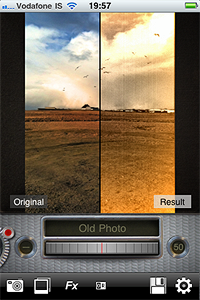
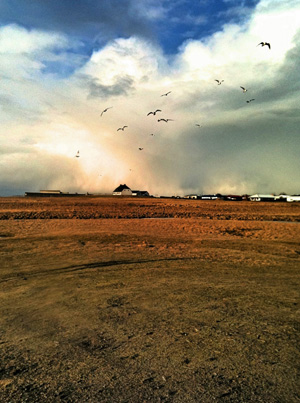
To please users more interested in obtaining highly stylized photos, Dynamic Light now offers four new effects. Old Photo, Motion, Relief, and Urban Art were also added to version 1.6.

Old Photo

Other improvements of the latest release concern camera bug fixes.

AutoPainter Review

What would have Van Gogh, Cezanne and Benson thought if somebody told them that several decades later they would be lending their artistic skills to just anybody with an iPhone?

Nobody knows. And honestly… Whatever. The genius of these artists is so immense that it wouldn’t make a great difference to them, even if they were alive today.

Mediachance give all iPhone, iPod Touch and iPad users the illusion of becoming a nouveau Vincent in a couple of minutes, with their AutoPainter, a portable version of their desktop application Dynamic Auto Painter.

Main Features

  • 1280 x 960 pixels resolution (3GS);
  • 4 artistic filters.

Appotography Opinion

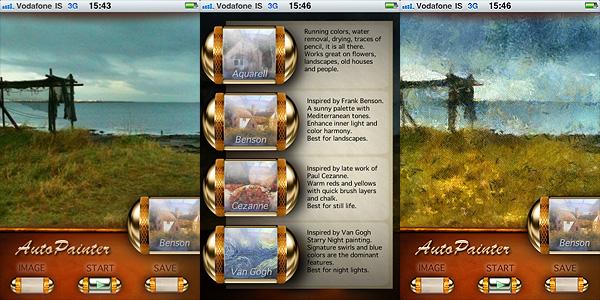
AutoPainter includes four artistic filters (Aquarell, Benson, Cezanne, Van Gogh) which you can easily use to process your photos to turn them into strikingly beautiful little works of art. All you have to do is choosing a photo from your camera roll or take one with the built-in camera, select your favorite filter and tap on the start button. It’s easy as that. You don’t have to adjust settings, move sliders, and so on.

AutoPainter app by Mediachance for iPhone

The artistic effects applied, simulating paint strokes and canvases, according to the style of choice, are very nicely rendered. Actually, they are among the best you will be able to find on iPhone in their genre, I think. The processing takes some time, but the fact you can watch how your picture is affected step by step is kind of entertaining, at first at least. This app, at least in its current version, will be a little disappointing for those wishing for a full resolution. On 3GS, which is what I used to test it, I was able to obtain a 1280 x 960 resolution. If this is it, it can be improved, definitely.

AutoPainter app by Mediachance for iPhone
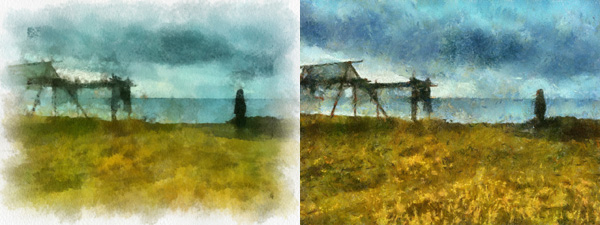
Aquarell and Benson filters.
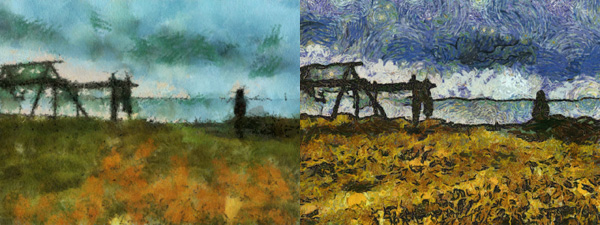
Cezanne and Van Gogh filters.

I said the filters are well done, but they do not work great on all photos. Sometimes the engine will be unable to make out some important details, so don’t be offended if after editing that portrait of your fiancée you love so much, she ends up with a huge yellow swirl on her forehead. Overall, better exposed and clearer photos are those that are able to give you better results.

Overall

Name: AutoPainter
Developer: Mediachance
Compatibility: iPhone, iPod Touch, iPad. iOS 4.0 or later.
Price: £1.19||$1.99||€1.59
Vote: 3/5

AutoPainter - Mediachance

Dynamic Light 1.5: New Filters And More

After the previous release, Mediachance had anticipated a substantial improvement to their Dynamic Light app. And here it is, the promised update: version 1.5, featuring new filters, interface and useful tools for giving you more freedom while processing your photos.

  • New interface;
  • Adjust two parameters at once (Strength and Radius) with the new Light Ball;
  • Fine-tune all the effects with Color Mixing Light Ball;
  • Six more effects, including Dutch Light which is officially back.

The big thing about the new release is the Light Ball mixer, which gives you some extra flexibility to adjust effects to suit your photography.

Along with Dutch Light, that was brought back after a brief absence, five new filters are available with the new release of Dynamic Light: Overcooked HDR, No More HDR and the three colored effects Green Tint, Blue Tint, Red Tint, which all look like variations of Mysterious Light.

Some New Filters: Green Tint and Overcooked HDR

A final note about release 1.5: six empty slots can be seen in the newly added effect page. Indication of more filters to come?

Dynamic Light - Mediachance

Dynamic Light and iSupr8 Updates

Two apps that we recently reviewed were updated in the past hours. We are talking about Dynamic Light and iSupr8. The updates are nothing big, but developers of both apps announced important improvements and changes are on their way.

Dynamic Light‘s newest release is 1.1.

The update was meant to improve memory handling by caching large images. Version 1.1 also temporarily replaces the filter Dutch Light with Ultra Contrast, an overdone HDR effect. Mediachance made clear Dutch Light will be back in a later update, together with a whole new set of photo filters.

iSupr8 was also updated to version 1.2.2.

The new release fixes crash issues that mainly affected iPhone 3GS users. A major update to the popular Super 8 video app was announced by MEA Mobile and is coming soon.

Dynamic Light: When The Best HDR Is Fake

Who said the best HDR is the real one? That’s a rhetorical question some digital photographers who tend to opt for an all-done-in-post-processing approach often like to pose. The question itself may sound blasphemous to purists of HDR photography, but reflecting on it, in some cases the best HDR can indeed be the fake one. This is for different reasons: when you don’t have a tripod or other means of support, taking bracketed photos can be a problem; also, some HDR pictures present issues like halation, which can be a pain to remove. And this is just to mention two of the most common problems connected to HDR photography.

After years of expertise in multimedia development, Canadian Mediachance now brings to Apple portable devices their proprietary DPHDR (Dynamic Photo HDR) processing. The result is Dynamic Light, an optimized tool for generating HDR-like effect on iPhone, iPod Touch and iPad that will  make things easier for many fans of the HDR style.

Main Features

  • Full resolution available;
  • 12 filters;
  • Adjustable radius, surface smoothness and color boost;
  • Retina display support.

Appotography Opinion

Dynamic Light works both with built-in camera and with photos stored in your camera roll. What the app does, basically, is to simulate HDR using a single image instead of using several exposures as in real HDR.

The Dynamic Light proprietary filter is chosen by default as soon as you start the app, but you have eleven more filters available to choose from. Among the most interesting ones, you will find Orton and Orton Infrared, another filter based on a very popular effect among digital photographers, which consists in processing the photo in order to create a unique mix of areas characterized by sharp detail and others with extreme out of focus. All you have to do once you choose the filter is to adjusts its intensity using the on-screen wheel. From low to high values, depending on the filter, outcomes can change a lot. In the app’s settings you can also adjust individual parameters — Radius, Surface Smoothness and Color Boost — to determine how filters will affect your images.
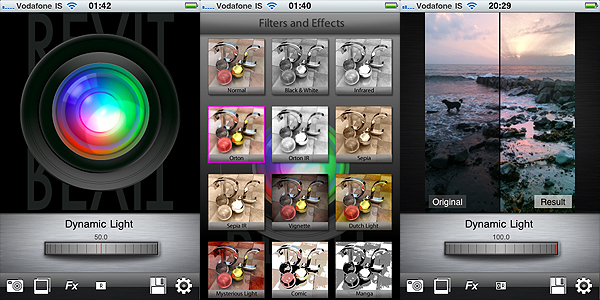
Dynamic Light by Mediachance for iPhone

Obtaining decent looking fake HDR using a single exposure is not as easy as one might think. To achieve it, many apps simply apply heavy sharpening and over-saturation that brings out unrealistic hues. In these cases the results are usually abominable. Dynamic Light succeeds in actually improving the look of the initial photo, enriching it with details that were lost in darkness and emphasizing the original colors without making them look strident and cheap. Some of the additional effects besides the default are also very well-done, like the aforementioned Orton and the Sepia, also in their Infrared variations. The only filters I cannot bring myself to like and use are Comic and Manga — but I have yet to see an all-around great comic filter.
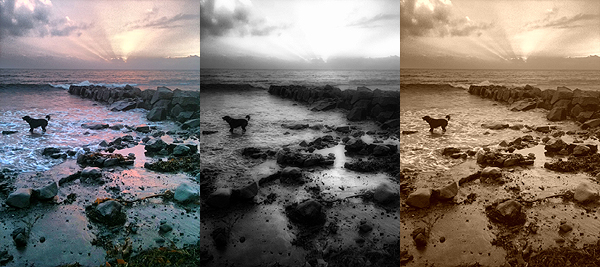
Dynamic Light by Mediachance for iPhone

For better results, developers suggest to use Dynamic Light HDR on outdoors and landscape photos with rich textures, unless you’re looking for very particular results. I must say that I have tried the app also with photos that definitely couldn’t be considered ideal, and I was pleased.

Dynamic Light is much easier to handle than real HDR and results you can obtain are terrific. For its quality and at the given price, Mediachance’s is an app I feel like recommending without hesitation.

Overall

Name: Dynamic Light
Developer: Mediachance
Compatibility: iPhone, iPod Touch, iPad. iOS 4.0 or later.
Price: £0.59||$0.99||€0.79
Vote: 4/5


Dynamic Light - Mediachance