
More price drops: VintageScene is currently 50% off in the App Store. JixiPix’s vintage camera for iPhone is now $0.99/€0.79/£0.69.
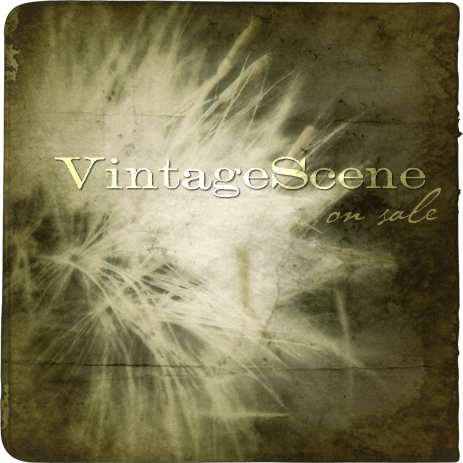 VintageScene, featuring more than 70 fully customizable presets arranged in three themed collections, plus a number of old-school borders, textures and preset editor, adds an antique look to photos quickly. Choose styles, color themes and textures to create your unique effects.

Tag: JixiPix Software
Grungetastic Review
Grungetastic by JixiPix Software is an app that comes with many textures and enough space for customization, to transform photos into grungy images. We have tried Grungetastic on iPhone, but the app is also available in HD version on iPad.
Main Features
- Full resolution available;
- Randomize effects;
- 43 presets;
- 80+ textures;
- 35+ borders;
- Adjust strength/color;
- Send to email or share on Facebook.
Appotography Opinion
In Grungetastic, you can use both the built-in camera feature or load a photo from your device. For quick and easy editing, you can pick one of the many presets included in the app. Presets are arranged into different categories, each covering a style: Grunge, Pop Grunge, and Bleach Grunge. While Grunge is more about simply adding textural elements to photos, Bleach Grunge also adds fading, to convey more effectively the aged and distressed look. Pop Grunge mixes dirt and scratches with more or less intense posterization, for a peculiar and up-to-date graphic look.
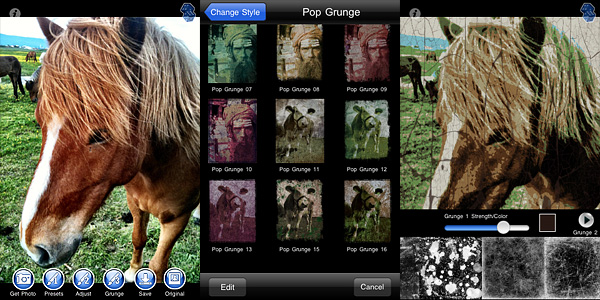 Grunge textures and borders are the same for all style categories. You can apply two separate levels of grunge (two different textures, that is) and a border on the same image and set individually their opacity and color.
For a more distinctive result, you can create custom presets by adjusting the value of various parameters, like tone, threshold and bleach degree. You can save custom presets for further use or edit them to adapt them to your images. For unexpected combinations, you can try the Randomize button.
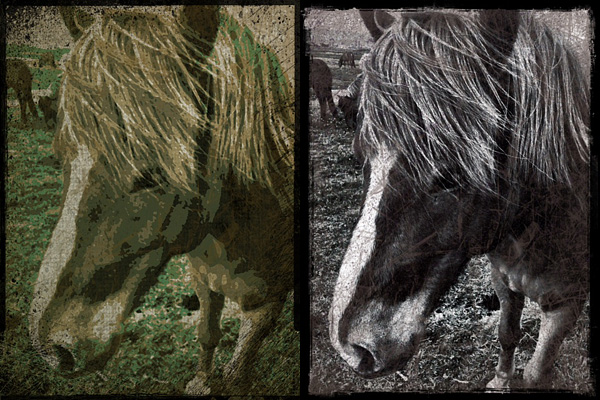
As with other JixiPix Software’s photo apps, rendering times in Grungetastic can be, on average, quite slow. Especially on very large images, adding effects and saving can be time-consuming. However, the interface works smoothly and the outcomes are fairly satisfactory. Given the amount of material you can work with, if you are into heavy processing and grungy, extreme effects, you will enjoy Grungetastic.
Overall
Name: Grungetastic
Developer: JixiPix Software
Compatibility: iPhone, iPod Touch, iPad. iOS 4.2 or later.
Price: £1.19||$1.99||€1.59
Vote: 4/5
VintageScene 2.5 Out Now
VintageScene 2.5 was released today. The latest version introduces a new effect called Faded Time.

Faded Time includes 15 presets to add to your photos a distressed, faded look. The new effect expands the already rich VintageScene’s selection (30 presets in the Vintage Scene collection + 33 more in the Antique Photo collection). Not to forget, you can always create and save your own presets.
PhotoArtista Oil: Let’s Pretend We Can Paint!
Whoever spread the notion that photos can successfully be digitally turned into paintings with a couple of clicks should be spanked very badly. This is how I see it; everybody is free to disagree. But so far I haven’t found a single successful way to make a photo look like a real painting with digital filters, not even from the most renown developers. Be careful: I haven’t said a “realistic” painting.
Even the best results obtained with ready-made filters are nothing like actual paintings, photos of paintings or even like photographs of actual paintings taken from photos. Or… whatever. They retain that certain lousy artificial quality that is terribly unattractive. To obtain an effective painterly effect, first of all you need to work a lot on your photo, concentrating not on reproducing useless trivialities like the embossing or the direction of the strokes or similar, but on trying to recreate a general feeling, an atmosphere, that is usually very subtle; you have to work on bringing out that certain something, if you know what I mean. So far, even the best filters are more focused on the trivialities I was talking about than in defining and trying to reproduce this something, that is what truly differentiates painting and photo. Let’s be honest though: we cannot ask too much of mere filters. When technology will reach a higher degree of sophistication and artificial intelligence will be improved, maybe the visible results will be more convincing.
I’d like to add that painting and photography can be considered sisters in the realm of visual arts, but they are definitely not interchangeable, especially after the achievements they both have conquered over the years. To fulfill their role, they should take different paths and give different interpretations, even of the same subjects.
Main Features
- Full resolution available;
- Different painting styles ready to use;
- Adjustable brush, brightness, color and canvas;
- Add borders;
- Possibility to create and save custom presets;
- Share via email.
Appotography Opinion
With PhotoArtista Oil, JixiPix tries to give anybody the ability to become an accomplished oil painter with very little effort. I’ve read comments of some people using this app boasting about the fact with PhotoArtista Oil they could fix even the most outrageously horrible photos they had taken. I’m not sure how the developers should feel reading comments like these; I hope they’re not particularly proud of such publicity.
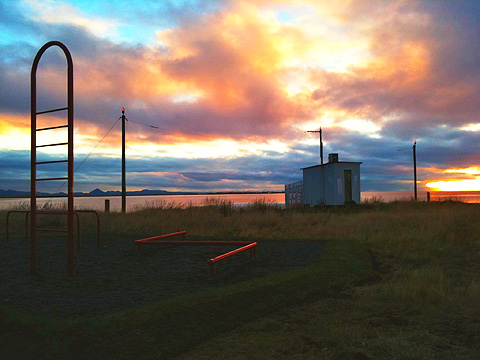
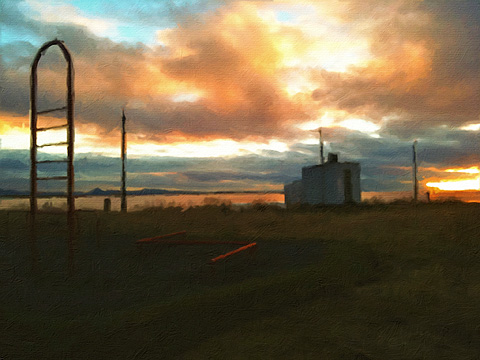
PhotoArtista Oil works both with camera roll and with shots you take with the built-in camera. As with other apps in the same range (PhotoArtista Haiku, PhotoArtista Sketch and Vintage Scene), you have an array of presets ready for using from which you can start working. You can simply choose one of those presets and save your photo or you can adjust several variables to make your picture suit your personal taste. You can modify intensity and type of strokes, canvas texture and color, color tones, apply edges, and so on. If you want to use again the preset you have created yourself, you can save it.
Processing times are extremely long and unnerving; deciding to choose a style and then changing your mind can make you waste 5+ minutes of your life. Each time, not in a lifetime. This can be OK for you, I don’t want to imply you are in a hurry… I’m just saying.
Overall, the results are good, but not astonishing — but this depends of course on your personal idea of astonishing. The canvas in particular doesn’t look very realistic, especially if you choose to look at your picture at full resolution. If you are not very careful with your parameters, the strokes will not look natural at all. Not to mention that you shouldn’t expect the app to make a good job equally with any single photo you throw at it. Anyway, if you want to turn your photos into paintings at all costs on your Apple device, this is perhaps as good as it can get.
Overall
Name: PhotoArtista Oil
Developer: JixiPix Software
Compatibility: iPhone, iPod Touch, iPad. iOS 4.0 or later.
Price: £1.79||$2.99||€2.39
Vote: 3/5
VintageScene Review
To this moment, there aren’t great apps around allowing you to add layers to transform your pictures into something different and more complex. I have seen many iPhone users resorting to Photoshop — not the app, the actual PS — to beautify photos they had taken on the iPhone.
VintageScene will not ultimately turn your photo into a genuinely looking old photo, as the developer’s slogan says, but it will add some functionality that to this moment is still not fully developed by other iPhone apps.
Main Features
- Full resolution available;
- 16 default presets;
- 63 different textures available;
- Possibility to save custom presets;
- Possibility to share the photos via email.
Appotography Opinion
VintageScene is a good addition for those looking to add predetermined effects to their photos, with just a little possibility of adjustment. You can play around with just a few parameters, like intensity of texture vs intensity of photo, vignetting, and so on. The available textures grant a certain degree of variety, but are sort of repetitive when added to more photos. It would have been more useful, though this is not the VintageScene app’s intent, to have the chance to add your own textures to the ones in the app’s library. As I said, to this moment there are no decent apps to effectively add layer styles and to make use of multiple exposures on the iPhone. They all have some sort of deficiency. For this reason, VintageScene has kind of limited range of action, but it’s still good if you are using it, for example, with other apps that let you adjust more photo editing parameters. The hi-res rendering is also very slow.
Here are some of the default presets applied to the same picture:
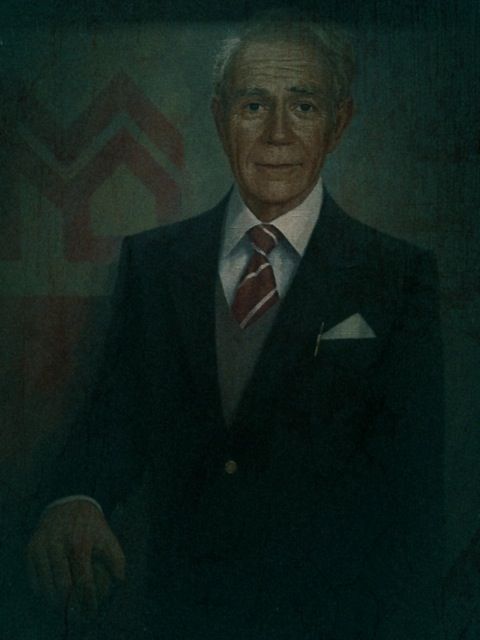
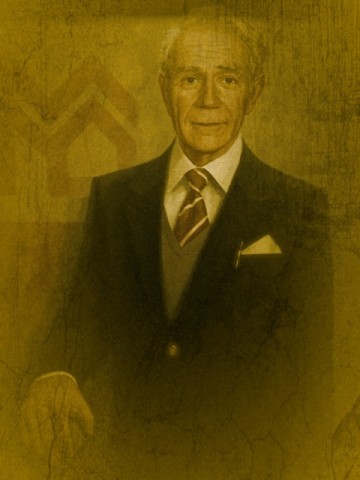
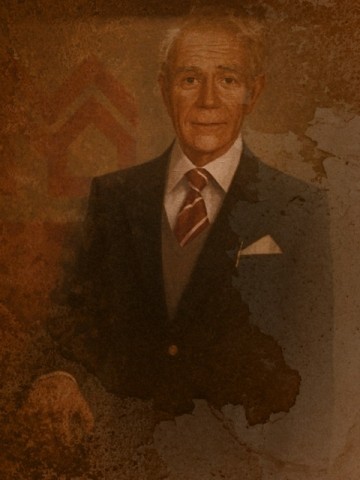
VintageScene works both with camera roll and with photos taken directly with the built-in camera.
Overall
Name: VintageScene
Developer: JixiPix Software
Compatibility: iPhone, iPod Touch. iOS 4.0 or later.
Price: £1.19||$1.99||€1.59
Vote: 4/5