HarrisShutter for iPhone Now Free

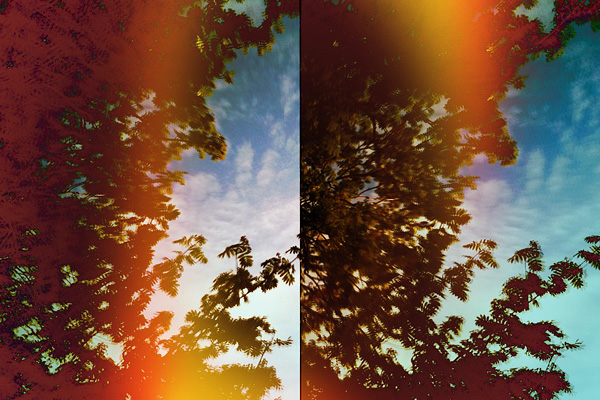
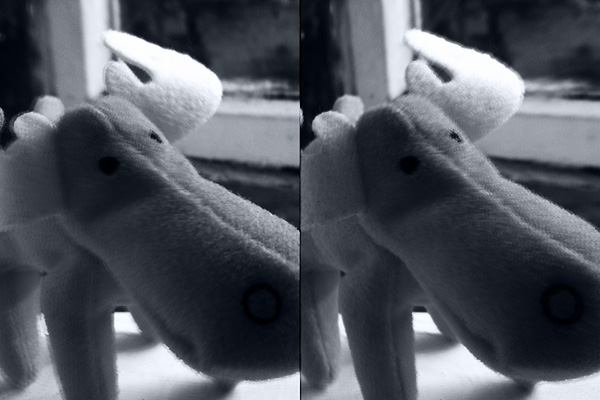
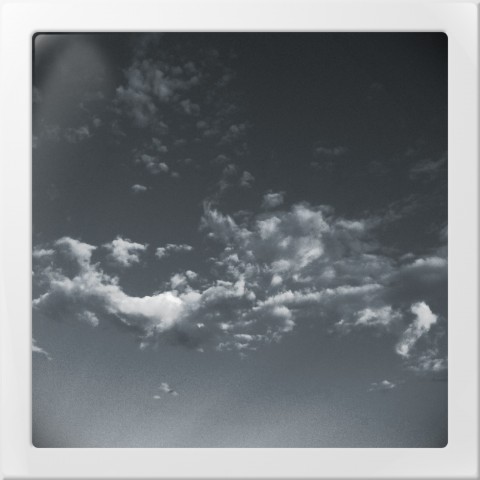
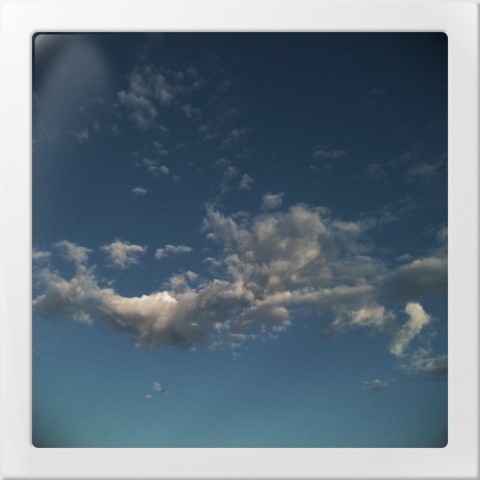
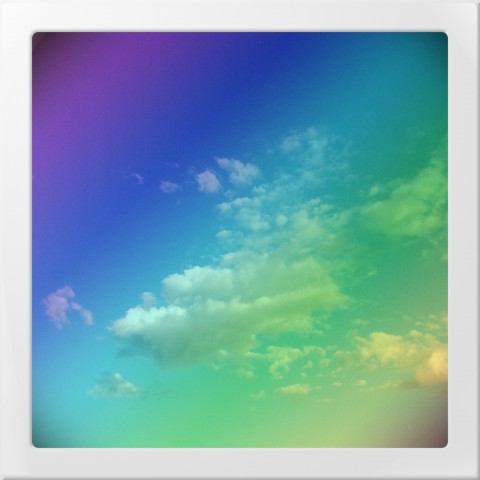
Misskiwi’s HarrisShutter camera for iPhone is currently free in the App Store. HarrisShutter only works with images taken in-app; its purpose it to show given subject(s) in motion, but with a little creativity it can also be used to achieve special effects beyond its original purpose. The app’s normal price is $0.99.

HarrisShutter iPhone Misskiwi
The Harris Shutter that inspired Misskiwi’s app is a device that owes its name to its inventor, Kodak’s Robert S. Harris. Continue reading “HarrisShutter for iPhone Now Free”

Booster! Review

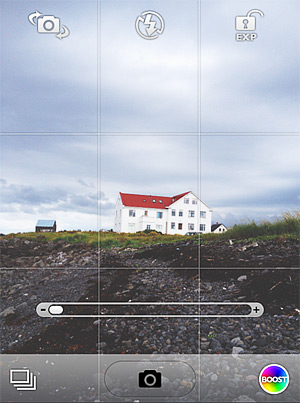
Booster! is the latest app from misskiwi, the maker or ClassicSAMP, ClassicINSTA, ClassicTOY, and several more. Differently from the other apps from the same developer that mostly rely on presets that you can apply right away or combine together, Booster! is aimed at making your own live effects.

Booster! by misskiwi
Booster!'s interface.

Main Features

  • Full resolution available;
  • 12 filters in all;
  • Curves editor;
  • Brightness, contrast, saturation;
  • Vignette;
  • Temperature;
  • Front/rear camera switch;
  • Exposure lock;
  • Focus control;
  • Rotate.

Continue reading “Booster! Review”

ClassicSAMP & ClassicINSTA On Sale!

ClassicINSTA and ClassicSAMP are currently on sale! Both apps in misskiwi’s Classic line are 50% off their original price.

ClassicINSTA comes with 12 lo-fi and toy camera effects plus 3 styled borders, to take photos that convey the appeal of classic instant cameras.

ClassicSAMP transforms your iDevice into a multi-shot camera. In addition to 6 camera modes, 16 effects are also included, for many different results.

ClassicINSTA & ClassicSAMP by misskiwi

You can get ClassicINSTA and ClassicSAMP at the special price of $0.99 (€0.79/£0.59) each in the App Store, for a limited period.

iLabeler On Sale!

iLabeler is currently on sale. Taking advantage of this special offer, you can get misskiwi’s labeling utility for iPhone for $0.99.

iLabeler by misskiwi for iPhone

iLabeler adds classic or colored labels to any picture in a few taps. Get creative and use it to display messages or to add captions to your photos and use it in combination with other apps for unusual effects.

iLabeler is a nice expansion to your iPhone photo collection and it comes for a limited time only at -50% from its original price tag.

ClassicSAMP 5.1 Update

ClassicSAMP, the toy camera sampler for iPhone by misskiwi, is now version 5.1. Although this is not a major update, there are changes worth mentioning.

Most notable in the latest release is the expansion of the app’s film collection (counting after this update 16 films in total), which now includes two new filters. If you’re familiar with other misskiwi apps, you probably already had a taste of the funky lomo-ish look of the Scarlet film. The other addition is a monochrome film, the slate gray Sodachrome.

ClassicSAMP

The new filters bring yet more variety in the already rich combination of effects of ClassicSAMP camera.

iLabeler: Start Labelling Now!

Guess what? There is a brand new app for you photo-labelling geeks out there. It’s called iLabeler and it’s brought to you by misskiwi, developer specialized  in trying to recreate analog film camera feel on iPhone, iPod Touch and iPad and already known to Apple users for other apps like ClassicTOY, ClassicSAMP, ClassicINSTA, and more.

Main Features

  • Full resolution available;
  • 8 styles;
  • 10 ready-to-use backgrounds (640 x 960 pixels only);
  • Rotate labels in any direction;
  • Share with email and Facebook.

Appotography Opinion

With iLabeler you have a pocket digital label printer which is both really cool in appearance and excellent in the results it provides.

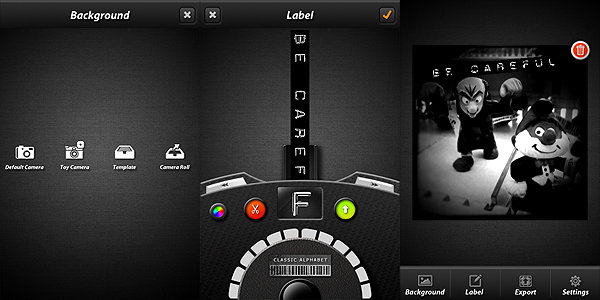
You can start with a photo taken either with plain or toy camera, you can use a photo from your camera roll, or you can use one among the blank ready-to-use backgrounds that come with the app. You do not have to worry about the background at first, because you can change it at any moment, also after you have created your label.  There are eight different fonts to choose from. The styles, although some may argue are basically very similar, cover a variety of possibilities, ranging from classic to vintage to icons; with the color picker feature you can also change the background color of your labels — you cannot change font color though. You scroll right and left to pick characters and confirm each of them to input your text. You can delete characters if you make mistakes.

iLabeler by misskiwi for iPhone

iLabeler works impeccably. However, the intricate scrolling method to pick letters to compose the text of the labels is something that I’m sure will make many users uncomfortable. In fact, you have to manually scroll back and forth to pick single characters, which greatly affects the rapidity of the labelling process. The wheel has arrows that allow jumping from a position to another in the alphabet, but even this doesn’t improve much the overall usability of iLabeler. Especially at first, writing even the shortest label can be kind of troubling. A simple and straightforward keyboard to input the text would probably please most users, even if it would take away part of the cuteness of this app. Could this be an optional feature to be added in the future perhaps?

iLabeler by misskiwi for iPhone

In spite of the sketchy letter-picking, which anyway won’t be that bad if you give the app some time for you to get used to it, iLabeler remains a very effective tool for its purpose. The app by misskiwi succeeds where other apps in the same genre failed. If you want a stylish, first-class labelling accessory to write fancy messages or to use as a complement to other apps, go for it. And enjoy!

Overall

Name: iLabeler
Developer: misskiwi
Compatibility: iPhone, iPod Touch, iPad. iOS 4.1 or later.
Price: £0.59||$0.99||€0.79
Vote: 4/5

iLabeler - misskiwi

ClassicSAMP: Some Action To Your Photography

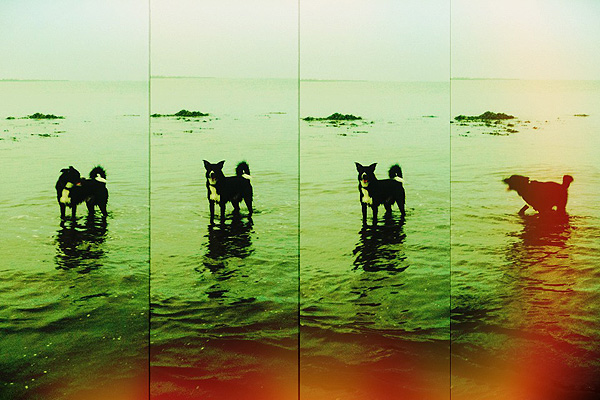
Bringing action to your photography sometimes is not the easiest task. Shooting multiple exposures and showing them in sequence is one of the tricks that allows static images to convey the feeling of motion to the viewer. Differently from animation, which is at its core founded on the same principles, this kind of photography still conveys the original idea of stillness which is proper of photographs.

ClassicSAMP by misskiwi will help you in bringing action to your iPhone photos by providing you with a neat collection of effects and colored filters in the toycam style, a stylish and easy interface and just the right amount of customizability for an app of its kind.

Main Features

  • Full resolution available (but check review for in-depth resolution description);
  • 6 camera effects;
  • 14 film simulations;
  • Set shooting speed;
  • Share via email and Facebook.

Appotography Opinion

ClassicSAMP is an app that brings together the features of a multi-shot with those of misskiwi’s ClassicTOY camera. The app offers a rich variety of options in the assortment both of formats and filters. You have six different cameras — from two to nine shots — and many films covering a range of possibilities which include classic and high contrast black and white, sepia, overly saturated and lomo-like colors, overexposed, etc. Randomly generated light leaks are a cool extra to reinforce the toycam feel of this app.
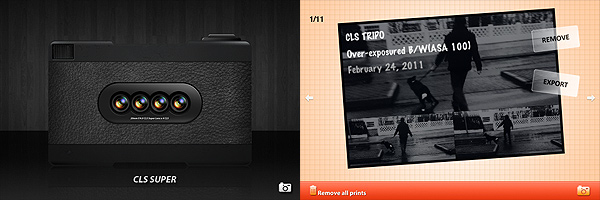
ClassicSAMP by misswiki for iPhone

The films and some of the cameras featured in this app are also included in ClassicTOY, so if you have ClassicTOY already and you are not especially into multi-shots, you won’t gain much from getting ClassicSAMP as well.

After choosing your camera and film, you can also adjust the shooting speed. If you want more freedom in composing your photo without being forced to follow the timer’s limitations, you can decide to select the manual mode, which allows you to press the shutter button for each separate shot.
ClassicSAMP by misswiki for iPhone

From what I could see, the app doesn’t have any major issue, and in fact it is quite fun and pleasing to use, but I found the way resolution is handled a little confusing. You can choose to save your photos at small, medium or high resolution, but formats differ slightly depending on the effect applied. I tested the app on 3GS: with both the CLS TRIPO and with the CLS POP effects I found the resolution of processed photos to be once saved unusual, to say the least. While applying all the other effects on 3GS gives you images at 960×640, 1200×800 and 2048×1366 pixels, the aforementioned effects save respectively at 960×642, 1200×801 (TRIPO) and 1200×798 (POP), 2048×1368 (TRIPO) and 2049×1368 (POP). The fact the difference is one or two pixels only made me think maybe it wasn’t intentional. This issue is perhaps not too interesting in practice, but I still found it to be quite… unexpected. Thus I thought about sharing my experience.

ClassicSAMP works quite well for multi-shot photography purposes. The effects are nicely done, processing times are very reasonable and, although being familiar with other apps by the same developer probably made things easier for me to understand right away, the UI of this app is quite intuitive even to a newbie.

Even if personally I am not very passionate about multi-shot cams, I think ClassicSAMP is an app that will please fans of the genre and those who are willing to take advantage of this kind of photography for their creative projects.

Overall

Name: ClassicSAMP
Developer: misskiwi
Compatibility: iPhone, iPod Touch. iOS 4.1 or later.
Price: £1.19||$1.99||€1.59
Vote: 4/5


ClassicSAMP - misskiwi

ClassicINSTA: when a stylish app doesn’t equal to a stylish collection of filters

Some developers achieve good results with one or two projects, but then they start developing a lot more apps and the quality and originality of what they have to offer sometimes is lowered.

ClassicINSTA brings nothing new to iPhone photographers. To be honest, it’s very difficult at this point to bring a breath of fresh air in the overcrowded field of iPhone instant photography. But seriously, unless you come up with some very peculiar idea, it’s hard to compete.

Main Features

  • Up to a resolution of  1536 x 1536 pixels;
  • Ten different cartridge types;
  • Three different camera designs (classic, modern, pink);
  • Two photographic borders;
  • Vibration on/off;
  • Possibility to add date or customized text to the photos.

Appotography Opinion

It’s definitely not worth the time and the money of users with already many apps to choose from to purchase the umpteenth collection of so-so filters, which is exactly what ClassicINSTA is right now. Even for those having to pick one app to simulate the instant camera effect, this is definitely not the best available choice. Despite the effort to spice things up adding three interchangeable skins, ClassicINSTA remains, compared to other instant photography apps, quite average. The cartridge filters aren’t anything particularly memorable; some of them are quite insubstantial, like ColorShock or Rainbow; a few of them don’t really look very different the one from the other. It would have been more sensible to have less filters, like just five or six, and work more on them.

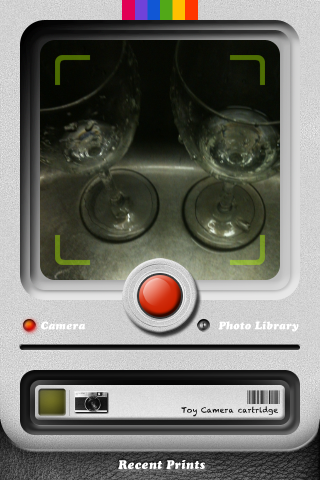
ClassicINSTA iPhone

Here are examples of shots taken with the various cartridges included in ClassicINSTA:

ClassicINSTA iPhone
ClassicINSTA - CLS original cartridge
ClassicINSTA iPhone
ClassicINSTA - CLS modern cartridge


ClassicINSTA iPhone
ClassicINSTA - Vintage sepia cartridge
ClassicINSTA iPhone
ClassicINSTA - Retro B/W cartridge
ClassicINSTA iPhone
ClassicINSTA - Washed cartridge
ClassicINSTA iPhone
ClassicINSTA - Rainbow cartridge
ClassicINSTA iPhone
ClassicINSTA - Damaged cartridge
ClassicINSTA iPhone
ClassicINSTA - Reddish cartridge
ClassicINSTA iPhone
ClassicINSTA - ColorShock cartridge
ClassicINSTA iPhone
ClassicINSTA - Toycamera cartridge

ClassicINSTA works both with the built-in camera and with photos stored in the camera roll.

Overall

Name: ClassicINSTA
Developer: misskiwi
Compatibility: iPhone, iPod Touch. iOS 3.1 or later.
Price: £0.59||$0.99||€0.79
Vote: 3/5

ClassicINSTA - misskiwi