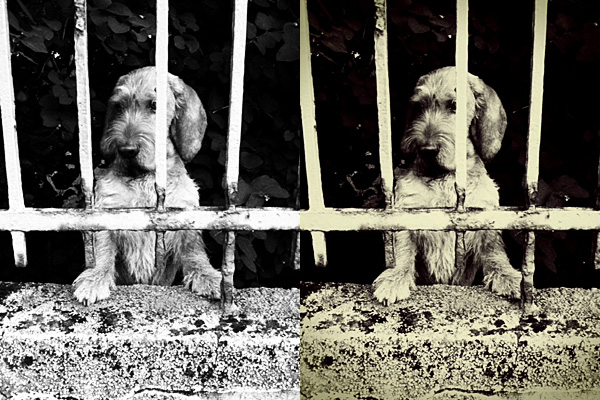
Monochromia 1.5 is now available in the App Store. I reviewed Monochromia last month, explaining that, while I regarded this app as one of the best in its genre on iPhone, I truly felt that the impossibility to work properly with color channel settings was something that prevented users from fully taking advantage of youthhr’s monochrome converter.
The developer listened to users or, in any case, he demonstrated to agree that color channels are not a secondary aspect for better looking black and white photos. There is more to black and white than simply desaturating, and not all photos can be successfully turned into monochrome just by giving equal weight to all colors. Sometimes, to make important elements in a monochrome photo stand out or in order not to lose precious detail, it’s necessary to filter colors. In traditional black and white photography, for giving visual preeminence to specific elements of the image, special filters can be applied in front of the lens of the camera. Blocking certain colors instead of others (for example, the red filter blocks all colors but red, the blue filter blocks all but blue, etc.), filters allow to obtain a richer tonal range. The same effects can be accomplished in digital photography with post processing.
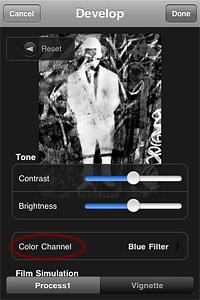 Monochromia 1.5 finally offers a color channel feature, for greater flexibility and better conversion from color to black and white. The possibility to apply filters for individual color channels makes a huge difference. From Monochromia’s developing area, you can now access the color channel settings. Other than red, green, blue, yellow, and orange filters, it’s possible to select normal grayscale and maximum channels.
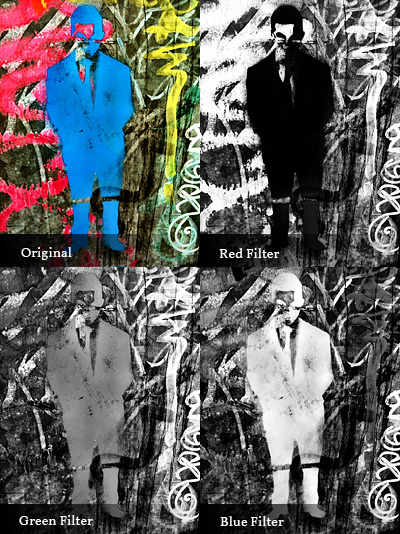
Given Monochromia’s new features, I decided to review my previous rating accordingly, giving the app a full score.
Overall
Name: Monochromia
Developer: youthhr
Compatibility: iPhone, iPod Touch, iPad. iOS 4.1 or later.
Price: £1.19||$1.99||€1.59
Vote: 5/5

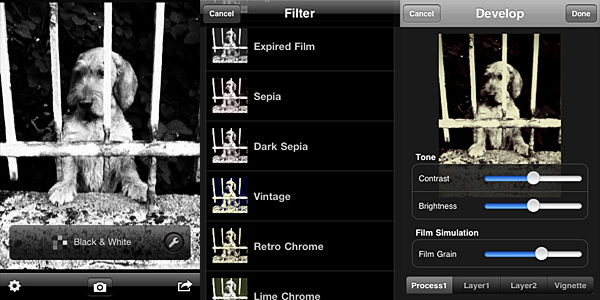 Once you load the photo into the working area, you can open the presets menu and choose one of the ready-to-use filters that come with the app. The selection is good enough, covering a range of possibilities between basic black and white to high contrast monochrome, passing through old photo effects like sepia and silver tone. The available presets, however, don’t cover everything. It’s here that the Develop feature comes in handy.