
Another interesting Black Friday offer for you to enjoy: Simply B&W will be free for the whole day tomorrow (November 25, 2011) in the App Store. The offer will be valid for one day only — after Friday the app will go back to its regular App Store price ($0.99/€0.79/£0.69).
Tag: Simply B&W

Simply B&W 1.1 and Other Recent Updates
Simply B&W 1.1 is out. The latest release of MR. B. Ware’s monochrome converter for iPhone comes with enhanced interface and new useful features.
It’s now possible to apply two different vignetting styles, black and white. Vignette intensity is easily adjustable with a slider. Another new feature is grain simulation, to imitate effects obtained with different types of film.
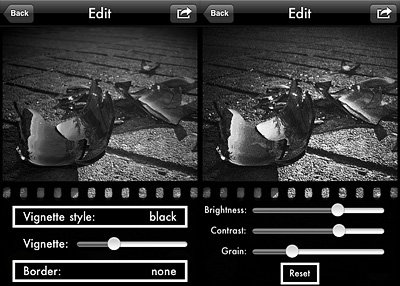 Version 1.1 also adds EXIF data preservation for devices running iOS 4.1 or later.
Other noteworthy updates include:
- PicTools 1.1: new effects, overlays and borders with names for easier reference, added border opacity control, save up to 5 RGB curves settings;
- Hipstamatic 221: added the requested delete from Family Album feature;
- Appysnap 1.1: added leaderboard and Snap tab, improved upload stability;
Simply B&W Review
Simply B&W does exactly what its name states: it turns photos into black and white. Given the overabundance of black and white converters in the App Store, Simply B&W can easily go unnoticed. As a matter of fact, although I am mostly devoted to black and white photography, I had overlooked this app myself. However, as far as the value of Simply B&W is concerned, I am quite sure iPhone black and white hardcore enthusiasts will enjoy this app quite a bit.
Main Features
- Full resolution available;
- Black or white border on/off;
- Color filters;
- Adjust brightness and contrast;
- Send via email.
Appotography Opinion
Simply B&W is very essential in its features and straightforward in its workflow. You load your a photo from your iPhone and the photo is instantly converted into average black and white. All you have to do to is setting brightness and contrast values and applying colored filters to your photo, in order to make the important elements stand out.
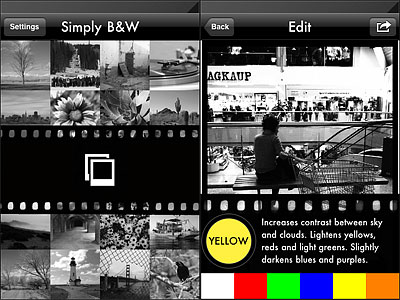 Colored filters are what mostly affect the look of your black and white photo, since the way the final image will look like depends primarily on color channel settings. By applying a color filter, you pass the color which the filter is named after and block all the others. Filters available in Simply B&W are red, green, blue, yellow and orange, which is, basically, all you need in photography to produce good looking black and white.
Other than that, from the main page, you can go to the app’s settings and enable or disable the border feature (enables/disables a plain black or white border, not adjustable).
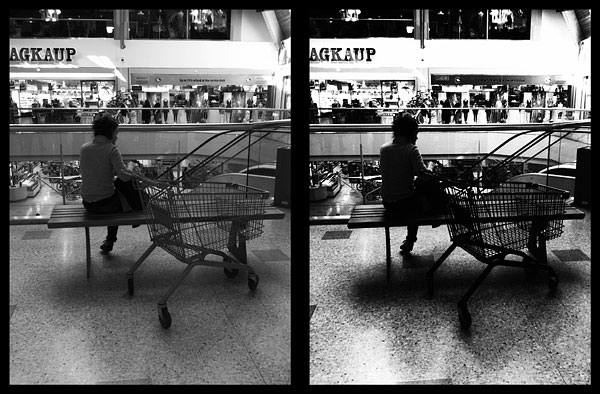
What I like about Simply B&W is its minimal approach. You spend a few seconds adjusting just the crucial settings and forget about all the rest. Simply B&W produces high quality, classy black and white. Caring more about editing than about actually taking photos can be detrimental. More than anything else, Simply B&W is a reminder that a good photo is the starting point to any decent looking post-processing.
The developer of Simply B&W kindly provided a promo code for reviewing purposes.
Overall
Name: Simply B&W
Developer: Mr. B. Ware
Compatibility: iPhone, iPod Touch, iPad. iOS 4.0 or later.
Price: £0.59||$0.99||€0.79
Vote: 4/5
