Top Camera Review

Top Camera is a do-it-all camera app that can both take photos and record videos and allows sharing and, to a degree, editing. In occasion of its recent launch, Top Camera is currently on sale for 0.99/€0.79/£0.69 in the App Store.

I have tested this photo application thoroughly and, although I recognize there are good ideas in it, I found it has too  many issues to be a truly useful replacement for iPhone’s native camera app.

Main Features

  • Full resolution available;
  • Video recording;
  • Self-timer;
  • Stabilizer;
  • Grid on/off;
  • Virtual horizon on/off;
  • 5x digital zoom;
  • Focus and exposure setting;
  • White balance lock;
  • 4 capturing modes;
  • Crop and rotate;
  • 36 effects;
  • 18 borders;
  • Adjust contrast, brightness, saturation;
  • In-app guide;
  • Send photos via email and share on Facebook, Twitter, Flickr and Dropbox.

Appotography Opinion

To help the user in the task of taking photos and videos, Top Camera comes with individually adjustable focus and exposure, virtual horizon and four capturing modes: Normal, HDR, Burst and Slow Shutter. The Normal mode just takes photos normally; in HDR mode, both auto and manual, the app takes three shots and merges them to create a high dynamic range image; Slow Shutter also merges more shots together to simulate long exposure effects; the Burst mode takes several shots in sequence while pressing the shutter button just once. To improve the performance of each of these modes in difficult conditions, the user can enable a self-timer and a stabilizing feature.

Top Camera iPhoneAll videos and photos taken in-app are automatically stored in the app’s Main Folder. From here they can be viewed, saved, shared, edited (with the exception of videos) and moved to other folders. Users can create and title new folders, importing and moving photos and videos freely among them. The folders feature is one of the best elements in Top Camera, as it permits to keep photos and videos neatly arranged.
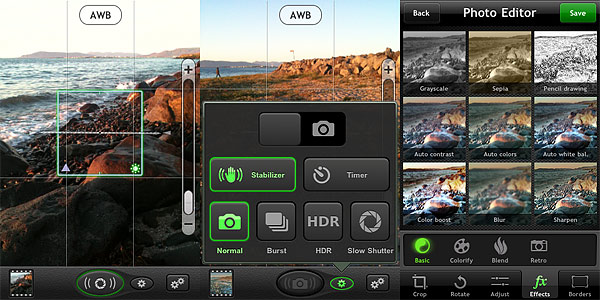
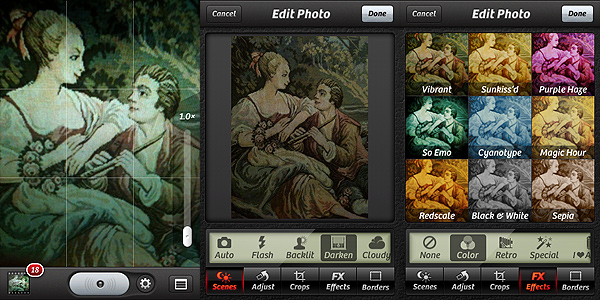
Top Camera iPhoneThe Photo Editor offers crop, rotate, adjust brightness, contrast, saturation and improve definition tools. It also includes effects and borders. Effects — 36 in all — range from sepia to lomo-like filters. Borders come in two different styles, basic and vignette. Most adjustments and effects can be applied simply using sliders to regulate their intensity. Reverting to the original image is always possible.

Top Camera comes with many features and options and, in this regard, it would represent and interesting choice in the App Store’s photography section. However, Top Camera’s workflow feels somewhat clunky, the output quality of images is poor and some of the features of this camera lack refinement and thus are not comparable with equivalent features of other apps. Just to make some examples: the HDR feature, since it lacks any tweaking possibility after the shots are taken, is not always fully usable and it tends to produce severe halo artifacts; the edit mode counts several adjustments, effects and borders, but most are quite mediocre and not varied enough — if anything, it looks like they’re just there to give users additional content. Another problem I have encountered using Top Camera is the app sometimes disables the auto-lock feature of the iPhone, which obviously causes it to drain more battery than necessary. Finally, the in-app guide is not very comprehensive and helpful.

Top Camera iPhone
Color Boost (left) and Lomo (right) effects on HDR. Noticeable quality issues at full resolution (bottom).

On average, Top Camera will perhaps satisfy a few of those users looking for a general replacement for the native camera app with some extras that other multi-purpose camera lack. However, for its many issues and especially given the overall quality of images produced with Top Camera, I don’t feel like recommending it.

Overall

Name: Top Camera
Developer: Lucky Clan
Compatibility: iPhone, iPod Touch 4th, iPad 2. iOS 3.1 or later.
Price: £1.99||$2.99||€2.39
Vote: 2/5

Top Camera - photo / video app with HDR, slow shutter, folders and editor - Lucky Clan

PhoneGrafer on Sale!

PhoneGrafer iPhonePhoneGrafer is on sale! The multi-purpose camera by emotionale is currently 50% off its original App Store price tag.

PhoneGrafer is an old acquaintance of many photographers who priced iPhone as a quick and easy means of expression. Thanks to a balanced selection of photographic tools and to a neat user interface, the app preserved well its original freshness and it’s still a fine alternative to those in need of a smart and comprehensive enough multi-purpose camera.

PhoneGrafer on Sale!You can now get PhoneGrafer at the special price od $0.99/€0.79/£0.69. The offer is valid for a limited time only.
ProCamera Review

To this moment, the iPhone native camera app has serious limitations, especially when it comes to the most basic elements, like focus and exposure. Controlling these aspects is crucial for taking better photos. Most apps only help you overcoming iPhone’s limitations in post-processing. Yes, why not? Fixing photos is OK. However, having a good photo to work with is always the most desirable thing for any photographer.

Procamera, recently updated to version 3.1, is an app especially focused on helping iPhone photographers to take the photos they wish to take.

Main Features

  • Full resolution available;
  • Video recording;
  • Anti-shake;
  • Self-timer;
  • Set focus and exposure separately;
  • 6x zoom;
  • Reference grid on/off;
  • Burst mode;
  • White balance lock;
  • Photo compass and virtual horizon tools;
  • Crop, flip and rotate;
  • Adjust brightness and contrast;
  • Adjust white balance and saturation;
  • 35+ filter presets;
  • Auto-enhancement;
  • EXIF data access;
  • Full-screen shutter button;
  • In-app guide;
  • Send via email or share on Facebook, Twitter and Flickr.

Appotography Opinion

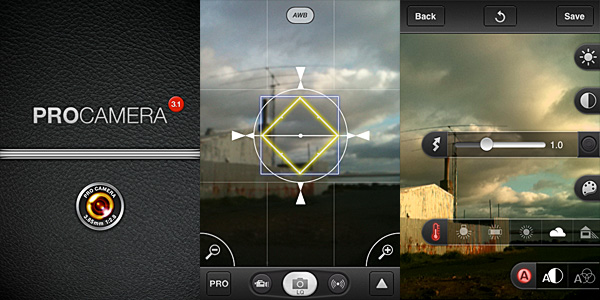
ProCamera is a multi-purpose camera utility which comes with a comprehensive collection of tools to help both inexperienced and dedicated iPhone photographers to take better photos in the most effective way possible.

Besides anti-shake, 6x digital zoom and self-timer, some of the most valuable features in ProCamera are the individually adjustable focus and exposure (also when recording videos), the burst mode and the white balance lock.

The Virtual Horizon function helps taking straight photos, which is particularly handy in landscape photography. Reference grids can also be activated as further aid to accurate composition. The recently introduced QuickFlick Album feature permits immediate access from camera mode to album with a swipe of your finger at any moment.

ProCamera for iPhoneWhen you have taken your photo, you can make adjustments to it before saving or sharing. You can access three different editing modes: in Pro Lab, you can set brightness, contrast, white balance and saturation; in Pro Cut you can crop, flip or straighten images; for a quick edit or for a different final effect, you can use Pro FX, which offers a series of colored filters (sepia, black and white, bleach, etc.) and one-tap auto-adjustements. Differently from photos, videos cannot be processed and they are directly saved to the Camera Roll.
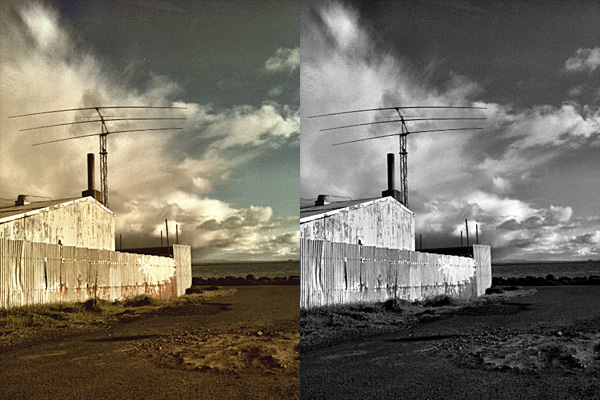
After you are done with your editing, you can save, send the photos with email or share on Facebook, Twitter and Flickr. For some reason, the photos appear rotated by 90 degrees in emails, even if they are all right when saved.

ProCamera for iPhoneThe strength of Procamera definitely resides in its wide array of camera features. Therefore, as a replacement to the native camera, the app works great, as it gives you all the necessary instruments to make the most out of iPhone’s limitations. Although getting to know all the included tools may appear overwhelming at first, especially to users with no previous experience with other — more basic — camera apps, using ProCamera is definitely rewarding on the long run. More control always means better results.
Even if ProCamera is packed with gadgets, the app’s UI always remains accessible and everything works quite smoothly. The only remark I have is that a more in-depth guide for each and every little switch and button would come in handy. The in-app manual, although useful to a degree, doesn’t cover everything in detail. A total newbie can easily get lost trying to figure out some things on his/her own.

The weakest point of the app is the Pro FX editing feature. The selection of presets is not diverse enough and most filters are just average looking. At some point, I found myself ignoring the presets and using only Pro Lab for taking care of the photos’ looks. However, ProCamera’s filters can be regarded as a mere extra, not as a major element to the app’s overall value.

Overall

Name: ProCamera
Developer: daemgen.net
Compatibility: iPhone, iPod Touch, iPad. iOS 4.1 or later.
Price: £1.79||$2.99||€2.39
Vote: 4/5

Hipstamatic - Synthetic Corp

King Camera Review

Recently launched in the App Store, King Camera (for iPhone, iPod Touch, and iPad) promises to become your perfect photo companion. I don’t know if I would speak about perfection, but sure enough, with its impressive array of tools, King Camera doesn’t look like your average newcomer.

Main Features

  • Full resolution available;
  • Switch between rear and front camera;
  • Set focus and exposure separately;
  • Zoom in/out;
  • Grid on/off;
  • Flash on/off;
  • Big shutter button;
  • Sound trigger;
  • Self-timer;
  • Burst mode;
  • Anti-shake;
  • Time lapse;
  • Video recording;
  • White balance and exposure lock;
  • Adjustable contrast, brightness, shadows and highlights;
  • Adjustable tints and saturation;
  • Undo/redo;
  • Crop, flip and rotate;
  • Adjustable vignetting;
  • Add simple and styled borders;
  • 45 presets;
  • 15+ textures;
  • Save custom presets;
  • EXIF data access;
  • Extensive video tutorial;
  • Send via email or share to Facebook, Twitter, Flickr, Dropbox.

Appotography Opinion

In King Camera, the built-in camera offers a wide range of instruments to help you take photos in the easiest way possible: from individually adjustable focus and exposure to the big shutter button, from stabilizing tools to burst mode, from flash options to white balance and exposure locks. For creating time lapse or stop motion animations, you can enable a dedicated feature.

King Camera by Saycheezzz.com for iPhoneOnce the photo is taken, it is stored directly into the Photo Desk area, the app’s gallery where all photos are neatly organized in stacks and thus easily browsable. You can also load photos from your device. Other than photo taking, King Camera also allows video recording. However, videos taken cannot be edited and processed within the app; unlike photos, they are directly sent to your Camera Roll.
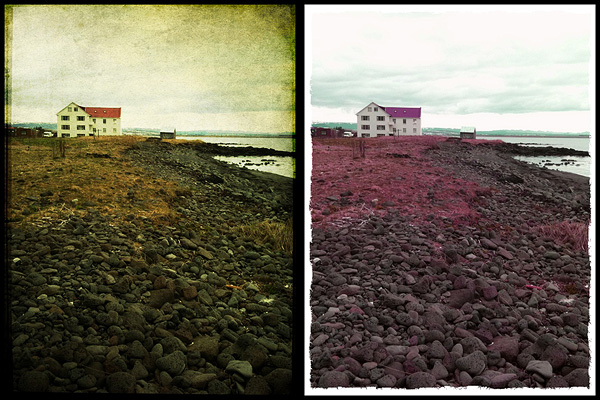
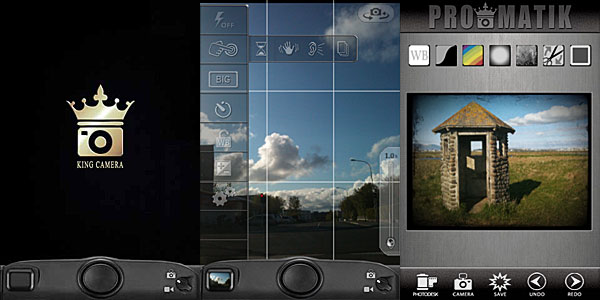
Effects can be applied to photos either in QuickMatik or ProMatik modes. Both modes can be accessed after your photo is stored in the Photo Desk. Photos can be re-edited over and over, but you can always retrieve the original from the Photo Desk. This way, you can keep multiple versions of the same photo and keep on working on the original.

As the name clearly suggests, QuickMatik allows quickand easyprocessing. QuickMatik is basically a collection of preset styles you can use right away without having to tweak. All the included presets are arranged in categories — Color, Monochrome, Grunge and Themes. Style intensity can be adjusted to suit your photo. You can add your own styles by using the ProMatik editing mode.

King Camera by Saycheezzz.com for iPhone
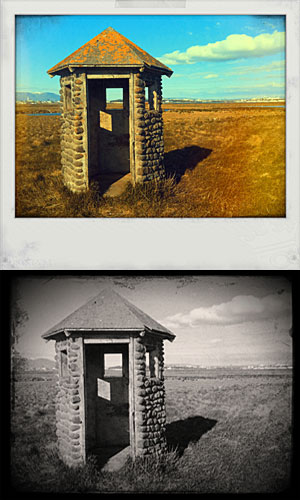
Styles created using King Camera.

In ProMatik mode, you have more control on individual aspects of post processing. You can adjust several parameters to affect the final look of your image, like brightness and contrast, shadows and highlights, tint and saturation, and more. By playing with sliders, you can fine tune everything as your photo requires. Finally, you can choose to add a border, either in a plain color of your choice or picking one among the available designs. If  you particularly like a style you have created and want to use it further, you can save it as a preset. When you are done, your photo is saved to the Photo Desk.

Rather than with Camera+ like it was stated elsewhere, a comparison that inevitably came to mind while testing King Camera is with Camera Genius, another multi-purpose camera featuring very similar tools. However similar these two apps may seem at first, King Camera brings the experience a step further, especially concerning the post processing and photo organizing stages. Rendering and saving times are also very reasonable and the UI, in spite of the many options, remains very accessible.

If you’re looking for a valid replacement to the native iPhone app and also a very comprehensive processing utility, King Camera is a new excellent choice.

In occasion of the app’s launch, King Camera is available at a special price of $0.99 in the App Store for a limited time.

Overall

Name: King Camera
Developer: Saycheezzz.com
Compatibility: iPhone, iPod Touch, iPad. iOS 4.2 or later.
Price: £1.79||$2.99||€2.39
Vote: 5/5

King Camera - Applications Saycheezzz.com

Camera Genius Review

There are many options in the App Store to replace iPhone’s native camera, but how many among them are actually do-it-all? One app is excellent for taking photos, but it doesn’t take videos; another takes both but you cannot apply processing; a third allows processing but it doesn’t allow sharing. And so on and so forth.

Camera Genius by CodeGoo is one of these multi-purpose cameras meant to effectively replace the native app, throwing in more features in order to let users take, edit and share their photos and videos, all by opening a single app.

Main Features

  • Full resolution available;
  • Take both photos and videos (on supported devices);
  • Up to 6x digital zoom;
  • Exposure control;
  • Full-screen shutter button;
  • Timer and sound capture;
  • Stabilizer and burst mode shooting;
  • Grid on/off;
  • Crop photos;
  • 40+ filters;
  • 14 borders;
  • In-app manual;
  • Share via email, Facebook, Twitter, Flickr, Picasa, Mobileme, Tumblr.

Appotography Opinion

The developers conceived Camera Genius as a multi-purpose camera able to give iPhone photographers all sorts of features, commonly available only to those using several different apps at the same time. The intention is commendable: who wouldn’t love to have things made as easy as they could get?

Camera Genius, which comes with two different skins — the default light grey and a greenish alternative one — allows video and photo taking, a rarity among photographic apps. It also allows processing and sharing of previously taken shots.

Camera Genius by CodeGoo for iPhone

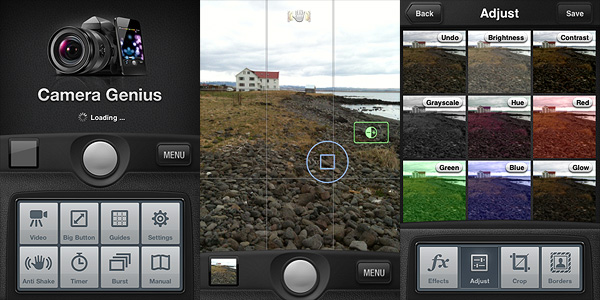
The camera is optimized to help you take the best photos with the littlest effort. The UI is clear, uncluttered and it works quite smoothly — although the app did crash on me a few times when I was playing with exposure controls. Among the features of Camera Genius, you have anti-shake, timer, full-screen shutter button, burst mode. The in-app manual will help you getting the hang of it quite easily.

The effects are all right. I am very much against the idea of having ready-to-use filter/border combinations; thankfully not all effects merge the two together: there are borders and filters you can use independently. I said effects are just all right. In fact, there are more than a few apps out there whose same effects — black and white, 70’s, sepia, lomo, etc. — are by far more convincing and better looking. The selection is OK: it’s the quality and the customization that doesn’t really stand out. Not to forget, you cannot process videos, at least for the present moment.

Camera Genius by CodeGoo for iPhone

Is Camera Genius a good substitute for the native camera app? Yes, it is. It takes photos and videos and it has some extra features, like stabilizer, burst mode and exposure control, that are definitely an upgrade from iPhone’s native app. Taking photos can sometimes be a hassle for iDevice aficionados: Camera Genius, with its many tools, greatly improves the overall experience.

Will Camera Genius replace all my photo apps, so that I can only use one? This, I think, depends on what kind of use you intend to make of your photos: if you just take a few sparse snapshots or if you’re just into sharing your instant memories with your friends on Facebook, Twitter and so on, Camera Genius has good chances to become your ultimate app. However, if you’re more creative and you like to experiment or if you intend to convey feelings and atmospheres with your photography, I highly doubt Camera Genius is the app for you. Even in this case, a bunch of CodeGoo’s app features will perhaps come in handy now and then, but as far as editing and post processing are concerned, what Camera Genius offers is just a little above mediocrity.

Overall

Name: Camera Genius
Developer: CodeGoo
Compatibility: iPhone, iPod Touch (4th), iPad 2. iOS 4.0 or later.
Price: £0.59||$0.99||€0.79
Vote: 4/5

Camera Genius - CodeGoo

Camera+: Finally Back!

Camera+ — not to be confused with Camera Plus — is back after a long and troubled absence from the Apple Store. We are happy to finally see it back and to be able to write our opinion on it.

For those who don’t know what I am talking about, Camera+ is an old acquaintance of the Apple Store: despite its popularity, at some point it had to be retired for violation of Apple’s developer agreement — the app introduced with an update the possibility to use iPhone’s volume button as a shutter button. The app got many positive opinions both from the media and from users, so it was quite a shock for some to see it was gone.

Camera+ is now available again for the iPhone, iPad and iPod Touch owners, without the volume button trick (not the developers’ fault), but with some interesting improvements.

Main Features

  • Full resolution available;
  • Stabilizer, burst and self-timer shot modes;
  • Crop and rotate;
  • Grid on/off;
  • Digital zoom;
  • Twenty-seven available filters (+ nine available with in-app purchase);
  • Different scene modes for easy photo enhancement (digital flash, etc.);
  • Eighteen photographic borders;
  • Exif and location data available;
  • Share via email, Twitter, Flickr and Facebook.

Appotography Opinion

Camera+ is one of those multi-purpose cameras that will be very helpful especially when choosing to use a single tool to accomplish what several different apps are able to offer separately. Camera+ includes tools like self-timer and stabilizer for making your shooting easier and more immediate, together with editing features like crop, rotate and several different post-processing adjustable filters and presets. If this weren’t enough, you also have the possibility to access your pictures’ data, which is something whose importance many apps stupidly don’t regard as a priority.

The interface is quite simple, although maybe not the simplest available. Anyhow, people with a little familiarity with their Apple devices won’t encounter difficulties getting used to it.

Camera+ iPhone

Your pictures, both taken with the built-in camera or uploaded from the camera roll, will be stored in the Camera+ Lightbox. From this dedicated space, you’ll be able with ease to modify your photos without having to start over all the times. The Lightbox works a lot like the Gallery feature within other apps: pictures taken or uploaded will remain there until you either remove them or save them once and for all.

To edit and enhance your photos, you crop and flip and rotate, and you can also access a variety of scenes — presets like the digital flash and other simulations of lighting conditions — or you can add a photographic filter and a border. Most filters are available right away with the app, but a few more can be added with in-app purchase. Having also a few more borders for a wider choice of styles to fit more appropriately the filters wouldn’t hurt.

These are a few examples of filters applied with Camera+, with or without borders:

Camera+ iPhone

As you can see for yourself, the results obtained with Camera+ are really nifty; the filters are high quality and they can truly make a difference in complementing your photos. This app is definitely a purchase I would recommend to anybody in need of a comprehensive photography tool on the iPhone, iPad or iPod Touch.

To sum it up in just a few words: welcome back Camera+!

Overall

Name: Camera+
Developer: tap tap tap
Compatibility: iPhone, iPod Touch, iPad. iOS 3.1 or later.
Price: £0.59||$0.99||€0.79
Vote: 5/5

Camera+​ - tap tap tap

PhoneGrafer: Improve Your Camera With a Few Useful Features

iPhone – and now iPod Touch – photographers, especially those that are a little more dedicated to iPhone photography than the casual camera users, know the limitations and deficiencies not only of some apps but of the default Apple camera. A lot of people make up for these deficiencies downloading many different apps to perform many different tasks. Sometimes you have to use up to four or five apps just to take a straight picture of yourself and apply a couple of filters on it. There are some apps in the App Store though that cleverly try to bypass the limitations and effectively help the users, combining together various features. PhoneGrafer is one of these apps.

Features

  • Full resolution available;
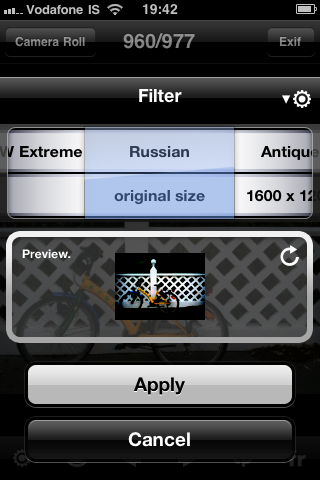
  • Nine filters to choose from: B&W, B&W Extreme, Russian, Antique, Sepia, Cyano, ColorCast-C, ColorCast-M, ColorCast-Y;
  • Vignetting and filter on/off;
  • Sharpen/soften (only when reviewing pictures);
  • 4x digital zoom;
  • Self-timer;
  • Leveler;
  • Access to EXIF data;
  • Google maps access by GPS tags (when available);
  • Possibility to share the photos via Twitter and Flickr.

Appotography Opinion

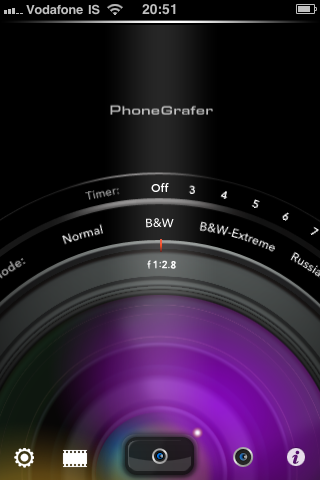
PhoneGrafer is a multi-purpose app that will please many for its ease of use and for the many features. It is not only a collection of filters nor it is a self-timer camera or an EXIF data reader: PhoneGrafer is a little of each all rolled into one. PhoneGrafer is definitely a good replacement for the default camera, especially if you are looking for a bit of everything without too many complications. The interface of this app is at the same time slick and simple. Whether you decide to take a photo or you want to edit some saved in your camera roll, with just a few easy steps you’re done.

PhoneGrafer iPhone

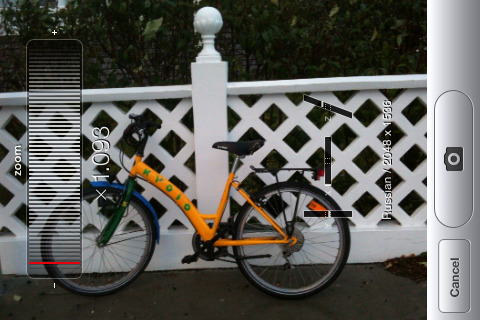
The access to pictures’ meta data is particularly useful, especially considering other apps with this same function are on average not that great. Access to Google Maps by GPS tags, when they are available, is another of PhoneGrafer’s features.

PhoneGrafer iPhone

The small collection of filters is good enough for people with very basic editing needs; the possibility to adjust the settings to make filters more or less intense and to add a vignetting gives the user more freedom in spite of the actual number of available effects.

PhoneGrafer iPhone

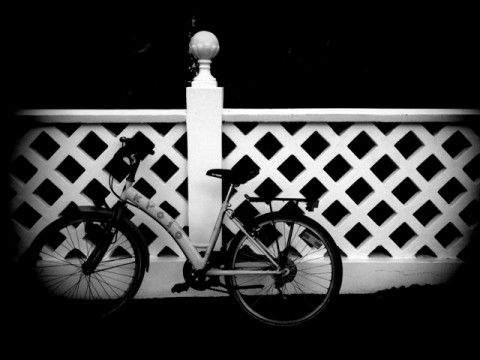
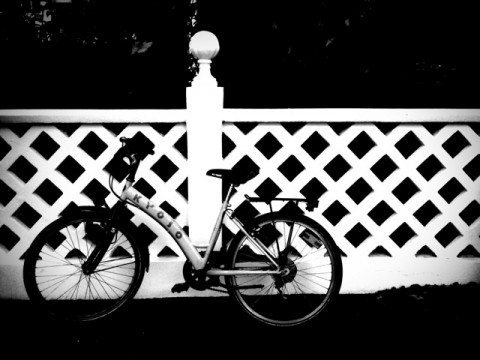
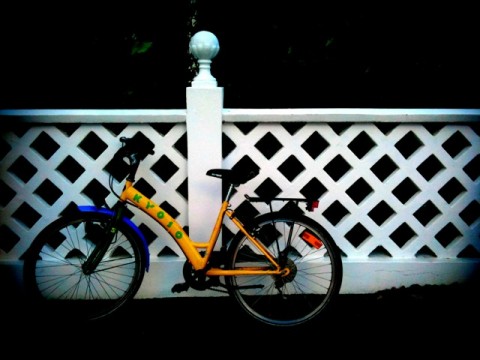
Here is an example of the various filters with vignetting on applied to a simple photo with PhoneGrafer:

PhoneGrafer iPhone
B&W
PhoneGrafer iPhone
B&W Extreme
PhoneGrafer iPhone
Russian
PhoneGrafer iPhone
Antique
PhoneGrafer iPhone
Sepia
PhoneGrafer iPhone
Cyano
PhoneGrafer iPhone
ColorCast-C
PhoneGrafer iPhone
ColorCast-M
PhoneGrafer iPhone
ColorCast-Y

PhoneGrafer is definitely a must-have for those who want to use just a single app to accomplish many tasks. Hopefully, current issues with the iPod Touch 4G will be solved in the next future, so iPod users will be able to enjoy PhoneGrafer as well.

Overall

Name: PhoneGrafer
Developer: emotionale
Compatibility: iPhone. iOS 3.1 or later.
Price: £1.19||$1.99||€1.59
Vote: 5/5

PhoneGrafer - emotionale