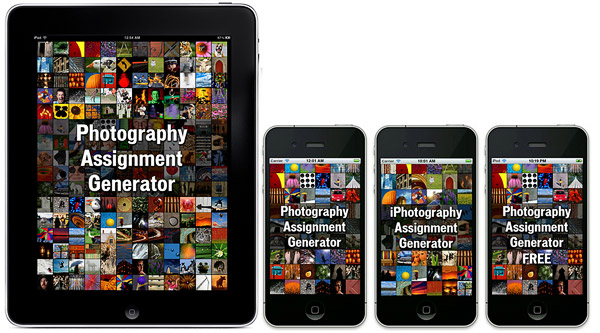
If you have camera, any camera — if you are reading this site you probably do — you know how hard finding inspiration to take pictures can get. This is especially true if you are a little more dedicated to photo taking than the casual shooter. If you have a few bucks to spend and are looking for new ways to get your motivation going, you can give the iPhotography and Photography Assignment Generator a go. These apps are intended as databases of photo assignments, ranging from exploring photography genres as portraiture, landscape, and macro, to trying various camera settings and creative techniques. The apps are directed not only at iPhone shooters but also at anybody else with an interest in photography.
Noel Chenier, the author of this project, is a photographer with experience as an instructor and is currently giving online courses in photography via his website, learnphoto.ca.
Geló is the most recent addition to Fotosyn’s photography apps. It is designed as a portable lab for instant photo enhancements.
Geló’s inspiration comes from gels, sheets of transparent material, usually acetate, to be applied to the flash either to color balance the final image or to add colored effects to photographs. These modifiers come in a variety of shades for matching different lighting situations and to fulfill several creative purposes. Geló will help you achieve similar effects to those attainable with regular gels on your device, with just a few taps.
MPro is another camera app focused on delivering black and white images. In the past getting black and white photographs as you wanted them right off the bat with the iPhone was so much more complicated and sometimes even tedious, as you had to switch multiple times among apps just to make slight adjustments. Honestly, monochrome cameras for the iPhone have gotten so much better over time and choice is so much richer than it used to be.
Hueless is a monochrome camera app that has been waiting quietly in one of my several iPhone photo folders for a long time. Recently I finally started using it on a regular basis for taking black and white pictures and I actually found it so enthralling and enjoyable that it has become one of my all-time faves.
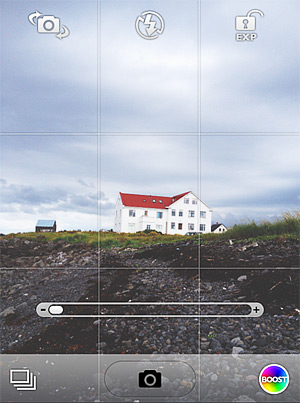
Booster! is the latest app from misskiwi, the maker or ClassicSAMP, ClassicINSTA, ClassicTOY, and several more. Differently from the other apps from the same developer that mostly rely on presets that you can apply right away or combine together, Booster! is aimed at making your own live effects. Booster!'s interface. Main Features
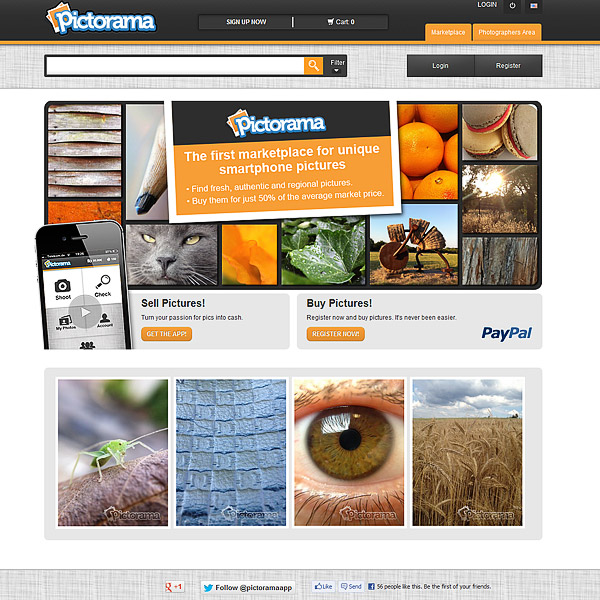
Last week I have been testing Pictorama, an app that combines mobile photo taking with elements from microstock photography. Pictorama is quite simple: you take photos; you submit them for evaluation; if they are good enough, they are sent to the app’s marketplace, where people can purchase them. Part of the profits from the sales of your images is your own. At entry level, you earn 20% on sales. After deducting VAT for each purchase, Pictorama pockets the rest for “marketplace fees” that will be automatically withdrawn from your PayPal account. Talk about penny-pinching! As the number of your contributions grows though, your earnings will also increase, with up to 50% when you have more than 2,000 photos in the marketplace. You can keep track of your stats and revenues from the app’s main site, Pictorama.com.
Pictorama's Homepage. Can you guess which one is our photo?
Instant110 is evidence enough that there are still nice surprises in store for fans of instant photography on iPhone. Although there are already many apps promising to deliver the same results, the latest photography app by Cameramatic’s developer is a polished product that, at the same time, offers very basic functionalities, a clear interface and great ease of use.
Main Features
Full resolution available;
8 lens effects;
5 borders;
3 chemical effects;
Square format;
Send to other apps;
Access to EXIF data;
Random effect option;
Send to email or share on Twitter, Facebook, Flickr and Tumblr.
Palette0 Game Art Photo Converter for iPhone is a very simple photographic tool to convert photos to old-school pixelated styles. LinkedPIXEL assembled a unique collection of digital effects reminiscent of retro gaming systems and old computer display standards.
Don’t be fooled by its long name: Palette0 Game Art Photo Converter for iPhone is a very simple photographic tool to convert photos to old-school pixelated styles. LinkedPIXEL assembled a unique collection of digital effects reminiscent of retro gaming systems and old computer display standards for the joy of all the nostalgic gamers — and photographers — out there.
Main Features
Up to 1024×768 pixels resolution;
28 effects;
4 palettes;
Adjust contrast;
In-app guide;
Send to email or share on Twitter, Facebook, Flickr and Tumblr.
With Dramatic Black & White, JixiPix Software wanted to give their users something beyond the usual — and sometimes flat — iPhone black and white. The app can in fact produce beautiful and rich monochrome effects with a lot of space for customization.
With Dramatic Black & White, JixiPix Software wanted to give their users something beyond the usual — and sometimes flat — iPhone black and white. The app can in fact produce beautiful and rich monochrome effects with a lot of space for customization.
Main Features
Full resolution available;
35+ presets;
RGB filters;
Adjust tone, contrast and vignette;
Sharpen/soften;
Grain strength;
Randomize effects;
In-app guide;
AirPrint support;
Send photos via email or share on Facebook.
Appotography Opinion
Dramatic Black & White gives you a wide choice of ready-to-use effects for applying monochromatic processing to photos both imported from the Camera Roll or taken in-app. The UI and the workflow are basically identical to those of other JixiPix apps, such as VintageScene and Grungetastic. The main difference of course resides in the actual effects, which are in this case aimed at converting your photos to black and white or other monochrome.
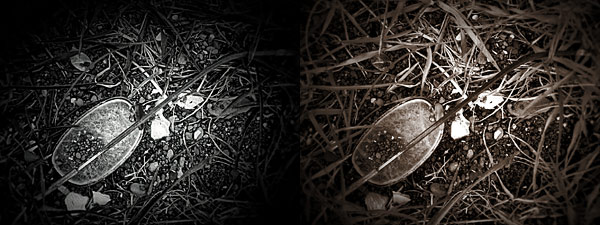
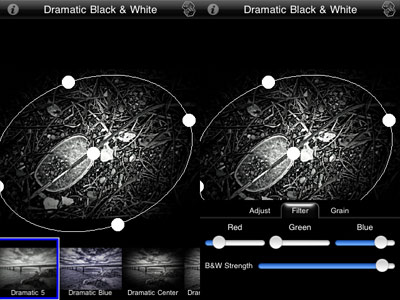
Presets are divided into three categories: Black and White, Infrared Photo and Dramatic Black and White. Each category counts several presets, neatly arranged and fully editable. Black and White includes more classic black and white effects, Infrared Photo, as the name clearly states, infrared filters, and Dramatic Black and White highly contrasted effects of suggestive visual impact. Once you find a preset that suits your photo, you can save, share, print or proceed to further processing. JixiPix’s app offers tone adjustment — for the creation of sepia and other monochrome effects –, sharpness, contrast and brightness sliders. The app also comes with a handy spotlight editing tool. Moving and resizing the ellipse over the image, you can shrink, enlarge and find the right placement for your vignette, thus achieving more or less dramatic lighting. The RGB filter editor will help you in fine-tuning the black and white, blocking off specific color channels, in order to perfectly complement the original image. Dramatic Black & White will let you save your custom presets, so that you can use them more than once and you can also use the app’s randomizing button to generate unexpected effects.
Dramatic Black & White comes with a more than adequate collection of presets which can be fully customized for even more variety. The quality of the effects is excellent and the possibility to save custom presets, as in other apps by JixiPix, means greater flexibility than that offered by most iPhone apps devoted to monochrome. The only black and white app that I can think of that truly allows the same level of customization is Monochromia — which is, in fact, one of my personal favorites for black and white on iPhone. The only thing that could definitely be improved is the rendering times, which are, in spite of updates, still on the slow side.
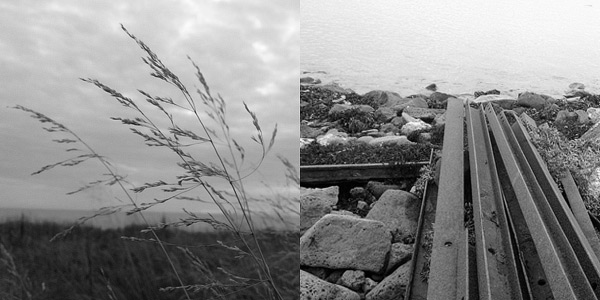
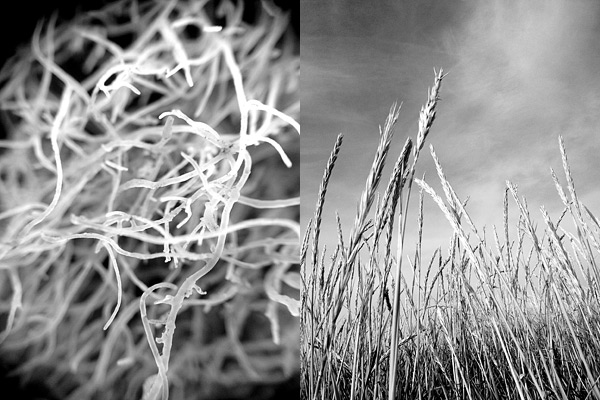
Different presets applied in Dramatic Black & White.
JixiPix proves once again what they are capable of. Dramatic Black & White is a great tool for iPhone photographers with a special interest in monochrome photography, as it easily provides great functionality in a solid and well-rounded package.
Dramatic Black & White for iPhone is currently on sale for $0.99/€0.79/£0.69 in the App Store.
Overall
Name: Dramatic Black & White
Developer: JixiPix Software
Compatibility: iPhone, iPod Touch, iPad. iOS 4.2 or later.
Price: £1.49||$1.99||€1.59
Vote: 5/5
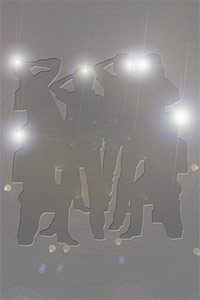
Paparazzi, infamous for their ability in carrying out their work employing questionable methods, are often masters of quickness. It doesn’t take a paparazzo though to know that in some instances rapid fire — also referred to as burst mode or continuous shooting mode — can be your best friend.
Paparazzi, infamous for their ability in carrying out their work employing questionable methods, are often masters of quickness. It doesn’t take a paparazzo though to know that in some instances rapid fire — also referred to as burst mode or continuous shooting mode — can be your best friend. This doesn’t only include situations where subjects are moving quickly in front of the camera, but also situations where light is far from optimal.
Paparazzi Photo is a simple app which makes use of continuous fire mode to rapidly take series of photos.
Main Features
Full resolution available;
Combine photos on/off;
Flash on/off (only on supported devices).
Appotography Opinion
Getting the hang of Paparazzi Photo is very simple. Once you open it, the app will immediately start to take shots and save them automatically to your device’s Camera Roll. You have to do nothing to make the app work, you do not even have to press a shutter button; all you have to do is aim the camera at the subject that interests you and then let the app do the rest. To stop shooting, you simply close the app.
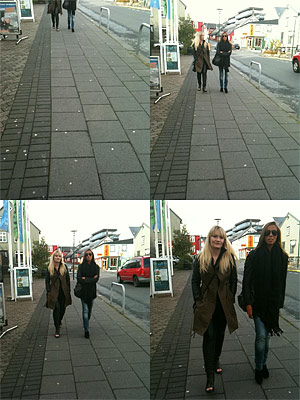
In your device’s settings, you can set the final resolution for saved photos, enable flash and activate the combine photos feature. Turning this last option on, the app will save shots at a medium resolution in a 2×2 format; turning it off, the app will save every single image separately at the resolution of your choice. Be aware that choosing the highest resolution available could slow down the shutter, especially on older devices.
Paparazzi Photo makes use of the basic continuous shooting mode that many cameras include among their features. The 2×2 format however looks like something straight out of an action sampler camera. Overall, this is a no-frills and very easy to use app. Still, effectively handling the burst mode is not as easy it may seem and for this reason getting used to this app to achieve satisfactory results may require some time and lots of guessing and checking. The fact the app starts shooting as soon as you open it doesn’t give you much time to think and frame properly; also, that you cannot stop taking photos unless you exit the app can be a bother sometimes. My impression is that a shutter button of some kind would definitely give users better control, without necessarily taking away anything from the app’s effectiveness. Perhaps a shutter control could be included as an additional feature that users could enable or disable when they need it.
Paparazzi Photo perhaps feels a bit too limited as a standalone app, especially as it doesn’t allow extra functions as bracketing. Even so, as a supporting tool in instances where rapid fire is your absolute priority, this app can come in handy.
The developer of Paparazzi Photo kindly provided us with a code for reviewing purposes.

 JixiPix’s app offers tone adjustment — for the creation of sepia and other monochrome effects –, sharpness, contrast and brightness sliders. The app also comes with a handy spotlight editing tool. Moving and resizing the ellipse over the image, you can shrink, enlarge and find the right placement for your vignette, thus achieving more or less dramatic lighting. The RGB filter editor will help you in fine-tuning the black and white, blocking off specific color channels, in order to perfectly complement the original image. Dramatic Black & White will let you save your custom presets, so that you can use them more than once and you can also use the app’s randomizing button to generate unexpected effects.
 Dramatic Black & White comes with a more than adequate collection of presets which can be fully customized for even more variety. The quality of the effects is excellent and the possibility to save custom presets, as in other apps by JixiPix, means greater flexibility than that offered by most iPhone apps devoted to monochrome. The only black and white app that I can think of that truly allows the same level of customization is Monochromia — which is, in fact, one of my personal favorites for black and white on iPhone. The only thing that could definitely be improved is the rendering times, which are, in spite of updates, still on the slow side.