
I’ve been knowing Nik Software mainly because of their Silver Efex, an excellent Photoshop plugin for achieving professional black and white effects and conversion. Snapseed is Nik’s contribution to the world of mobile photography.
Main Features
- Full resolution available;
- Auto correction;
- Selective adjustment;
- Straighten and rotate;
- Crop;
- Brightness, contrast, saturation and white balance adjustment;
- Grain adjustment;
- 20+ creative effects;
- Blur;
- Revert to original;
- Undo;
- 8 borders;
- In-app guide;
- AirPrint support;
- Send photos via email or share on Facebook and Flickr.
Appotography Opinion
Snapseed works great both on iPhone — and iPod Touch — and iPad and it allows editing of photos taken in-app or loaded from the device. The app’s interface is minimal and uncluttered and it relies mainly on menus that can be brought on by onscreen tapping and holding; you can then scroll vertically to select the desired settings. To increase and decrease the setting values, swiping or pinching with fingers over the image is all you need to do and it’s also all you require to master the app. At the bottom of the work area, you will find additional controls to choose specific commands, undo, apply effects and compare with the original image.
Automatic is the quickest way to apply basic enhancement to your photo. This mode allows to apply color and contrast correction in seconds, without having to go through more intensive processing. On the other hand, Selective Adjust serves the purpose of applying correction over specific areas of the chosen photo. Selective Adjust is a sort of simplified masking feature, allowing to make adjustments only where you really need it.
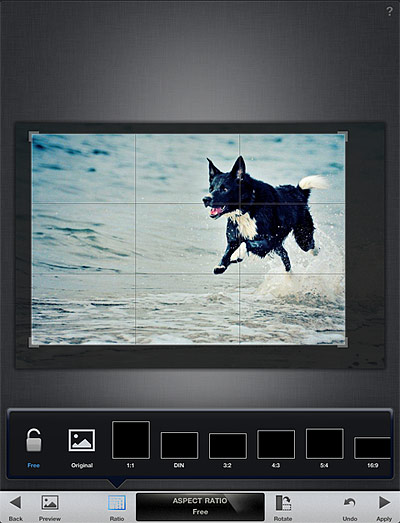
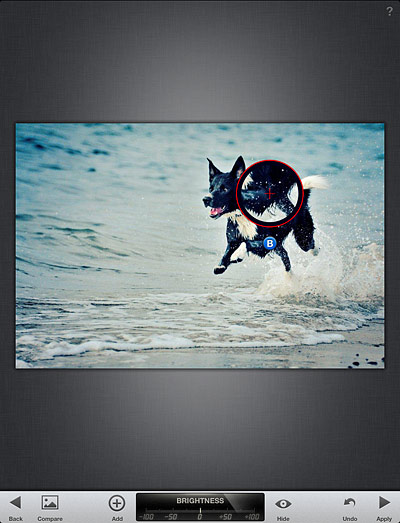 Tune Effect, Straighten and Crop are designed for more thorough editing, as they come with a set of more comprehensive tools for fine-tuning photos. Tune Effect includes brightness, contrast, ambiance and white balance controls; straighten and crop will help in improving framing by fixing crooked images and by removing unnecessary elements.
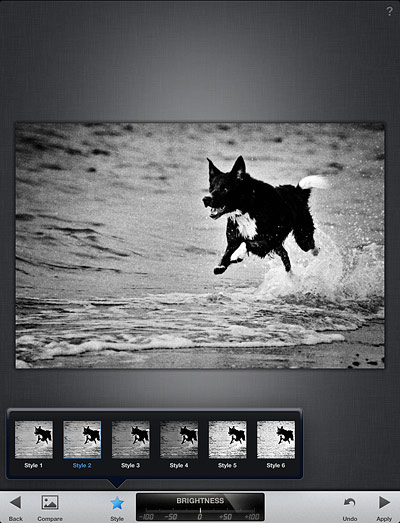
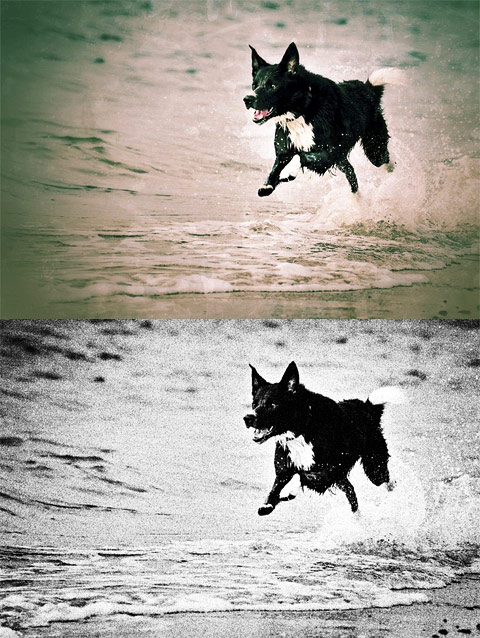
 Snapseed comes also with a focus editor and four sets of different filters and effects, divided into four themed categories: Black and White, Vintage Films, Grunge and Drama. For final touches, a small collection of photographic borders is also included. All filters are top quality and highly customizable.
 After editing, it’s possible not only to save the image, but also to print it and share it via email or on Facebook and Flickr. You can always revert to the starting shot and a button in the work area allows you to compare the processed result with the original.
 Nik’s Snapseed provides the user with quick and to-the-point instruments for easy enhancement. One of the most notable features of the app is the swiping motion, which allows for quick and accurate visualization of edits. If you imagined from previous experiences that image editing must necessarily be a painful process, then you should try Snapseed to change your mind. Snapseed doesn’t come cheap, but if you are looking for all-around quality editing, you definitely won’t regret getting it.
Overall
Name: Photo Effect Studio
Developer: Everimaging Ltd
Compatibility: iPhone, iPod Touch, iPad. iOS 4.0 or later.
Price: £2.99||$4.99||€3.99
Vote: 5/5


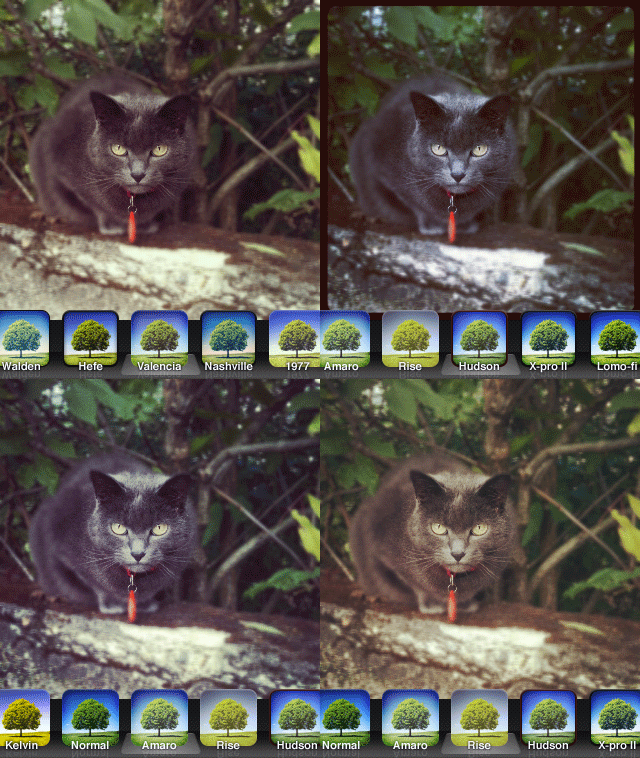 On a perhaps irrelevant note, some of the older filters appear to have undergone significant changes in the new version of Instagram as well.
 Images thus edited can be processed further by adding to them several photographic filters. All effects available are arranged into four categories: Classic, Lomo, Neon and Monochrome. The grouping of effects to fit them in the various categories seems however a little arbitrary and I still cannot fathom why some of those effects appear twice and why in the Monochrome section there are color filters as well. Countless filter combinations can be applied to photos. As a final touch, before saving, sending with email or sharing on Facebook and Flickr, it’s possible to apply a borders. Borders are mostly black and white items in a variety of styles.
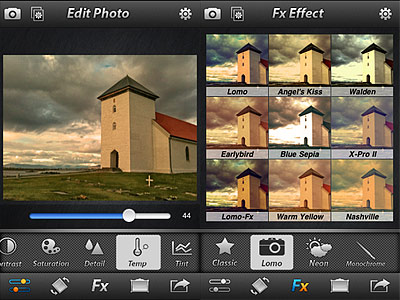 Photo Effect Studio is an OK app with a few nice effects, but it definitely looks too much like something we have already seen many times. And with many I really mean many. Some of the filters bear an uncanny resemblance — same names too — to those of other best-selling apps, like Instagram and Camera+.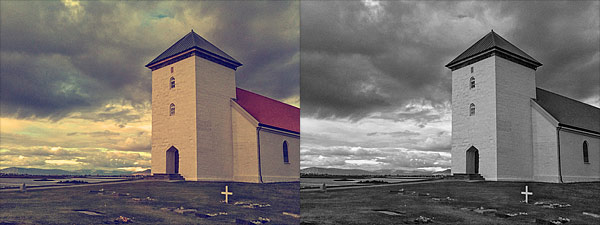
 By tapping and dragging, you place the flare in the right position; by pinching with two fingers, you shrink or enlarge the flare; with two fingers, it is also possible to rotate the flare to the right angle. You can save your image right away to your device or, if you prefer, using the “Render image” option, you can add to it as many flares as you like. In order to use flares generated in LensFlare in external photo editors, you can choose the “Save flare only” option and thus export the flare on a plain black background. The lens dust feature to achieve a more realistic and natural look can be enabled and disabled from the same flares panel.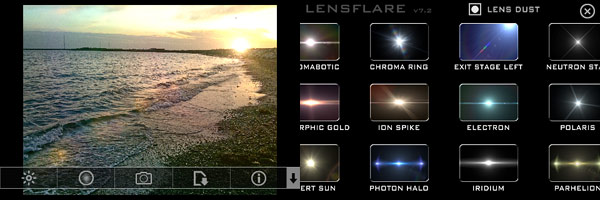


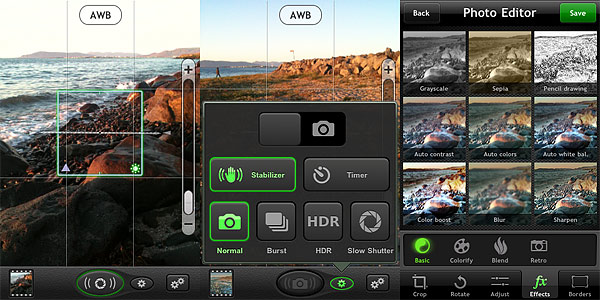 The Photo Editor offers crop, rotate, adjust brightness, contrast, saturation and improve definition tools. It also includes effects and borders. Effects — 36 in all — range from sepia to lomo-like filters. Borders come in two different styles, basic and vignette. Most adjustments and effects can be applied simply using sliders to regulate their intensity. Reverting to the original image is always possible.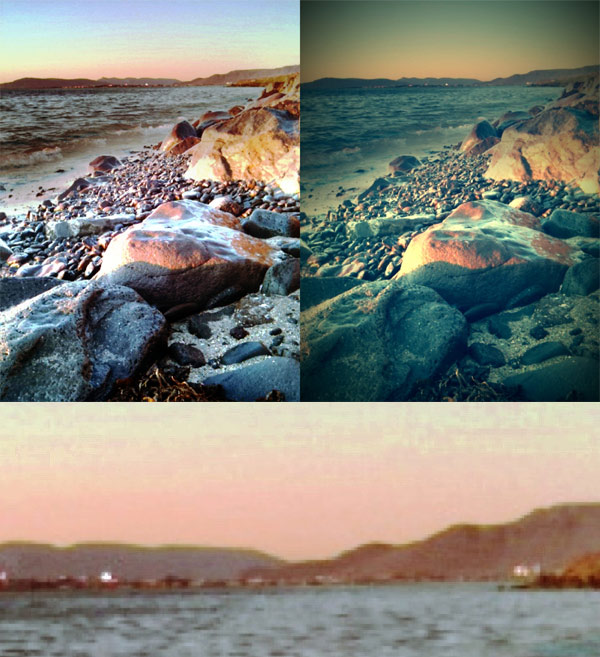

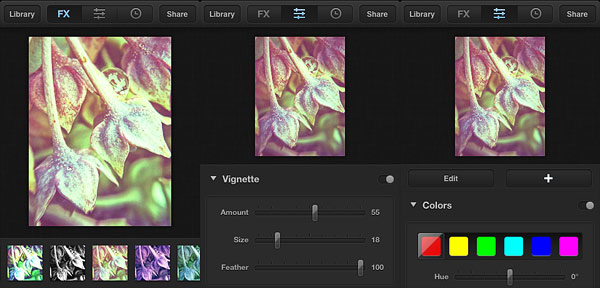
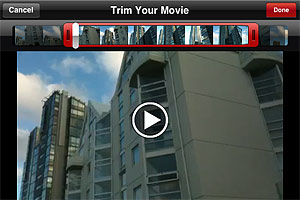
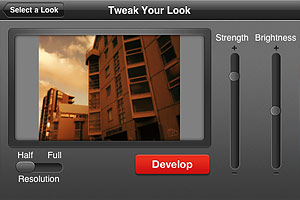
 Movie Looks HD contains several presets (looks) whose intensity and overall brightness you can adjust with the help of two sliders before confirming the processing. There are forty presets in all, which are arranged in five packs each counting eight effects: Quick, Essential, Black and White, Popular Film and Blockbusters.
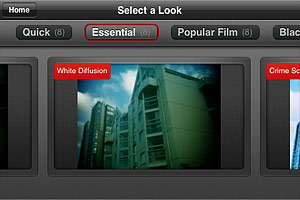
 The looks in the Quick pack are basic color adjustments that, as the name suggests, take less to be processed. The Essential looks simulate well-known and hugely popular processes, like bleach bypass and cross process. The remaining packs, Black and White, Popular Film and Blockbusters, are available as premium material
  After developing is finished, you can review your edited clip and either decide to move on by choosing another video or you can keep on editing the same clip, picking different looks.
 I have tried Movie Looks HD both on the iPhone and on the iPad: even in full resolution developing times seemed fair, especially with very short clips. Just to be on the safe side, Red Giant warns users that an iPhone is not a supercomputer and processing may take some time. At any rate, it doesn’t take Movie Looks HD longer than average to edit video clips. Effects are well done, but perhaps not varied enough to justify forty different presets. Not to mention that some of the most interesting effects come with the premium packs. On the iPad, for some reason the app stays on “saving” forever after developing is complete, so I couldn’t manage to get past this stage and look at the result. Moreover, on the iPad the app has some glitch and thumbnails aren’t displayed correctly in previews.
 It’s been some time since I first got Lomora 2 and just a little less since I published
 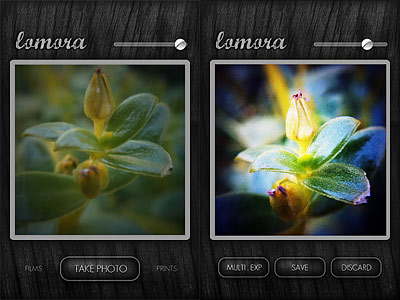 Additional features were introduced since version 2.2. Among the newly added elements are the focus, exposure and flash controls. With a tap you can set your focus point, with two you can determine the exposure, while with three you can set a flash point. Combining these three elements together depending on lighting and other conditions, you can produce remarkable results. Moreover, Lomora 2 now remembers your vignette choices so that upon restarting the app after you exit, all your previous vignette adjustments are maintained.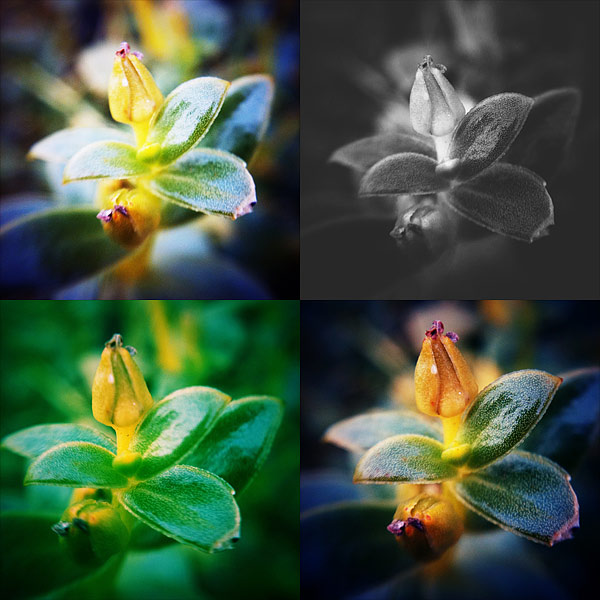

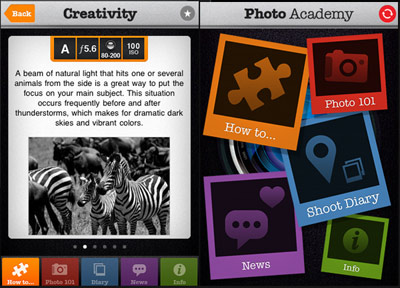 “Photo 101” covers extensively the basics of photography, explaining with very simple language all the crucial aspects of camera settings, composition, ideal workflow from shooting to editing. Going back and forth among passages, users can proceed at their desired pace, more comfortably than they could achieve while reading the average ebook.
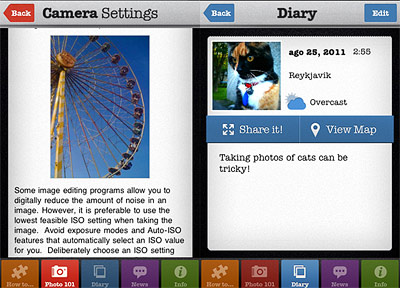 The apparent simplicity of Photo Academy is a huge advantage to the content assimilation. The absence of complications in navigating through the sections makes in fact very understandable what to do and where to look, so that the user never feels lost and frustrated.