
Hipstamatic released their holiday special in the form of a new pack, the Tintype SnapPak, comprising one lens and two films. It is evident from its name — and it was also stated on Hipstamatic’s blog — that the Tintype SnapPak was heavily inspired by tintype photography, an old-fashioned photographic process especially popular among itinerant photographers and practiced at fairs and amusement parks as it was quick and easy to develop on the spot.
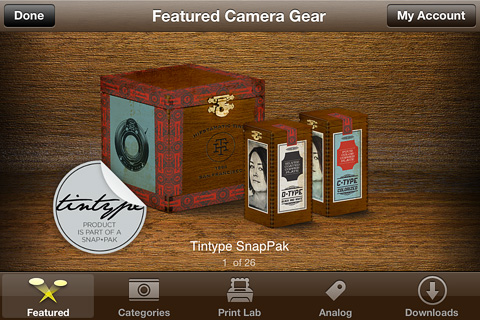 Continue reading “Hipstamatic’s Tintype SnapPak Tried & Tested”
Tag: Hipstamatic
Hipstamatic’s Gangster Squad FreePak
Hipstamatic just released the Gangster Squad FreePak. This add-on comes with a camera case, a lens and a film. I tested this new gear today and I have a few shots to share.

HipstaVault Now Open
 Hipstamatic opened the HipstaVault for the weekend: this is a good occasion for those who have missed some of the previously released HipstaPaks to download them and enrich their personal equipment collection of lenses, films and camera cases.

Trying Out Hipstamatic’s W Mag Freepak & Related Issues
I’ve been testing the new Hipstamatic’s W Mag Freepak that was released a few days ago. The pack contains three items, one film, one lens and one case. The W40 film features an irregular square black border, strong vignetting, high contrast and desaturated colors. The Wonder lens applies to photos taken with it muted cool tones. The W Mag Commemorative case combines a light wooden texture with sleek metal details.
 Continue reading “Trying Out Hipstamatic’s W Mag Freepak & Related Issues”
Hipstamatic Releases Limited Edition Nashville Hipstapak
Hipstamatic 226 was released just a few hours ago. The main changes in the new version of the app are the upgrade for final resolution on iPhone 4s (with High Quality brought to 2448×2448 and Medium Quality to 1936×1936) and more accurate EXIF data saving.
Hipstamatic 226 was released just a few hours ago. The main changes in the new version of the app are the upgrade for final resolution on iPhone 4s (with High Quality brought to 2448×2448 and Medium Quality to 1936×1936) and more accurate EXIF data saving.
Now Hipstamatic offers a new extra, releasing the Limited Edition Nashville Hipstapak, inspired by the work of famed rock photographer James Minchin III.
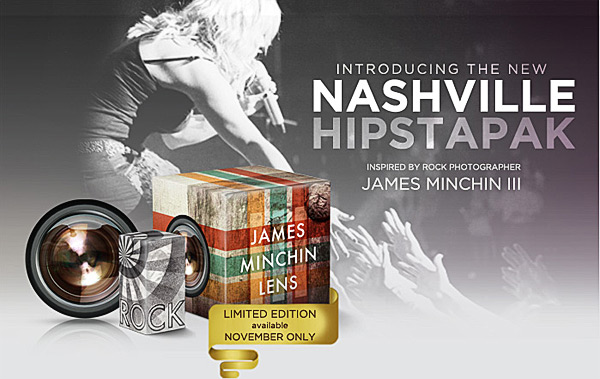
Continue reading “Hipstamatic Releases Limited Edition Nashville Hipstapak”
Hipstamatic 225 & Wicker Park Hipstapak
Hipstamatic 225 was released earlier this week. The latest version of the app comes with the MultiSlide Flash charger, a feature which allows to select between hardware and software flash (only working with iPhone 4) and with a brand new hipstapak.
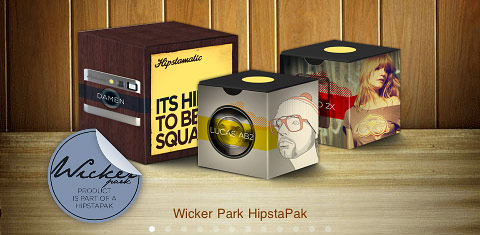 The Wicker Park hipstapak owes its name to the renown namesake park located in Chicago’s West Town area. The pak includes three items: a lens, a flash and a camera case. The Damen camera case blends together metallic finish with wood paneling for giving your Hipstamatic a distinctive urban look. The Jolly Rainbo 2x Flash is, in Hipstamatic’s team words, a “jovial strobe” suited for the darkest and less photo-taking friendly lighting situations. Lucas AB2 is a lens delivering beautiful golden tones, ideal for bringing out the warm colors of the upcoming fall season.
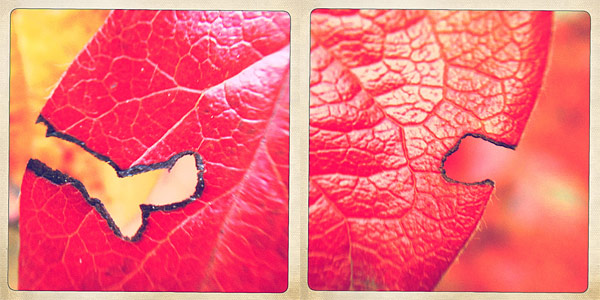 The Wicker Park hipstapak is available as in-app purchase with the updated Hipstamatic 225 for $0.99/€0.79/£0.69.

Get to Know Your Hipstamatic with AppJudgement & Doc Pop
The folks at AppJudgment recently released a “Master iPhone Photography” episode focusing on the best-selling photo app Hipstamatic. The show was co-hosted by Doctor Popular, who, as his moniker suggests, is a well-known name, especially in the Instagram community. Thanks to his creative use of iPhone apps in his “appsperiments”, Doc Pop gained a huge following and succeeded in winning the media’s attention — which also includes a feature in the New York Times.
AppJudgement’s Hipstamatic episode is entirely dedicated on uncovering tips and tricks to make the most of Hipstamatic. How much do you really know about the app? Are you a timid user or an experimenter? Wanna find out?
If you want to know more on Appjudgment, you can visit their official page here.
Hipstamatic: You Can Now Delete Photos From Albums
As we already wrote in a previous news today, the developers of Hipstamatic have now added an option to delete your photos from public albums.
I think it is still important to remind our readers that everything we wrote in previous posts about the Creative Commons license applied to your photos on Hipstamatic Family Albums and the general rights Hipstamatic has on your photos once you have used their online services is still valid. So, deleting your photos from the Family Albums will not remove the Creative Commons license from them – which means that if somebody downloaded your photos, they can use them freely for as long as they want – and it will not remove the rights you gave Hipstamatic on your photos once you have used their online services – rights of using your photos in any way they want, including reselling them to third parties.
While many advocates of the “free for all” Internet consider Creative Commons the only way to go for sharing of information on the Internet, you must always be careful when deciding to go this route with your photos. And you must always remember that the Creative Commons license does not overwrite the rights you gave to a company when you accepted their Terms of Service.
I know – a lot of users just want to have fun with their iPhone and do not really care about who is using their photos. But there is a substantial number of users, also according to the number of e-mails and comments we had on the topic, that do care and that should thus always read the small notes in the Terms of Service of the apps they are using.
And if you are interested in different ways of sharing your photos, somebody is working on them – read our post about OpenPhoto – and even Flickr and Google+ have much more relaxed Terms of Service when it comes to photo sharing.
Simply B&W 1.1 and Other Recent Updates
Simply B&W 1.1 is out. The latest release of MR. B. Ware’s monochrome converter for iPhone comes with enhanced interface and new useful features.
It’s now possible to apply two different vignetting styles, black and white. Vignette intensity is easily adjustable with a slider. Another new feature is grain simulation, to imitate effects obtained with different types of film.
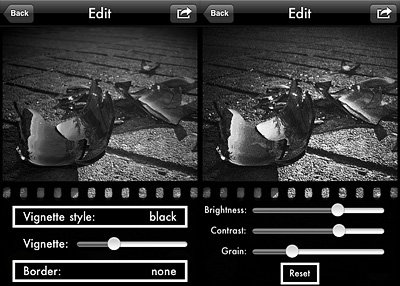 Version 1.1 also adds EXIF data preservation for devices running iOS 4.1 or later.
Other noteworthy updates include:
- PicTools 1.1: new effects, overlays and borders with names for easier reference, added border opacity control, save up to 5 RGB curves settings;
- Hipstamatic 221: added the requested delete from Family Album feature;
- Appysnap 1.1: added leaderboard and Snap tab, improved upload stability;
Hipstamatic: Deleting Your Photos from Family Albums?
I have already said something about the way the developers of Hipstamatic handled their new Terms Of Services — and in the end their users — in a previous post, “Hipstamatic: Why Companies Can’t Be Your Friend”. For those that do not have time to read, the answer to the question is that these people are there just for the money. There is nothing wrong with it, but their promise of being your friends (almost hippie friends, judging from their Facebook posts) is contradicted by the way they write their Terms of Service. In brief, those using Hipstamatic public services accept to give away ownership of their photos to Hipstamatic, which can also resell them to third parties if they want to. And no, this is not a necessity: Flickr and Google+ both have licenses that do not allow them to resell your stuff to others. The reason why a lot of young companies opt for Terms of Service that are so empowering for them is that they give them less reason to fear legal issues with their user base, and they give them property over enormous amounts of assets: owning millions of photos can boost the value of your company enormously, especially if image search engines will get smarter as many expect over the next years.
The way the new “Family” Album feature in Hipstamatic was released, in my eyes, just confirms Hipstamatic’s way of doing business. Since the release of the feature, a lot of users have asked us how to delete photos in public albums. These users even tried asking Hipstamatic’s customer service, and the poor guy answering them said he can just collect the feedback and give no answers for the time being. Currently, there is no delete feature in Hipstamatic to allow deletion of photos in public albums (edit: the option was finally added, but the rest of this article still applies 100%). You can delete a photo locally, but you cannot remove it from the album “on the air”. And even if Hipstamatic decided to give you this feature, remember that your photos will forever remain in the public domain. So, if somebody downloaded a copy of it, or grabbed a screenshot of it, they are free to use it however they want.
When you share a photo using Hipstmatic’s Family Albums, you have a choice between two different Creative Commons licenses for your photo. Well, a few points must be made clear for you:
- Once you have released something with a Creative Commons license, the license cannot be revoked, ever. Flickr allows you to change the license on your photos after you have released them as Creative Commons (but Flickr offers you also licenses where you always remain the only owner of your photos), but theoretically that is not legally acceptable. From the official website of the Creative Commons organization (you can find the FAQ here):
What if I change my mind?
Creative Commons licenses are non-revocable. This means that you cannot stop someone, who has obtained your work under a Creative Commons license, from using the work according to that license. You can stop distributing your work under a Creative Commons license at any time you wish; but this will not withdraw any copies of your work that already exist under a Creative Commons license from circulation, be they verbatim copies, copies included in collective works and/or adaptations of your work. So you need to think carefully when choosing a Creative Commons license to make sure that you are happy for people to be using your work consistent with the terms of the license, even if you later stop distributing your work.
- CC licenses come in different flavors. Hipstamatic, being your best hipster buddies, also select by default for you the most permissive Creative Commons license of the two they make available, the Standard License. This allows anybody to use your photos for whatever they want, including derivative works and commercial use as long as they give credits to the original author. According to the Creative Commons website, “This is the most accommodating of licenses offered. Recommended for maximum dissemination and use of licensed materials.”. The other license in Hipstamatic, the one NOT selected by default, is Attribution-NonCommercial-NoDerivs License, the most restrictive CC license, only “allowing others to download your works and share them with others as long as they credit you, but they can’t change them in any way or use them commercially”. So, if you want to make sure people do not make money off your photos or use them for their beautiful derivative works, you must manually select this second option in Hipstamatic when uploading your photo. But remember: in both cases the license cannot be legally revoked, ever.
- Regardless of the CC license you select, the company behind Hipstamatic always keeps the rights on your photos, as outlined in their Terms of Service. Which basically gives Hipstamatic the permission to exploit your photos in any way or format, forever, and resell them to third parties.
In the end, remember that even if Hipstamatic implements the delete functionality for their “Family” Albums (kinda misleading name, as one of our readers pointed out) your photos will still keep the Creative Commons license you have selected.