We liked Instagram enough. It is a no-frills, simple application which is already extremely popular among iPhone photographers. It is obvious that the guys at Instagram, after they raised consistent funds for their project (“We raised a $500,000 seed round from Andreessen-Horowitz and Baseline Ventures”, they write on their website’s FAQ), followed the minimalist approach that has always characterized Mac platforms, and that has now become a distinctive feature of a lot of iPhone and Mac apps, but also of online applications. The developers of the hugely popular Basecamp, a web-based project management tool which brilliantly exemplifies this tendency, even wrote a small book on the topic, “Rework”, which seems to have become a must-read for startups and small entrepreneurs (or “starters” as they are called in the book). While some may hate the book, I think it is a fast read that could be worth your time and money (or if you prefer to go the cheap way, just read the authors’ blog), also to understand how a lot of these young companies try to work and market their products. In brief, the authors of “Rework” propose a way of doing business based on building as-simple-as-possible and easy to use products, and trying to avoid complications along the way.
By all means, Burbn Inc., the development team behind Instagram, seems to have followed this philosophy – at least for the phase 1 of their project. Instagram is lacking a lot of features that one would find in other apps, but they built their app with the features they considered necessary for most of their users (or for the average user), and launched it as fast as possible, after a beta period.
And Instagram is free, for God’s sake, so what have you got to lose, right? This is what a lot of Instagram users must have thought, us included, and you could see the community associated with the product growing exponentially, day by day. Enter Chrysti and Chris Prakoso, Instagram users and the heroes of this post, who noticed something peculiar in the Terms of Service agreement of the application:
“By displaying or publishing (“posting”) any Content on or through the Instagram Services, you hereby grant to Instagram and other users a non-exclusive, fully paid and royalty-free, worldwide, limited license to use, modify, delete from, add to, publicly perform, publicly display, reproduce and translate such Content, including without limitation distributing part or all of the Site in any media formats through any media channels, except Content not shared publicly (“private”) will not be distributed outside the Instagram Services. Instagram and/or other Users may copy, print or display publicly available Content outside of the Instagram Services, including without limitation, via the Site or third party websites or applications (for example, services allowing Users to order prints of Content or t-shirts and similar items containing Content).”
Which basically meant that anybody could grab your photos on Instagram and do with them whatever they wanted, including selling prints or using them to decorate a sleek collection of underwear for dogs. Some other parts of the TOS seemed to mitigate this a tiny bit, but the loophole was there. After I have no idea how many users (some say 1 million users are already using Instagram), Chrysti and Chris were the first ones to actually read the TOS, or at least the first users with the willpower to read and understand the TOS. A small discussion of mostly concerned users and professionals with dozens of their photos already uploaded into Instagram’s servers followed and added interesting nuances to the matter (you can find the discussion created by Chris and Christy here). After a few hours, surprise! – Instagram’s TOS was updated to remove the paragraph above, and everybody was happy.
But I am not. Such a fundamental change in the TOS in a matter of a few hours since a user and some important blogs first reported the issue is at least suspicious. It almost feels like the developers were aware of this loophole in their TOS, but tried to keep things as simple as possible for themselves, for as long as possible. Nothing easier for a “starter” in the online application business than to ignore any possible copyright lawsuits between members of their community in the first weeks (or months, maybe) of activity. Then, in case a smarter user notices and makes his concerns public, you always have plan B ready: a pre-written and more acceptable TOS, and a chance to look like you listen to your customers’ concerns.
Of course, there is also another possible explanation. Instagram developers really did not know what they were doing when they wrote their TOS; maybe they grabbed your average safe TOS and threw it into the application and into their sleek, minimalist website. Possible. But not better. As a user, this could make you doubt Instagram’s dedication and commitment in providing an environment that is respectful of the users and of their media. If the developers did not take the time to review their TOS, is it possible that they are taking other dangerous shortcuts, maybe in their code? And if you were one of the investors that gave them $500,000 to create and manage the application, would you feel comfortable having them running the company? This is exactly the kind of mistake that in these days, where discussions about privacy and ownership of your online “things” make the first page of major newspapers, would call for a resignation from the person directly responsible for it. And a big public apology, maybe here.
1 million users, each sharing at least 10 photos (a very conservative estimate; in most cases, dozens of photos). This means that for nearly two months, millions of photos were in the land of copyright wilderness, ready to be used in ways that I am sure a consistent percentage of Instagram users did not want them to be used.
Yes, you are right. These users should have read the TOS, so in the end they were technically responsible for their choice of using Instagram and uploading their photos. But as a small professional software developer and website owner, I like to think about my potential users as people I must protect, and I must know that almost nobody, these days, will read the TOS. Maybe photographers are not good businessmen or scrupulous Internet users, but they are often very passionate about their work. It’s their art. And this deserves respect and assumption of responsibility – especially if you are a “starter” planning to make a living out of your users’ art.
Edit (11/07/2010): Chris, the Instagram user that reported the issue, was kind enough to point out that user Chrysti was the one that actually led him to read the TOS with greater attention. We updated the article to reflect this and to link to their websites.

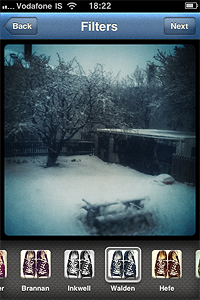 Pros: Easy photo sharing on most social networks. Some of the finest retro-looking filters available in the App Store.
 Pros: Use Actioncam as a full-fledged multishot camera and as a classic photobooth.
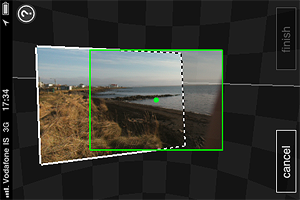 Pros: The capturing process is intuitive and immediate. The Auto Capture feature helps you to get yout panorama together with less effort.
 Pros: Easy way to back up your photos and videos on-the-go.







 Instagram was updated to version 1.5.1. Not a major update, but here is what’s new in this latest release of the popular photo sharing app:
 Instagram got updated to version 1.5 and here is what’s new in its latest release:
 Instagram