Numbers speak clearly: over 9 million people worldwide are using Instagram to take, process and share their photos. These figures are mind-boggling and they speak better than anything else about the actual popularity of this app. The success of Instagram is explicable with the fact the Burbn’s app succeeded in attracting both photo enthusiast and, at the same time, people that had never considered having fun with a camera before. Instagram was, and still is, a common ground for users with very different expectations and requirements.
I got Instagram on day one of its release: when was it? Last October, I think? It feels ages ago since I snapped the first in-app picture and applied the first filter (I think my very first try was the Lomo-fi) and, although I am far from being a regular user (you will find me as @psychopu there), I always enjoyed checking out every update conjured by the developers at Burbn. Yes, even when there were reasons for complaining.
I never denied there was something in Instagram’s way of dealing with my photography needs that left me a little disappointed. Namely the issue with Instagram’s output resolution. However good the filters (you gotta love the timeless and subdued Earlybird, just to name one), that problem always lurked at the back of my mind when using the app to take photos.
Instagram 2.0.0 was released earlier today and the new version adds a lot to what Instagram already offered. Improvements include: new filters, new editing tools and, most importantly, new save resolution. Here are all the details.
- Full resolution save – One of the problems that prevented users from truly enjoying the app was the final resolution of saved photos. Now Instagram delivers filtered photos in high resolution to the device Camera Roll.
- Instant live effects – Both filters and tilt-shift can be seen in real time before applying them. As I was testing this new feature today on my iPhone, Instagram live view seemed to work smoothly and I could not find any problem with it.
- New filters – Four new filters are an addition that Instagram fans will appreciate greatly. The new filters are Valencia, Amaro, Rise and Hudson. I am adding a preview for all these new effects — definitely better than writing a useless description.
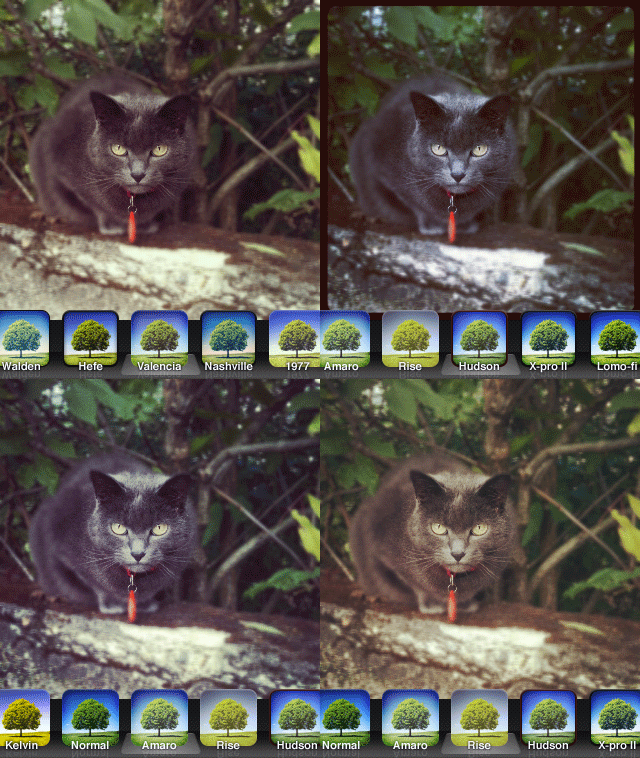 On a perhaps irrelevant note, some of the older filters appear to have undergone significant changes in the new version of Instagram as well.
- Turn off borders – Borders and effects can be applied separately, as it’s finally possible to disable borders in photos when a filter is chosen.
- Rotate – A rotate tool has been added. Users can now rotate photos by 90 degrees after taking them.
- New icon – Instagram 2.0.0 has a new icon — nothing dramatically different from the previous; just a little sleeker, as you can see above.
- Other enhancements – Improved viewing feed support; faster feed load times.
Given the improvements in version 2.0, I feel like reviewing our previous score for Instagram. With the added extras, but most of all with the long-awaited high resolution, the app now deserves a full score.
Overall
Name: Instagram
Developer: Burbn, Inc.
Compatibility: iPhone, iPod Touch, iPad. iOS 4.2.1 or later.
Price: free!
Vote: 5/5


 Snapseed combines advanced photographic tools with high functionality and a clean and easy to use interface. As a universal app, Snapseed is fully compatible with iPhone, iPod Touch and iPad. Nik Software has delivered to the App Store a product that clearly show their great competence in the development of digital filters for photographers. Among the features of Nik’s app, selective adjust, high quality customizable filters and borders.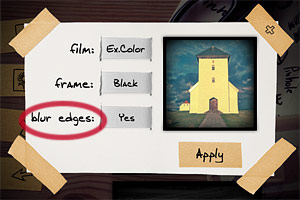
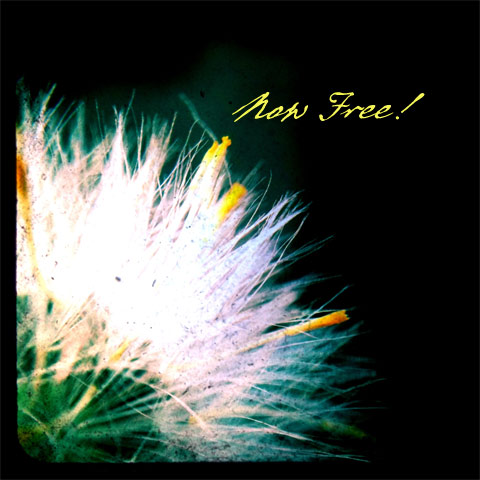 TtV Photo Studio comes as a replacement for it predecessor, TtV Studio Pro. Taplayer greatly improved the previous versions of their Through the Viewfinder camera, making it more usable than before and fully functional. TtV Photo Studio comes with beautiful classic viewfinder styles and basic editing tools, such as black and white and sepia filters, plus opacity, brightness and contrast controls. If you are into the square format and vintage effects appeal to you, then you should consider trying TtV Photo Studio, especially now that it comes for free.
 Marcolina’s iPad Companion is an expansion to his iPhone Obsessed book, published by Peachpit Press and available
 Images thus edited can be processed further by adding to them several photographic filters. All effects available are arranged into four categories: Classic, Lomo, Neon and Monochrome. The grouping of effects to fit them in the various categories seems however a little arbitrary and I still cannot fathom why some of those effects appear twice and why in the Monochrome section there are color filters as well. Countless filter combinations can be applied to photos. As a final touch, before saving, sending with email or sharing on Facebook and Flickr, it’s possible to apply a borders. Borders are mostly black and white items in a variety of styles.
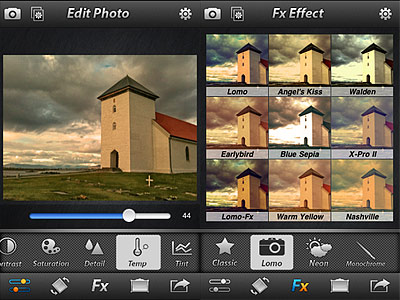 Photo Effect Studio is an OK app with a few nice effects, but it definitely looks too much like something we have already seen many times. And with many I really mean many. Some of the filters bear an uncanny resemblance — same names too — to those of other best-selling apps, like Instagram and Camera+.