
 It’s been some time since I first got Lomora 2 and just a little less since I published my review on this Lomo camera for iPhone. Although I wanted to like the app more at the time of the first review — mainly because of its fabulous effects — I couldn’t really get past a few usability issues. I haven’t been using Lomora 2 much in the course of the months, to be honest, but lately I have been rediscovering it. There have been significant improvements to this application and I feel Lomora deserves another chance.
Lomora 2 has matured a lot. A few changes were enough to bring the app to another level. The severest usability issues were fixed with the last updates, from 2.2 to 2.2.3 (the current version), thus in general the app feels less clunky than before. Although some aspects that are not exactly easy to figure out are untouched and still require a little effort on the user’s part to get them right, Lomora’s workflow is now smoother, also thanks to a more intuitive placement of items in the interface.
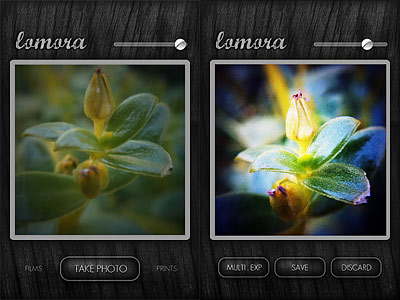 Additional features were introduced since version 2.2. Among the newly added elements are the focus, exposure and flash controls. With a tap you can set your focus point, with two you can determine the exposure, while with three you can set a flash point. Combining these three elements together depending on lighting and other conditions, you can produce remarkable results. Moreover, Lomora 2 now remembers your vignette choices so that upon restarting the app after you exit, all your previous vignette adjustments are maintained.
Last but not least, the problem with the light pixels appearing at the left border of each and every saved image, which forced to crop photos using an external app, is no more: photos taken in Lomora 2 are now as good as they can be.
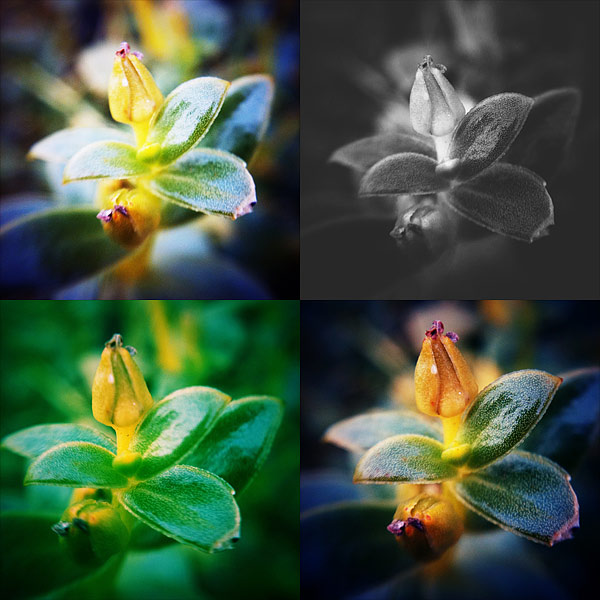
Lomora 2 feels more enjoyable now than in the past, mainly because of all the technical enhancements mentioned above and because of all the minor fixes to bugs that may have caused occasional annoyance. For this reason I am happily revising my previous score. Not to forget that the original quality of the filters is intact and, even to this day, photos taken in Lomora 2 still look unique and refreshing and this alone is enough to justify the purchase.
Overall
Name: Lomora 2
Developer: Marvin Lee
Compatibility: iPhone, iPod Touch. iOS 4.0 or later.
Price: £1.99||$2.99||€2.39
Vote: 4/5


 If you enjoy using your iDevice to record and process video clips, Silent Film director may be what you are looking for, as it offers in a nifty package not only a nice collection of vintage looking effects, but also the possibility to add a custom soundtrack to your footage and make other editing. If you want an in-depth description of Silent Film Director’s features, feel free to read
 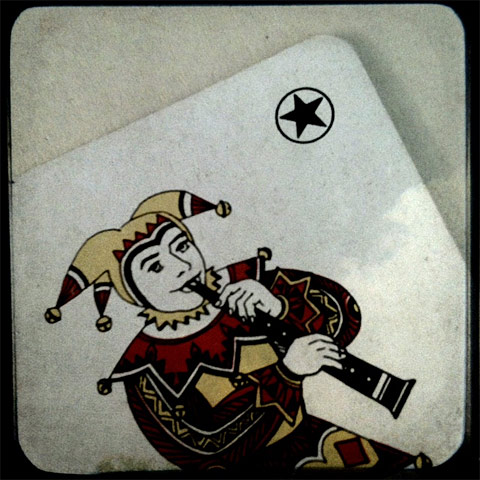 TtV Photo Studio recreates the magic of through the viewfinder photography on iPhone devices. The app comes with more than thirty viewfinder styles, black and white, cyan and sepia conversion and a few other tools to give your photos the best possible analog look. Many among the most popular classic viewfinders are included in Taplayer’s app: Anscoflex, Super Ricohflex, Kodak Brownie, Argus 75, just to name a few.

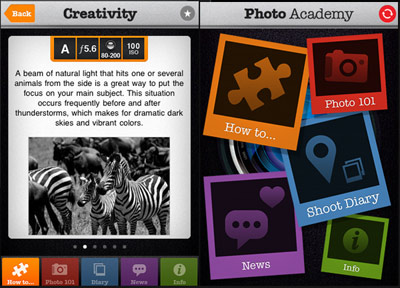 “Photo 101” covers extensively the basics of photography, explaining with very simple language all the crucial aspects of camera settings, composition, ideal workflow from shooting to editing. Going back and forth among passages, users can proceed at their desired pace, more comfortably than they could achieve while reading the average ebook.
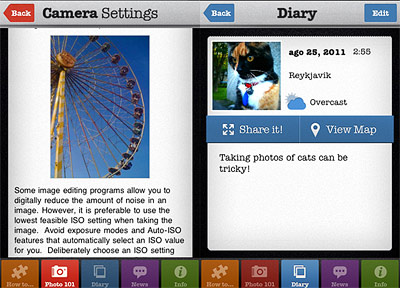 The apparent simplicity of Photo Academy is a huge advantage to the content assimilation. The absence of complications in navigating through the sections makes in fact very understandable what to do and where to look, so that the user never feels lost and frustrated.

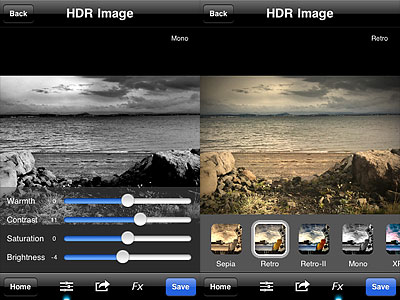 Another new feature is the FX panel, which gives you access to seven presets to quickly change the style of your HDR images. Effects range from cross process to monochrome. All effects can be altered after applying them by switching to the editing tools panel.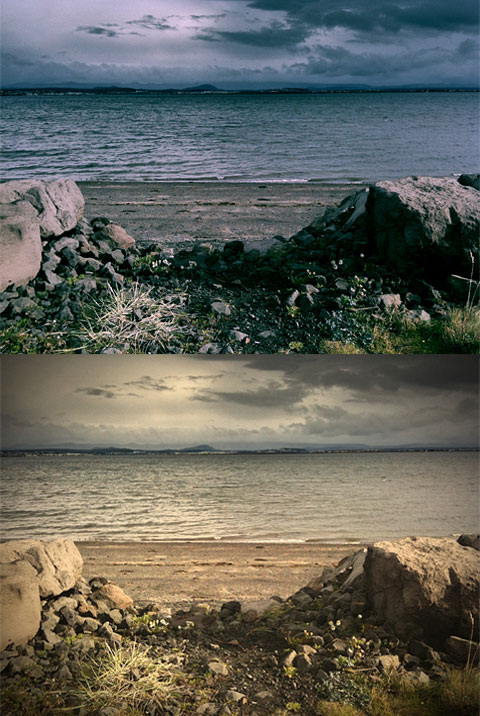
 8mm HD is capable of producing 720p videos and it is compatible both with iPad and iPad 2. As the iPhone version, the HD edition comes with several vintage filters and effects to give videos a pleasing analog look. Filters range from dusty black and white to slightly desaturated color, with the possibility of choosing matching frames and other extras for more believable results.
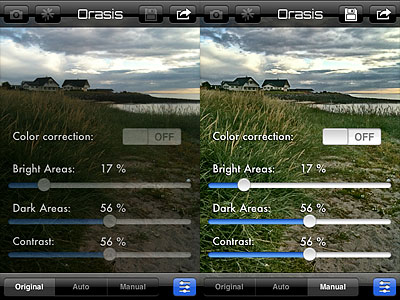 The only thing that looks a bit off in Orasis is the color correction. In photos I have used for testing, colors are always closer to the original scene with the correction turned off, while turning the feature on often gave me a slight color cast (blue or magenta, mainly).
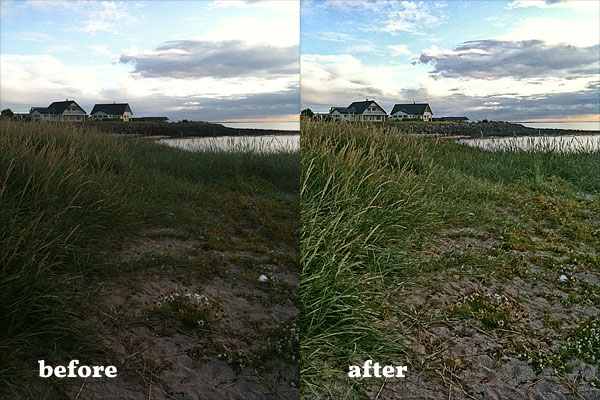 Orasis is very different from fake HDR, as its results look definitely more natural than those provided by most apps imitating HDR effects with a single shot. In general, most photos edited in Orasis are greatly enhanced; at the same time, enhancements are subtle enough not to make photos look overly processed and unreal. Also worth mentioning the fact Orasis doesn’t increase digital noise and it doesn’t perform destructive sharpening on photos. Given both the extreme simplicity of this app and its impressive results, Orasis is a great tool to help you fix issues with badly exposed photos. Don’t expect miracles from the app though: your perception is still better at “seeing” reality than your iPhone.