
How much do you know about your photo taking practices and how much do you ignore? Can you learn a lesson or two from the hundreds of photos you take? An answer to all these questions is offered by Photo Stats, the infographic creator for iPhone photos, available in the App Store for $0.99/€0.79/£0.69.
 Photo Stats gathers data from images stored in your device and uses the collected information to generate a summary in the form of clear and minimal eleven-part infographic charts. The charts will tell you everything, from your favorite photo locations to your most productive shooting days.
I have used Photo Stats to have an overview of my personal iPhone photography habits and a handful of relevant aspects appeared in my generated stats.
Four bad habits
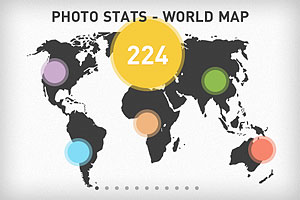
- Most photos miss metadata – The greatest majority of photos I have stored in my iPhone lack proper metadata. It results I have taken most photos in just a couple of locations. Not that I have been traveling a lot lately, but the list of places where I have taken photos stored in my Camera Roll is definitely longer than that. In some cases I intentionally turn off iPhone’s location services, especially to save battery, but what about the other cases? It’s not a big deal, really, as I know more or less where each photo was taken. Still, it may be a good idea to make sure metadata is intact. At any rate, it’s easier to strip photos of their metadata than adding or restoring it later.
- Most photos were taken in the evening – That is, most of my photos were taken between 6PM and 11PM. I know that in theory evening is one of the best times to shoot and that, after all, everybody has a favorite time of the day to take photos. In my case though this result is mostly indication of laziness. It is also indication my lifestyle is a bit “off”. It’s not a surprise, but the reminder is always quite shocking. After all, as they say, it’s the early bird that catches the worm.
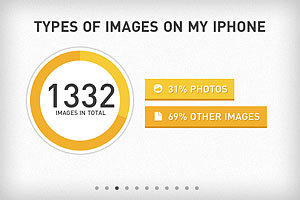
- Almost 70% of images are “other” than photos – As I see it, this means that either I keep in my Camera Roll too many work-in-progress copies of my images or that I keep too many extra resources, like textures for instance. More likely, it’s both. Time to sort all these images out and to tidy my Camera Roll up!
- A lot of photos were taken using Camera – I can’t even remember using iPhone’s native camera app, at least recently. How did I end up with so many photos taken with it? I don’t know if this should be included in a list of bad habits, but more in general this means that I have a perception of my overall app usage that is not completely accurate.
And one good habit
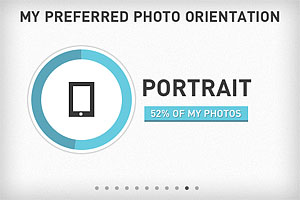
- Photos show a good balance of portrait vs landscape orientation – Don’t I choose portrait orientation most of the times? Nope, it seems I am better than I thought at balancing the two. Just a little more than 50% of my photos are portrait-oriented. That’s good!
Conclusion
I am not sure I can brag and post my Photo Stats results everywhere. I am sure though that there are many things that I can do to improve and Photo Stats offered some useful hints by summing up briefly a few of my bad photographing habits — together with a few good habits I can work on further.

 Worth mentioning to the creative iPhone and iPad community is the Original iPhone Film Festival, which is currently looking for passionate videographers to take part in the first edition of the event. The Original iPhone Film Festival is an online festival addressed to those who are into indie film-making and have embraced the possibilities offered by their iDevice as a means of expression.
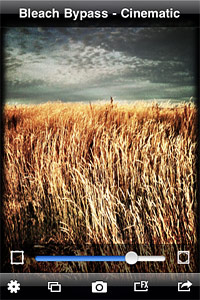 The newly added frame icon is positioned on the left side of the intensity slider. By tapping on it, one among Bleach Bypass frames is applied to the image. To scroll among frames, all the user needs to do is tapping on the icon: one tap enables the light, two the black and three the retro frame; by tapping once again frames are disabled. Enabling vignette works in the same way: by tapping on the vignette icon positioned on the right side of the slider, it’s possible to enable and disable vignetting instantly.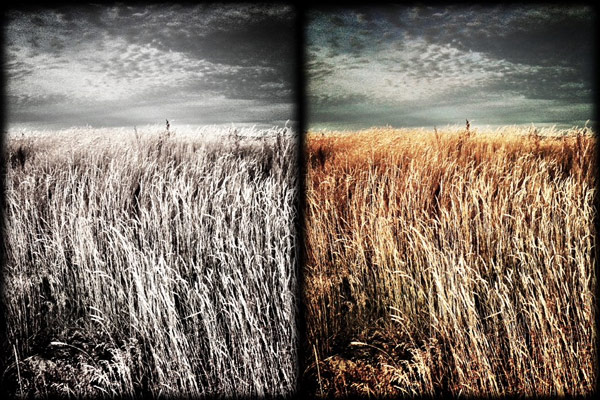
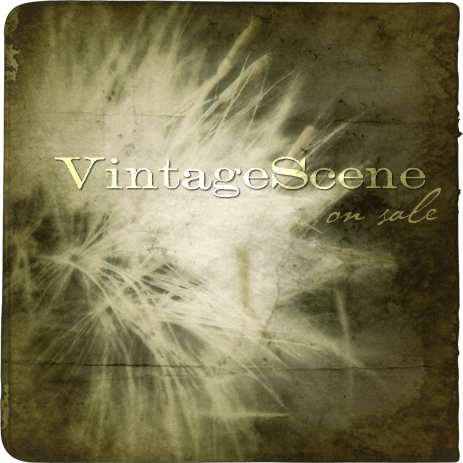 VintageScene, featuring more than 70 fully customizable presets arranged in three themed collections, plus a number of old-school borders, textures and preset editor, adds an antique look to photos quickly. Choose styles, color themes and textures to create your unique effects.
 Diptic by Peak Systems is a universal app that allows to combine photos to create visual mishmash both on iPhone and iPad devices. Diptic comes with a rich selection of customizable templates to mix up to four images together. The offer for Diptic is valid until August 31.
 Conceived as a powered up replacement for iPhone’s native camera, ProCamera is a do-it-all photo application that combines several capturing features with post-processing tools. ProCamera has burst mode, self-timer and anti-shake; it lets users shoot setting focus and exposure separately; it can record videos; it also comes with several presets to change the look of photos taken both in-app or loaded from the iPhone, and much more.
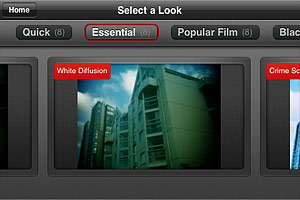
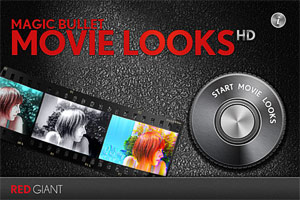 Movie Looks HD contains several presets (looks) whose intensity and overall brightness you can adjust with the help of two sliders before confirming the processing. There are forty presets in all, which are arranged in five packs each counting eight effects: Quick, Essential, Black and White, Popular Film and Blockbusters.
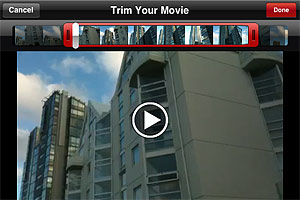 The looks in the Quick pack are basic color adjustments that, as the name suggests, take less to be processed. The Essential looks simulate well-known and hugely popular processes, like bleach bypass and cross process. The remaining packs, Black and White, Popular Film and Blockbusters, are available as premium material
  After developing is finished, you can review your edited clip and either decide to move on by choosing another video or you can keep on editing the same clip, picking different looks.
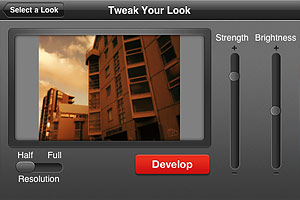 I have tried Movie Looks HD both on the iPhone and on the iPad: even in full resolution developing times seemed fair, especially with very short clips. Just to be on the safe side, Red Giant warns users that an iPhone is not a supercomputer and processing may take some time. At any rate, it doesn’t take Movie Looks HD longer than average to edit video clips. Effects are well done, but perhaps not varied enough to justify forty different presets. Not to mention that some of the most interesting effects come with the premium packs. On the iPad, for some reason the app stays on “saving” forever after developing is complete, so I couldn’t manage to get past this stage and look at the result. Moreover, on the iPad the app has some glitch and thumbnails aren’t displayed correctly in previews.