
Marvin Lee’s Lomora for iPhone is one app whose charm we could never deny. Finding an acceptable Lomo app for iPhone, one not only capable of delivering the visual appeal of the real thing but also of being reasonably hassle-free, has never been quite so simple, and even though we loved the old Lomora for its amazing effects, we also felt not so inclined to use it regularly for a number of reasons. The app had already been revamped a few times, introducing among other things focus and exposure controls, but some of its design flaws and its proneness to crash at random were still among its issues.
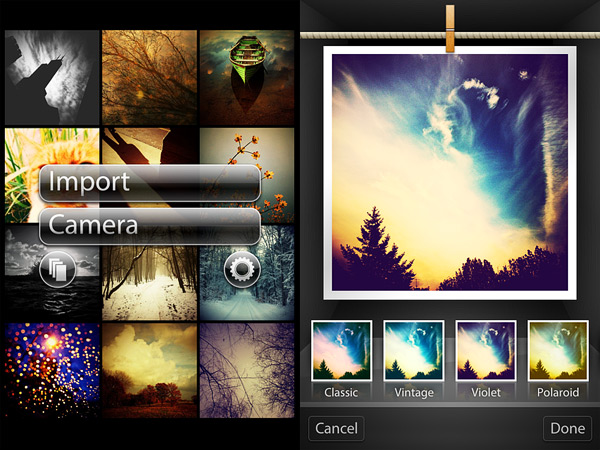
The newly released Lomora 2.3 provides the user with a totally different experience; at the same time, the app’s finest points — that is, the quality and beauty of its effects — are unchanged. Continue reading “The New Lomora”
Category: App Updates
Appotography’s pick of the most relevant iPhone and iPad photography app updates.
SwankoLab Is Back
I know that this may sound incredible, but hey! SwankoLab is back. The creators of SwankoLab have finally decided to lend their ears to the hordes of disappointed buyers of their once promising app that more than a few of us had believed lost in oblivion.
The update came earlier this week. It turns out that not only the app got the long-awaited update, but a few features were also added to it—if you don’t believe me, you can check for yourself.

Here is what you will find in version 1.3 of SwankoLab. Continue reading “SwankoLab Is Back”
Trying Out Hipstamatic’s W Mag Freepak & Related Issues
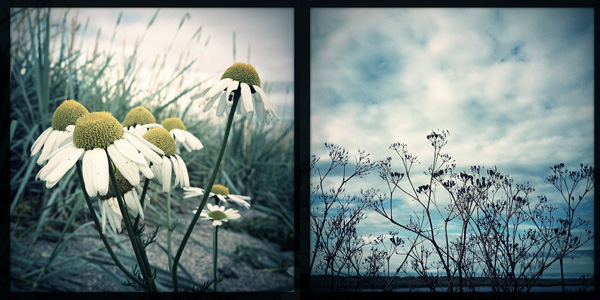
I’ve been testing the new Hipstamatic’s W Mag Freepak that was released a few days ago. The pack contains three items, one film, one lens and one case. The W40 film features an irregular square black border, strong vignetting, high contrast and desaturated colors. The Wonder lens applies to photos taken with it muted cool tones. The W Mag Commemorative case combines a light wooden texture with sleek metal details.
 Continue reading “Trying Out Hipstamatic’s W Mag Freepak & Related Issues”
Instagram 3.0 Presents Maps
 The release of Instagram 3.0.0 introduces the new photo map feature. Every user can now share pictures based on their location by enabling the feature at the moment of posting them. Previously taken photos can be selected and added to the map as well and others can browse them accordingly. Previously Instagram users were allowed to add a location to their photos, but there was no proper visualization of all the geolocated photos according to the given location. Now photos are arranged on the map and they can be accessed and browsed easily from the user profile. All photos added to each user’s map can be individually removed from it at any time. Users switching to the new map feature are advised against adding to it photos whose location they don’t wish to be exposed. Continue reading “Instagram 3.0 Presents Maps”
Hipstamatic Releases Limited Edition Nashville Hipstapak
Hipstamatic 226 was released just a few hours ago. The main changes in the new version of the app are the upgrade for final resolution on iPhone 4s (with High Quality brought to 2448×2448 and Medium Quality to 1936×1936) and more accurate EXIF data saving.
Hipstamatic 226 was released just a few hours ago. The main changes in the new version of the app are the upgrade for final resolution on iPhone 4s (with High Quality brought to 2448×2448 and Medium Quality to 1936×1936) and more accurate EXIF data saving.
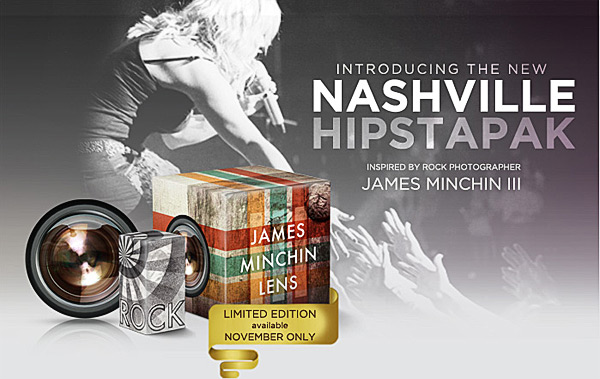
Now Hipstamatic offers a new extra, releasing the Limited Edition Nashville Hipstapak, inspired by the work of famed rock photographer James Minchin III.
Continue reading “Hipstamatic Releases Limited Edition Nashville Hipstapak”
FX Photo Studio 4.1 Update
FX Photo Studio by MacPhun was updated to version 4.1. The latest release not only revamps previously included items, but it also adds a couple of useful new features. Developers listened to the requests made by their users and in the new version they revised the app’s brush tool in masking.
 FX Photo Studio by MacPhun was updated to version 4.1. The latest release not only revamps previously included items, but it also adds a couple of useful new features.
Developers listened to the requests made by their users and in the new version they revised the app’s brush tool in masking. The brush can now be resized and both its hardness and opacity can be adjusted as well. Customization is possible thanks to three separate sliders, each commanding one of the aforementioned parameters. The newly added flexibility allows to achieve better control when working in masking mode, especially with finer details. Previously, FX Photo Studio only offered four different fixed brush types, which by the way are still available in the brush menu, although they are now used as brush presets and can be edited.
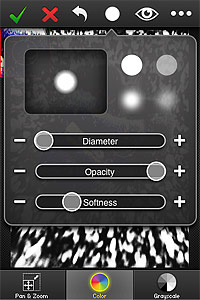 Another addition in FX Photo Studio 4.1 is the Color Splash feature. Color Splash comes with two painting modes, color and grayscale. The brush tool used to apply color or grayscale selectively on images in Color Splash is the same used for masking and thus fully adjustable. For better results, it’s possible to enable panning and zooming.
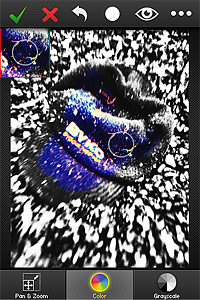 Finally, FX Photo Studio now preserves EXIF data of your photo, so that all the useful information contained in pictures is retained after saving.

Hipstamatic 225 & Wicker Park Hipstapak
Hipstamatic 225 was released earlier this week. The latest version of the app comes with the MultiSlide Flash charger, a feature which allows to select between hardware and software flash (only working with iPhone 4) and with a brand new hipstapak.
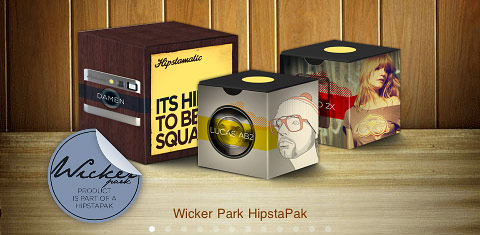 The Wicker Park hipstapak owes its name to the renown namesake park located in Chicago’s West Town area. The pak includes three items: a lens, a flash and a camera case. The Damen camera case blends together metallic finish with wood paneling for giving your Hipstamatic a distinctive urban look. The Jolly Rainbo 2x Flash is, in Hipstamatic’s team words, a “jovial strobe” suited for the darkest and less photo-taking friendly lighting situations. Lucas AB2 is a lens delivering beautiful golden tones, ideal for bringing out the warm colors of the upcoming fall season.
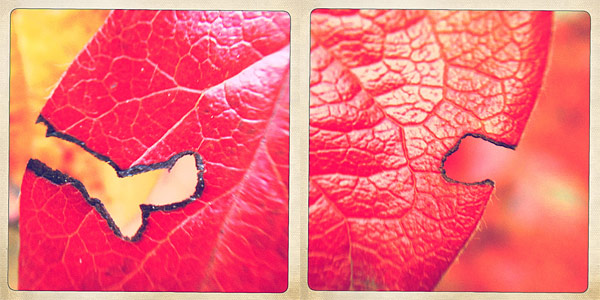 The Wicker Park hipstapak is available as in-app purchase with the updated Hipstamatic 225 for $0.99/€0.79/£0.69.
Bleach Bypass Updated to 1.2.6
 Bleach Bypass 1.2.6 was released today in the App Store. The latest version of the app introduces a new effect to the FX collection of Fotosyn’s skip bleach camera for iPhone. The new effect is called Rustic and is characterized by a soft sepia tone.
Rustic stylistically merges with the app’s previous effects. With the addition of Rustic, Fotosyn’s skip bleach camera currently counts nine effects in all, divided into two separate categories, Standard Effects and Tint Effects. The quality of Rustic fits in the latter group, offering a complement to tints already included in the app’s collection. Bleach Bypass 1.2.6 also presents a vignetting revision.
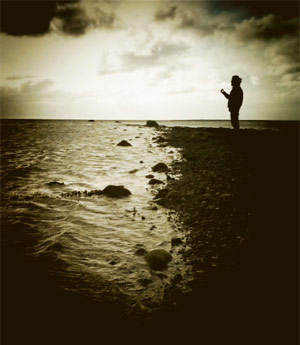
Bleach Bypass recently got a significant update, allowing users to have a better control over the app’s workflow and to manually adjust their effects of choice to better suit photos during processing.
Revamped Instagram 2.0 Hits the App Store
 Numbers speak clearly: over 9 million people worldwide are using Instagram to take, process and share their photos. These figures are mind-boggling and they speak better than anything else about the actual popularity of this app. The success of Instagram is explicable with the fact the Burbn’s app succeeded in attracting both photo enthusiast and, at the same time, people that had never considered having fun with a camera before. Instagram was, and still is, a common ground for users with very different expectations and requirements.
I got Instagram on day one of its release: when was it? Last October, I think? It feels ages ago since I snapped the first in-app picture and applied the first filter (I think my very first try was the Lomo-fi) and, although I am far from being a regular user (you will find me as @psychopu there), I always enjoyed checking out every update conjured by the developers at Burbn. Yes, even when there were reasons for complaining.
I never denied there was something in Instagram’s way of dealing with my photography needs that left me a little disappointed. Namely the issue with Instagram’s output resolution. However good the filters (you gotta love the timeless and subdued Earlybird, just to name one), that problem always lurked at the back of my mind when using the app to take photos.
Instagram 2.0.0 was released earlier today and the new version adds a lot to what Instagram already offered. Improvements include: new filters, new editing tools and, most importantly, new save resolution. Here are all the details.
- Full resolution save – One of the problems that prevented users from truly enjoying the app was the final resolution of saved photos. Now Instagram delivers filtered photos in high resolution to the device Camera Roll.
- Instant live effects – Both filters and tilt-shift can be seen in real time before applying them. As I was testing this new feature today on my iPhone, Instagram live view seemed to work smoothly and I could not find any problem with it.
- New filters – Four new filters are an addition that Instagram fans will appreciate greatly. The new filters are Valencia, Amaro, Rise and Hudson. I am adding a preview for all these new effects — definitely better than writing a useless description.
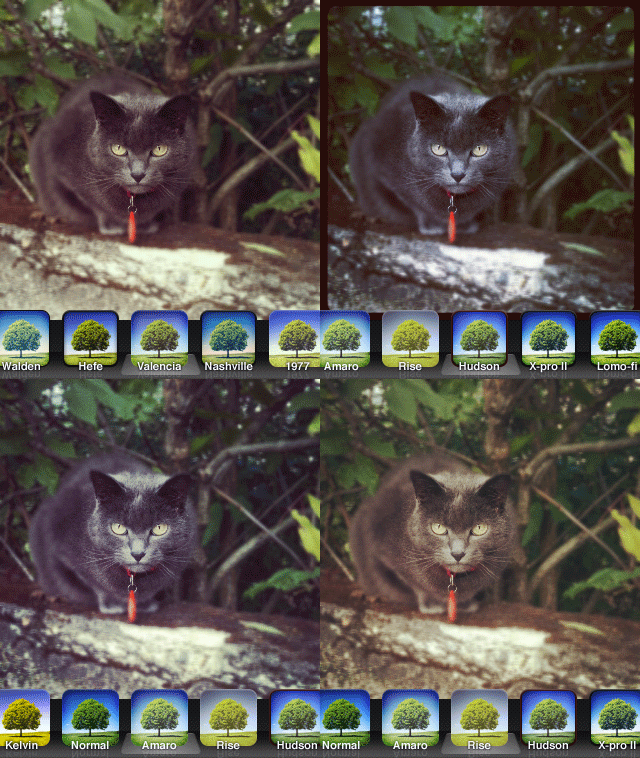 On a perhaps irrelevant note, some of the older filters appear to have undergone significant changes in the new version of Instagram as well.
 - Turn off borders – Borders and effects can be applied separately, as it’s finally possible to disable borders in photos when a filter is chosen.
- Rotate – A rotate tool has been added. Users can now rotate photos by 90 degrees after taking them.
- New icon – Instagram 2.0.0 has a new icon — nothing dramatically different from the previous; just a little sleeker, as you can see above.
- Other enhancements – Improved viewing feed support; faster feed load times.
Given the improvements in version 2.0, I feel like reviewing our previous score for Instagram. With the added extras, but most of all with the long-awaited high resolution, the app now deserves a full score.
Overall
Name: Instagram
Developer: Burbn, Inc.
Compatibility: iPhone, iPod Touch, iPad. iOS 4.2.1 or later.
Price: free!
Vote: 5/5
Pinhole HD Updated to 1.1
Pinhole HD is now version 1.1. Apart from several bug fixes, new features come with the latest release of the successor of Pinhole Camera for iPhone. Here is what’s new in more detail.
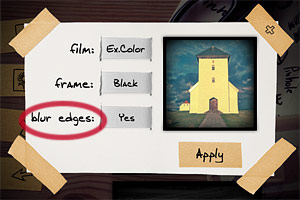
- New edges effect – The all new blur edges effect was added. Blur edges apply slight blur around the borders of your image, for a more believable analog pinhole look. To make space to the new effect, lens distortion is not available anymore. The blurring option can be enabled by default from the device settings.
- Revamped color effects – Saturation in color film effects was changed in version 1.1. Film effects available however are still Color and Expired Color, as in the original release.
- Autosave – An autosave to library option was added, allowing to save images automatically to the Camera Roll. Autosave can be enabled from the device settings.
- Double exposure preview – It’s now possible to have a live preview of the double exposure effect directly in the app’s viewfinder before taking both photos.
- Tap buttons – Before, it was only possible to swipe over buttons to change resolution, enable double exposure and change effects. Now you can either tap or swipe for achieving the same.
- New info screen – Tapping on the icon marked with the letter “i”, you access the app information.
- Save settings when app starts/ends – Pinhole HD now remembers all the previous settings when you close and open the app again. You don’t have to start over and change settings every time, unless you want to.
Are you looking for more information on this app? Our review of Pinhole HD is here.