PhotoViva Now Free

PhotoViva is currently free in the App Store Lamina Design’s photo editor was previously $2.99.

PhotoViva Free
Differently from the majority of other apps that use art filters to turn photos into paintings, PhotoViva comes with a set of photographic tools for a more comprehensive editing experience. It’s possible to use the app not only to paint over photos and give them a painterly look, but also to adjust contrast and brightness, saturation and hue, to apply watermarks, HDR correction, and more. The app is compatible both with iPhone and iPad.


Continue reading “PhotoViva Now Free”

XnRetro Review

XnRetro is the little sibling of the more comprehensive XnView. The app is pretty much hassle-free and user-friendly, but it offers limited tools. XnRetro is an okay photo companion for users who need all the essential features that make a photography app usable, from processing to sharing, without sophistications and convoluted controls.

XnRetro iPhone

Main Features

  • 19 filters;
  • 26 frames;
  • 15 light textures;
  • 6 vignette styles;
  • Add grain;
  • Adjust brightness, contrast, saturation;
  • Send via email;
  • Share on Facebook and Twitter;
  • Open photos in other apps.

Continue reading “XnRetro Review”

iPhone Photography Tutorials #5 – Creating Vintage Roses

This is a new installment in our iPhoto Tips series for beginners and intermediate photography apps users. The aim is to help iPhone shooters to enhance mobile pictures and create original artwork with them. The techniques shown are very easy to reproduce and can be adapted to a variety of styles with just a little creativity.

In this tutorial we’ll be using multiple layers’ blending to create a new image from a simple — and boring! — iPhone shot.

I am starting with this rose picture, taken with the iPhone 4s default Camera app:

Vintage rose iPhone tutorial pt. 1
The original photo

Continue reading “iPhone Photography Tutorials #5 – Creating Vintage Roses”

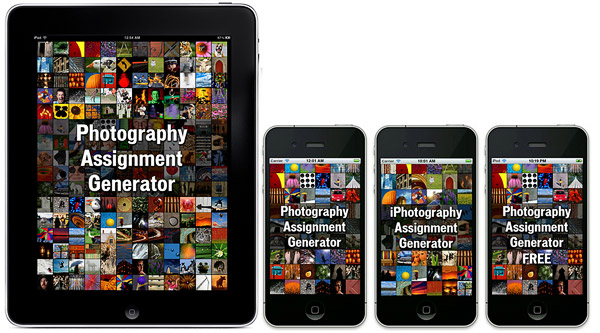
The Photography and iPhotography Assignment Generator

If you have camera, any camera — if you are reading this site you probably do — you know how hard finding inspiration to take pictures can get. This is especially true if you are a little more dedicated to photo taking than the casual shooter. If you have a few bucks to spend and are looking for new ways to get your motivation going, you can give the iPhotography and Photography Assignment Generator a go. These apps are intended as databases of photo assignments, ranging from exploring photography genres as portraiture, landscape, and macro, to trying various camera settings and creative techniques. The apps are directed not only at iPhone shooters but also at anybody else with an interest in photography.

Noel Chenier, the author of this project, is a photographer with experience as an instructor and is currently giving online courses in photography via his website, learnphoto.ca.

Photography/iPhotography Assignment Generator
Continue reading “The Photography and iPhotography Assignment Generator”

OpenPhoto Becomes Trovebox

Wide Angle Labs just released a major update to their OpenPhoto: the app formerly known as OpenPhoto is now TroveBox.

Trovebox, as OpenPhoto before it, is available for download both as iOS and Android app. What are the improvements that come with this makeover? Trovebox features a completely revamped interface, easier picture sharing via your device’s app, smoother photo management, batch image editing and, last but not least, a brand new cute and colorful icon.

Trovebox

Trovebox is a friendly service that will help you upload, organize and store all your pictures in a safe, accessible way. It is fully integrated with popular social networks like Flickr, Facebook and Instagram. There is no catch, no fuss and no sketchy terms of service: you are 100% in control of your content and you can use Dropbox, Box, Amazon S3, CX and DreamObjects to store all the images in one place and bring them with you always.

We loved OpenPhoto and we hope we will enjoy using TroveBox as well. Why don’t you give it a try? TroveBox is free in the App Store and Android Market.

Geló Review

Geló is the most recent addition to Fotosyn’s photography apps. It is designed as a portable lab for instant photo enhancements.

Geló’s inspiration comes from gels, sheets of transparent material, usually acetate, to be applied to the flash either to color balance the final image or to add colored effects to photographs. These modifiers come in a variety of shades for matching different lighting situations and to fulfill several creative purposes. Geló will help you achieve similar effects to those attainable with regular gels on your device, with just a few taps.

Geló for iPhone

Main Features

  • Full resolution available;
  • 30+ ready to use gels;
  • 3 blend modes;
  • Custom swatch palette;
  • 5 gel types;
  • Adjust contrast;
  • Color/monochrome switch;
  • Save user settings;
  • Send with email or share to Twitter.

Continue reading “Geló Review”

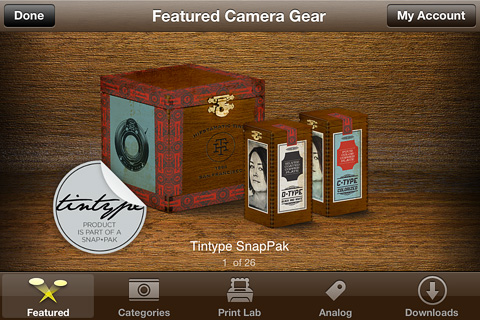
Hipstamatic’s Tintype SnapPak Tried & Tested

Hipstamatic released their holiday special in the form of a new pack, the Tintype SnapPak, comprising one lens and two films. It is evident from its name — and it was also stated on Hipstamatic’s blog — that the Tintype SnapPak was heavily inspired by tintype photography, an old-fashioned photographic process especially popular among itinerant photographers and practiced at fairs and amusement parks as it was quick and easy to develop on the spot.
Tintype SnapPak Continue reading “Hipstamatic’s Tintype SnapPak Tried & Tested”

Instagram Backpedals on New TOS

InstagramInstagram has just published an article on their official blog to answer the concerns of users and press about their new TOS – and possibly to stop the movement of people that have been running away from their platform in the past 24 hours. Parts of the TOS will be reworded to be more clear and others will be removed entirely from the TOS. In particular,

The language we proposed also raised question about whether your photos can be part of an advertisement. We do not have plans for anything like this and because of that we’re going to remove the language that raised the question.

Continue reading “Instagram Backpedals on New TOS”