PictureShow by Graf got a substantial update and it’s now version 3.1. What’s new in the latest release?
Eight new presets;
Missing frame and noise styles are back;
Lens kit support on iPod 4 over iOS 4.3.1
Added Reset All button;
Added High Quality Preview option;
Minor bugs fixes.
TiltShiftby Michael Krause is now version 2.3. The new features concern the resolution of saved images.
You can now have the possibility to save a half size or full size photo whatever the resolution or filter type is. The maximum output resolution was increased to 16 megapixels on the iPhone 4 and to 18 megapixels on the iPad 2.
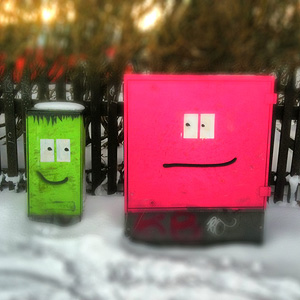
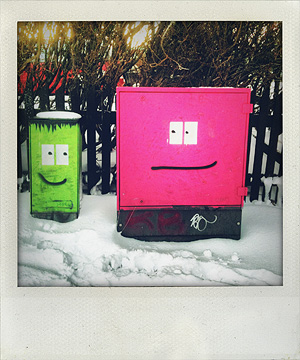
Finally, Banana Camera’s ShakeItPhoto‘s latest update to version 2.0 adds the new Polaroid frame to the classic instant one previously included in the app.
Other minor updates in the last hours are for the following apps we have reviewed in the past: Lo-mob (v. 1.4.58), Panoramatic 360 (v. 4.4.1), Instagram(v. 1.6.1).
Mediachance released Dynamic Light 1.6. Six new photographic filters were added with this new version, bringing the total to twenty-four effects to process your iPhone photos.
To help you improve the your pictures without losing in realism, Mediachance introduced Realistic Sky and Realistic Skin. They will selectively lower the effect on sky and skin respectively.
Realistic Sky
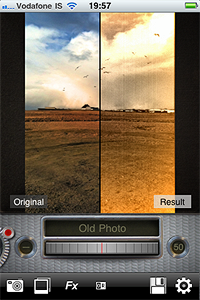
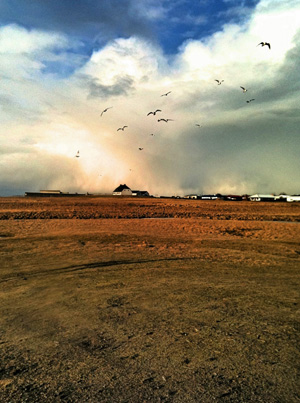
To please users more interested in obtaining highly stylized photos, Dynamic Light now offers four new effects. Old Photo, Motion, Relief, and Urban Art were also added to version 1.6.
Old Photo
Other improvements of the latest release concern camera bug fixes.
Instagram update to version 1.6 improves Burbn’s app performance and introduces a new filter, Brannan.
Added new filter Brannan;
Performance and stability fixes for memory usage and camera on iOS4+;
Speed up network requests.
Here is a sample photo with Brannan filter applied.
Brannan, although not radically different from some effects already included in previous releases of Instagram, introduces to the app a variation to warm toned filters, like Earlybird or Hefe.
Pocket Pixels released version 1.6 of their ColorSplash. This update brings a few improvements and more stability to ColorSplash for the joy of its users.
What’s new in version 1.6?
Better quality and higher resolution of images displayed during editing;
AirPrint support for wireless printing enabled (iOS 4.2 required);
Preserved metadata in saved images (iOS 4.2 required);
Improvements to the handling of high resolution images;
Phoster was updated to 1.1.0. The new release adds more customizability and extras. Here is what’s new:
New design;
New icon;
Bookmark favorite template;
Movable text;
Adjustable text font;
More text color options available;
Five new templates.
Phoster is more fun than ever: now you can move around your text and place it anywhere, pick one of the several available font faces and choose among a wider color palette to make your posters and invitation cards unique.
Five templates were also added to the already rich app’s collection. You can also bookmark your favorite template styles for browsing quickly through them.
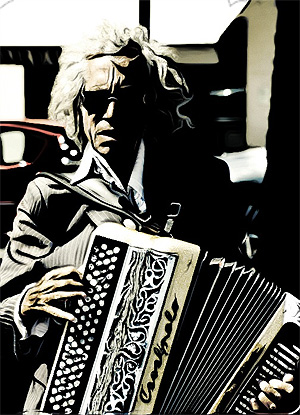
Some interesting news for ToonPAINT fans: version 2.0 of the popular photo-to-cartoon app introduces new features and enhancements.
We reviewedToonPAINT in the past and, although we liked it, there were more than a few issues that prevented us from fully enjoying this app. The new release solves most of the known issues we pointed out at the time of our first evaluation, especially the problem concerning full resolution saving.
What’s new:
New UI and workflow;
Full resolution output;
Improved painting system;
Infinite undo on paint;
Speed optimizations on Inklines for iPhone 3GS and iPhone 4;
Upload your photos to Hall of Fame and vote for others’ creations;
New Auto Color, Alpha Brush (available with in-app purchase) and Volbeat Me coloring modes;
Fixes to all known crash issues.
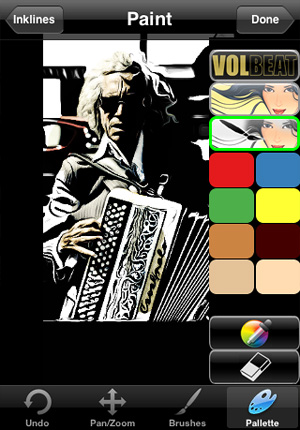
A big change in the ToonPAINT 2.0 concerns the new UI, much cleaner and better organized. The tracing features are the same, but the way each step in the processing is now improved makes using ToonPAINT easier. In ToonPAINT 2.0 you can still paint with default brush and colors, but you can also use the new painting modes, available via in-app purchase for $0.99 — £0.59 or €0.79 — each. The new painting features especially give cool results in the bat of an eye even to those that are not experienced with digital painting or to those who simply do not want to spend too much time playing with brushes and colors.
Auto Color, as the name suggests, automatically fills your picture with color; Alpha Brush uses alpha opacity to let you paint over your cartoon using your original image as source. Both features heavily rely on your original images, but while Auto Color retains more of a stylized cartoony look, Alpha Brush adds realistic tints to your creations. A third painting mode was added as an extra: Volbeat. Inspired by the visual style of the Danish rock band going by the same name, this feature basically adds a monochrome golden layer over your outline.
With Alpha Brush applied.
I have mixed feelings towards this update. The full resolution is a great improvement and the new interface is also a point in favor, but paying for each add-on separately may not be that appealing and taking away the function for smoothing lines — which was very useful but also very likely one of the main reasons that prevented an upgrade to full resolution — is another irritating change in version 2.0. The thing that I don’t really like though is that Volbeat extra. Not for the effect per se, but for its implications. When I use a photo app, I don’t like the notion of being involved in a promotional campaign, even when it’s about something I like. And I assume I’m not the only one.
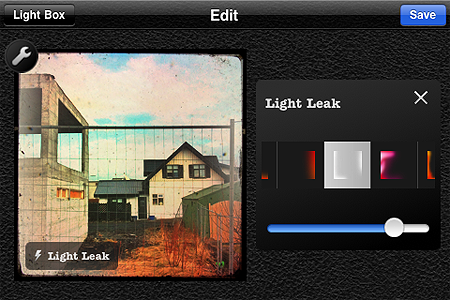
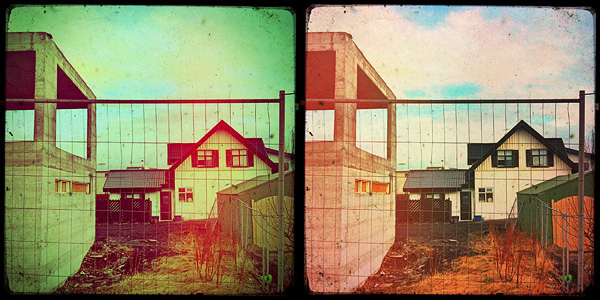
I am pleased to see the light leaks feature was finally renovated. Light leaks were perhaps the only element I didn’t enjoy much in the previous versions of Cameramatic, because the light leaking applied was totally random before, so you couldn’t really make use of it properly.
Several light leak styles to suit your customized effects combinations.
With this update not only the quality of the light leaking effects look greatly improved, but it is also possible to choose among different styles and adjust their intensity. The result is far more convincing than before!
You can now also easily restore your purchases in the case they are lost when you delete the app and install it again.
After the previous release, Mediachance had anticipated a substantial improvement to their Dynamic Light app. And here it is, the promised update: version 1.5, featuring new filters, interface and useful tools for giving you more freedom while processing your photos.
New interface;
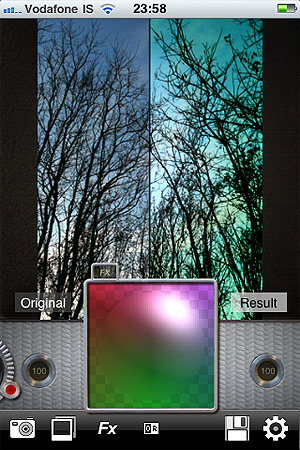
Adjust two parameters at once (Strength and Radius) with the new Light Ball;
Fine-tune all the effects with Color Mixing Light Ball;
Six more effects, including Dutch Light which is officially back.
The big thing about the new release is the Light Ball mixer, which gives you some extra flexibility to adjust effects to suit your photography.
Along with Dutch Light, that was brought back after a brief absence, five new filters are available with the new release of Dynamic Light: Overcooked HDR, No More HDR and the three colored effects Green Tint, Blue Tint, Red Tint, which all look like variations of Mysterious Light.
Some New Filters: Green Tint and Overcooked HDR
A final note about release 1.5: six empty slots can be seen in the newly added effect page. Indication of more filters to come?
Fx Photo Studio by MacPhun, one of the most popular apps for iPhone photography, is now version 3.2. Together with general performance improvements, with this release you will get also some new extra features.
Here is what’s new in detail:
Full compatibility with iOS 4.3;
Category Sketches with 6 new filters added;
Enhanced effects tuning;
Various crashes and bugs fixed;
Overall functionality improved.
The new FX Photo Studio filters category, as the names clearly suggests, contains six filters that will turn your photos into hand-drawn-like images. The selection covers a variety of styles, from pencil to pen to charcoal. This, I am sure, is definitely something fans of MacPhun’s app will greatly appreciate.
Check this update out, if you haven’t done so already!