JQMRPFU7FGU9Dynamic Light version 1.7 is out now. With the latest release of the app by Mediachance you will get seven brand new effects for processing your photos.
The newly added effects are the following:
Solarize;
Re-Exposure;
Edgy;
Contrast Photo;
Old Timer;
Golden Age;
Calm Print.
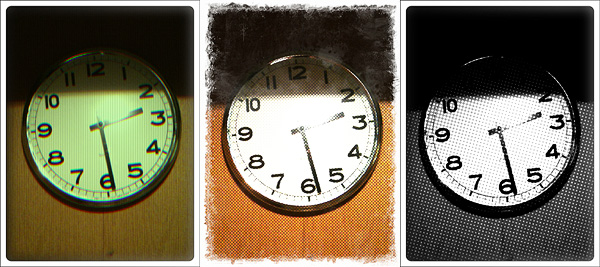
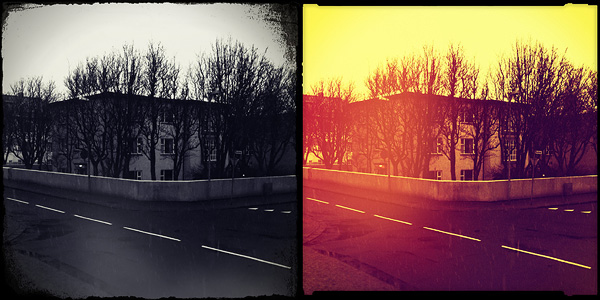
And here is a preview:
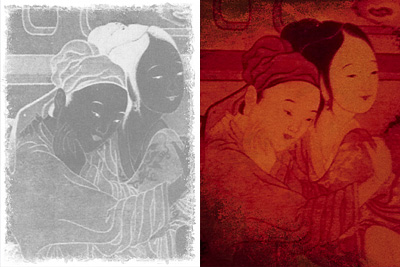
Golden Age and Old Timer effects.
The new effects will particularly please fans of monochrome photography with an old-style flavor.
First of all, I want to commend the developer for the attention paid to user feedback. I hope the willingness demonstrated up to this point will help the app getting better and better.
I also want to notify that previously observed aliasing issues concerning a few of the borders have now been fixed. Previous memory issues, especially those occurring when sharing photos via email from the in-app gallery, were also fixed in the new release.
But here is what’s new in Lumière 1.2 in detail:
Improved resolution: Lumière now supports full resolution saving;
Switch between High Quality (HQ) and Speed Quality (SQ);
Added three new filters: Orange Crush, Negative Colour and Negative BW;
Settings autosave: your settings are automatically saved upon exiting Lumière;
Improved startup times;
Bug fixes.
Some of the filters in this app are quite charming; up to the previous release, especially due to resolution limitations, one couldn’t actually make use of them outside of iDevices. The enabled full resolution feature will very likely please more than a few users.
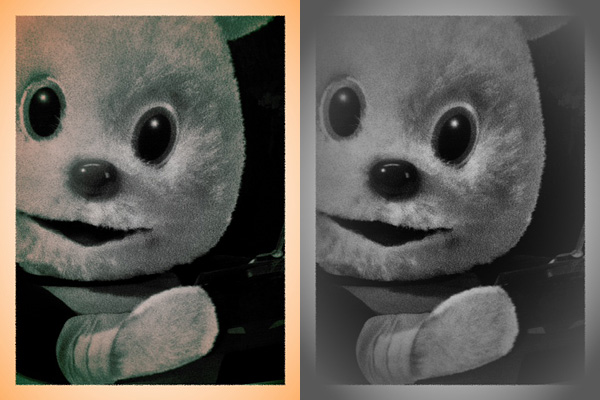
New filters: Negative BW and Orange Crush.
If you’re into real-time processing in combination with vintage photo effects, Lumière is, also for the customer service provided, among the best options available in the App Store right now.
VintageScene 2.5 was released today. The latest version introduces a new effect called Faded Time.
Faded Time
Faded Time includes 15 presets to add to your photos a distressed, faded look. The new effect expands the already rich VintageScene’s selection (30 presets in the Vintage Scene collection + 33 more in the Antique Photo collection). Not to forget, you can always create and save your own presets.
Just a few instants ago, Hipstamatic 210 was released in the App Store. The new version includes new features and extras.
New free lens: Buckhorst H1;
New Bondi HipstaPak;
Pinch-to-enlarge viewfinder and full-screen shutter button while zoomed;
Redesigned Recent Prints section;
Unlimited stacks printing;
View contest leader-boards and details in-app (Flickr account no more required for entry);
Twitter sharing;
Order prints and analog products from the Hipstamart in-app.
We got a small taste of the items contained in the newly added Bondi HipstaPak and of the free Buckhorst H1 lens.
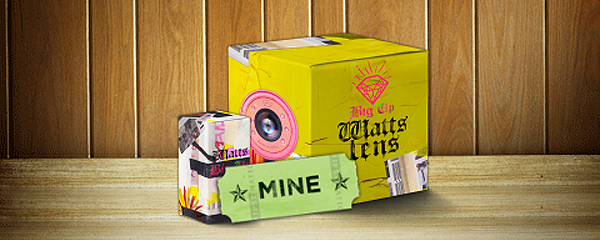
The Bondi HipstaPak, inspired by the work of New York-based photographer Ben Watts, contains two items: the overly trendy Watts lens, a color burn feast, and the unpredictable Big Up Film, with its extreme DIY look.
With its radiant quality, the Buckhorst H1 lens, the free extra coming with Hipstamatic 210, will light up even the gloomiest photos.
Big up Film with Buckhorst H1 (left) and Watts (right) lenses.
The Bondi Pak will be available until September, so get it now before it’s gone.
We reviewed Lumière by nebulus design for the iPhone just after its initial release. Just recently an update was released. Here is what’s new in version 1.1:
New filters: TV lines, Newspaper Print, Magazine Print;
Optimized engine and controls;
Adjust filter with the newly introduced effect slider;
Set focus by tapping;
Set exposure by double tapping;
Choose among different resolutions (1024×768, 1600×1200, 2048×1536);
Better stability in photo sharing;
Detailed in-app guide;
Bug fixes.
Even though you can now select resolution — still no full resolution for iPhone 4 users — and a few filters were added in version 1.1, the overall quality of the effects seem to be unchanged from the first release. Also, I have experienced a few slowdowns and the app crashed on me a few times, especially after pressing the shutter button and when trying to send higher resolution images via email.
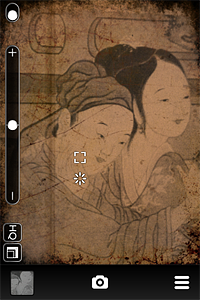
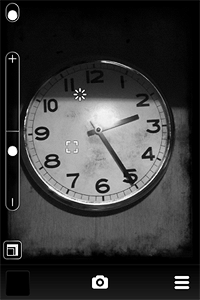
Lumière newly introduced effects tested on iPhone.
Still, it’s good to see the developer is eager to get feedback from users, therefore I am looking forward to further improvements.