Retro Camera Plus 1.0.6 is out now. What are you getting with the new release?
The answer is… a brand new camera!
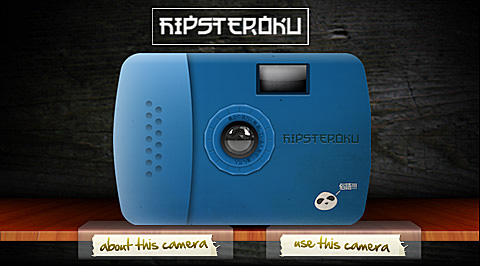
Retro Camera Plus new camera: the Hipsteroku
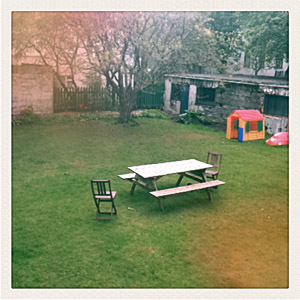
The Hipsteroku has a blue and rounded plastic body and an overall childish appearance. Photos taken with this camera feature intense leaks, a breezy look and a retro white frame. The Hipsteroku, despite its slightly awkward name, is a cute little companion for your instant photography cravings.
Taken in Retro Camera Plus with Hipsteroku.
Remember that Retro Camera Plus is totally free in the App Store!
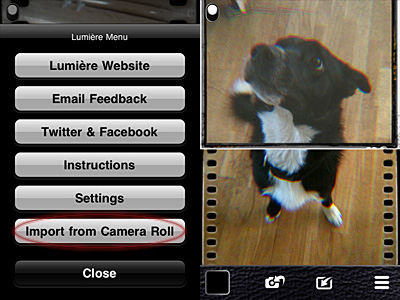
Importing photos from Camera Roll is allowed. You can now use Lumière and its vintage effects on photos you have previously taken with your iPhone.
Lumière 1.3 - Import from Camera RollLumière 1.3 - Apply effects to imported photos.
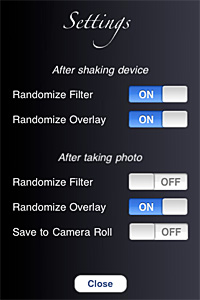
You can also enhance your experience with the new settings. From the Settings screen, you can now decide whether you want to make use of Lumière randomizing features or not. Not only this: you can actually decide which elements and in which instances you want random generation to occur.
Lumière 1.3 - Settings
Last but not least, flash support on iPhone 4 is now enabled.
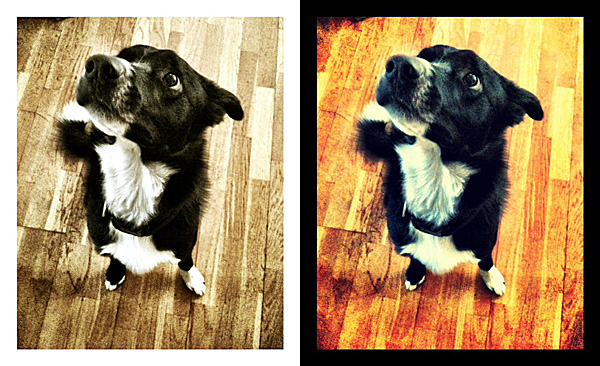
One of the most amazing photography apps recently released to the App Store gets an amazing update.
With Magic Hour 1.1, Kiwiple brings to their iPhone photo app the awaited full resolution. But this is not all: much more comes with the new release.
Let’s see what’s new in detail.
Added high resolution photo saving option: finally you can save photos taken or processed in Magic Hour at their full resolution
Enabled photo taking in Quiet Mode (works only with standard 640×640 pixels resolution): take photo discreetly without turning off your device volume;
Added custom crop view: more freedom in cropping your photos;
Added sharing to Instagram, Facebook Pages, Posterous;
Added upload to Evernote, Mover Lite, Camera+ and more (on enabled devices only);
Added AirPrint support;
“Always see guides” on/off: keep in-app guide enabled for reference or disable it;
Added curves guildelines;
Other various improvements.
Magic Hour offers a wide range of highly customizable filters.
In our previous review of Magic Hour (you will find our full review of version 1.0 by clicking here) we clearly stated how much we enjoyed this app’s versatility, especially regarding filter creation and sharing in the Filter Market. To sum it up, this was the verdict after the previous evaluation:
Magic Hour combines the features of a camera and those of a simple but effective filter making utility.
And also:
Magic Hour makes taking and editing photos fun and accessible for all photo enthusiasts, including newbies.
And finally:
Give us higher resolution and we will give you a full score.
Kiwiple granted our wish in version 1.1. This is why we are more than happy to keep our promise: Magic Hour now deserves a full score!
PS: Magic Hour is on sale! You can get it for a limited time at $0.99, -50% the regular price!
Instagram 1.8.5 hit the App Store a few hours ago. New features are awaiting fans of the popular photo sharing app by Burbn in this latest release, so check them out.
What’s new in Instagram 1.8.5?
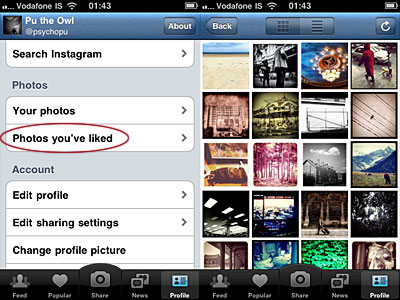
Instagram users now have a summary of photos they have liked, which is accessible from the profile menu panel. Before, faved photos were almost useless to whomever had liked them. Now browsing your liked photos is very easy.
Browse photos you have liked in Instagram.
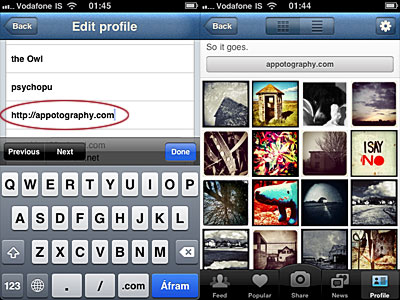
In version 1.8.5 is also possible to add a link to a personal website. To do so, simply input the link in the newly added profile field. A button will appear just above your photos thumbnails in your personal profile. By tapping on it, Safari will be launched and visitors will be redirected to your site.
Add custom website link to Instagram profile.
The last addition of the latest release is the hashtags auto-completion, which makes tagging Instagram entries much smoother.
Cameramatic version 1.2.4 is available in the App Store. The latest release features new filters and frames and a few other extras. Let’s see them in more detail.
4 new filters
Expired Film (Standard)
Dirty (Standard)
Infrated Red (Color)
Green D Street (Color)
1 new frame
White 06 (Standard)
“Apply only to the selected image” option added: you don’t need to create new filters to apply them to photos anymore.
Support for yfrog added.
And here is a preview of all the newly added frame and filters.
Cameramatic 1.2.4 - 2 standard + 2 color filters + 1 standard frame.
PhotoToolbox 2.7 is out now. The new version of Sun Inlet Labo’s app introduces Simple Mode.
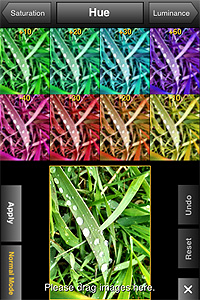
Simple Mode is a new editing feature that you can access from PhotoToolbox’s Filters menu. Differently from Normal Mode, the only mode previously available to edit photos, Simple Mode gives easy and effective visualization of changes in each editing parameter.
Simple Mode in action.
In Normal Mode you could already have a preview of how each setting affected your photos, but Simple Mode brings the preliminary factor a step further, allowing to choose setting values by dragging and dropping thumbnails in your working area. It’s possible to exit Simple Mode and revert to Normal Mode at any time.
PhotoForge2 was released a few hours ago. Version 2.0.1 comes with many fixes and improvements, both to features and interface. Here ‘s what’s new in detail:
Enabling location services to load photos no longer required;
Remove metadata when sharing photos online;
Disable GPS tagging when using the built in camera;
Set editor background opacity when editing;
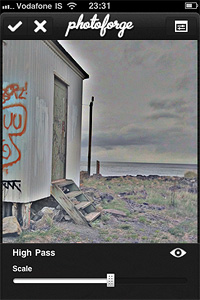
High Pass filter added;
Configurable polar filter edge blending and zoom added;
Camera connection kit RAW support added;
Auto-approve images uploaded to Facebook;
Disabled location service when cancelling the image picker;
Metadata disappearing when emailing photo fixed ( it can now be configured from settings);
Camera roll is now always at the top of the list in the image picker;
Facebook login problem on devices without multi tasking fixed;
Minor interface fixes;
Speed of gaussian blur filter increased;
Various optimizations and speed enhancements.
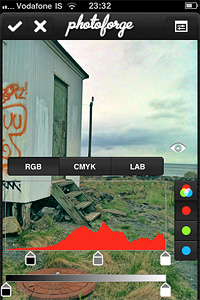
The High Pass filter.Transparent editor backgrounds.
There were reports of a bug preventing users to load their previous projects correctly after updating to PhotoForge2 2.0.1 (the bug doesn’t affect new projects). Developers stated they couldn’t test the app for this specific issue, but they are currently working on it and a new version will be available soon.
Instagram 1.8 was released in the App Store a few hours ago. This latest version of the free photo sharing and micro-blogging app by Burbn presents some interesting improvements that will make your experience with Instagram smoother.
Here is what’s new:
Added double-tap on photos to ‘Like’ them;
Added username auto-completion feature;
Newly introduced interactive comment screen;
Improvements to reliability and speed.
Double-tap on photos to 'Like' them.
Enhancements in this version mainly involve the social side of the app and will especially improve the interaction among users.
ClassicSAMP, the toy camera sampler for iPhone by misskiwi, is now version 5.1. Although this is not a major update, there are changes worth mentioning.
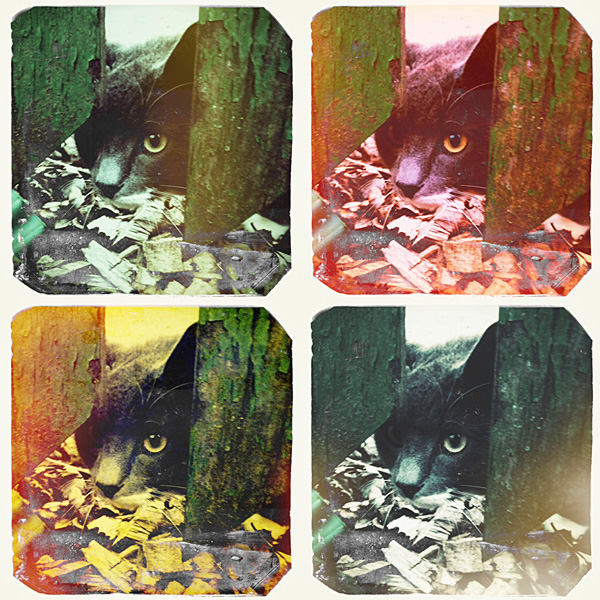
Most notable in the latest release is the expansion of the app’s film collection (counting after this update 16 films in total), which now includes two new filters. If you’re familiar with other misskiwi apps, you probably already had a taste of the funky lomo-ish look of the Scarlet film. The other addition is a monochrome film, the slate gray Sodachrome.
The new filters bring yet more variety in the already rich combination of effects of ClassicSAMP camera.


 One of the most amazing photography apps recently released to the App Store gets an amazing update.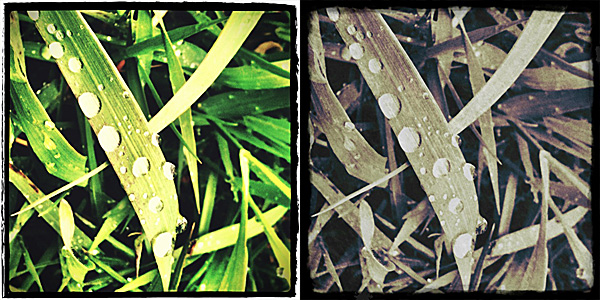






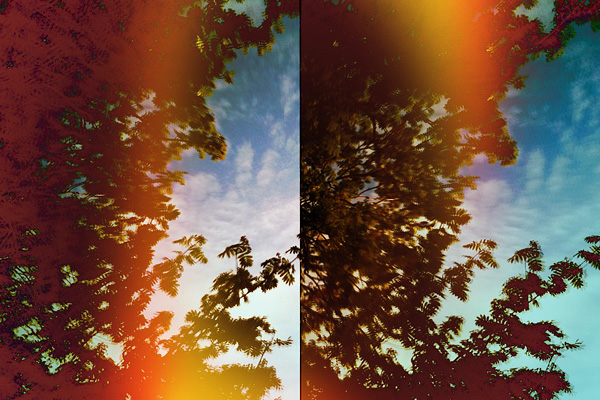
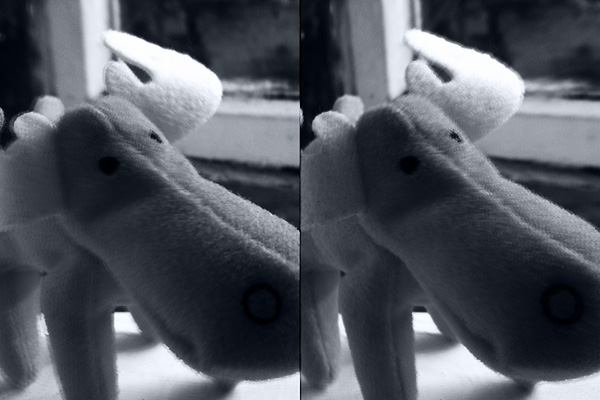 The new filters bring yet more variety in the already rich combination of effects of ClassicSAMP camera.