VintageScene 2.5 was released today. The latest version introduces a new effect called Faded Time.
Faded Time
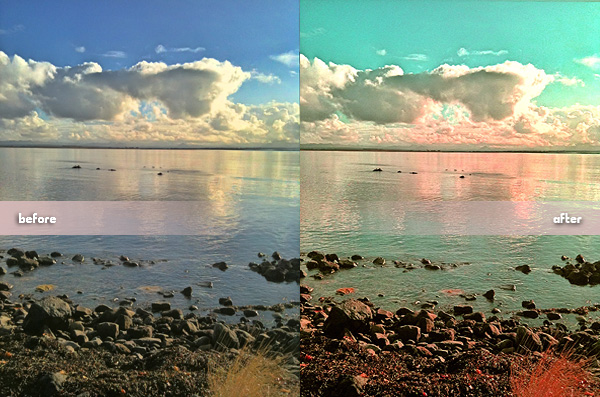
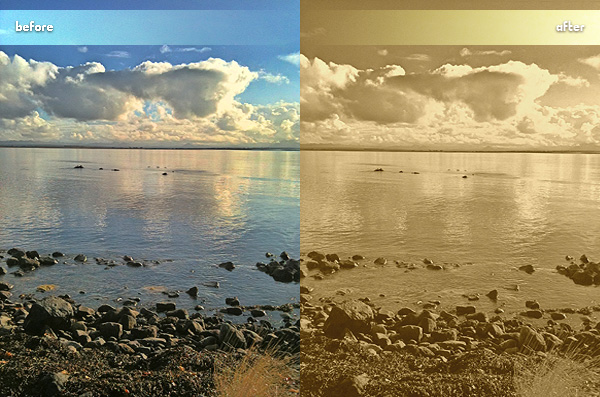
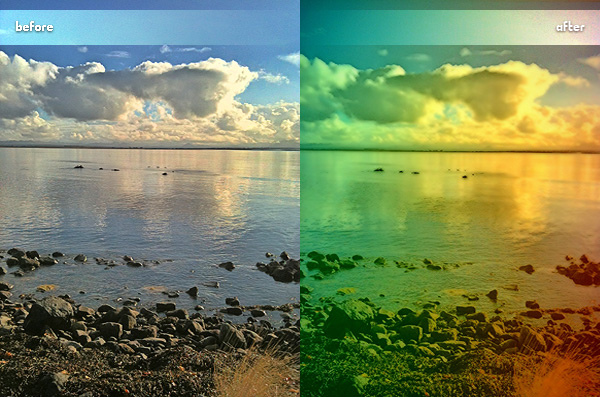
Faded Time includes 15 presets to add to your photos a distressed, faded look. The new effect expands the already rich VintageScene’s selection (30 presets in the Vintage Scene collection + 33 more in the Antique Photo collection). Not to forget, you can always create and save your own presets.
FX Photo Studio, both the iPhone and iPod Touch and the HD version for iPad, is now on sale: get one of the most popular editing tools available in the App Store at a special price!
With FX Photo Studio you get: a rich collection of filters; easy-to-use photo editing tools; full built-in support for sharing your photos on Twitter, Flickr, Facebook and Tumblr.
SuperPopCam by Art & Mobile — creators, among other things, of TiltShift Generator — combines the charm of toy cams with real-time processing on the iPhone.
Main Features
Real-time effect up to 640 x 480 (3GS), 960 x 720 (4) pixels;
Full resolution on saved images available;
Grid on/off;
9 filters;
Adjustable vignetting and border;
Send via email or share on Twitter and Facebook.
Appotography Opinion
SuperPopCam is mainly about real-time processing, but not only. Differently from other apps making use of the real-time factor, SuperPopCam allows to alter also previously taken shots.
The real-time feature enables a preview of how each effect is going to affect the scene you are going to shoot. By finger-swiping, you switch from one filter to the other. You don’t get a preview for vignetting and borders; however, if you enable the grid from the in-app settings, an outline will show where the border will be in the final image. This way you will be able to frame the picture correctly. In SuperPopCam there are five levels of intensity for vignetting, from none to heavy. The included white borders come in two versions: regular and gritty. Each border is available in thin and thick version. It’s also possible to enable the 1:1 format to take square photos.
SuperPopCam works very smoothly, I have not encountered any issue while using it. The UI is also very clear and functional, like other Art & Mobile’s photo apps.
Although features are not many, the effects in Super PopCam are quite remarkable. Especially for users who don’t like intense processing and would rather rely on a subtle analog toycamera lomo-ish feel, SuperPopCam offers a decent replacement to more complex apps. Like in Cross Process, the filters are just an embellishment and they do not conceal with overdone post-processing the final images. The difference with Banana Camera’s app is, of course, the real time preview, a feature that in any case doesn’t add anything to the overall photographic value of SuperPopCam. At least, that’s how I see it.
Hollywood and CrossProcess effects with thin border on.
The most annoying aspect in SuperpopCam is the huge difference between output resolution of photos taken from within the app and that of previously taken shots, both processed using the app’s filters. In the first case, the resolution is very small, even on iPhone 4, which definitely lowers the app’s value. On the other hand, processing photos previously taken with other apps, which includes those taken with iPhone’s native camera app, doesn’t affect their resolution at all. For example, loading a 2048 pixels image for post-processing into SuperPopCam will not result in a scaled down image after saving. This makes me wonder about the actual usefulness of the real-time feature, a handicap rather than an addition.
Overall
Name: SuperPopCam
Developer: Art & Mobile
Compatibility: iPhone, iPod Touch, iPad. iOS 4.0 or later.
Price: £1.19||$1.99||€1.59
Vote: 3/5
Here is part two of our PhotoToolbox filter codes special. To use the codes, open Settings -> Filters setting -> Combination Filters Import&Export -> copy or input the whole line as published here under each image into the text area -> Import.
If you have your own favorite codes to share, send us an email or comment under this entry.
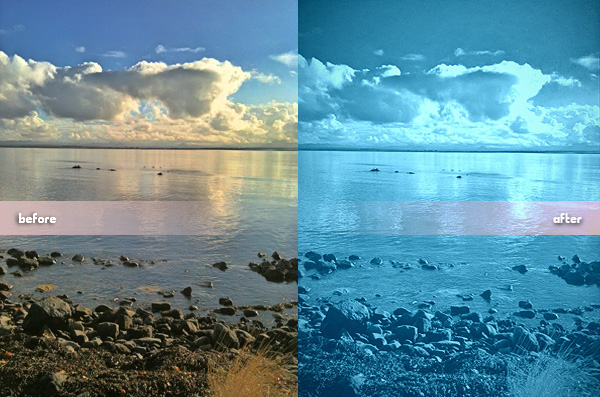
Golden Afternoon,20,35,0,0,0,-15,30,0,0,0,0,-10,-10All Cyan,5,0,0,15,20,30,-20,1,0,1030,0,5,-30Two Strips,0,30,-5,-10,16,0,25,0,0,0,0,-10,-22
PS: Looking for part one to get more codes? You will find it here.
The second part in our free photography apps series of specials — the first part is here. After all, who said you have to pay to enjoy your photography on iPhone, iPod Touch and iPad? Sometimes taking and processing photos is fun also because it’s free.
To celebrate the upcoming J.J. Abrams’s movie, Super 8, Paramount conveniently released a video processing app and gave it away for free.
Pros: Several filters and options to take and process videos, sleek interface, in-app manual. Cons: Not very appealing if you don’t like being forced to watch promotional material.
Adobe Photoshop is currently one of the most popular — if not THE most popular — photo editing and retouching tool in the world. Adobe brought its long expertise to mobile platforms with their Photoshop Express, top free downloaded photography app in many countries.
Pros: A little of everything, from shooting to fine tuning to adding borders and effects to sharing. Cons: Not much flexibility for some of the features included. From Adobe, one would expect something more.
See your average photos in a new light by turning them into stereographic images. Or, to say it in a simpler way, turn your photos into cute little planets. That’s what Tiny Planet Photos does.
Pros: Nice effects. If used with the right images and/or in combination with other apps, it can offer very interesting effects and truly creative, astonishing results. Cons: Limited possibilities as a stand-alone app.
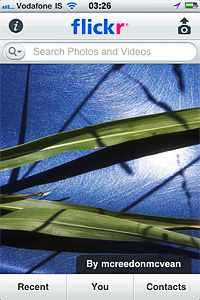
The official app to the most famous photo management and sharing service out there.
Pros: Share your photos easily, get in touch with your contacts, explore other people’s photos. Cons: Not as manageable as the web application; some photo apps already offer basic Flickr photo sharing.
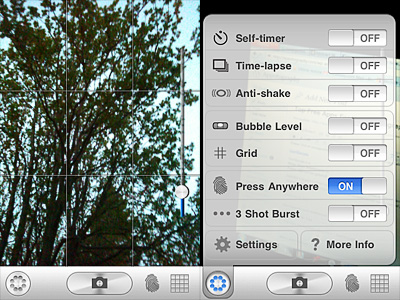
From the makers of Gorillapod. Gorillacam is a great app for those willing to take photos in the most straightforward manner. Within the same app, make use of a collection of digital tools that are often available only by using more apps at the same time.
Pros: Many helpful tools to easily take better photos: timer, anti-shake, grid, full-screen shutter button, burst mode, etc. Cons: Developers announced they will not be releasing further updates.
And this was part 2 of our special. Hopefully, it helped some of you to discover a few new apps. If you have personal favorites that you would like to bring to our attention, feel free to comment here.
On May 19, 2011 — which means in just a few more days — PhotoForge2 will hit the App Store.
PhotoForge2 is described as an upgrade from the previous photography app PhotoForge. PhotoForge2 will be a universal app, available only to iDevices running iOS 4.2 or later. Developers affirm that the new PhotoForge2 is not a mere upgrade from PhotoForge. The app was thoroughly re-designed and renovated. Since, due to App Store regulations, no actual upgrade for previous PhotoForge users is possible, in the first 24 hours the app will be on sale at $0.99 (€0.79/£0.59). After that, it will still be possible to purchase it at the special price of $2.99 for the rest of the month of May.
GhostBird Software released a video preview: enjoy this sneak peek!
Apps whose fame is not sign of actual value? qbro app for iPhone by JellyBus is definitely one of them. Especially in South Korea, this app appears to be very popular. However, I have tested the app and I was very disappointed. Both for ease of use and in the image quality department, qbro failed to convince me that its popularity is actually deserved. I’m going to explain why in detail.
Main Features
Full resolution available;
Big shutter button on/off;
Timer;
Grid on/off;
Front camera reverse on/off;
Square format;
50+ filters (+12 available with in-app purchase);
25 borders;
Hall of Fame;
Send via email or share on Twitter, Facebook, Flickr, Tumblr, Cyworld, me2day.
Appotography Opinion
qbro allows users to take photos with built-in camera or to edit previously taken pictures. The camera has a few tools to help taking better shots, like a big shutter button, reference grid and timer.
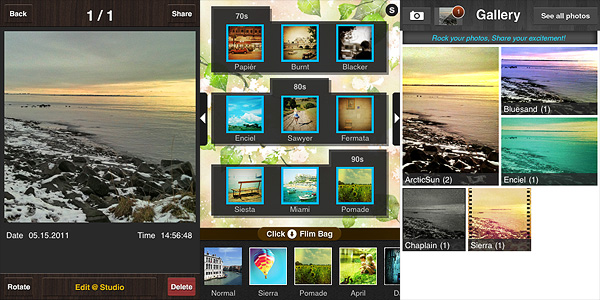
To process the image, there are about fifty filters coming with the initial purchase, but it’s possible to add a dozen more (each pack is $0.99 and contains three filters). It’s possible to select filters from the bottom scrolling menu bar. By tapping on the Film Bag button, you access the whole filter library. You can drag filters to add or remove them from the bottom bar, thus creating a selection of your favorite filters which you can access instantly. Tapping on the top slider icon, you enable the filter intensity adjustment and you also have access to the borders library. Tapping on your image will show you the original at all times for comparison. After you are done adding your effect of choice, you can save the image to qbro’s gallery or you can share it. From the gallery, you can access saved images and edit them again. Photos are arranged in stacks according to filters used, but you can also browse them individually.
Commands and interface in qbro are somewhat confusing for the beginner. Some examples: in the Camera Film Bag you have a preview of combined filters and borders as if they were presets ready to be used, but when you add filters to the bottom bar, borders are not included with them: you have to add borders separately. If by mistake you add a border and you want to get rid of it, the process is not simple. The original language of the app is Korean: some messages do not appear to be translated. Although this is not a great issue, it’s still annoying.
The developer lists in the app description page some features as “unique”, but they’re actually not. I’m not sure what the developer considers as meaning of the term Unique, but according to the English dictionary:
Unique
adjective
1. existing as the only one or as the sole example; single; solitary in type or characteristics.
2. having no like or equal; unparalleled; incomparable.
3. limited in occurrence to a given class, situation, or area.
4. limited to a single outcome or result; without alternative possibilities.
5. not typical; unusual.
As I see it, none of these can fit the developer’s notion of unique. In fact, seeing edited photos in real time is a pretty common feature in many photography apps and so is selecting and equipping only your favorite filters for easier use. The same goes for many other features labeled as such in qbro. The only unusual feature I have seen in this app — but correct me if I am wrong: some other apps may have it as well — is the front camera reverse, which may be original but it is also kinda pointless, in my opinion. Promoting an app with such nonsensical pretension of uniqueness is quite irritating.
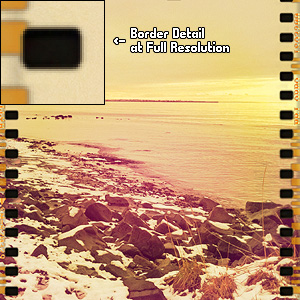
Blurry borders clearly visible at higher resolutions.
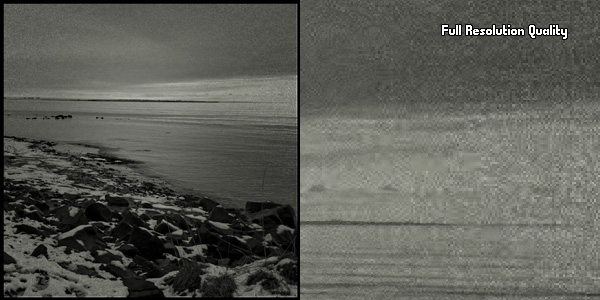
Last but not least: the output quality of the images. The filters can actually utterly ruin your original photos: especially at higher resolution the quality is dreadful for some effects and borders. At smaller resolutions the quality still holds, somehow, but issues are definitely noticeable on larger images. For this same reason, the additional filters are not worth purchasing.
Serious quality issues on large images.
I wouldn’t recommend to get this app in its current version. Hopefully improvements to image quality will be made with upcoming releases.
Overall
Name: qbro
Developer: JellyBus Inc.
Compatibility: iPhone, iPod Touch (4th), iPad 2. iOS 4.1 or later.
Price: £0.59||$0.99||€0.79
Vote: 1/5
PhotoToolbox users, we have a few filter codes to for you to use. We are going to post them little by little, so check out for more in the upcoming days. We are starting this brief series of posts with three codes corresponding to very different filters.
A little variety doesn’t hurt, does it?
To import the codes into your PhotoToolbox in order to use them, simply open Settings -> Filters setting -> Combination Filters Import&Export -> copy or input the whole line as published here under each image into the text area -> Import.
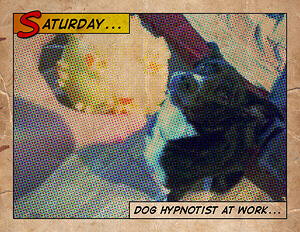
It would be nice once in a while to have characters in your photos talk like in comic strips, or if you could easily add captions to display date and time in a groovy style. Process your photos with Halftone by Juicy Bits to make them look as if they were single-panel comics.
Halftone is a graphic technique that uses the optical illusion produced by a series of dots varying in density, color and size, to suggest infinite range of tones. Halftone app for iPhone simulates effects produced by the halftone technique on your photos.
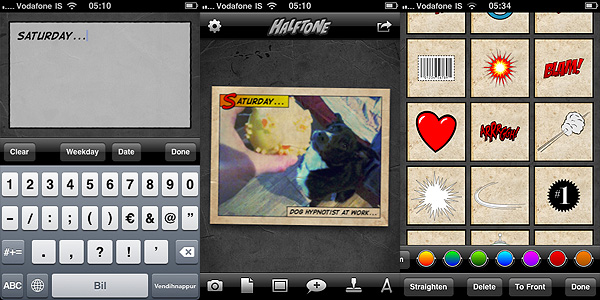
After launching Halftone, you decide to take a photo with the built-in camera or you load one from your iDevice. To process your image, you have a series of options. You can add a stressed, aged feel with paper textures. Then you can pick a layout among those available, to add one or more captions. Captions can be custom or you can simply let the app add date and credits. The next thing you can do is adding speech balloons, choosing one of the available styles (classic, square and round borders, thought, scream) and stickers. Both balloons and stickers can be customized a little: it’s possible to enlarge or shrink and to rotate them by finger pinching.
Controls are not as smooth and responsive as with other apps and personally I was frustrated at some point, because if you you are not careful you might end up having to deal with multiple useless stickers instead of just one, when all you wanted to do was rotating the first slightly.
When you are done, you can send the image via email, print it, share on Twitter and Facebook, or you can simply save it to your Camera Roll.
The effects, if applied wisely to photos that lend themselves to be turned into comics, can result in a few hours of amusement. Nevertheless, the overall lack of flexibility and variety remains a problem: you have partly customizable stickers, fonts, textures and more, but results are not diverse enough to grant Halftone great longevity. Although I am fully aware that talking about longevity when it’s about something that an iPhone user can get for $0.99 perhaps doesn’t make much sense.


 FX Photo Studio, both the iPhone and iPod Touch and the HD version for iPad, is now on sale: get one of the most popular editing tools available in the App Store at a special price!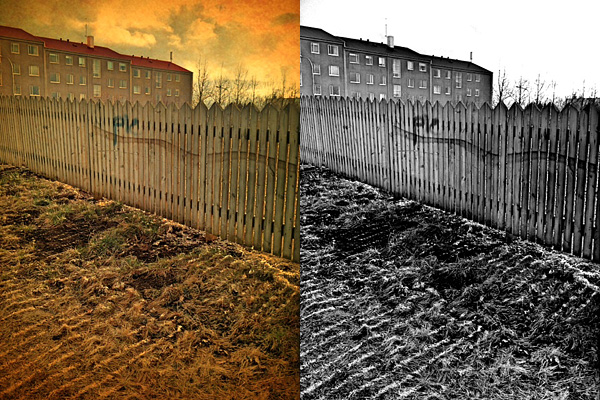


 Here is part two of our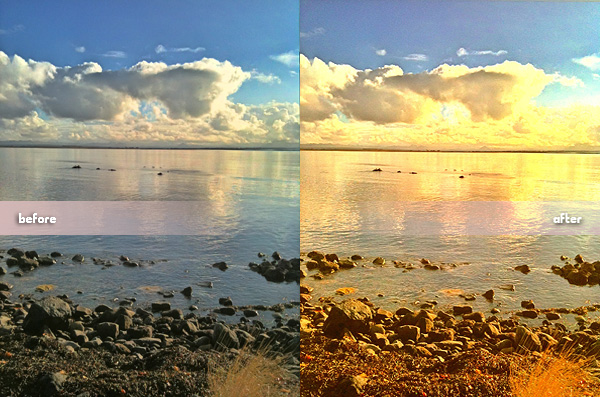


 Controls are not as smooth and responsive as with other apps and personally I was frustrated at some point, because if you you are not careful you might end up having to deal with multiple useless stickers instead of just one, when all you wanted to do was rotating the first slightly.
 The effects, if applied wisely to photos that lend themselves to be turned into comics, can result in a few hours of amusement. Nevertheless, the overall lack of flexibility and variety remains a problem: you have partly customizable stickers, fonts, textures and more, but results are not diverse enough to grant Halftone great longevity. Although I am fully aware that talking about longevity when it’s about something that an iPhone user can get for $0.99 perhaps doesn’t make much sense.