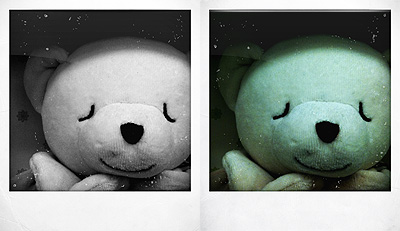
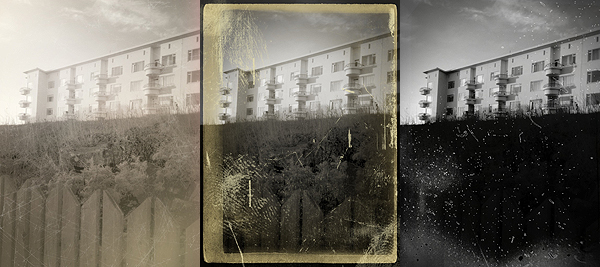
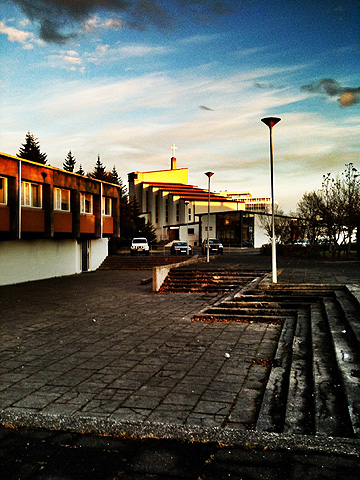
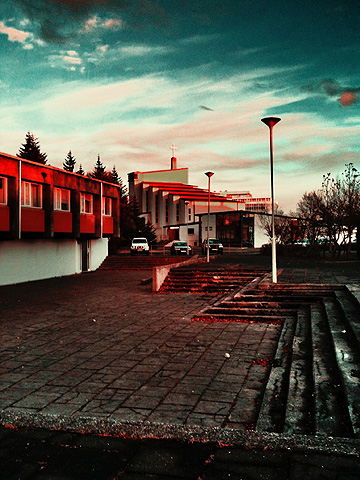
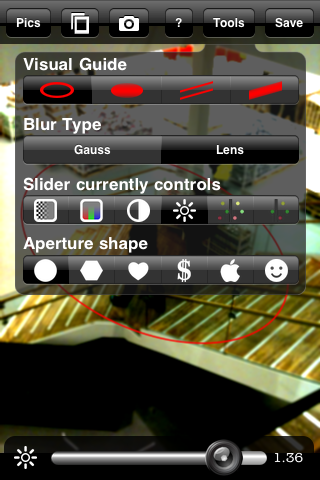
Cross Process: Some More Cross Processing to Embellish Your Photos Without Overdoing It

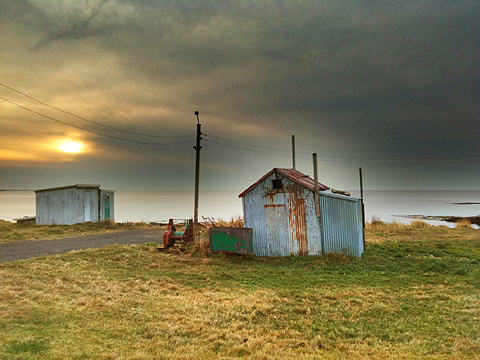
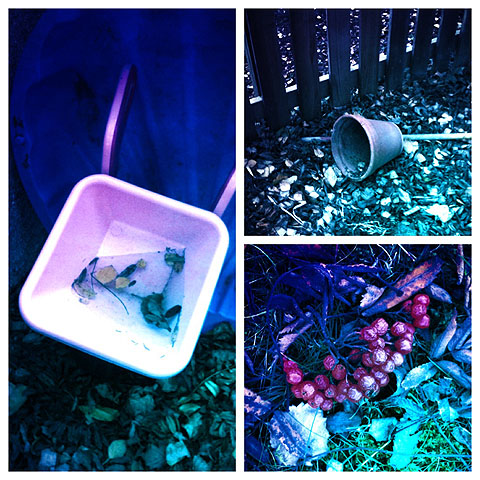
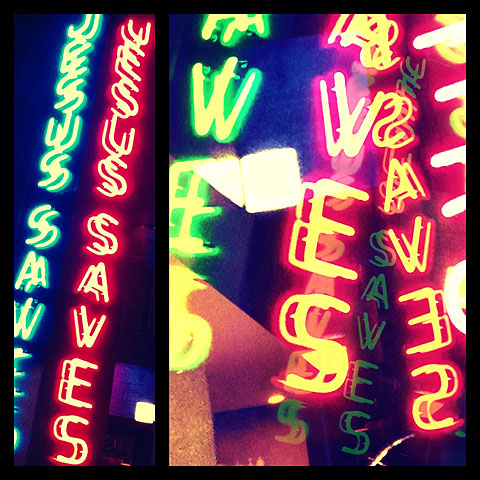
We gave you a brief overview on cross processing in another occasion, explaining how digitally cross processed photos have acquired in recent times great popularity especially among a certain type of photographers. Cross processing on the iPhone — and iPod Touch and iPad, too — is just another way, like appying retro filters, to spice up your photos.

Main Features

  • Full resolution available;
  • Five effects (red, blue, green, basic, extreme);
  • Border on/off;
  • Share via email and Facebook.

Appotography Opinion

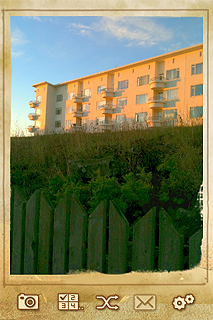
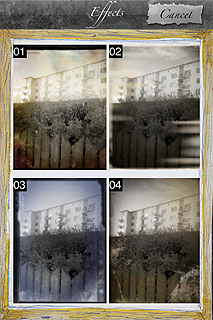
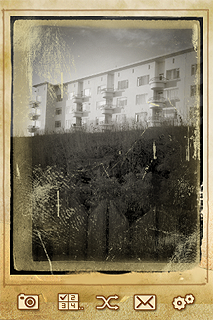
Cross Process is an app whose results are subtler than those obtained with other apps. Subtler, meaning non-invasive but also, sometimes, not that noticeable. The filters can be applied both on photos coming from your camera roll and on photos taken on the spot with the built-in camera. You can choose in the application’s settings which effects you want to enable among the green, blue, red and extreme. You can also add a border, if you like. All these parameters must be adjusted before, as you are not given any chances to modify them once you are actually using the app on your photos. The effect is chosen at random among those you enable, but you can save an original of your photo so you can try again if you are not satisfied with the final outcome.


Cross Process iPhone

Cross Process iPhone

Cross Process mixes the feel of instant camera with some of the unpredictability of cross processing without overdoing it. Developers affirm they studied real cross processing to make the effects look as believable as possible. However, as I said before, sometimes the effects are not that evident compared to the original image.

Cross Process, similarly to ShakeItPhoto from the same developer, is an app that with great ease of use will quickly allow users to enhance their snapshots.

Overall

Name: Cross Process
Developer: Banana Camera Co.
Compatibility: iPhone, iPod Touch, iPad. iOS 3.1.3 or later.
Price: £0.59||$0.99||€0.79
Vote: 3/5

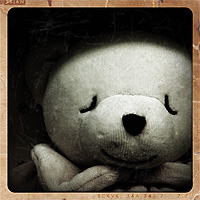
Cross Process - Banana Camera Co.

Retro Camera Plus: Another Hipstamatic Wannabe… But Quite Good

How many clones of Hipstamatic are there now? I lost count. They pop up like mushrooms, but none among them is really up to their source of inspiration. The problem is more than a developer thinks it doesn’t take much to successfully imitate Hipstamatic. Imitating is not the path to choose if you want to make a truly good impression, but of course it saves lots of time and you might be able to fool more than a few users.

Retro Camera Plus — not to be confused with RetroCamera —  is another of these countless Hipstamatic’s little sisters. We must admit the idea, although it is quite worn out, still has some fascination.

Main Features

  • Up to a resolution of 1200 x 1387 pixels;
  • Five cameras for a total of nine different effects (filters and borders);
  • Share via email, Twitter and Facebook.

Appotography Opinion

With Retro Camera Plus you have access to five different presets simulating five different old-school cameras. Four of these cameras let you choose among color and black and white (actually just a greyscale version of the color filter). You cannot use photos from your camera roll, as with other hipstamatic-ish apps; you are supposed to choose the filter you want to apply and shoot right away. The effects achieved are pretty good, but none really stands out.

Here’s a preview of how the different filters affect images.

Retro Camera Plus iPhone
The Bärbl
Retro Camera Plus iPhone
The Little Orange Box
Retro Camera Plus iPhone
The Xolaroid 2000
Retro Camera Plus iPhone
The Pinhole Camera
Retro Camera Plus iPhone
The FudgeCan

There are quite a few problems if you try to take more shots one after the other or if you open the prints gallery while the image is still being processed. The app crashed more than a few times during our testing with the latest OS . The browsing among images stored in the app’s gallery is also not as fluid and functional as it should be. Fixing these problems, adding a few features, like for example the possibility for a double exposure with the Pinhole Camera, and refining a bit the b&w filters, would definitely bring the app on another level.

The app is free, so you might as well try it if you are curious.

Overall

Name: Retro Camera Plus
Developer: Urbian, Inc.
Compatibility: iPhone, iPod Touch. iOS 4.1 or later.
Price: free!
Vote: 3/5

Retro Camera Plus - Urbian, Inc.

Genius Scan: a Pocket Scanner on the iPhone

Sometimes, looking for apps inside the right category in the App Store can get tricky. Have you thought, for example, about the possibility of finding a pocket scanner in the Business category? Maybe you have, maybe not; at any rate, I bet most people wouldn’t think about it if they were to look for it just browsing through categories.

Genius Scan is not strictly a photography app, but surely it’s not so obvious to label it as a business app either. Anyway, it involves the use of a camera and it’s definitely an app you might want to get also for its potential as a photographic tool. In addition to that, it could really come in handy at some point — it’s totally free too! So let’s take a closer look at it.

Main Features

  • Page frame detection;
  • Perspective correction;
  • Color or black and white post-processing;
  • Store scans as JPG in the camera roll;
  • Create documents with multiple scans;
  • Rename documents;
  • Send documents via email as PDF.

Appotography Opinion

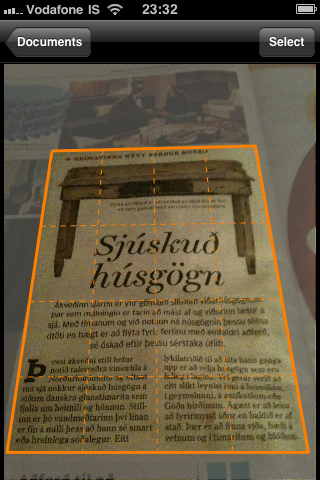
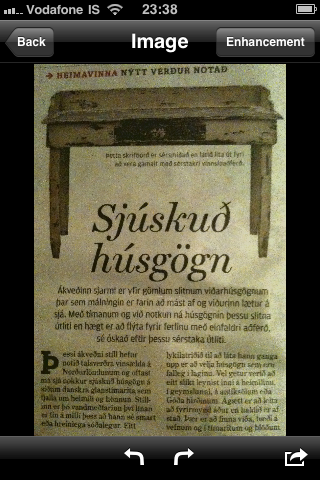
Let’s assume you need to take a quick copy or note of something (a document, a sign, a book page, an excerpt of an article from a magazine, a notice on bulletin board, etc.) but you have no time or means to make a copy or to write down the information you need to remember. How many times has this happened to you? Even if it hasn’t happened yet, you can be sure it’s bound to happen sooner or later. A portable copier would be useful at times like this, wouldn’t it? If you have an iPhone, the possibility to use the iPhone camera to achieve something of the sort surely crossed your mind. But most of the times — if you tried it, you perfectly know what I mean — the photo turns out all crooked and unusable.

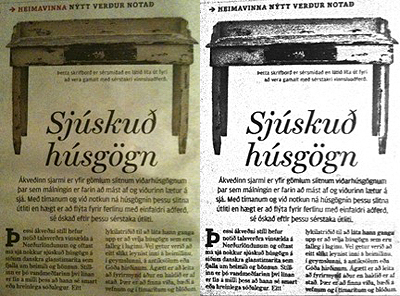
Genius Scan provides you exactly with this: a pocket scanner you can always bring with you. You just have to take a shot of the documents you want to keep for further reference, you crop the image and have its perspective adjusted, you choose if you want it processed as a color or black and white image, and you save it. You can save your snapshot as a JPG image file or create a document  with single or multiple scans and send it as a PDF file. You can also access the camera roll and use pictures taken with other apps or with the default iPhone camera.

Genius Scan iPhone

Genius Scan iPhone

Genius Scan iPhone

iPhone photographers may also need Genius Scan for improving their photos: quite a few  people use this app in more creative ways, for example to effectively straighten or adjust the perspective of pictures that are taken from wrong angles — to make photos of buildings look as if they were taken from a frontal position when they were not, for example.

With Genius Scan your privacy is 100% protected, as the app doesn’t send your data to third parties, and everything is being processed on your phone. The app is free, and even if it weren’t, it would definitely be worth having on your Apple device!

Overall

Name: Genius Scan
Developer: Grizzly Software
Compatibility: iPhone, iPod Touch. iOS 4.0 or later.
Price: free!
Vote: 4/5

Genius Scan - The Grizzly Labs

Bad Camera: When the Name Says It All

“Photography is painting with light! The blurs, the spots, those are errors! But the errors are part of it; they give it poetry and turn it into painting. And for that you need a bad camera.” – Miroslav Tichý (from the Bad Camera App Store page)

Many painters and photographers would disagree with Tichý’s assertion and affirm that photography and painting are very different forms of expression, requiring different skills and, most of all, different ways of envisioning what the artist wants to express. When the painter tries to imitate the language of photography in painting, he’s going to fail; the same happens when a photographer tries to force rules that are proper of painting into his work. As far as the valuableness of Tichý’s take on the subject goes, photographers have indeed in many cases decided of their own accord to use lo-fi equipment – bad cameras from a purely technical point of view – either to test their skills or to make a statement; they also did it simply because with modest or faulty equipment they could obtain photos that are sometimes more original and interesting, or at any rate unlike the norm.

Bad Camera‘s intent would be to provide the iPhone photographers with a tool able to compete with actual lo-fi or damaged equipment in order to accomplish unpredictable and astonishing effects. But as a matter of fact, Bad Camera’s results are far from being strange or surprisingly unique.

Main Features

  • Up to a resolution of 1024 x 768;
  • Random effects;
  • Share via email and Facebook.

Appotography Opinion

Bad Camera works a bit like Plastic Bullet: you take or load a photo and then you are presented with random outcomes. You can choose from one of them or keep on tapping on the randomize button to get more, until you find something that pleases your eye. You can then save to camera roll or share via email or Facebook.

Bad Camera iPhone

Bad Camera iPhone

Bad Camera iPhone

The difference with Plastic Bullet though is that Bad Camera’s flexibility of use is very limited. Bad Camera achieves its effects mostly by applying textures on the photos. Mixing some textures and photos doesn’t always work and the final effects are sometimes quite lame. Also, there isn’t a great variety of textures – some of them aren’t that great either, especially seen in higher resolution – and you cannot really adjust any parameter, so all the photos processed with Bad Camera after some time look almost identical and the excitement that you might experience at first is definitely short-lived. It would’ve been better to add the random button as an extra, letting the user choose adjustable tones – sepia and black and white – and textures independently. This wasn’t supposed to be the point of the app, but then the developer should have granted more variety, adding more unexpected variables.

Bad Camera iPhone

As a stand-alone app, Bad Camera’s possibilities are very poor. We hope in some future upgrade.

Overall

Name: Bad Camera
Developer: Fungear Studio
Compatibility: iPhone, iPod Touch, iPad. iOS 3.0 or later.
Price: £0.59||$0.99||€0.79
Vote: 2/5

Bad-Camera - FunGear Studio

XProcess: Simulate Cross Processing with Your iPhone

Cross processing is a practice that consists in developing a photographic film using a chemical solution intended for another type of film. The procedure, which legend says was discovered by mistake, has become a deliberate method to obtain peculiar effects and it’s very popular especially among lo-fi or amateur photographers.

Cross processing is very often simulated with image editing software in digital photos. Although digital simulation lacks the captivating unpredictability of the analog technique, many choose to apply this kind of effects to digital photos simply because the recognizable cross processing unnaturally saturated hues and the intensely bright tones immediately grant any photo a little of the analog feel.

Main Features

  • Full resolution available;
  • Adjustable colors;
  • Adjustable vignette and saturation;
  • Shake for random effect;
  • Move and scale;
  • Share via email, Twitter and Facebook.

Appotography Opinion

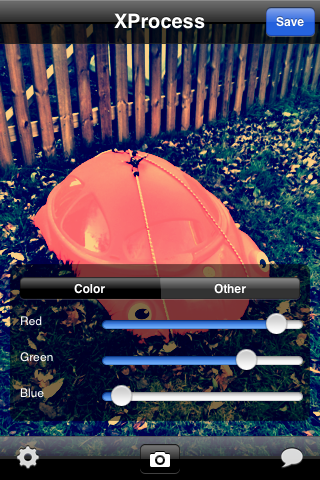
XProcess is a very basic app which simply allows the user to alter any image’s colors very easily and, most of all, quickly. It’s possible to adjust color through red, green and blue channel sliders, add vignetting and crop the image. For a taste of unpredictability, you can shake the iPhone to get random parameters and outcomes.

XProcess iPhone

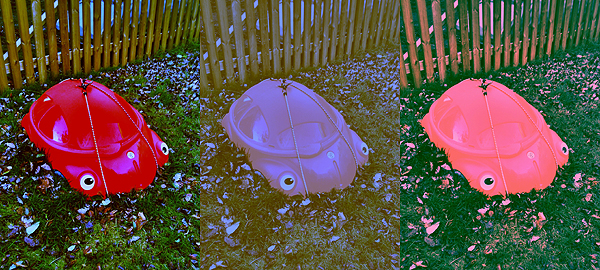
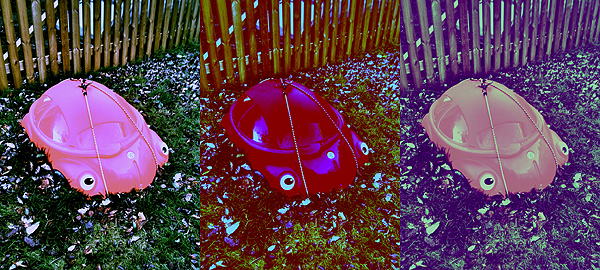
The results are not outstandingly varied, but they are at any rate good enough to enjoy the app. The problem is that many other apps are more or less capable of the same, but they also have a lot of additional features or extras that are not included in XProcess. Moreover, a little more flexibility regarding the cropping and resizing feature would be helpful: as it is now, there isn’t much you can do with it.

Here’s a few samples of what you can do with XProcess:

XProcess iPhone

XProcess iPhone

XProcess works with built-in camera and camera roll.

Overall

Name: XProcess
Developer: youthhr
Compatibility: iPhone, iPod Touch. iOS 4.0 or later.
Price: £0.59||$0.99||€0.79
Vote: 3/5

XProcess - youthhr

Typograffit: Play and Invent With Typography!

Most creatures rely more on other senses, while man is especially dependent on sight. That’s why visual communication has always been very important for people. From prehistoric to contemporary eras, communicating using predominantly visual tools is one of the things that make humans different. Over the ages, man has devised a special coded language that is preeminently figurative that is unknown to any other species in nature. Symbols, also letters and typography, are part of this language.

Main features

  • Upload images from photos you take;
  • Get permanent link to images you generate;
  • Manage images library;
  • Manage message library;
  • Share via email, Twitter, Facebook, Tumblr, Myspace, Blogger.

Appotography Opinion

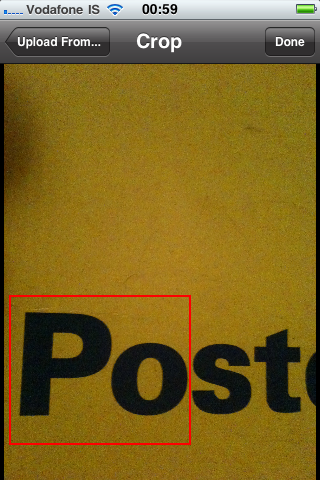
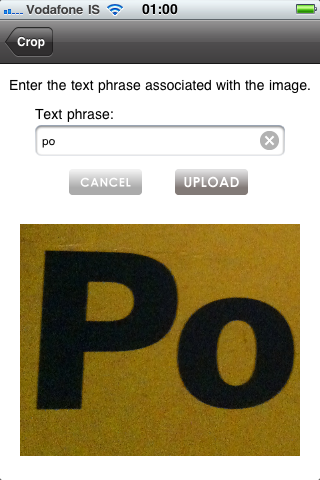
Not stricly a photography app, but somewhat related to photos, Typograffit is a toy, a treat for iPhone users that, with a little creativity, allows to achieve very interesting results. It is also a communicative tool, a means to interact with others in a different way. Typograffit plays with symbols and letters and, by linking images with meta-text data, it allows to express simple content in a way that’s out the ordinary. You can make use of the rich library of symbols offered by the developers or use your own elements by taking photos and isolating fragments of text in images.

Typograffit iPhone

Typograffit iPhoneTypograffit iPhone

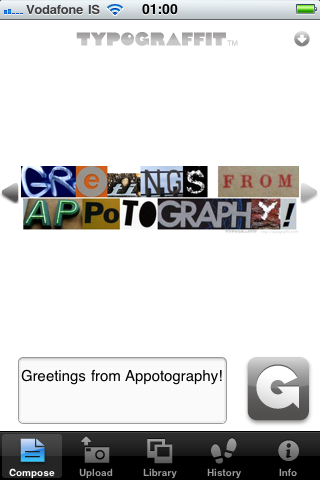
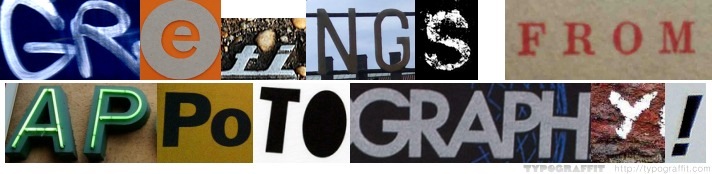
Typograffit is really simple in its mechanics: you want to say something through images, you write your message, you push the generate button. The app will present you with something looking like one of those infamous ransom letters, with different and incongruent images. There are many possibilities, as every time you push the “generate” button different outcomes will be presented to you. You can choose to use symbols and texts from your library or entirely rely on Typograffit’s collection. After something that suits your taste is found, you can share your visual message via email, Twitter, Facebook, Blogger, Tumblr, Myspace, or you can simply grab the link and paste it wherever you want. A watermark to the official app’s site however will be visible on the generated images, which is not that good considering this is a paid app.

Typograffit, is one of those apps that will grant a few hours of fun to users, especially to those willing to use their own cameras to build a library for customizing their messages.

Typograffit requires membership to be functional as the user has to sign up to access the image database.

Typograffit iPhone - Greetings from Appotography!

Overall

Name: Typograffit
Developer: Graffit, LLC
Compatibility: iPhone, iPod Touch, iPad. iOS 3.0 or later.
Price: £1.19||$1.99||€1.59
Vote: 3/5
TYPOGRAFFIT - Graffit, LLC

Photo fx: a Digital Filters Suite Always in Your Pocket

Tiffen has years of experience as a manufacturer in the photography field. Founded in 1945 by Sol Tiffen, the company has provided photographers and professionals in the motion pictures and tv broadcasting with equipment and accessories.

After bringing its expertise to world of digital photography in the latest years, Tiffen also contributed to the needs of iPhone photographers, supplying them a few image-editing apps to cover a wide range of possibilities and requirements. Photo fx is one of their latest efforts.

Main Features

  • Full resolution available;
  • 76 filters arranged in 8 categories;
  • 878 presets to choose from;
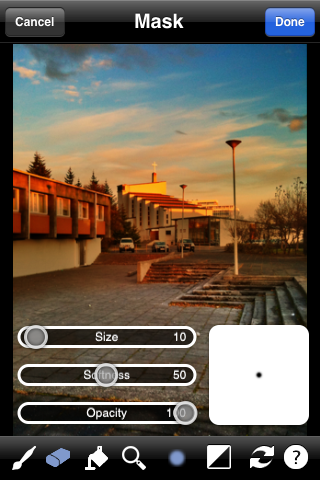
  • Add filters selectively by mask painting;
  • Crop, rotate, straighten;
  • Shake to randomize filter and presets;
  • Search through filters and effects;
  • Export setup via email (compatible with Tiffen Dfx Digital Filter Suite);
  • Integrated help.

Appotography Opinion

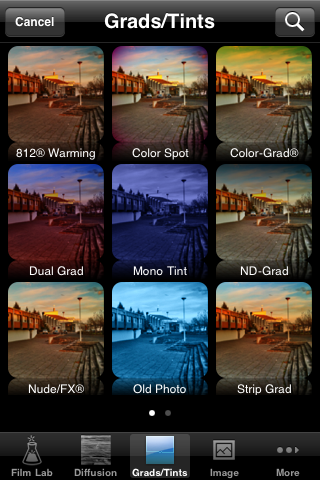
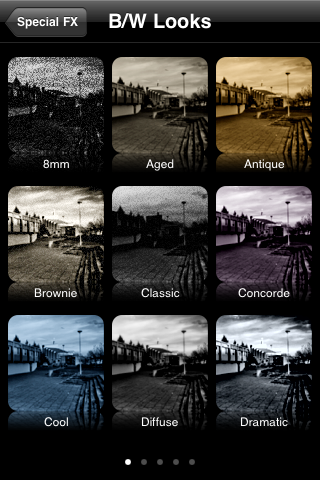
Among the photo-editing filter suites for iPhone, Photo fx is probably one of the best and most comprehensive. The amount of possibilities this app offers in terms of image-editing is comparable with Tiffen’s desktop suite: making use of filters masking and adjusting the various parameters, the user has lot of freedom in terms of customization; cropping and rotating tools are also very useful additions, and I find myself using these all the times, even when I do not want to use the other filters at all.

Photo fx iPhone

Photo fx iPhone

Photo fx iPhone

Photo fx iPhone

You can either upload a previously taken photo or use the built-in camera. The interface is very user-friendly, giving you a preview of each filter and preset. The variety of photographic filters alone is worth it, but in any case everything is very flexible, widening the range of results you can obtain even more. From color to black and white, from textures to gradients and tints, Photo fx truly offers a lot of choice, whether you have to make slight adjustments to your photos or if you have to work on them more thoroughly. You can add multiple effects without saving, each time with having an accurate preview of how each change is going to affect your image. With brush and eraser you can apply the filter only where you need it and in the right amount.

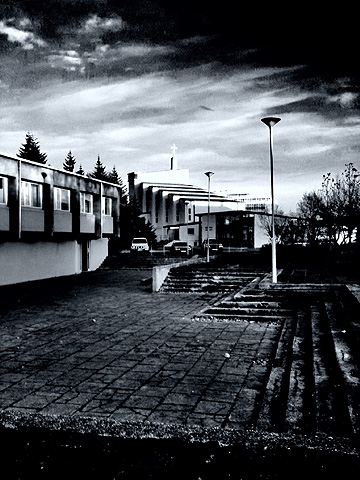
Here are a few versions of the same photo edited using different presets in Tiffen Photo fx:

The only truly lacking aspect of Photo fx concerns the sharing. Being this not a desktop application, having a few more sharing options wouldn’t hurt.
Photo fx is one of those apps that for a reason or another you’ll end using a lot for multiple purposes, so it’s definitely a must-have, especially if you use your camera a lot.

Overall

Name: Photo fx
Developer: Tiffen
Compatibility: iPhone, iPod Touch. iOS 4.1 or later.
Price: £1.79||$2.99||€2.39
Vote: 5/5

Photo fx - The Tiffen Company

TiltShift: More Fake Miniature Photography for Apple Users

We talked about the tilt-shift technique in photography in occasion of our review of Tiltshift Generator. We explained how favorable the common opinion is right now towards fake miniature photos and how people are eagerly interested in creating them with every available digital means. We also know the Apple Store offers so much variety that sometimes it’s difficult to tell whether an app is better than another providing the same results. Better in terms of usability and – why not? –  value for the money you pay. We tried Fukatsu’s TiltShift Generator and, as you can see from our review, we loved it. We tried Krause’s TiltShift as well: what do we think about it?

Main Features

  • Full resolution available;
  • Two types of blur (Gaussian and Lens);
  • Different shapes of aperture to simulate different bokeh effects;
  • Threshold and strength adjustment;
  • Contrast, brightness and saturation adjustment;
  • Free images for practice and guide included.

Appotography Opinion

Despite its larger number of elements and options, which could make one lean towards choosing Krause’s app, TiltShift cannot compete in ease of use and quality of results with Fukatsu’s TiltShift Generator. Most of the variables are the same for both apps, with a few additional ones in Krause’s TiltShift, but Tiltshift Generator is by far smoother and more immediate, and the results are overall a lot nicer as well.

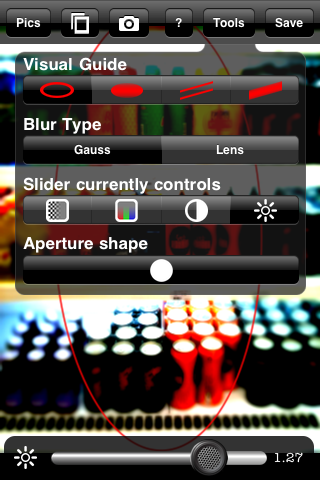
TiltShift’s blur tool, which is the basis for the diorama effect behind miniature faking, for instance is not very easy to handle: the pinching in and out and the rotation of the blur masks are not very user-friendly and sometimes even creating the simplest blur area can take more than it’s worth. The different apertures to simulate bokeh effects result very lame with most photos and are thus not much useful. TiltShift offers a lot in terms of features, but none of them is truly outstanding.

TiltShift iPhone - Interface

TiltShift iPhone

If you have to pick your first tilt-shift editor for your iPhone photography, I’d say TiltShift is not the best choice you have. If you already purchased another tilt-shift app, maybe you don’t need this one either.

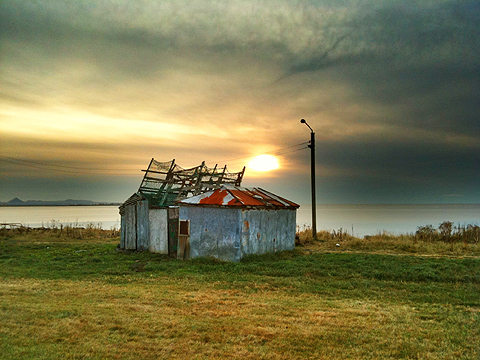
Fake Miniature Photo Made with TiltShift iPhone

Another Fake Miniature Photo Made with TiltShift iPhone

You can apply the fake miniature effect to photos taken on the spot or those stored in your camera roll, or you can have some fun with the ad hoc images included in the app. TiltShift contains a small guide as well, to learn about the app’s commands and features.

Overall

Name: TiltShift
Developer: Michael Krause
Compatibility: iPhone, iPod Touch, iPad. iOS 3.0 or later.
Price: £1.19||$1.99||€1.59
Vote: 2/5
TiltShift - Michael Krause

Pro HDR Review

Once I read in a comment posted in some photography poll about HDR vs Black & White stylized photos, “I prefer B&W: why would anybody like a photo that looks like you’ve been rubbing vomit on it?”. Apart from considerations about the poll in itself, which was in my opinion kind of flawed at its core and sort of nonsensical, I kind of agree that most HDR photography is very much like the result of some sickening spewing. HDR photographers tend to overdo, to overload their photos, ultimately making them look very ugly. But HDR in itself is not the devil. In its original form HDR is a technique that permits to overtake some serious difficulties caused by limitations in the actual medium – the camera.

Sometimes you see postcards with amazing colors in shops, photos where every detail is very neat and clear and the colors are so vivid. You’ve probably wondered how much effort does it take to take shots like those. Well, sometimes what you see is not done in camera, but it is the result of a smart post-processing which, very often, involves HDR.

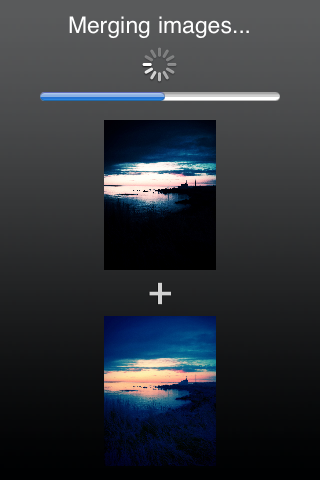
HDR, or high dynamic range imaging, is nowadays a technique that digital photographers know well and use very frequently. It basically consists in taking more shots of the same subject, each with altered parameters, and then merging them. Usually a couple of shots, one under-exposed and the other over-exposed, are enough. There are all sorts of tools and facilitation that have become very common over the years to help the photographers to obtain HDR images with no effort at all. Apple users also have their own available in the App Store.

Let’s see what Pro HDR for iPhone is capable of.

Main Features

  • Full resolution available;
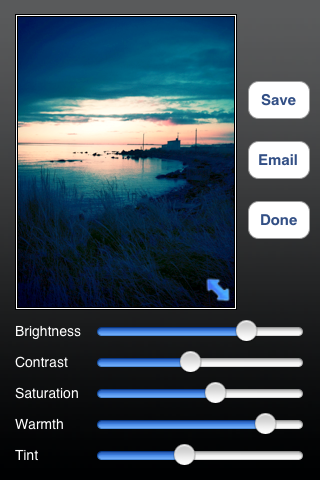
  • Adjustable brightness, contrast, saturation, warmth and tint;
  • Vibration on/off;
  • Share via email.

Appotography Opinion

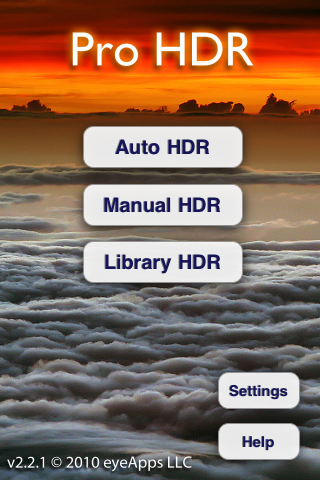
The app offers three different typologies of HDR processing. The manual and the automatic are similar: both work with the built-in camera and the effect is applied right after taking the photos. The automatic HDR is probably the easiest one, as it only requires the user to keep the camera in a still position – though some very slight movement doesn’t cause much bother – while the app analyzes the light conditions and automatically takes both over- and under-exposed shots. The manual mode is similar, but the user is required to tap on the screen for locating light and dark areas. This allows more control over the final results, but it doesn’t actually make much difference from automatic mode, most of the times. The library mode permits to use photos from the camera roll, but of course you have to have both the under-exposed and the over-exposed versions, and both photos must be of the same resolution to be recognized.

Pro HDR iPhone

Pro HDR iPhone

Pro HDR iPhone

Pro HDR iPhone

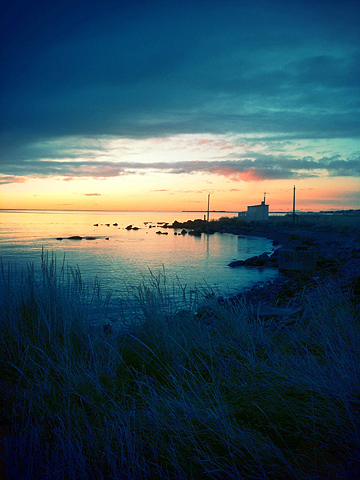
Adjusting the parameters after the shots are processed will let you come up with very nice-looking results, sometimes even better than what you’d expect from a mere iPhone shot. You can then save or send the photo via email.

Here are a few exampls of shots taken with Pro HDR in somewhat overcast weather conditions:

Pro HDR iPhone

Pro HDR iPhone

Pro HDR iPhone

Normally, using the default camera, you’d end with very dark photographs where no detail is clearly visible and the colors are very dull. As you can see, Pro HDR really makes a difference here, as it lets you have perfectly exposed photos even in the less inviting weather conditions.

Pro HDR, if used wisely, is one of those apps that can actually help you improve your photos. This app is a must-have for any iPhone photographer!

Overall

Name: Pro HDR
Developer: eyes apps LLC
Compatibility: iPhone, iPod Touch. iOS 4.0 or later.
Price: £1.19||$1.99||€1.59
Vote: 5/5

Pro HDR - eyeApps LLC

Diptic Review

Invention and ideas cannot be easily invoked with the help of any aid, but more than a few good results can be accomplished with the help of a good selection of apps. The art of mix and match is not as easy as it could seem: it takes invention and ideas to effectively use different images to make something new.

Diptic for iPhone by Peak Systems doesn’t provide you with extraordinary invention skills, but it does give you a few neat tools that will let you use your pictures in new ways.

Main Features

  • Full resolution available;
  • Restore from previous sessions;
  • Nineteen different layouts;
  • Expand layouts (in-app purchase);
  • Mirror, pan, rotate by 90°;
  • Adjustable brightness, contrast and saturation;
  • Adjustable colored border;
  • Possibility to share via email.

Appotography Opinion

Diptic is a nice little app that allows the user to mix multiple photos – from the camera roll or taken on the spot – to create something new and different. The geometric layouts available cover a variety of possibilities: you can combine from just two to up to four different photos to create your new picture. Diptic is very easy to use.Whether you want to tell a simple story or you simply want to showcase more than one photo at once, Diptic really comes in handy. You just have to pick your layout of choice, add the pictures and adjust a very few parameters, if you need to. You can alter the border’s color and width, making it thicker or totally invisible; you can modify the photos by enlarging them, moving them around or making them brighter, more saturated, etc. Then you can save,  send by email or share on the Diptic group on Flickr.

With a little invention you can create very eye-catching compositions with Diptic, especially if, for example, you use it in combination with other photo editing apps.

Diptic iPhone

Diptic iPhone

Diptic iPhone

My only complaints are about the resolution, which should definitely be improved, and about the rotation feature, which should in my opinion allow the user to rotate not only by 90°, but be more flexible in order to adapt the photos more easily to the ready-to-use layouts. It would be useful also to add a feature enabling to swap the photos’ positions when needed.

UPDATE: after a important update, Diptic now allows saving at full resolution; the layout system was also improved, letting the user “expand” each layout from a 1:2 to a 2:1 aspect ratio — the original 1:1 square is also still selectable — significantly widening the available choices. Therefore, our original score was also revised.

Overall

Name: Diptic
Developer: Peak Systems
Compatibility: iPhone, iPod Touch, iPad. iOS 3.0 or later.
Price: £1.19||$1.99||€1.59
Vote: 4/5

Diptic - Peak Systems